Saving Your Scripts to a Local File
A file keeps a copy of your work outside bitbybit.dev:
- a backup of a script or a version you want to keep, beside its history;
- a private share, sent to someone without making the project public;
- a move of drafts and projects in this browser to another browser or computer.
Export a script
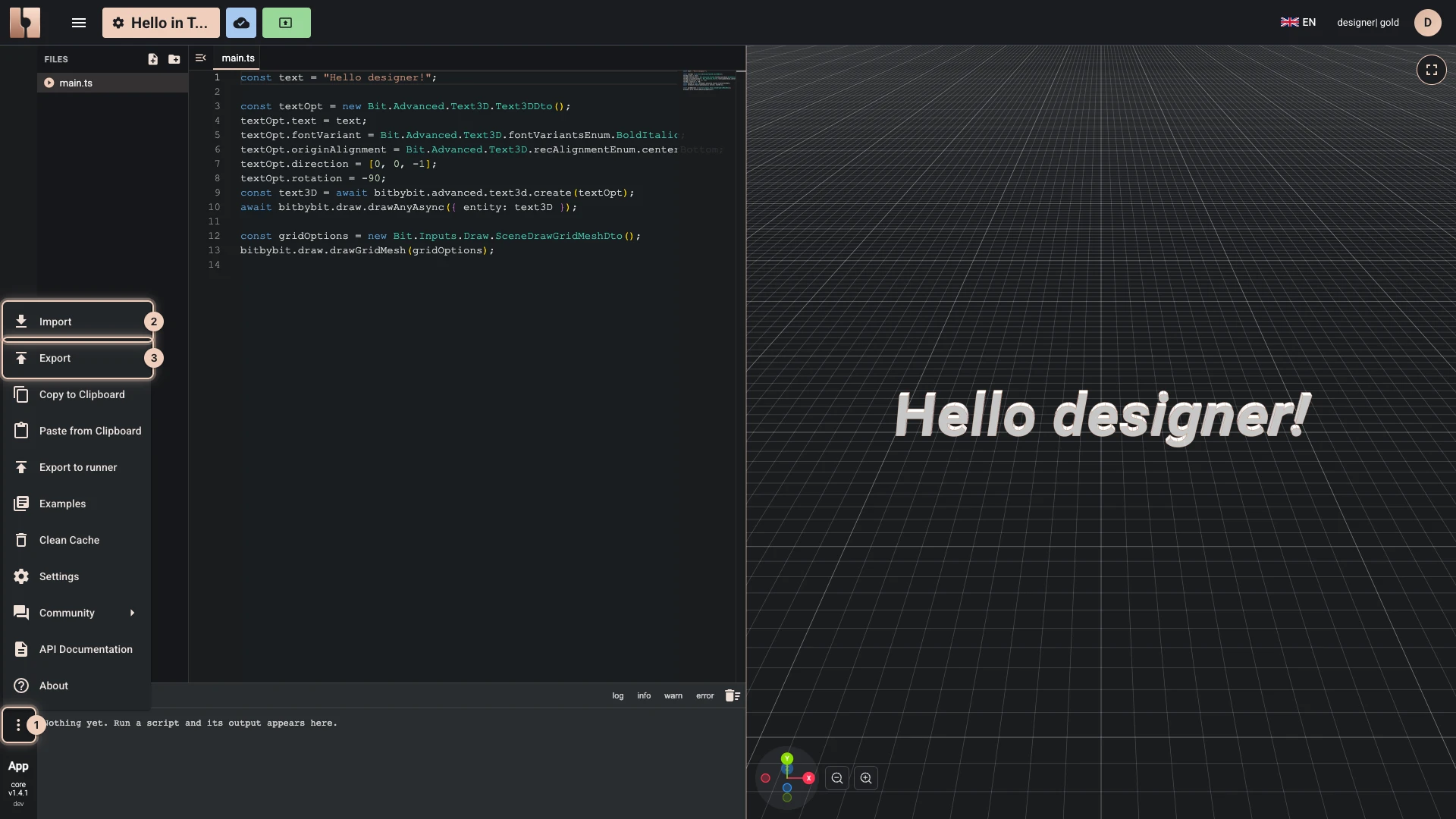
- In the editor, open More, the last button of the editor's left bar.
- Choose Export.
Your browser downloads the script as a .bitbybit file, named after its editor and the moment you exported it:
| Editor | File name |
|---|---|
| Rete | workspace-rete_2026-10-09_14-30-00.bitbybit |
| Blockly | workspace-bl_2026-10-09_14-30-00.bitbybit |
| TypeScript | workspace-ts_2026-10-09_14-30-00.bitbybit |
A .bitbybit file is JSON, so a text editor can show it, but only the bitbybit.dev editors read it back: see Importing Scripts. The Designer exports its own way, from its File menu: see Export and import design files.
Copy to Clipboard, in the same menu, copies the script instead, to paste into another editor of the same kind with Paste from Clipboard.
Export projects in this browser
Projects kept in this browser export whole, as zip files, from My Projects:
- Export, on a project, saves that project as one zip.
- Export all, at the top, saves every project in this browser, Drafts included, as one zip.
A cloud project is kept in your account, which works from any device; export its scripts one by one from their editors to keep copies of your own.
Verified against the product in October 2026