Importing Scripts From a Local File
Into the editor
A .bitbybit file exported from an editor opens again in an editor of the same kind.
- In the editor, open More, the last button of the editor's left bar.
- Choose Import.
- Choose the
.bitbybitfile.
The file replaces what the editor shows, and the version it replaces is kept in the script's history. Choose Run The Code, the play button at the top of the left bar, to see its result.
The file must come from the same editor: Rete scripts import into the Rete editor, Blockly into Blockly and TypeScript into TypeScript. A file from another editor is refused, and the editor says which editor to open instead; what was on screen stays as it was. A Rete module file imports into the Rete editor as a module.
Into this browser
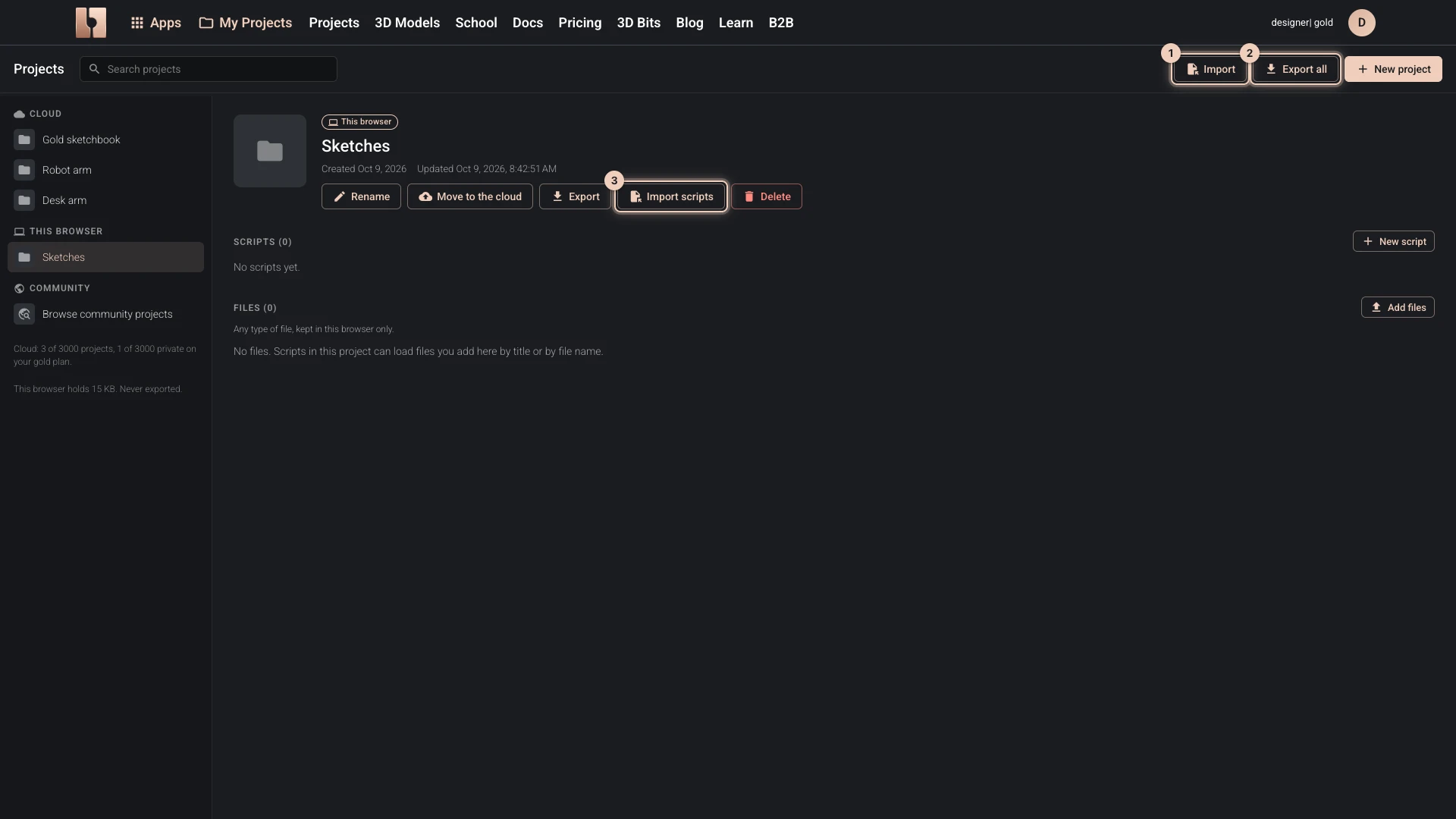
My Projects brings files into the projects kept in this browser:
- Import, at the top, takes a zip that Export or Export all made and adds its projects, or a single
.bitbybitscript, which lands in Drafts. - Import scripts, on a project in this browser, adds scripts to that project.
From there, a project can move to the cloud.
Verified against the product in October 2026