Embedding Bitbybit Scripts
Embedding shows a script's preview inside your own web page, so visitors see and use your 3D work without leaving your site.
Before you embed:
- Only a public project's scripts embed for everyone. A visitor would have to be signed in to bitbybit.dev with the right plan to open a community project's preview, and nobody else can open a private one.
- Everything public is open to all. A public project's scripts and the files they load can be opened, read and downloaded by anyone.
- Previews embed; the editors do not. bitbybit.dev refuses to show its editors inside another site's page, so an editor link in an iframe stays blank. Embed the preview.
- A Designer script embeds too: its preview shows the design to turn and pose by its configurations, with a link to open it on bitbybit.dev.
Embed a preview
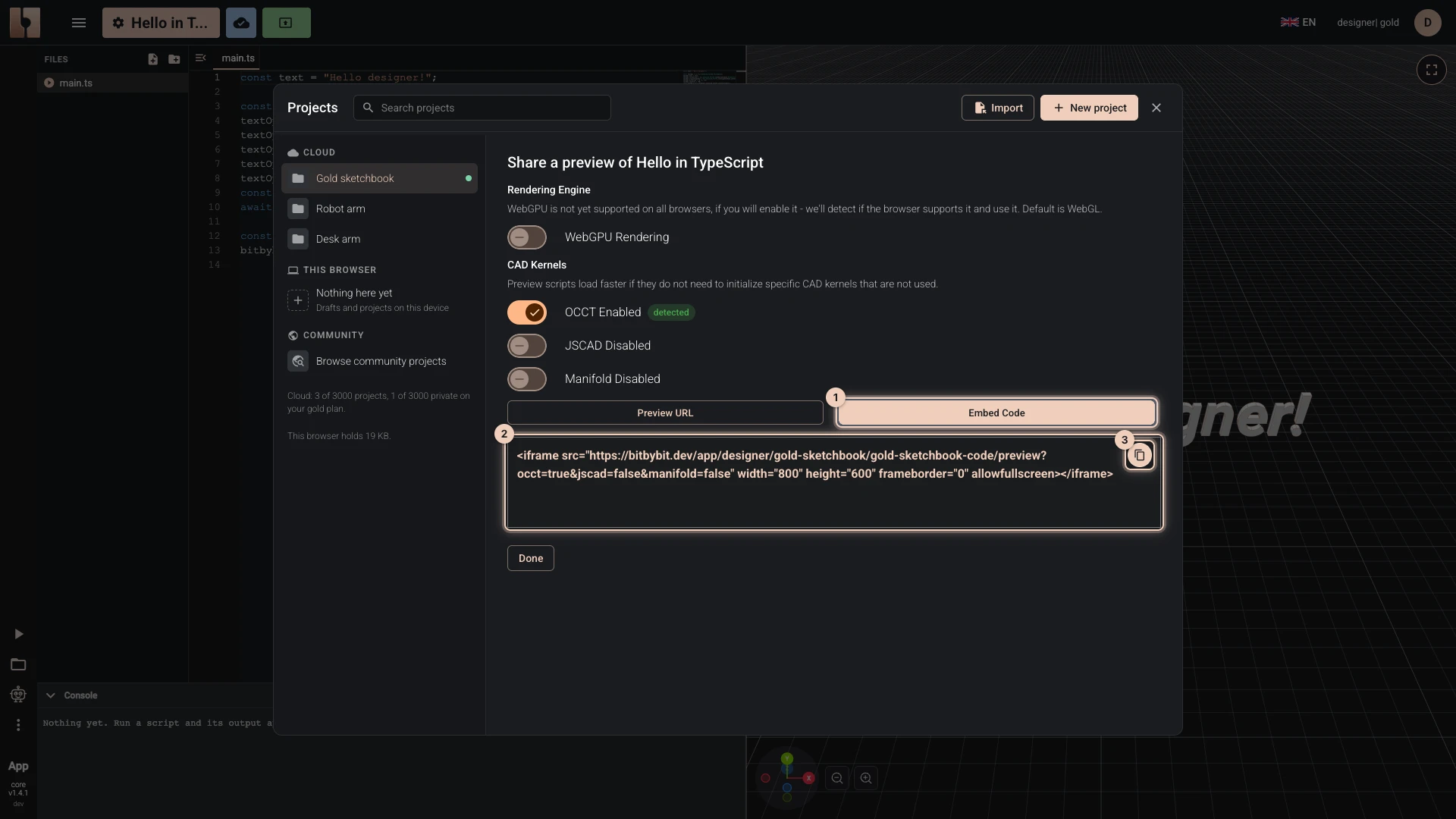
- Open the script and choose the share button at the left of the bitbybit.dev header (Share script preview).
- Choose the kernels and the renderer the preview loads, as Script Preview Mode explains.
- Choose Embed Code, then Copy to clipboard.
- Paste the code into your page's HTML where the preview should appear.
The code is an iframe with the preview's address:
<iframe src="https://bitbybit.dev/app/your-username/your-project-id/your-script-id/preview?occt=true&jscad=false&manifold=false" width="800" height="600" frameborder="0" allowfullscreen></iframe>
Change width and height to fit your page; width="100%" fills the column it sits in.
Verified against the product in October 2026