Editor settings
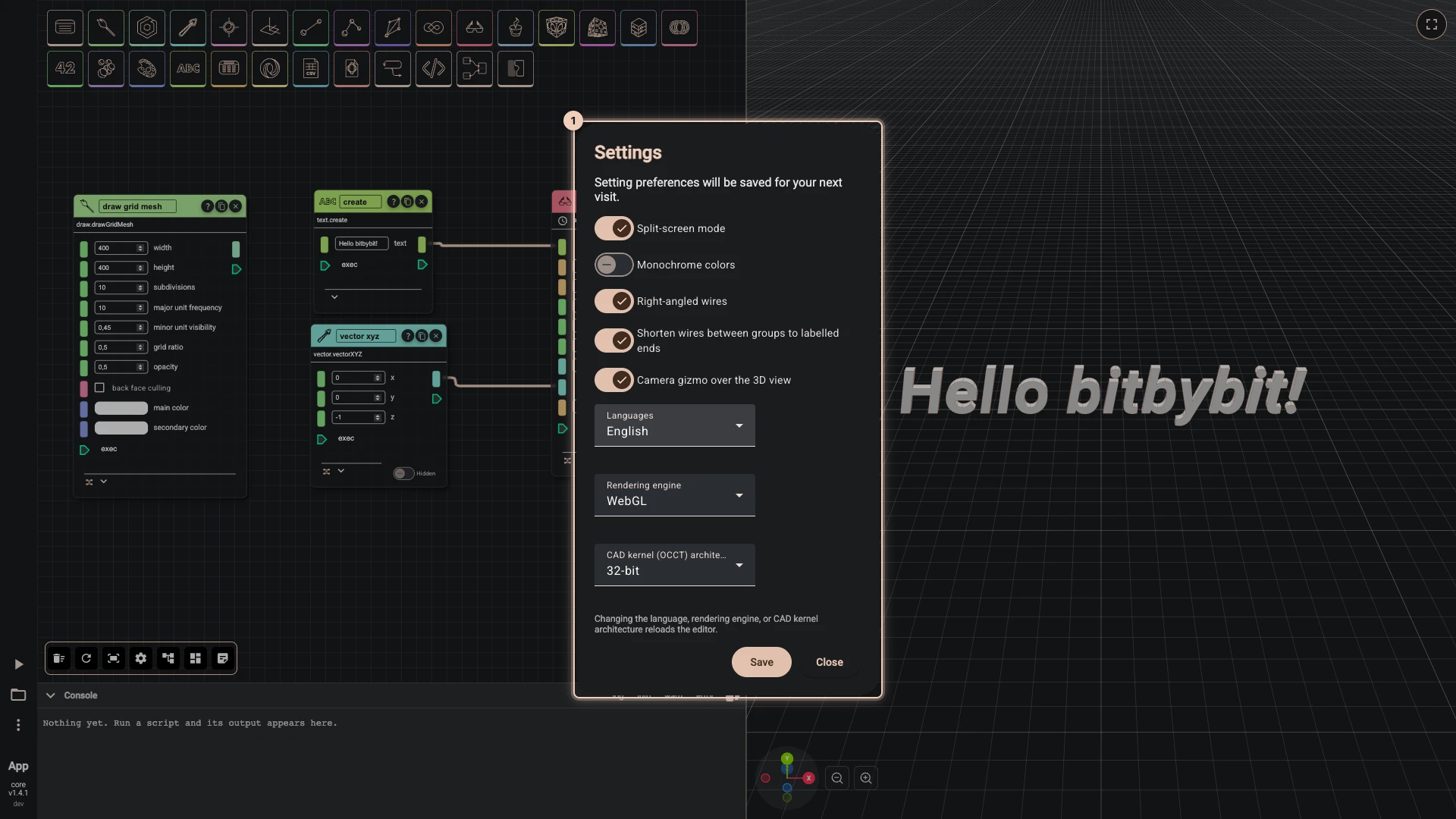
Rete, Blockly and the TypeScript editor share one set of settings: open More > Settings in any of them. They are kept in this browser, so they follow you from script to script but not to another computer.
| Setting | What it changes |
|---|---|
| Split-screen mode | On, the editor and the 3D view sit side by side, with a divider to drag. Off, each takes the whole window and Swap Canvas (F4) switches between them. A phone always works one at a time. |
| Monochrome colors | Draws Rete's sockets and wires in one colour instead of a colour per type, for a calmer canvas. |
| Right-angled wires | Draws Rete's wires as horizontal and vertical runs with rounded corners, each output of a node turning in a lane of its own, so wires side by side never overlap. Off, wires are curves. On by default. |
| Shorten wires between groups to labelled ends | A wire from one group to another is drawn as two short ends, each labelled with what is at the other end. Point at a label, or select either node, to see the whole wire. On by default. |
| Camera gizmo over the 3D view | Shows the axes widget and zoom buttons in the corner of the 3D view; click an axis to look along it. |
| Language | The language of the editors' menus, components and blocks: English, Lietuvių, Latviešu, Eesti, Svenska, 简体中文, Español, हिन्दी, Français, Polski, Suomi, العربية, বাংলা, Português, Українська, Bahasa Indonesia, Deutsch or Русский. These docs are in English. |
| Rendering engine | WebGL works in every browser; WebGPU is newer and faster where the browser supports it. |
| CAD kernel (OCCT) architecture | 32-bit is the default, smaller to download and right for almost every script; it can use up to 2 GB of memory. 64-bit can use up to 16 GB, for very large models and big STEP files, and takes longer to load. |
The five switches apply as you flip them. The language, the rendering engine and the kernel architecture apply when you press Save: the editor reloads to change them, and asks first, so save your script before you confirm with Reload.
Verified against the product in October 2026