Organising a script
A script of five nodes explains itself; one of fifty needs help. Rete gives you groups, comments and a search over the canvas.
Select
- Click a node to select it. Ctrl+click (⌘+click on a Mac) adds a node to the selection.
- Draw a box with Ctrl (⌘ on a Mac) held and the mouse dragged over empty canvas: every node it touches is selected.
- Esc clears the selection.
Drag any selected node to move them all. Drag the empty canvas to pan, and use the wheel to zoom.
Groups
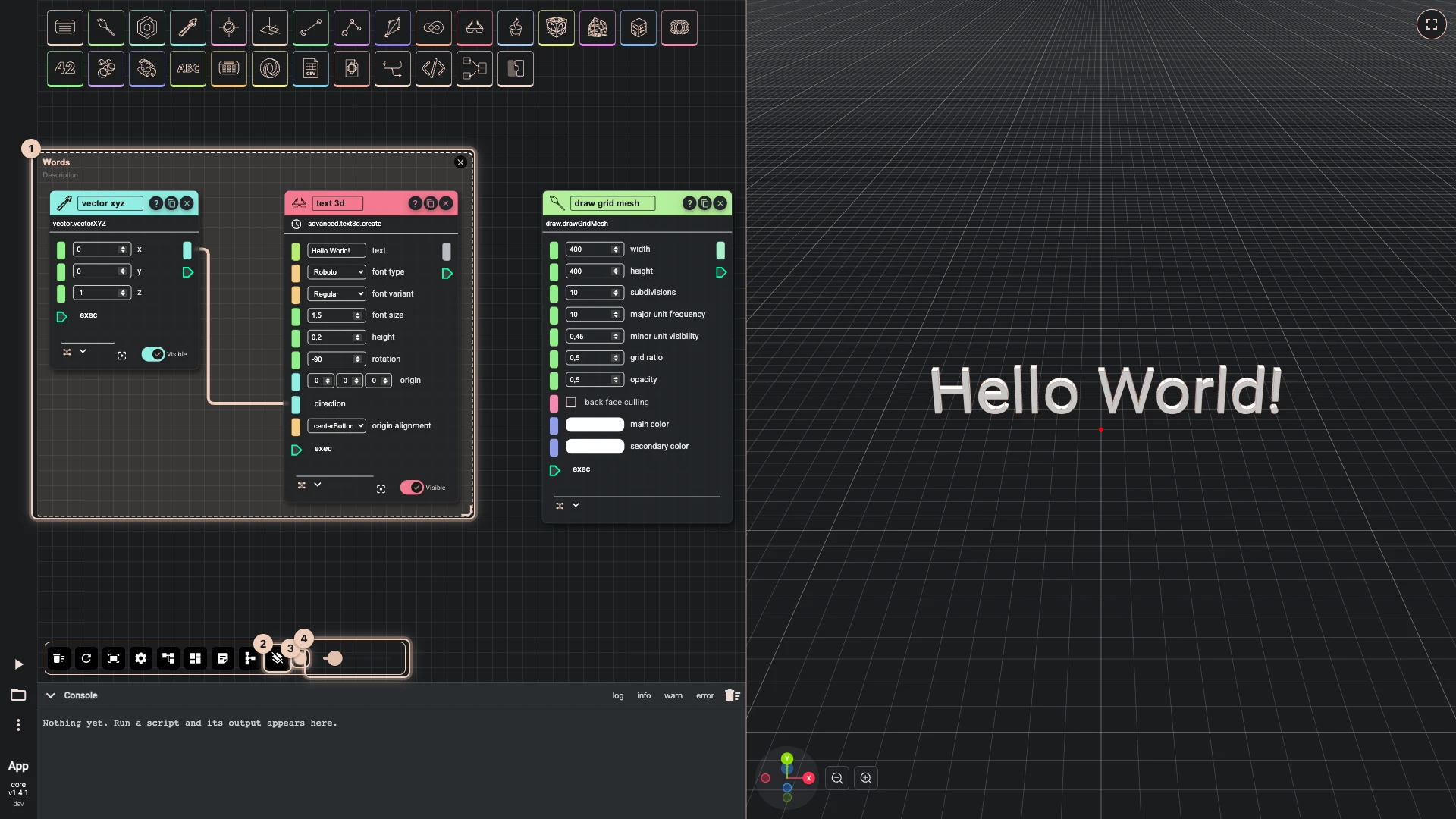
Select the nodes that belong together and press Group selected components in the toolbar: a frame is drawn around them. Name it in its title, and give it a Description below. Dragging the group moves everything in it.
A wire from a component in one group to a component in another is drawn as two short ends instead of a long line across the canvas: the end at the output names where the wire goes (the component, or the groups when it goes to several), and the end at the input names the component it comes from. Point at a label to see the whole wire, or select a node to see all of its wires; the settings can draw every wire in full.
With a group selected, the toolbar offers Remove selected group(s), which leaves the nodes where they are, the Group color and its Group transparency. Add a group starts an empty group; select it with some nodes and Add selected components to the group puts them in, and Arrange components inside the group tidies them.
Comments
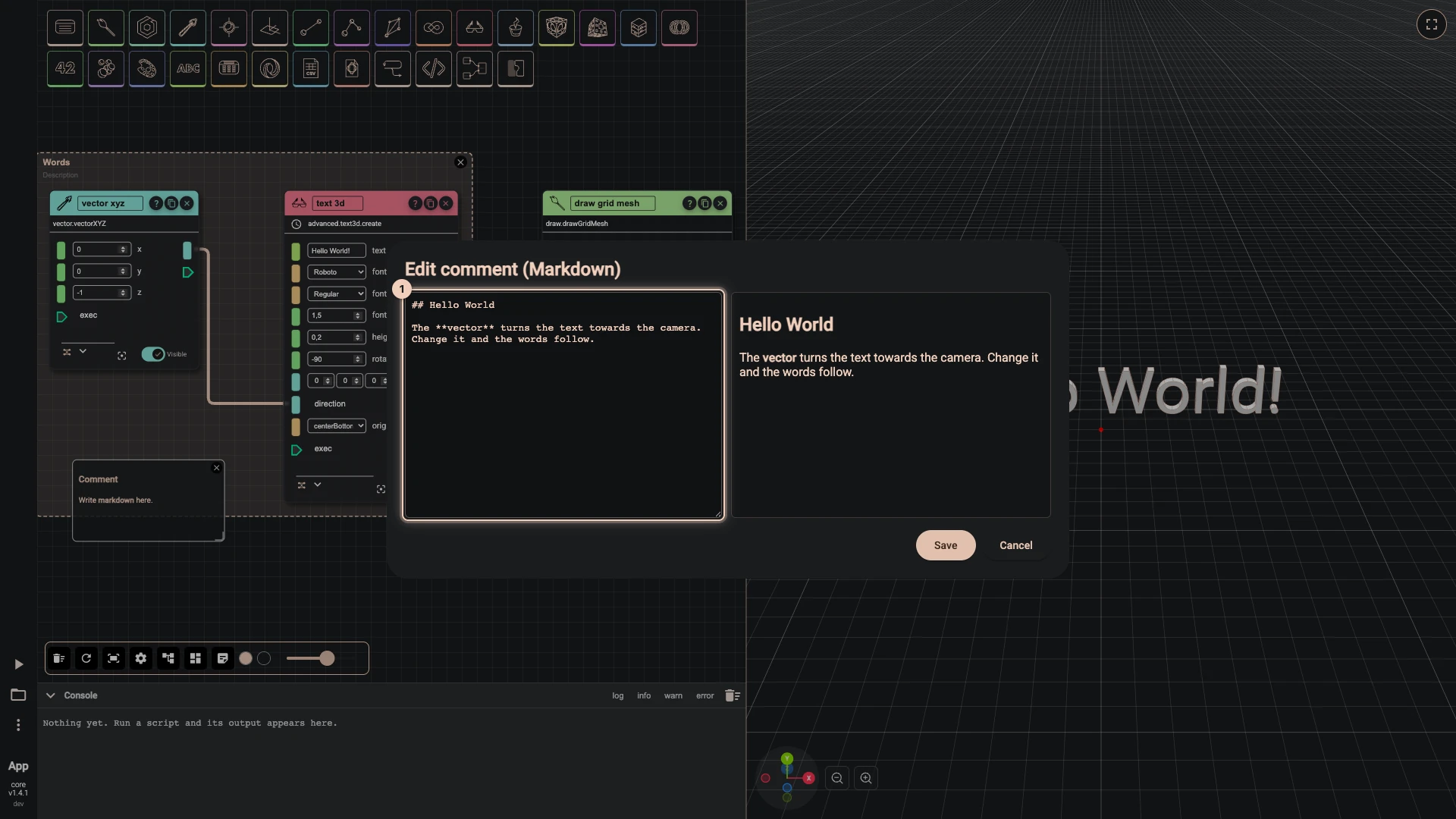
Add a comment puts a note on the canvas. Double-click it to edit its text in Edit comment (Markdown): headings, bold, lists and links all render on the canvas. With a comment selected, the toolbar sets its Comment text color, Comment background color and Comment text scale.
Find on canvas
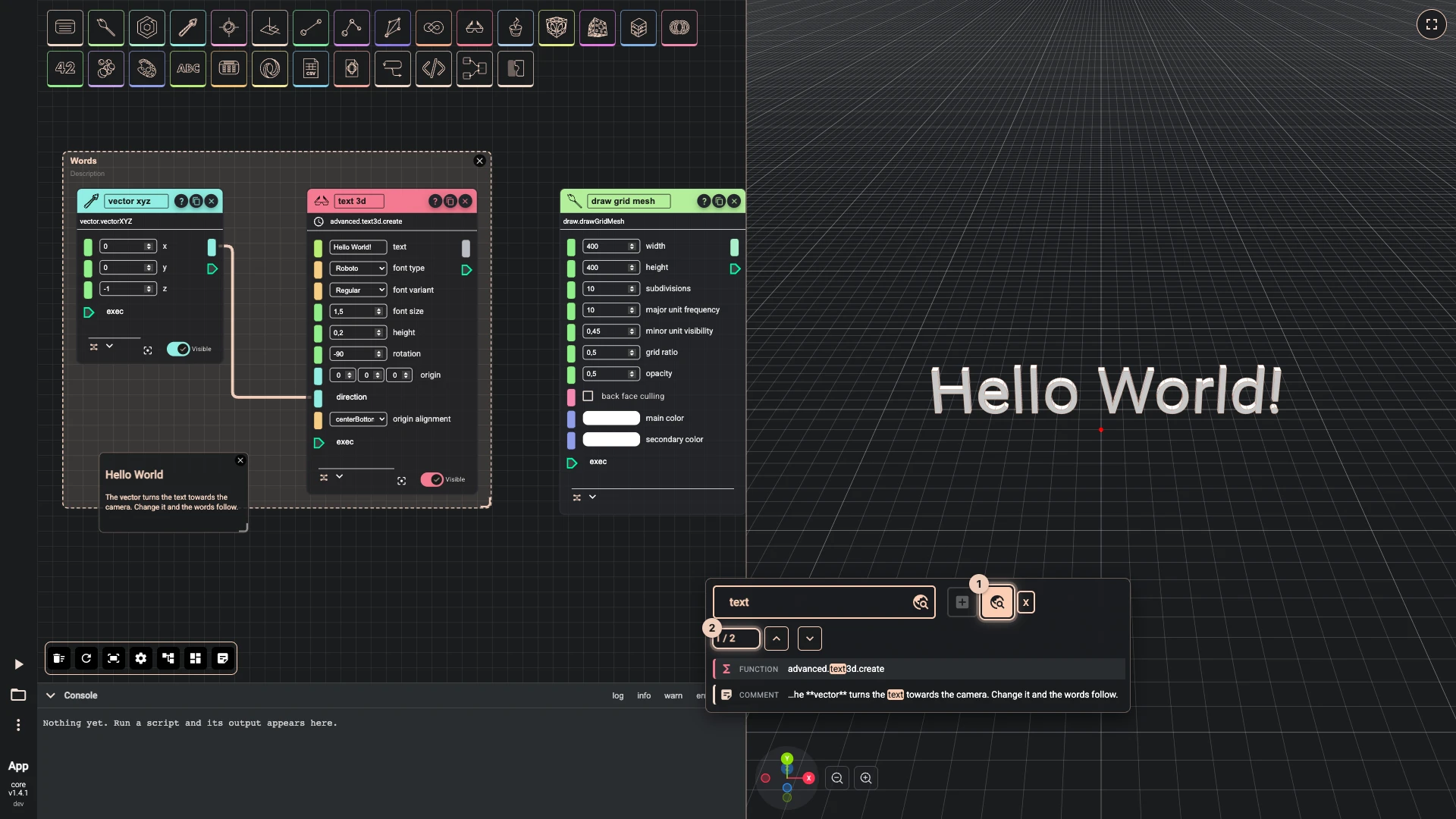
Right-click the canvas and switch the search to Find on canvas. Type at least three letters: every node whose component, title, inputs, outputs, group or comment matches is listed, with where it matched, and the canvas moves to the first one and makes it pulse. Enter or the arrows step to the next match.
Arrange and fit
- Auto-arrange the graph lays every node out by the wires between them. In a script with groups, each group's nodes are laid out inside it, its comments first, and the groups are placed beside one another in the order the wires run, so nothing leaves its group and no two groups overlap. A group of many nodes is folded into a block close to square rather than a long row, so the whole script stays compact.
- Fit the whole script to screen zooms the canvas until every node shows.
Undo, clear and run again
- Ctrl+Z undoes the last change on the canvas, and Ctrl+Y redoes it (⌘ on a Mac). They work when the focus is not in a field, where they undo your typing instead.
- Clear all cache and components empties the canvas, after asking.
- Clears cache and recomputes forgets every node's kept result and runs the whole script again from scratch.
Verified against the product in October 2026