Code nodes
Some things are easier to say in a few lines of code than in a dozen nodes: a formula, a loop with a condition, reshaping data. Rete has three components that hold code: typescript editor, javascript editor and json editor. Search for them by name, or open the code category of the palette.
Write the code
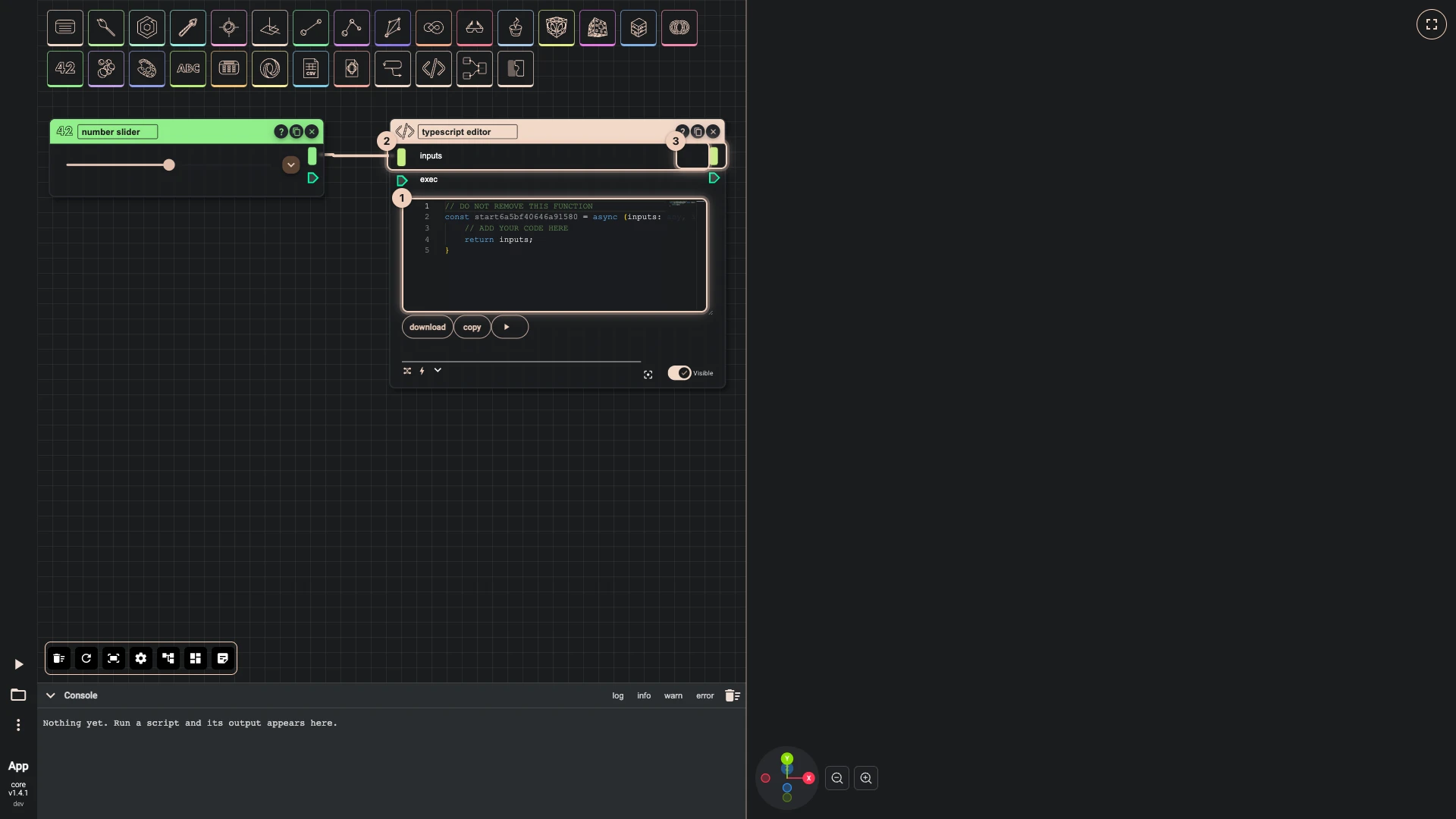
A typescript editor node holds one function, whose name ends with the node's own id, and its first line says not to remove it:
// DO NOT REMOVE THIS FUNCTION
const start3f9a2c41d07b6e15 = async (inputs: any, index: number) => {
    // ADD YOUR CODE HERE
    return inputs;
}
inputsis what arrives on the node'sinputssocket: wire anything into it, several wires included.- What the function returns leaves through the node's
resultsocket, to be wired onwards like any output. indexcounts the runs when the node runs once per item of a list.bitbybitis there as in the TypeScript editor, with the same suggestions as you type, so the code can call any function of the API.
The node runs its code whenever its input changes, like any other node; ▶ runs it at once. The buttons under the code download it or copy it, and the corner of the editor resizes it.
The javascript editor works the same way without the types, and the json editor holds JSON data to pass along the graph.
Graph or code?
Both, as suits the moment. A graph shows how data flows and lets anyone change a value and see what follows, which is why most of a script reads best as nodes. A code node earns its place where the logic is dense: a calculation with many terms, a loop that stops on a condition, a list reshaped in ways no single component does. When a whole script wants to be code, move to the TypeScript editor, which calls the same functions the nodes do.
Verified against the product in October 2026