Lists and node options
Most of geometry is repetition: a row of holes, a grid of cells, a ring of blades. In Rete the repetition comes from lists. Some components take a list or give one, such as a grid that gives many points; their sockets carry a stripe. And any input takes several wires, whose values arrive together as a list.
Several wires into one input
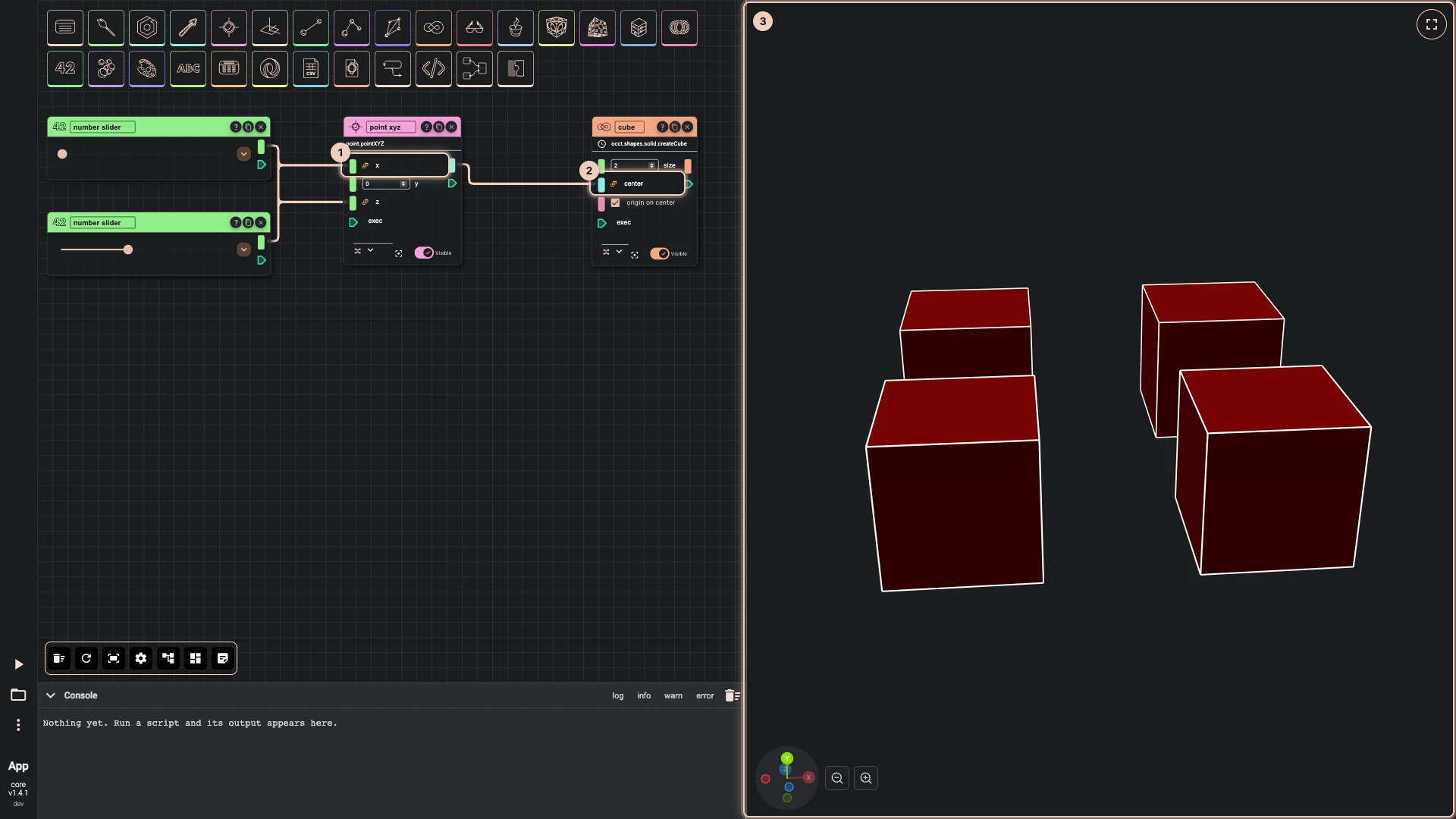
When an input made for one value receives several, the node runs once for each, and a badge on the input says how many items it received. Here two sliders, at 0 and 4, are each wired into both x and z of one point. The point runs for every x with every z and gives four points; the cube's center receives the four and runs once per point, so four cubes stand in a square.
What comes out is a list too, so the repetition carries on down the graph without any loop to write.
Pair them 1:1
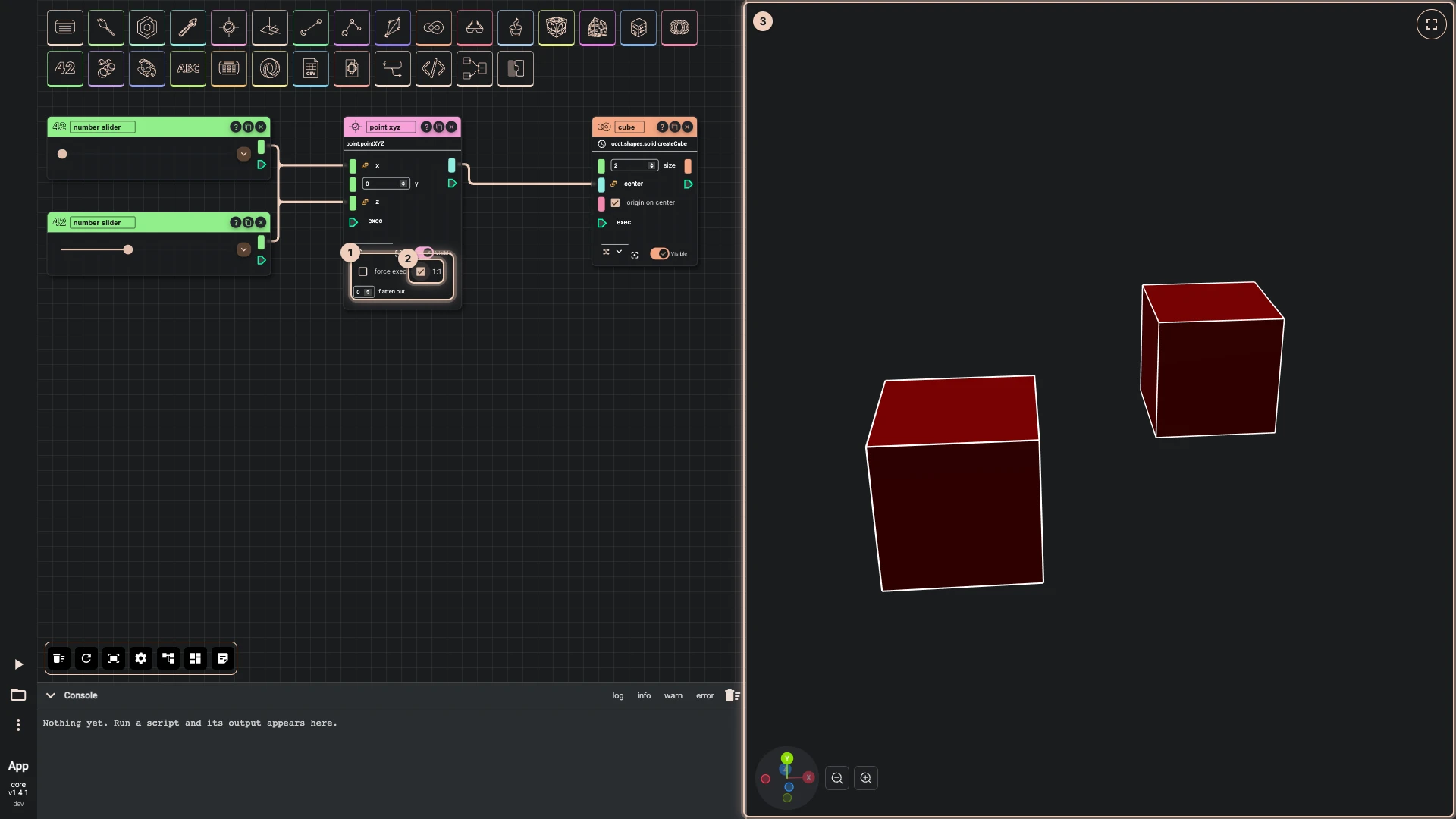
By default a node combines its lists every value against every value, as above. Open the node options with ⌄ and tick 1:1 to pair them by position instead: the first x with the first z, the second with the second. The same point now gives two points, and two cubes stand on the diagonal. When the lists differ in length, the last item of the shorter one is repeated. The options show 1:1 only on a node with more than one input.
While the options are closed, small icons under the node show what is set: one-to-one or many-to-many, force exec, and flatten.
The other options
- force exec runs the node on every run, even when its inputs have not changed. Rete normally keeps a node's last result while its inputs stay the same, which is what makes it quick; a node that reads the time, a file or a random number may need to run anyway.
- flatten out. flattens the node's output by that many levels, so a list of lists becomes one list: handy before a component that wants one flat list.
Verified against the product in October 2026