3D Bits
Your shopper cannot pick up your product, turn it over, or ask you what the oak version looks like next to the walnut one. 3D Bits gives them the next best thing. They spin the product, change the material, drag the width to the size they actually need, and watch it update in front of them. When they add it to the cart, they are charged for exactly the thing they built.
Want to see it first? Visit our demo store and use the password 3d-bits-demo.
What you get
Everything you need to build and run a configurator is in the app.
You build in Composer, our visual editor. Upload your 3D model, arrange the scene, and design the panel of options your shoppers will use: dropdowns, colour swatches, sliders, text fields for personalisation, image uploads. You decide what each choice does to the model and what it adds to the price. There is no code involved, and you can press Play at any moment to try the configurator as a shopper will see it.
You set your prices in the same place. A starting price, an amount per option, and a formula over a slider for anything sold by size or length. On the Pro plan you can also attach products from your own catalogue to particular choices, and build a parts list behind the configuration, so every order arrives with the bill of materials your workshop needs. The total updates live as the shopper chooses, and Shopify charges that amount at checkout.
You put it on your store with a single switch. Turn on the 3D Bits app embed once in your theme, and every product you publish from the app shows its configurator automatically. No theme editing per product, and nothing to paste into templates.
If you make things that are genuinely parametric, where the shape itself is calculated rather than swapped between prepared models, the Standard and Pro plans let you drive the scene with scripts built in our visual node editor or written in TypeScript.
It works with the store you already have
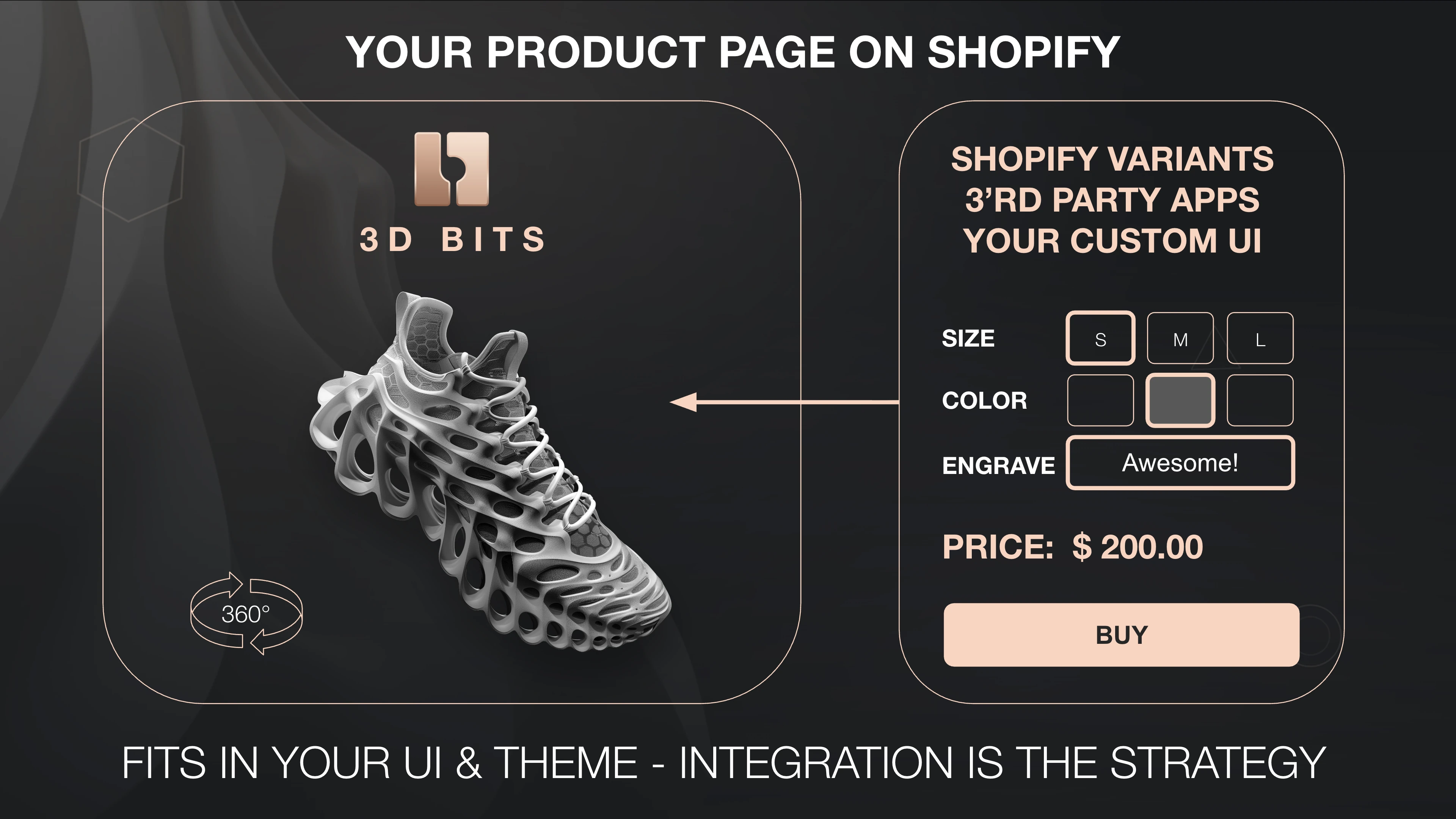
3D Bits does not ask you to rebuild your product pages. It slots into the theme you have, next to the buy button you already use, and it respects the way your store is set up.
If Shopify variants already describe your product well, keep them. The configurator will follow them and show the right model when someone picks a colour or a size. If you run a product options app you are happy with, keep that too, and simply leave configurator pricing switched off for those products. You can mix both approaches across your catalogue, product by product.
Shopify keeps doing what Shopify does. Shipping, discounts, payment and refunds are unchanged, and we never touch your money. 3D Bits decides what the configured product costs, and Shopify collects it.
Tax is worth one look before you go live. With Product lines charging (the default) or Bundled parts, part of the configured price is carried by helper products 3D Bits generates in your catalogue, and Shopify taxes those at your shop's default rate. If you rely on a reduced or zero rate set up as a tax override, it will not necessarily reach them, so check it before you go live - Helper products explains what these generated products are. And if a Shopify market includes tax based on the shopper's country, configured products follow it only in part: with Product lines charging your own products in a configuration take Shopify's price for each country, while option charges, formulas and typed part prices stay at your own country's amounts - see Other currencies.
Getting started
Quick Start walks you through installing the app, switching 3D on for your store, and getting your first product live.
Most of the effort goes into preparing a good 3D model, and that is worth doing properly. A well-made model loads fast, looks like your product, and behaves predictably when parts are swapped. Our 3D Assets guides cover how to get there, and we prepare models for merchants as a paid service if you would rather hand it over.
If you want to understand what happens on the product page before you commit, How It Works explains it.
Plans
There are three plans: Base, Standard and Pro.
Base covers the core of it. You build configurators in Composer, use unlimited 3D models across unlimited products, and price and charge what your shoppers configure.
Standard adds the features that help you tell the story of a product. Points of interest that fly the camera to a detail worth showing, measurement annotations, gradient and image backgrounds, and scripting for parametric products.
Pro is for products that ask the most of the tool. Printed and engraved personalisation applied directly onto the model, options linked to real products in your catalogue, a parts list that turns each configuration into a bill of materials, and PDF documents generated for your shopper and for the people who make the thing.
See Subscription Plans for the full comparison and current prices.
What merchants say
"We use 3D Bits for our gaming chair configurator and we're really happy with it. It's an all-in-one solution: 3D, UI and pricing in one app, no patchwork of plugins. Our customers can now configure the chair down to the smallest detail and see every change live in 3D.
The real highlight is Matas. We had some very specific requirements, e.g. individual colors with their own surcharge, which simply wasn't possible before. He made it happen, and fast. Every change request we sent was implemented quickly, and the new projection features are a nice bonus on top. If you need a configurator that actually adapts to your product instead of the other way around, give it a try."
Gamechanger Germany
🇩🇪 Germany

"We're very happy with how 3D Bits helped us build our first 3D product configurator. The platform has exceeded our expectations.
For the Strength Shop Power Racks configurator, we needed to handle complex assembly logic, various UI edge cases, and heavy 3D CAD models with multiple variants. The platform integrated well with the custom product page and the custom variant selector UI we created for the configurator.
As shoppers click through options, the 3D assembly updates immediately, so what they see always stays in sync with the configuration. Even as configurations become more complex, performance has remained fast, with stable FPS. What we appreciate most is the platform's flexibility. It integrates well with our Shopify setup, works with standard web technologies, and leaves plenty of room to customize the experience.
We've also had a very positive experience with the Pro plan. Matas has been very helpful with hands-on support and practical guidance while we built and launched our first configurator. His team at Bit by Bit also supported us with high-quality 3D model preparation. Thanks to that work, our full rack assembly is only ~3 MB, which helps it load quickly and run smoothly even on mobile devices.
If you're trying to build a serious product configurator on Shopify (or you're not sure where to start), I'd recommend 3D Bits and encourage you to reach out to Matas for guidance."
Valentijn Vermeer, E-Commerce & Systems Specialist
🇩🇪 Germany

"This 3D viewer is a masterpiece. I looked at all the available apps and chose BitByBit because it allows me to display the 3D models of my products in my shop exactly how I want, without having to deal with excessive costs. If you have no experience with 3D viewers, working with Shopify, GLB files and editing them (e.g. with Blender), you should have everything set up for you. If you have some basic knowledge and take the time to go through the tutorials provided in text form and as YouTube videos, you can manage the setup yourself. When I got stuck, Matas, the brilliant developer of this 3D viewer, helped me immediately and explained everything so that even more complicated things were easy to understand. Once everything is set up, the appearance of uploaded 3D models and any variants can be easily adjusted to your liking. This app gives users numerous options to create a very appealing 3D product presentation. I am more than satisfied. In my opinion, this 3D viewer is a game changer for any shop owner who has 3D models of their products available."
Peter, Founder
🇩🇪 Germany

"An outstanding app for 3D configuration and beyond! It's intuitive, fully customizable, and backed by exceptional support from Matas. You can seamlessly integrate 3D models into Shopify product media and dynamically reflect different variants - from accessories to color changes and more. A definite must-have!"
Nicolas Quendez, Co-Founder & CEO
🇫🇷 France

"I wasn't expecting to be this impressed. This guy delivers real value with authenticity, quality, and professionalism. Every interaction we've had has been smooth, straightforward, and reliable. What you see is exactly what you get, just solid, well-executed work with no unnecessary noise. This is the kind of service I'd recommend without hesitation. I'll definitely continue working with Matas."
Francesco, Founder & CEO
🇮🇹 Italy

We would like to hear from you
Every store is a little different, and the products people bring us are almost always more interesting than we expect. If you are weighing this up, or you are stuck partway through, write to us at [email protected]. We answer, and we are happy to look at your product and tell you honestly what it will take.