Gamechanger Furniture Launched a Personalised Gaming Chair Configurator on Shopify, Built Entirely With 3D Bits

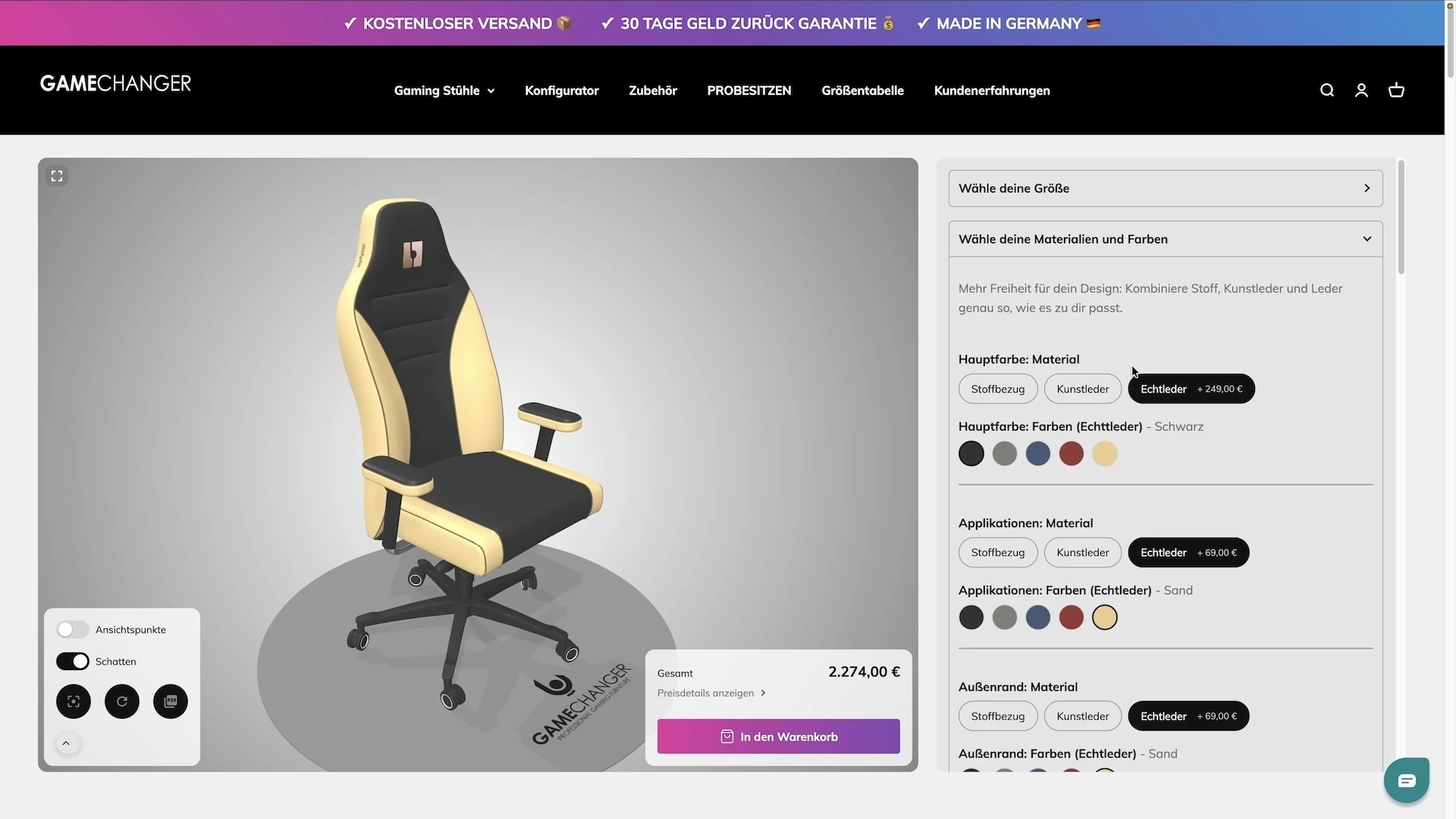
Some companies pick a name and then have to live up to it. Gamechanger Furniture builds gaming chairs by hand in northern Germany, and when they decided that every customer should design their own chair - the fabric, the colours, the stitching, their initials embroidered on the headrest, even their own logo - they needed a product page that could keep up with the name. What they launched is, quite literally, a game changer for how a chair gets sold: shoppers put it together in 3D, watch the price follow every choice, see their name appear on the chair, and take a PDF of their design away with them. All of it was built inside the 3D Bits app for Shopify, without a single line of code.
The Client: Gamechanger Furniture

Gamechanger is a German gaming chair brand. Their chairs are largely handcrafted in a manufactory in northern Germany, from components sourced in Germany and the EU, and come with a five-year warranty. Their promise is that no two chairs need to look alike: three upholstery materials, dozens of colours for every part of the chair, a choice of stitching colour, and embroidery of your initials or your logo on the headrest and the side panels.
That promise is easy to make on a brochure and hard to keep on a product page. A shopper needs to see the chair they are describing, not imagine it from a list of dropdowns. That is where 3D Bits came in.
See It in Action
Here is the configurator as a shopper sees it on the Gamechanger store: picking materials and colours, switching on the upgrades, typing initials and watching them appear on the chair, and downloading the PDF at the end.
One App for the Whole Configurator
Readers of our earlier case studies will remember that a 3D Bits configurator used to be a team effort between apps. The 3D scene came from us, the options usually came from Shopify variants or a product options app, and the prices came from wherever those options lived. Some merchants, like Strength Shop, went further and built their own option panel from scratch.
That is no longer necessary. 3D Bits has grown into a complete configurator app. The panel of options your shoppers use, the prices behind every choice, the personalisation, the guided camera, the documents that go with the order - all of it is set up in one place, our visual editor called Composer, and published to the product page with one switch. There is nothing else to install and nothing to code.
Gamechanger is the first case study we are publishing that uses this new, all-in-one setup from end to end. Every part of what you see on their product page was authored in Composer:
- The option panel - four collapsible groups with pills, colour swatches, switches, text fields, font pickers and file uploads
- The prices - a starting price, an amount for each upgrade, and a live breakdown that Shopify charges exactly at checkout
- The personalisation - initials, text and logos projected onto the headrest and the side panels
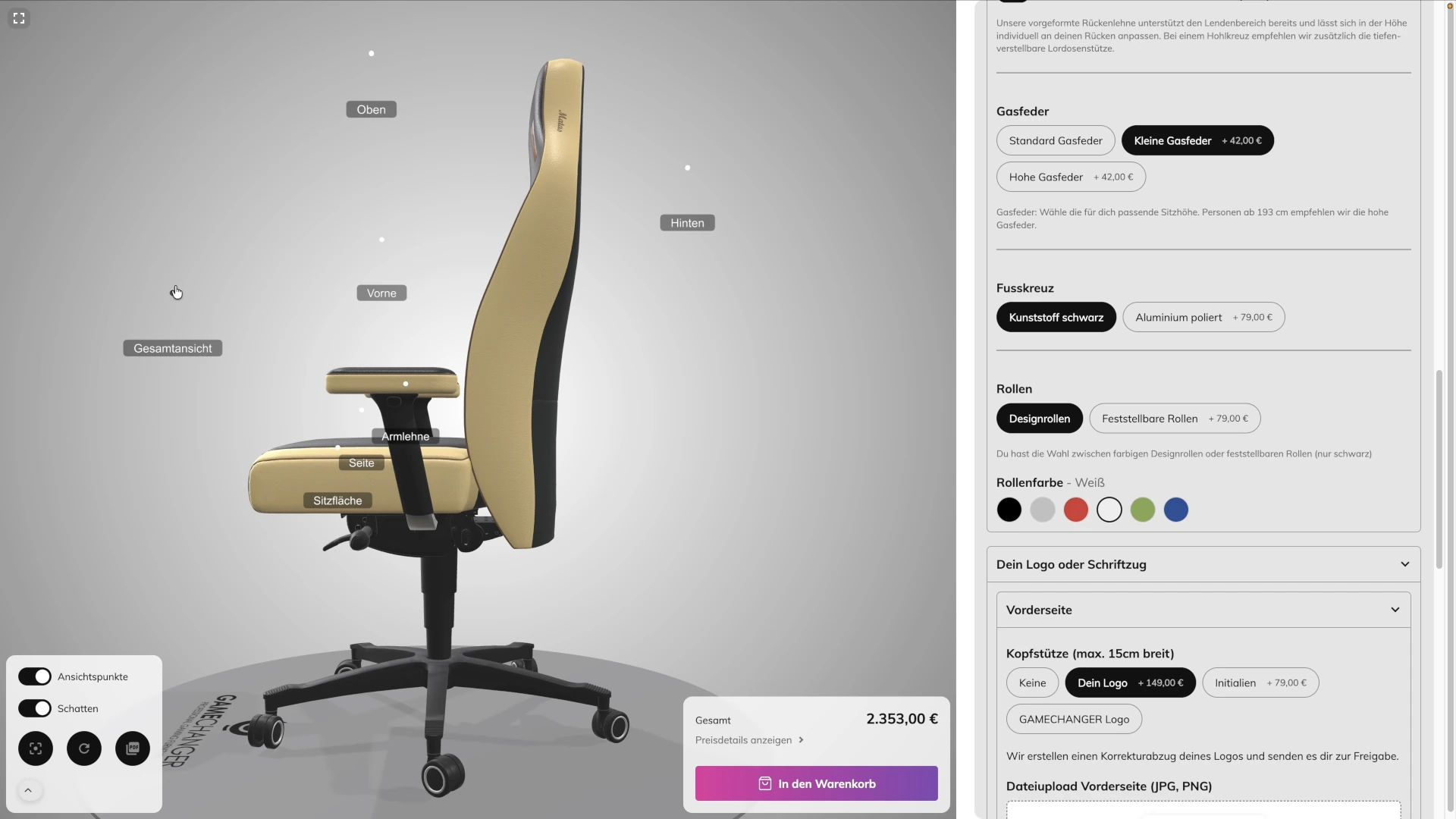
- The camera - eighteen automatic camera moves that show the shopper whatever they just changed
- The documents - a PDF for the shopper and a separate one for the workshop, generated from the exact configuration
Let's walk through each of them.
The Option Panel, Built in Composer
The panel a shopper sees next to the chair is arranged in four groups, each one an accordion that opens and closes:
- Choose your size - S/M, L or XL, presented as pills, with the XL adding to the price
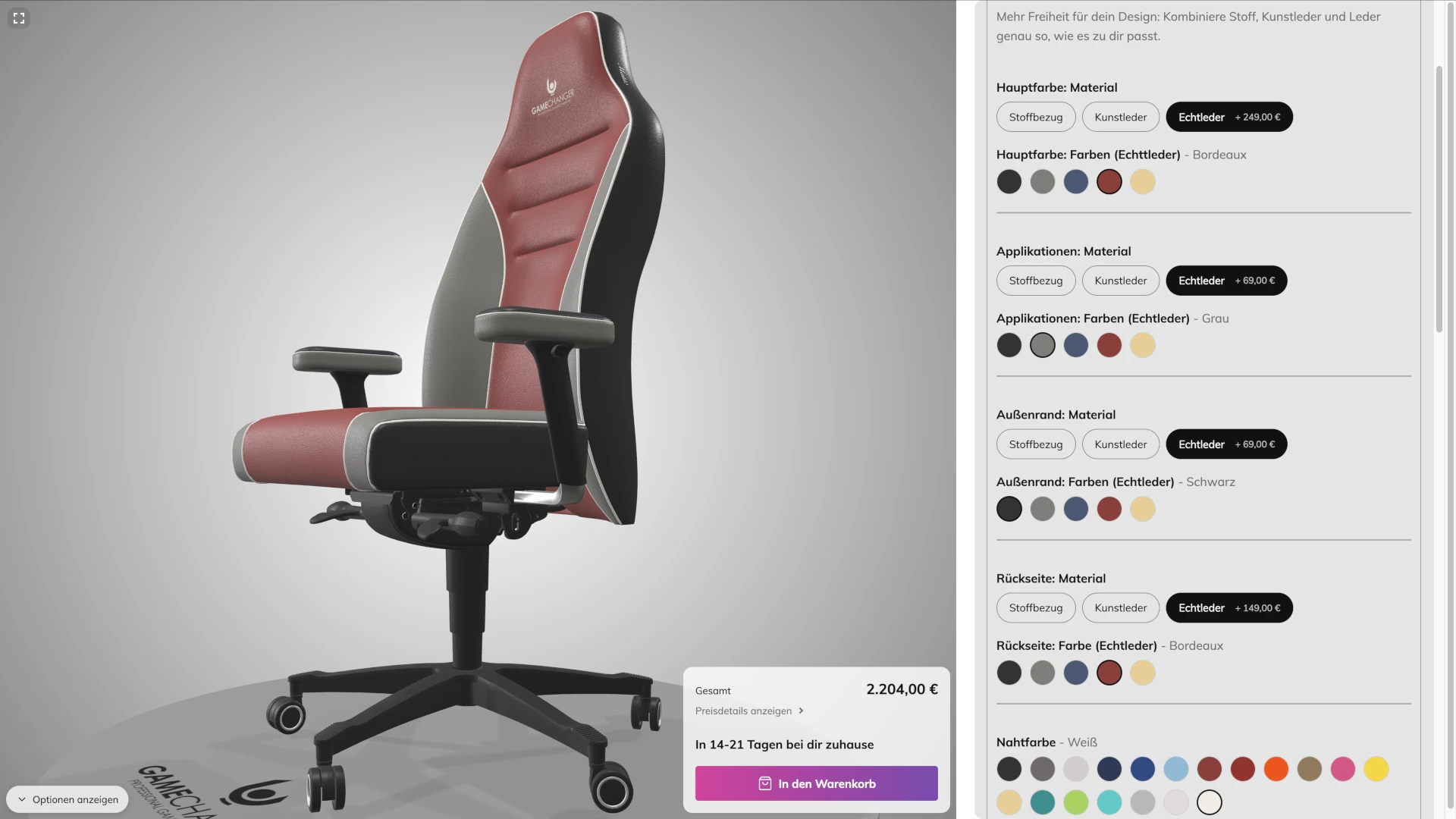
- Choose your materials and colours - five zones of the chair, each with its own material and colour
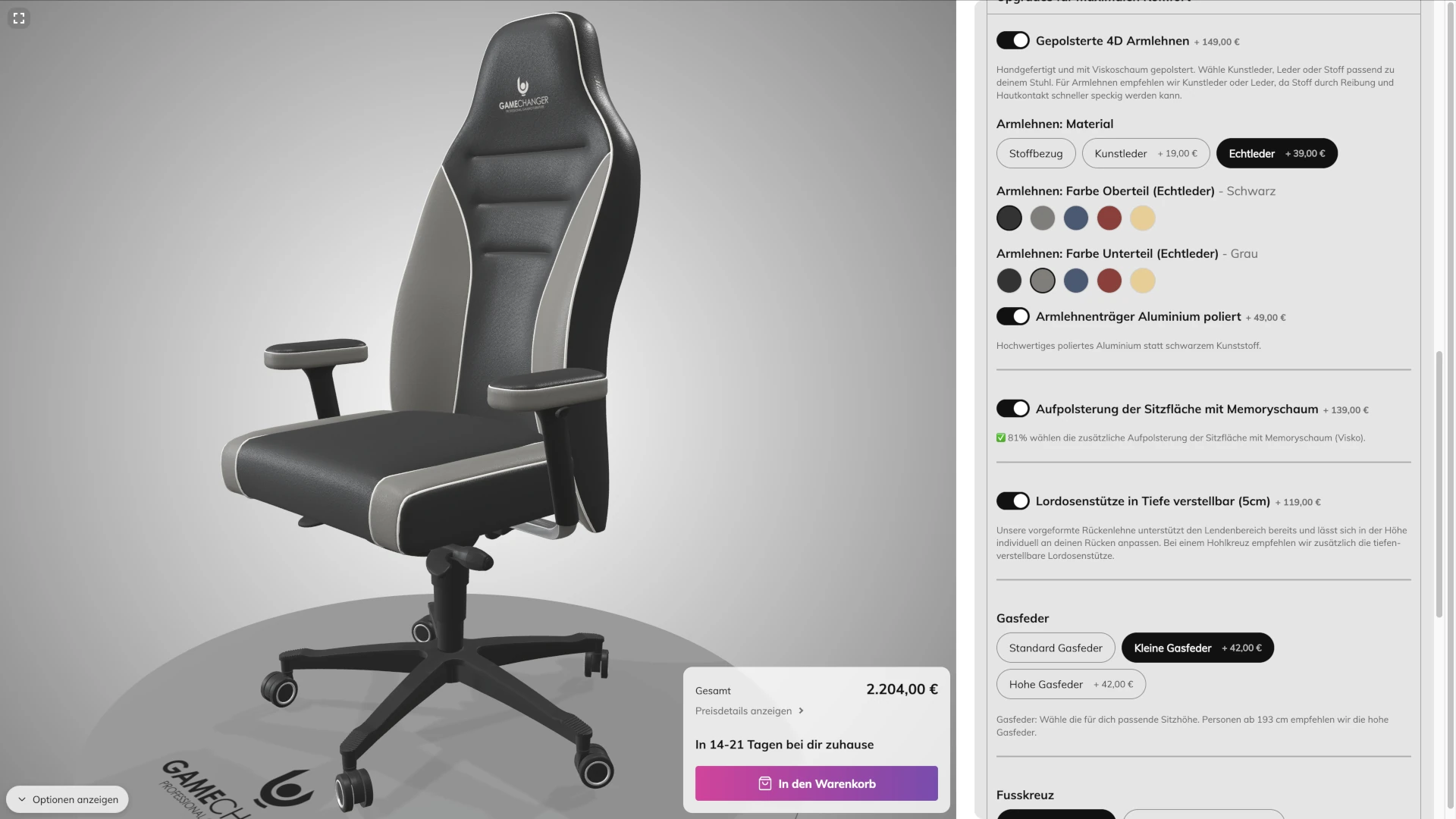
- Upgrades for maximum comfort - padded armrests, polished aluminium, memory foam, lumbar support, gas spring, base and castors
- Your logo or lettering - front, back, and the two side panels
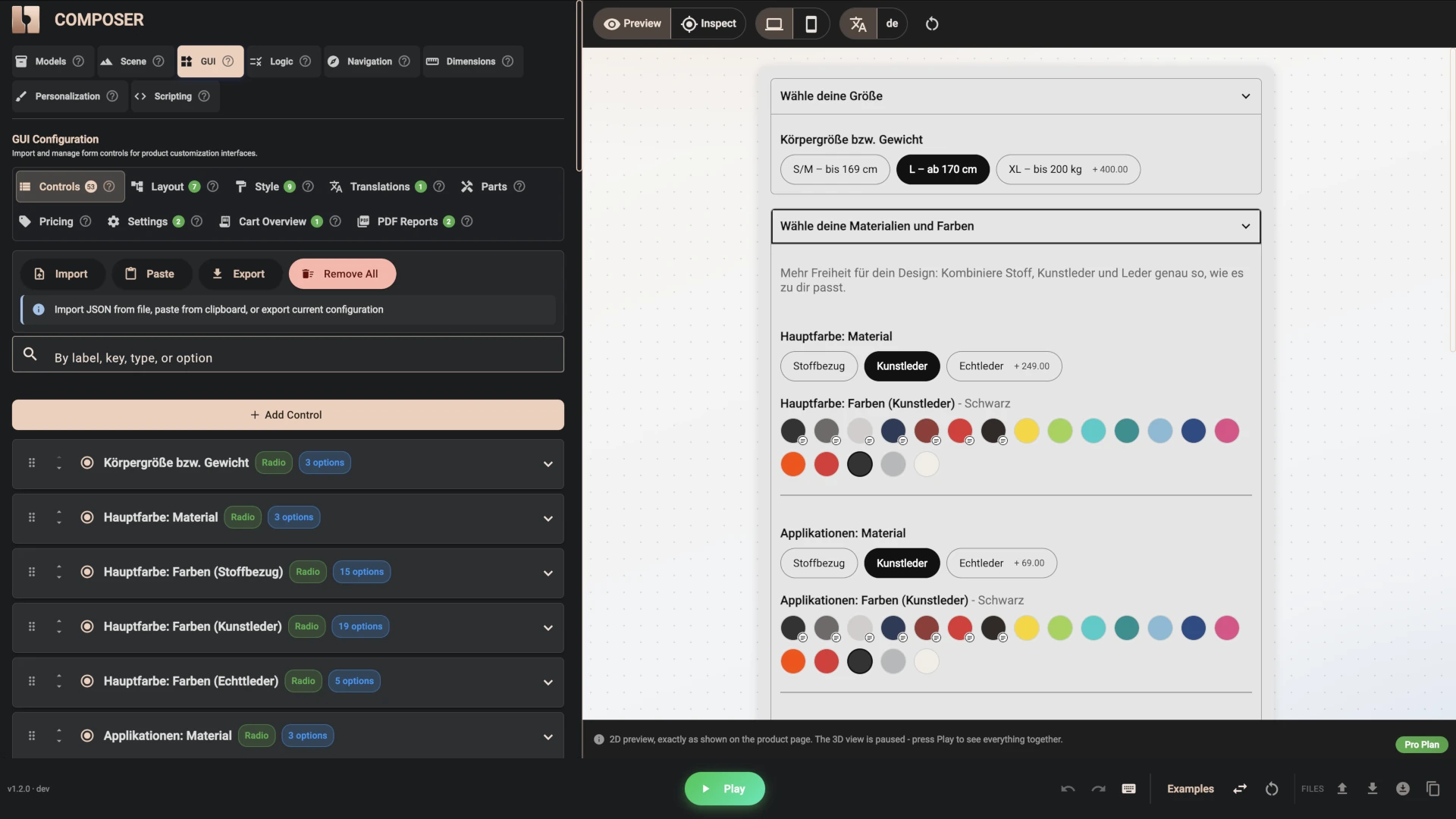
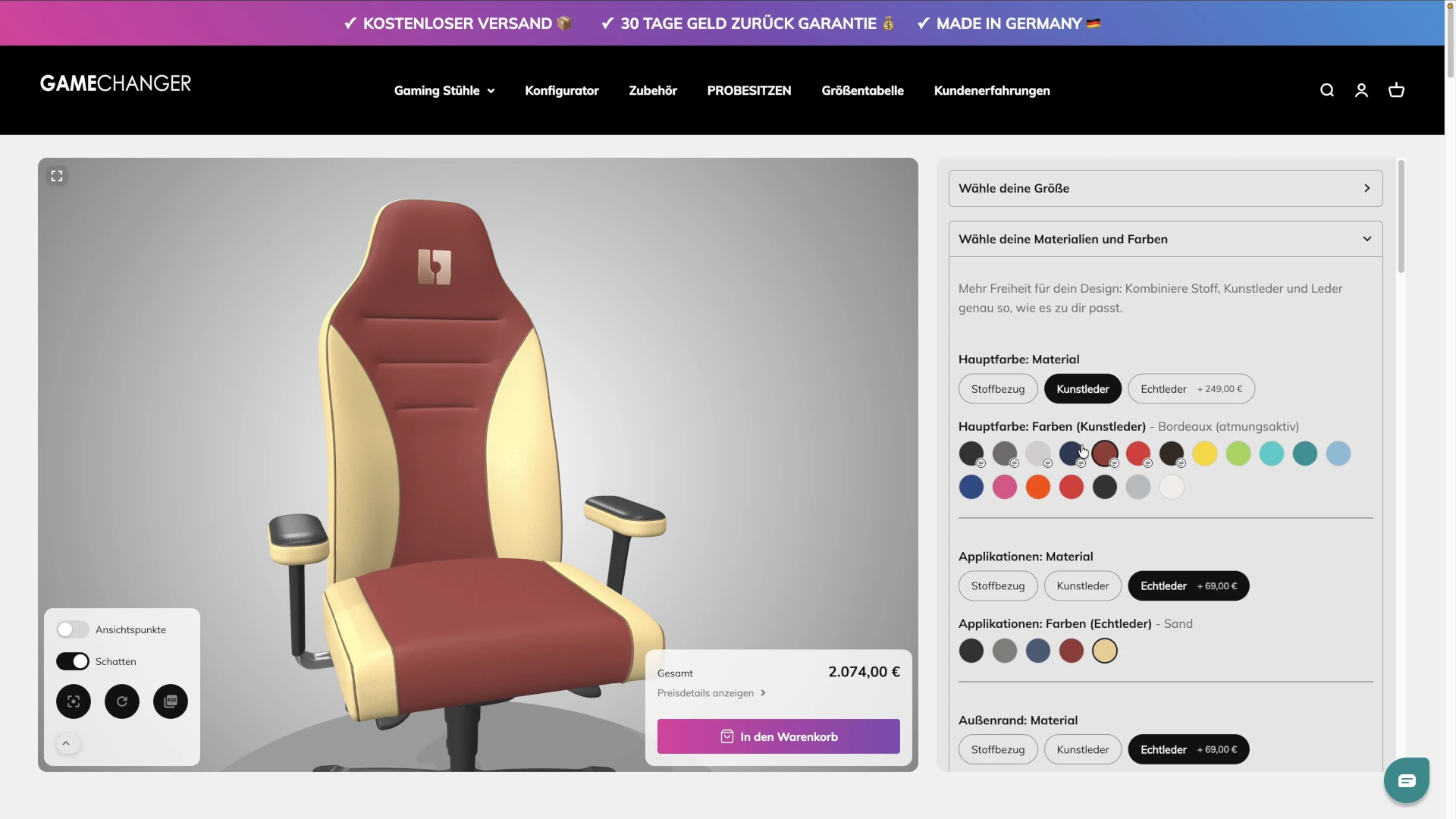
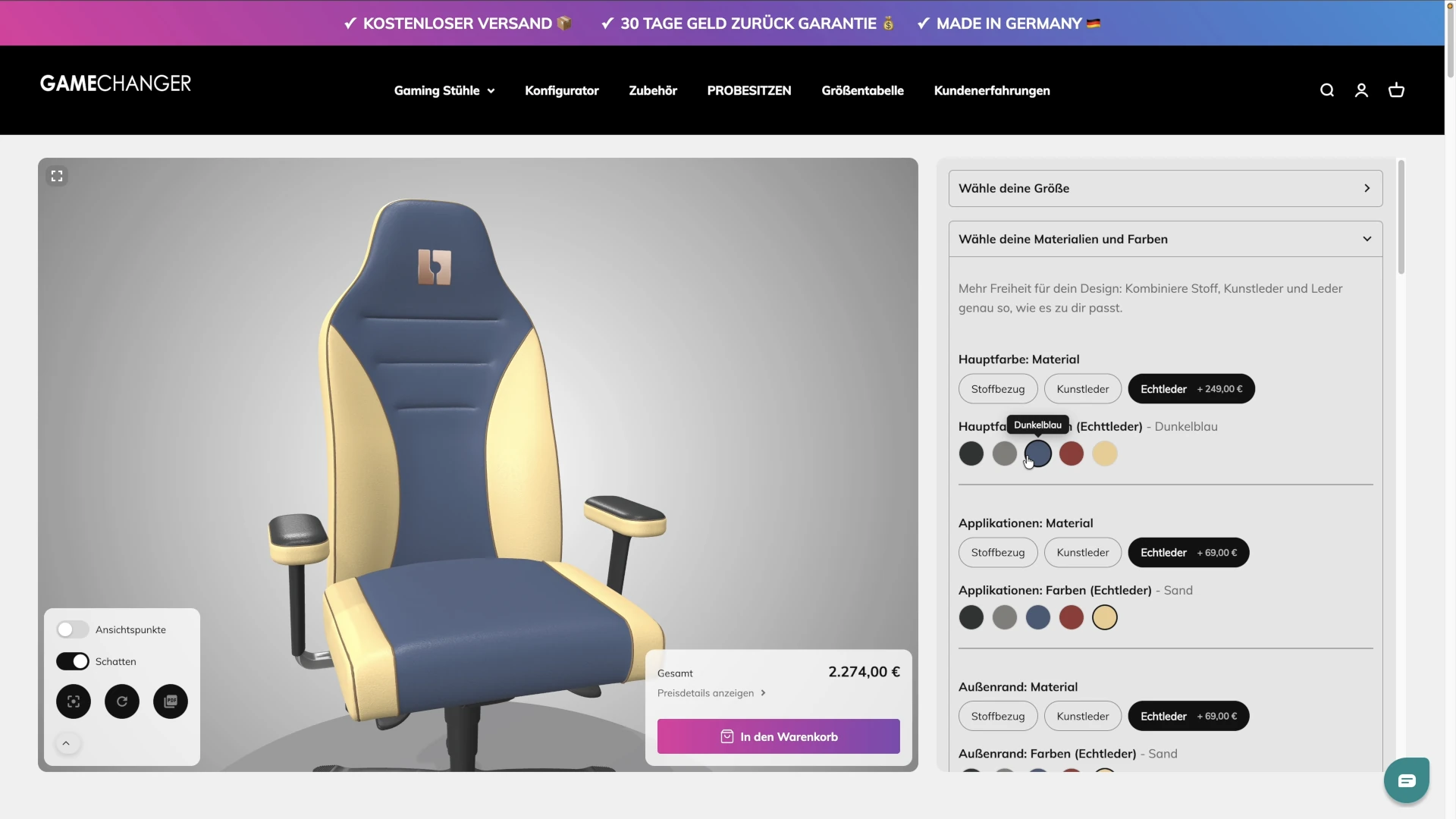
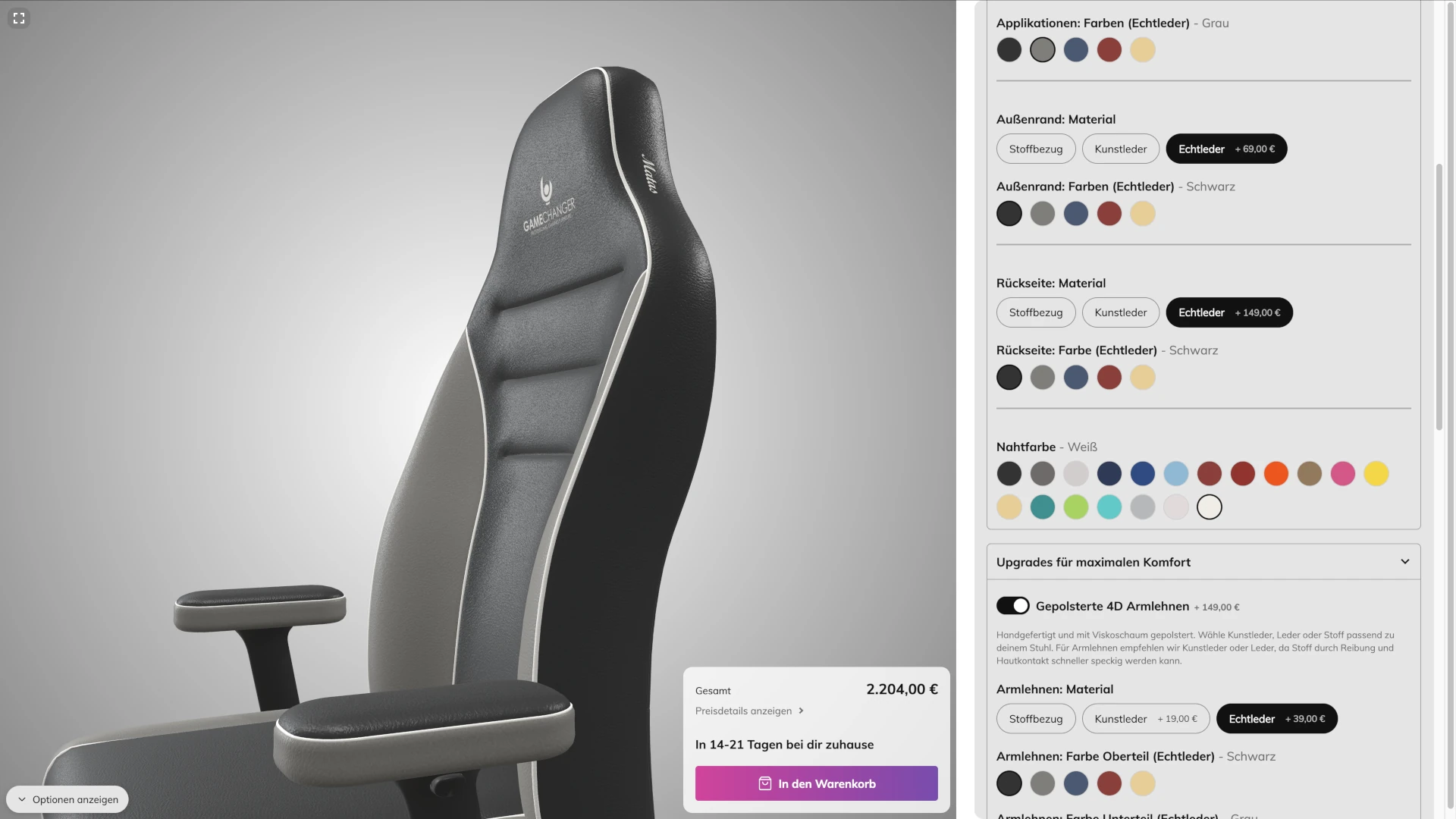
The materials group is where the real variety lives. The main surface, the appliqués, the outer edge and the back of the chair each get a material choice - fabric, faux leather or real leather - and a colour swatch list that depends on that material. Fabric comes in fifteen colours, faux leather in nineteen (seven of them breathable, at a small extra charge) and real leather in five. Pick fabric and only the fabric colours appear. Pick real leather and the list changes. A nineteen-colour swatch for the stitching completes the group.
That "only show what applies" behaviour is a condition on a control in Composer, and it is the tool that keeps a panel with fifty-three controls from feeling like fifty-three controls. The shopper only ever sees the handful that matter for what they have already chosen.
Every choice is wired to the 3D model. Behind the scenes the chair carries 277 prepared material finishes and 126 textures, and each colour swatch simply tells the model which finish to show on which part. The result is millions of possible chairs, and every one of them renders correctly.
The panel is also full of Gamechanger's own voice. Short texts sit between the options - "81% choose the additional memory foam padding", "people over 193 cm should choose the high gas spring", "we embroider your initials in the stitching colour" - and some of them appear only once the option they explain has been chosen. These are ordinary text elements dropped into the layout, and they turn a form into a sales conversation.
Styled to Match the Store
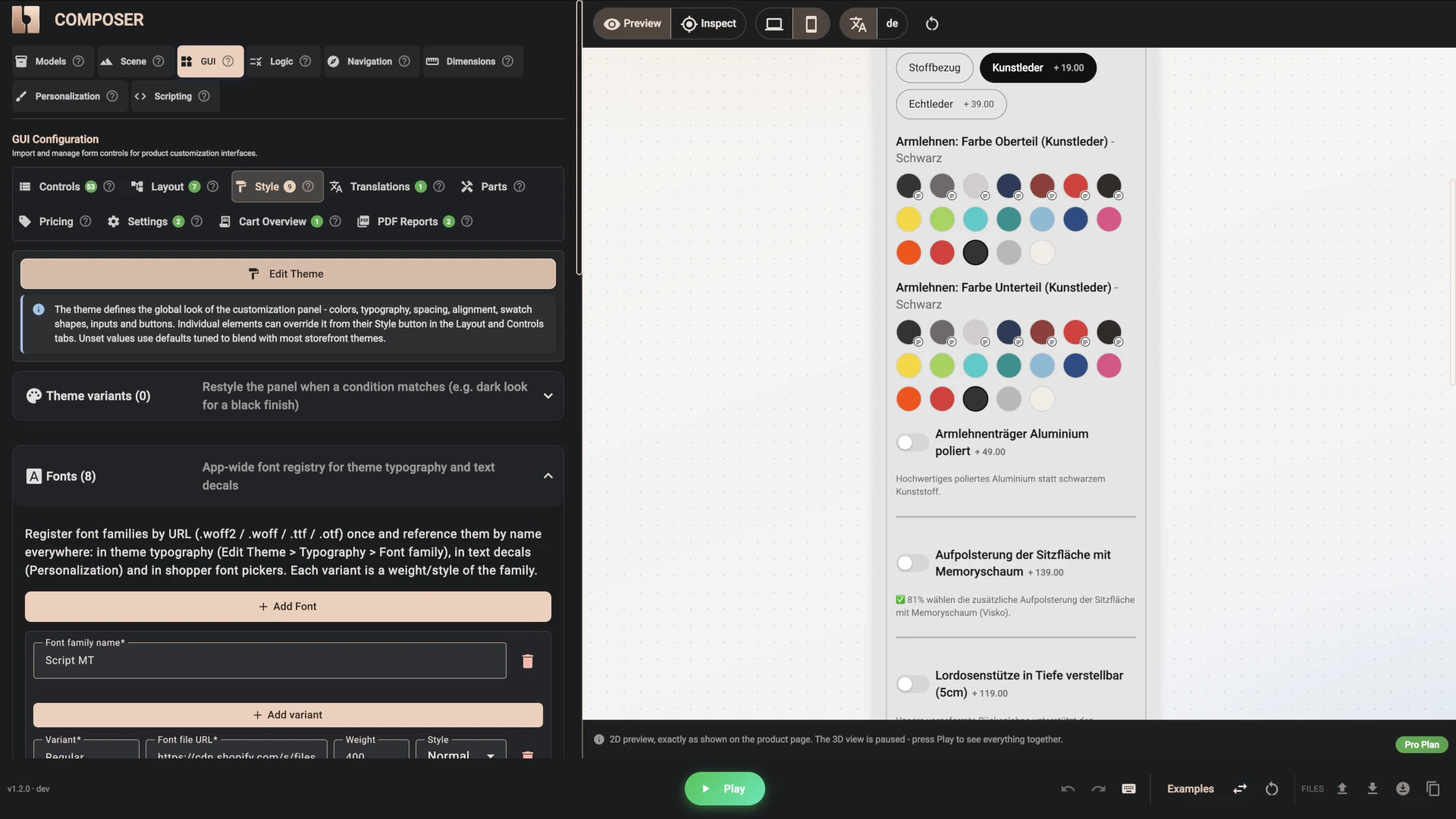
The panel's look - a soft grey background, rounded corners, a slight blur, the accordion borders, the heading weights - was set in Composer's Style tab. The add-to-cart button carries Gamechanger's pink-to-purple gradient and pulses when an item is added. The built-in texts that 3D Bits shows on its own ("show price details", "almost done", "your document is being prepared") were translated into German in the Translations tab, so the whole page speaks one language.
Prices That Follow Every Choice
Gamechanger's chair has a starting price, and most upgrades add to it: the XL size, real leather on any zone, the breathable faux leather colours, padded armrests, the aluminium armrest supports, memory foam, the adjustable lumbar support, a different gas spring, the polished base, lockable castors, and each embroidery.
All of that is authored in the same place as the options. Each option simply has an amount next to it. The price element at the bottom of the panel updates live as the shopper clicks, and can unfold into an itemised breakdown - starting price, then every choice that added something - so the total is never a mystery.
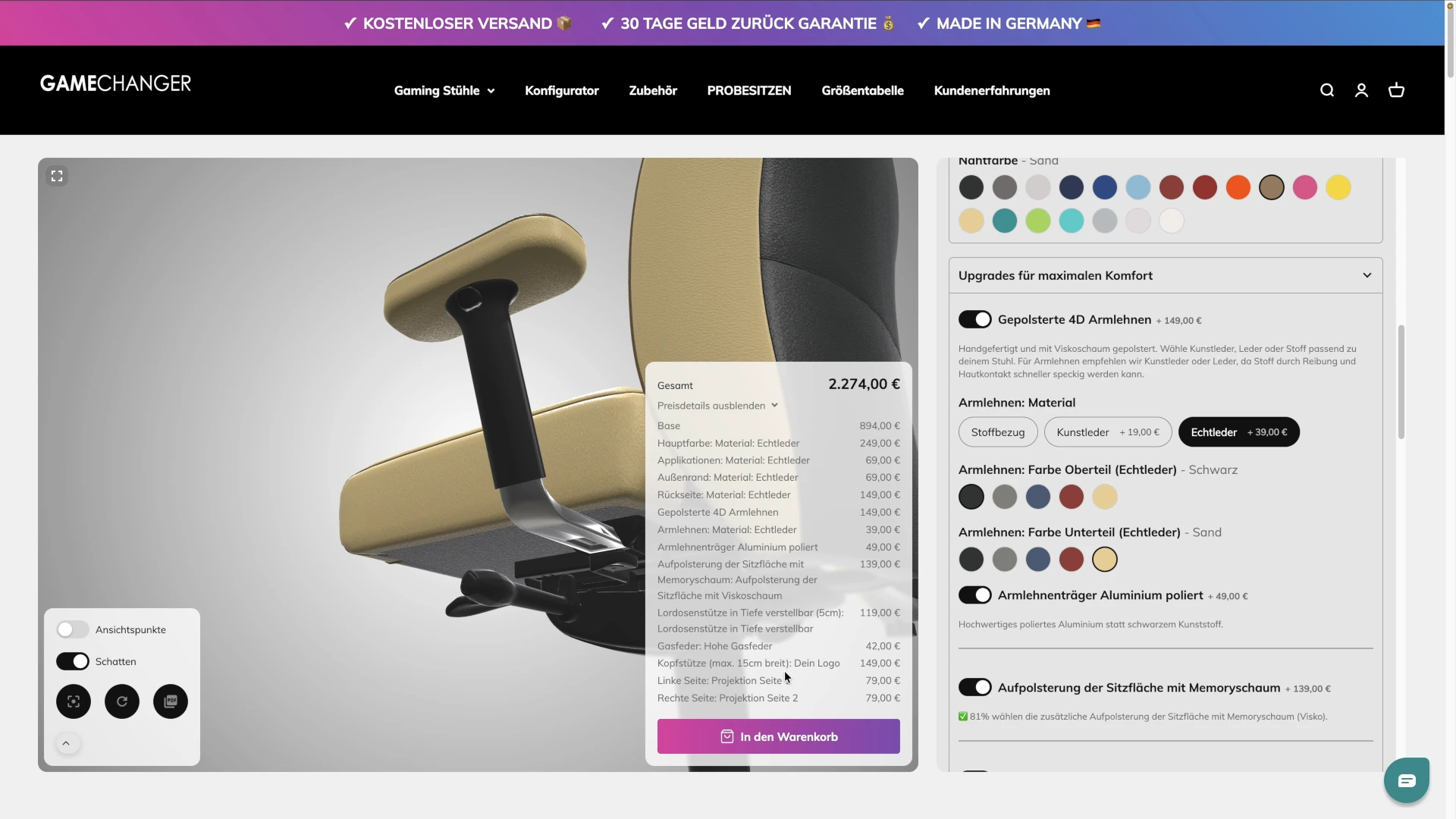
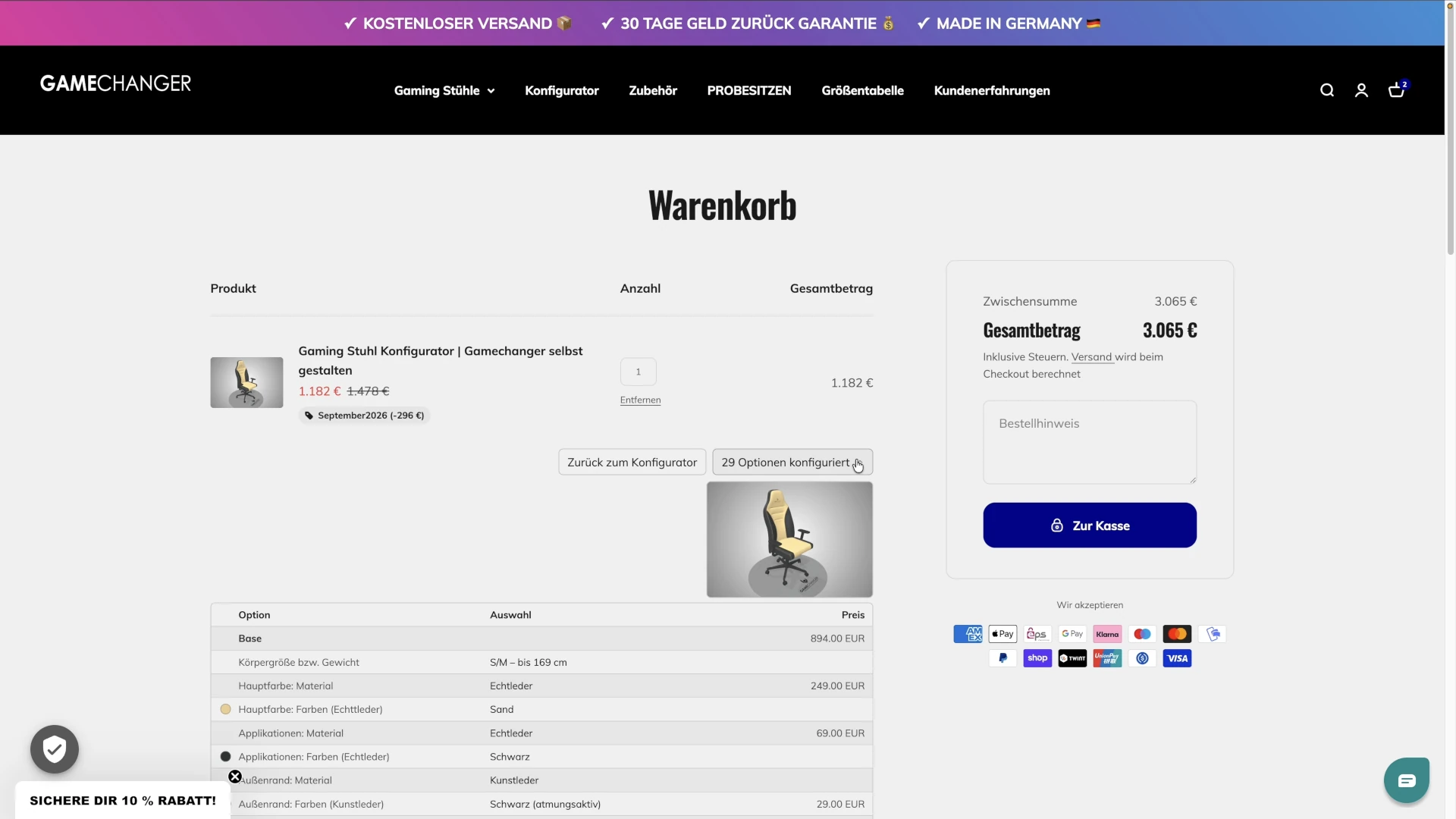
The important part is what happens next. When the shopper adds the chair to the cart, Shopify charges exactly the amount that was shown. Taxes, shipping, discount codes, payment and refunds all stay with Shopify as they always have. 3D Bits decides what the configured chair costs; Shopify collects it. There is no separate pricing app, no spreadsheet of variant combinations, and no risk of the panel saying one number and the checkout another.
Your Name, on the Chair: Projections and Decals
This is the part of the configurator that makes people stop and play with it, so it deserves a proper explanation.
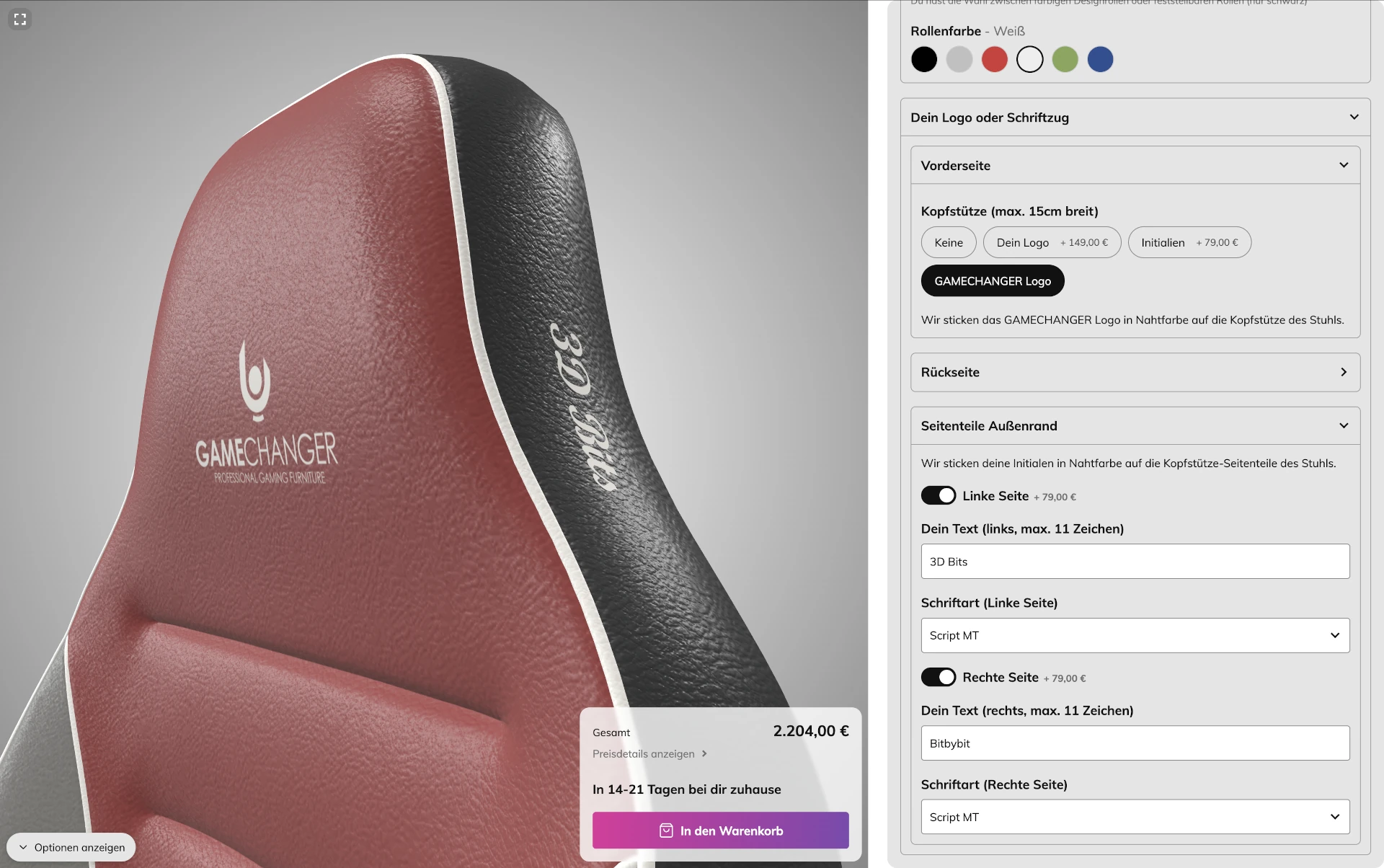
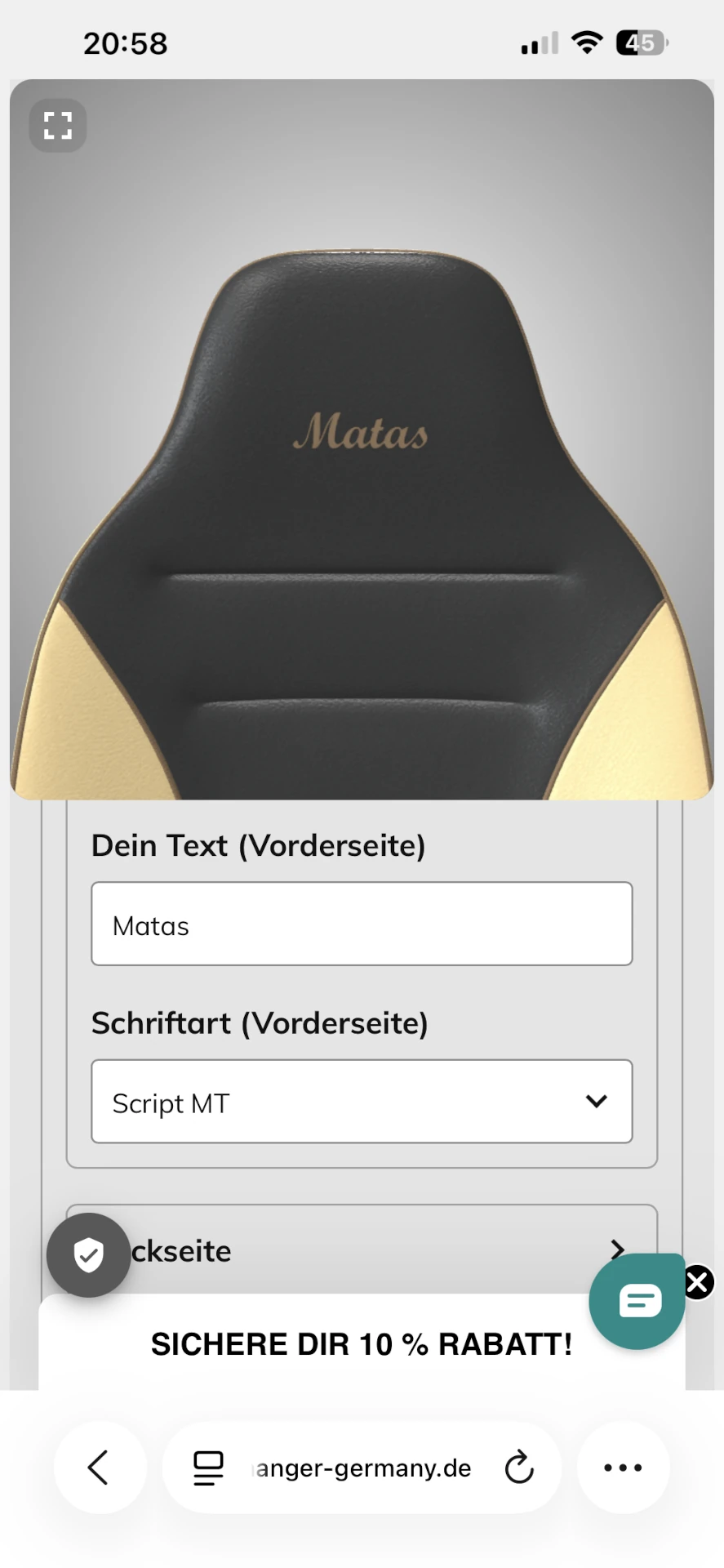
Gamechanger embroiders initials, short text or a logo onto the front and back of the headrest, and short text onto the left and right side panels. On the product page, the shopper types their letters or uploads their logo - and it appears on the chair, following the curve of the padding, exactly where it will be stitched.
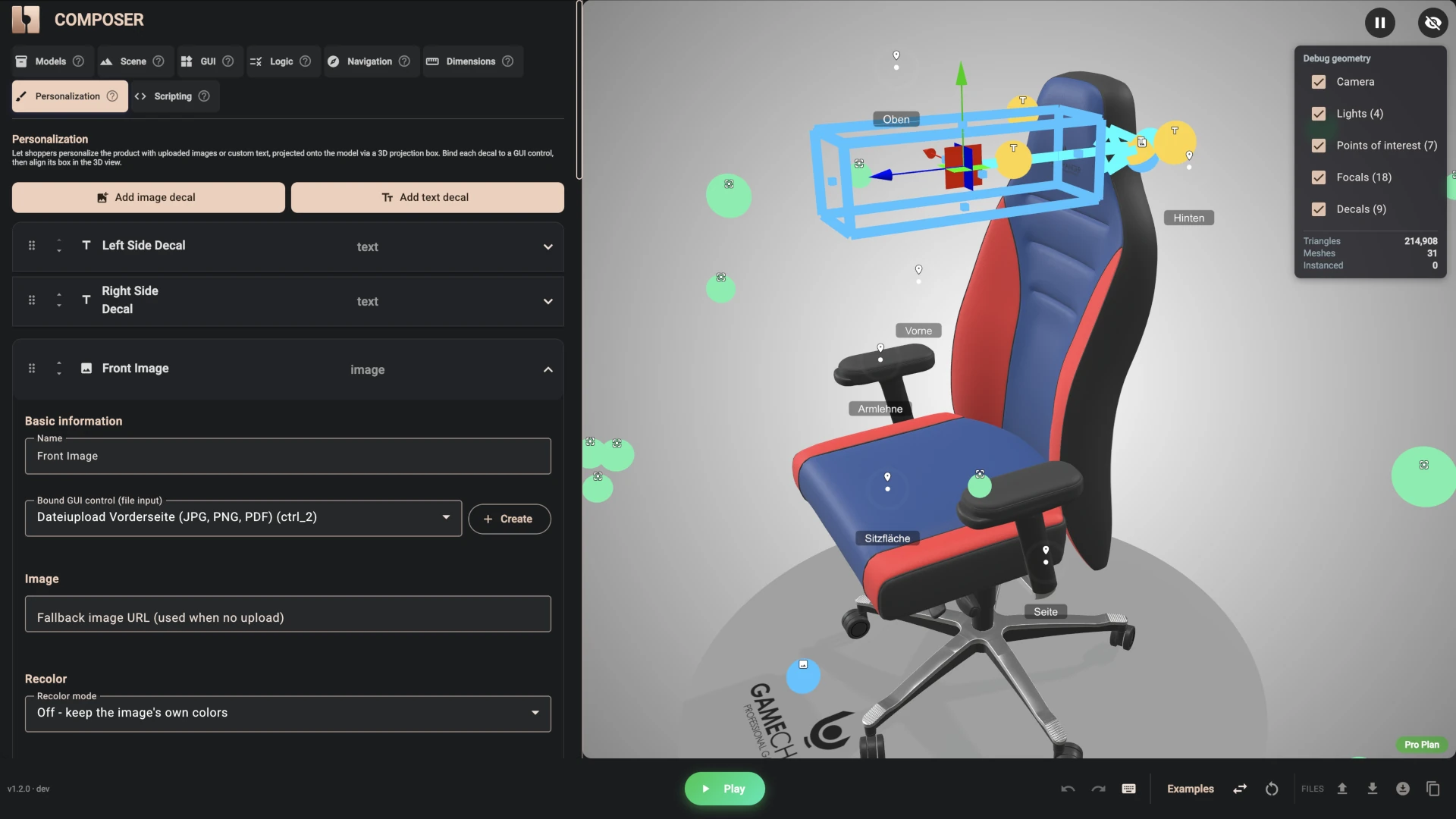
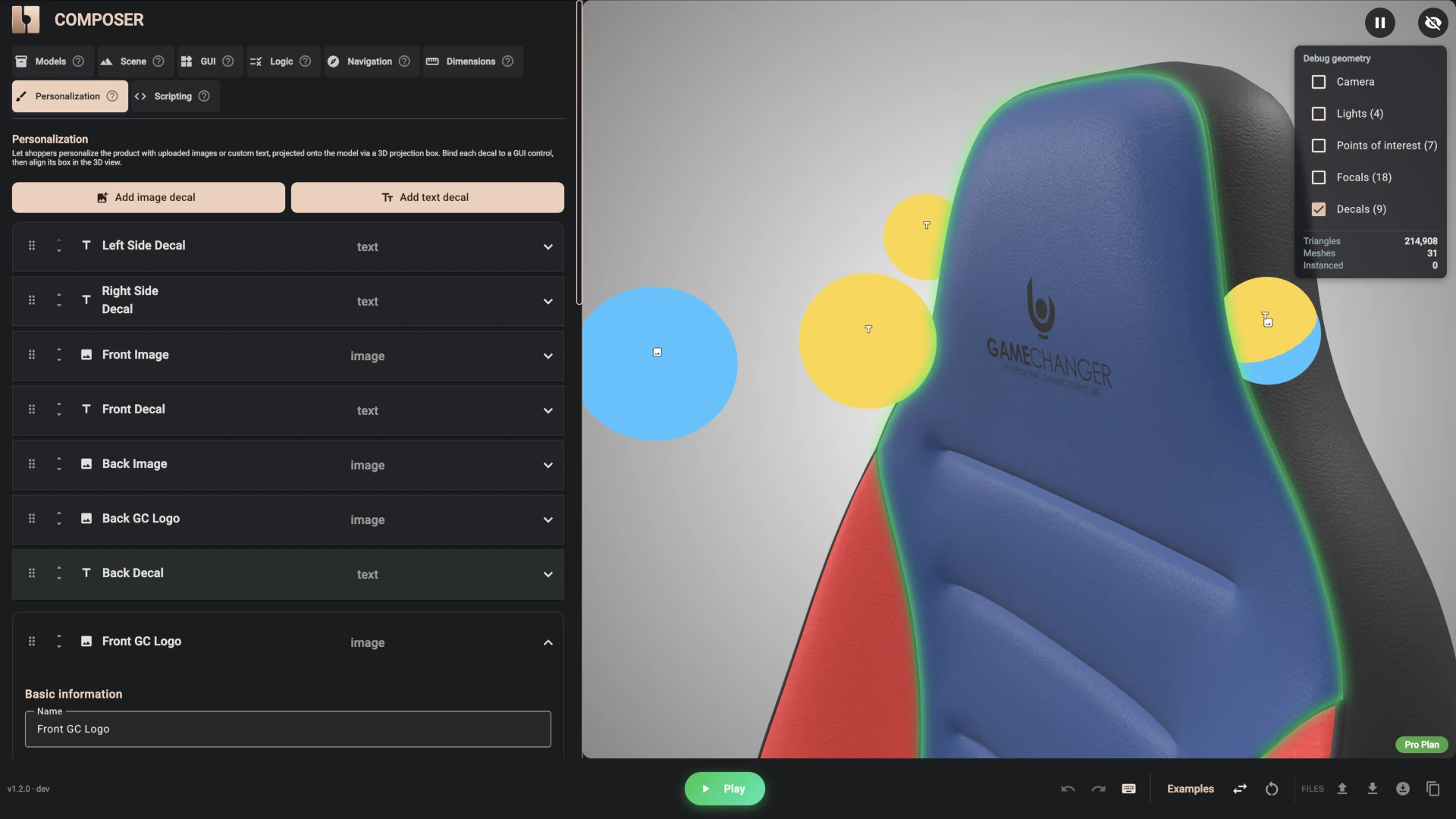
We call these decals, and the way they work is easiest to picture as a small slide projector pointed at the chair. Whatever is on the slide - the letters the shopper typed, the image they uploaded - is beamed onto the surface in front of it. Because it is projected rather than pasted on flat, the artwork wraps around the curved headrest the way real embroidery would, instead of floating in front of it.
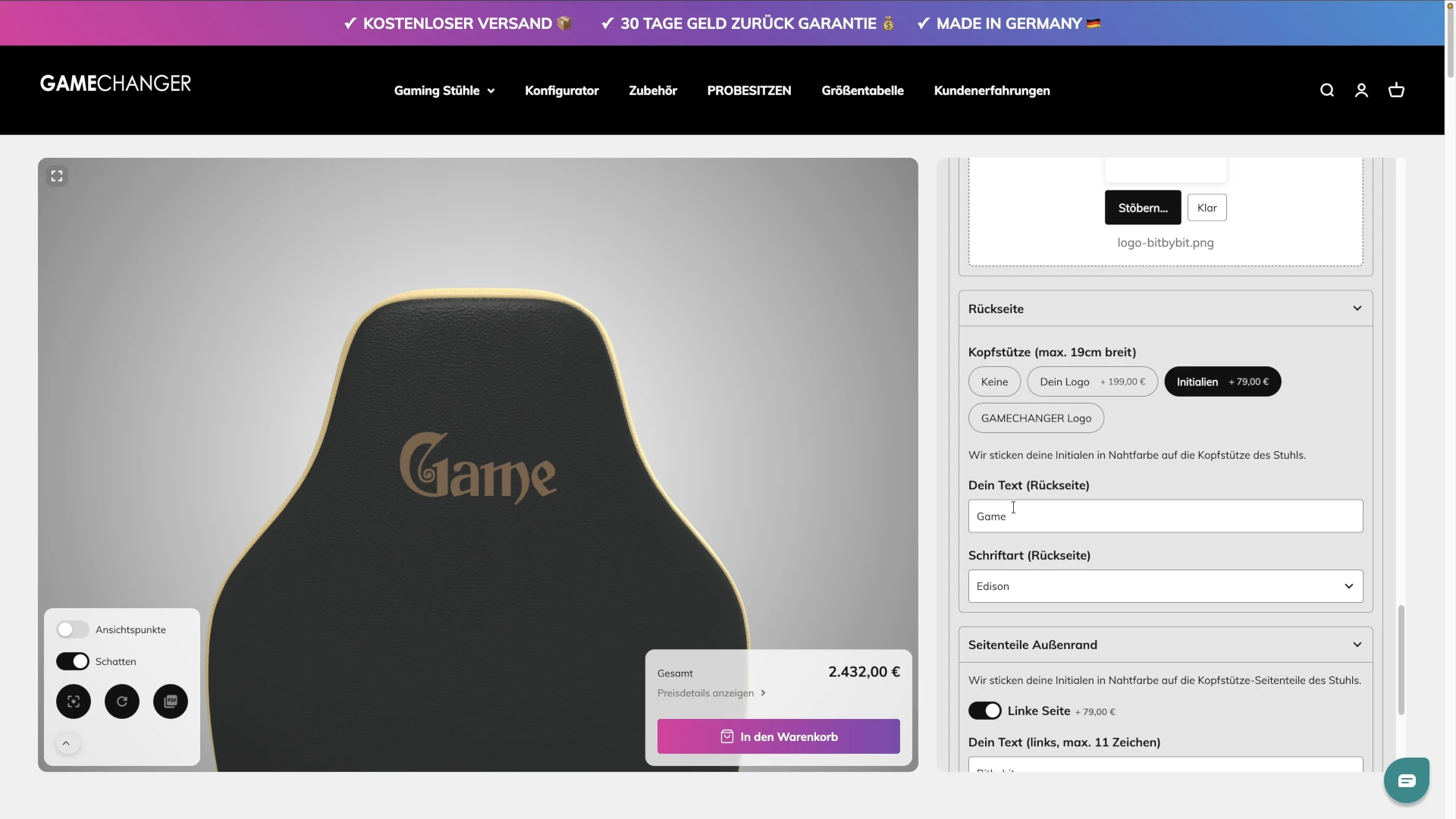
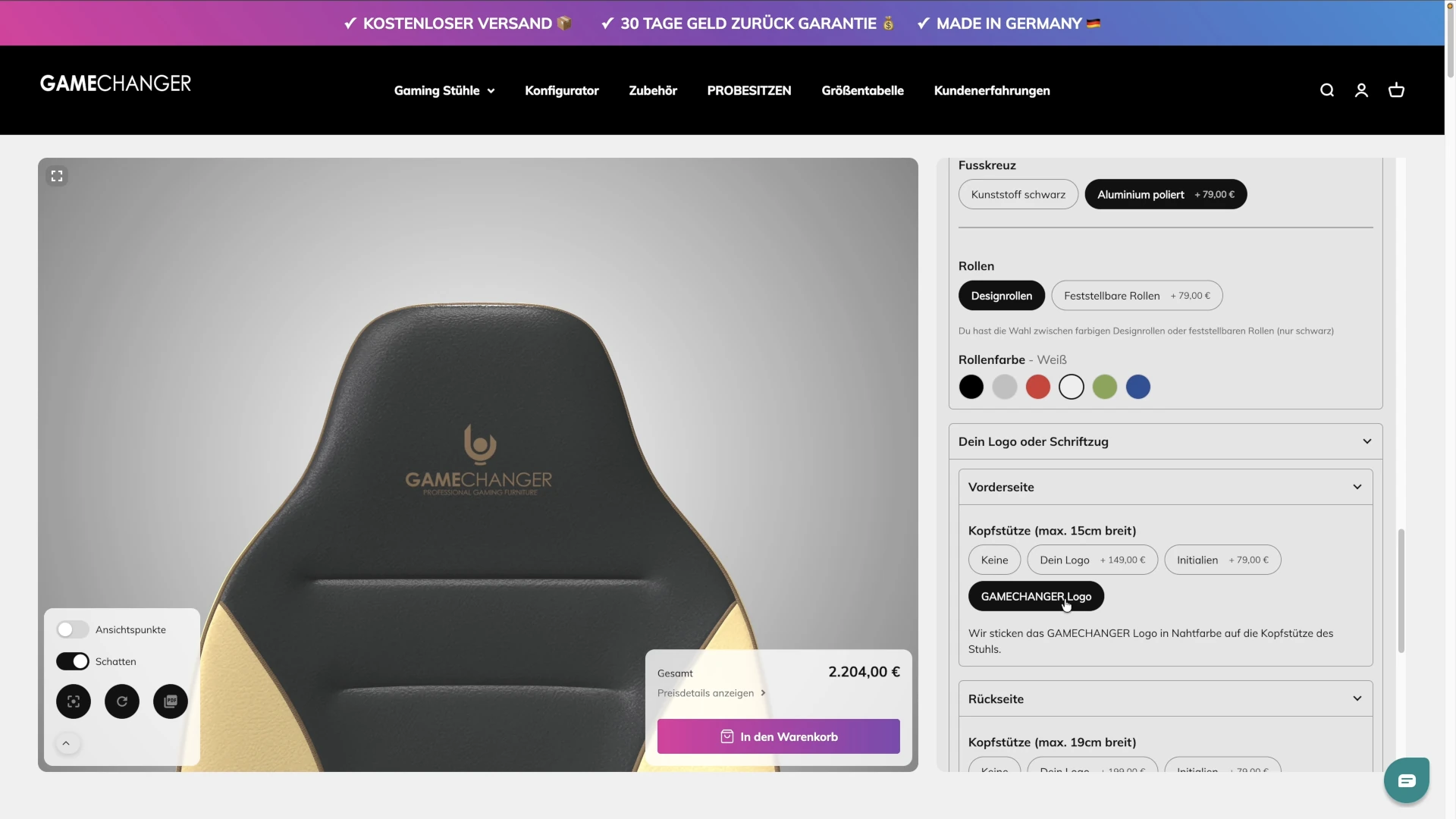
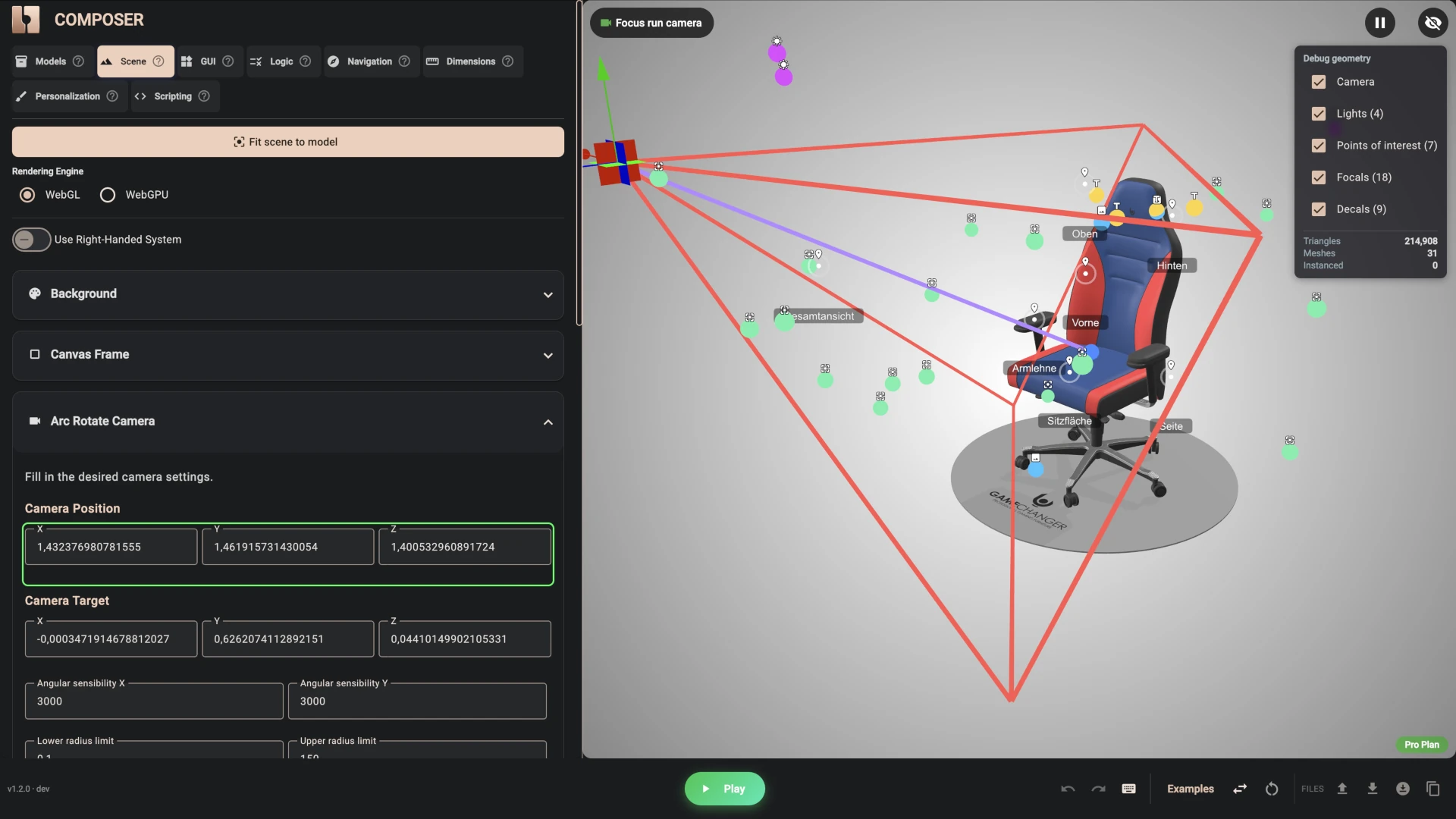
In Composer, that projector is a box you can see and drag around the model: where it sits, how big it is, which way it points and how deep it reaches. Get the direction right and the artwork wraps correctly; then a single angle value levels the lettering. The chair has nine of them:
- Front of the headrest - a text decal for initials (up to six characters), an image decal for an uploaded logo, and an image decal that shows the Gamechanger logo itself
- Back of the headrest - the same three
- Left and right side panels - a text decal each, up to eleven characters
- The floor - one more image decal projects the Gamechanger logo onto the ground under the chair, a small branding touch that costs nothing
Only the right decal shows at any moment. Choose "your logo" on the front and the upload field appears with its decal; choose "initials" and the text field and font picker take its place. That is the same condition mechanism the colour lists use.
Eight Fonts, and Stitching That Matches
Text decals render in real fonts. Eight script and display typefaces were registered once, in the Style tab, and every text field in the panel offers the shopper the same list. Change the font and the lettering on the chair changes with it.
The detail we like most is the colour. Gamechanger embroiders in the stitching colour of the chair, so on the product page the letters and the logo are drawn in whatever stitching colour the shopper picked. Choose red seams and your initials are red; switch to sand and they follow. This is done with a handful of small logic rules in Composer: when the stitching swatch changes, the rule passes the matching colour to the decals. The white Gamechanger logo is recoloured the same way, so even the brand mark is stitched in the shopper's thread colour. What is on screen is what the workshop will make.
Uploaded logos are shown as they are, and a text next to the upload field says that a proof will be sent for approval before anything is stitched. The uploaded file travels with the order, so the workshop has the original.
A Camera That Knows Where to Look
A chair has a lot of surface, and most of the options change a small part of it. If the shopper picks a castor colour while looking at the headrest, nothing they can see changes and the feature feels broken.
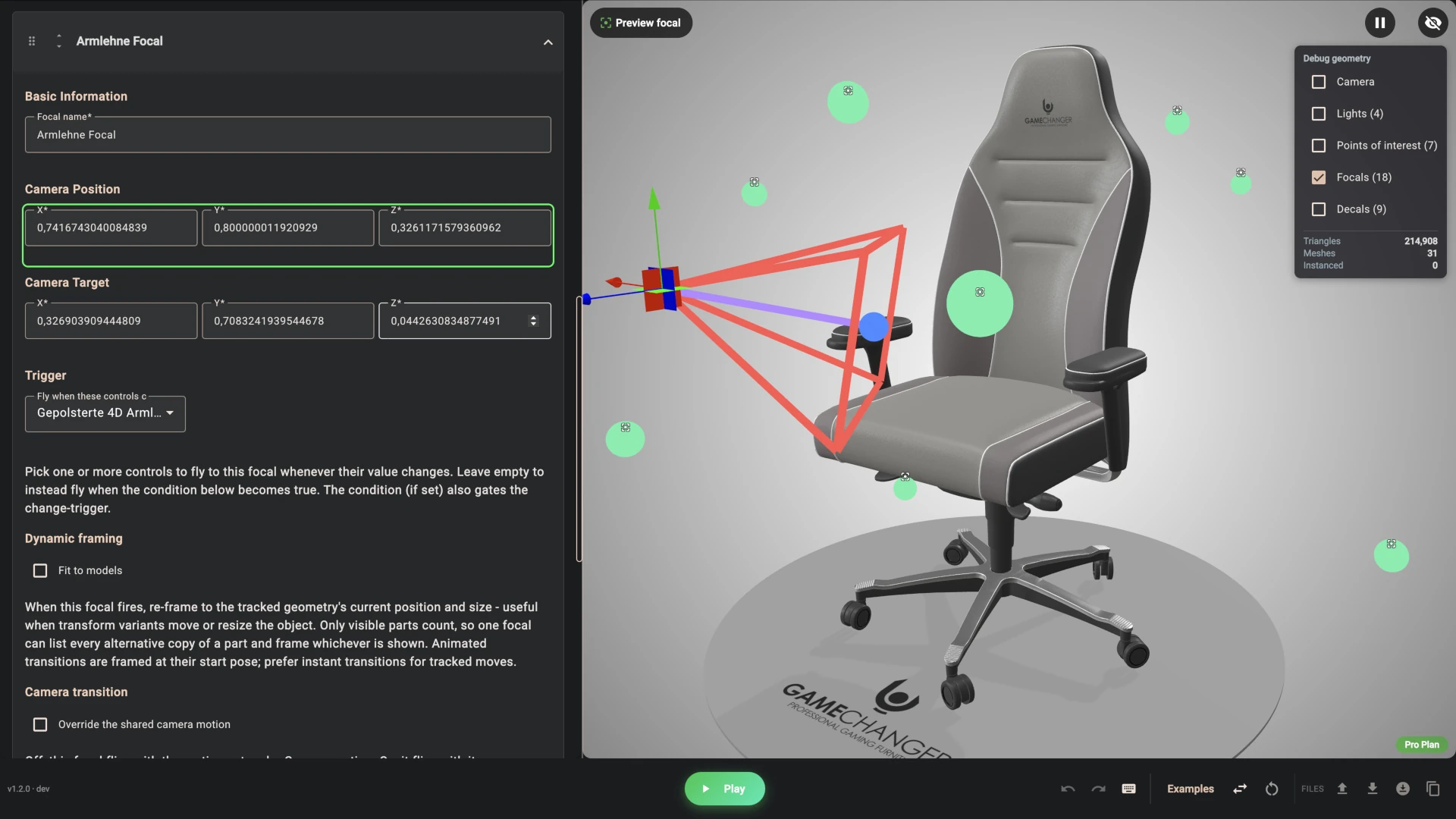
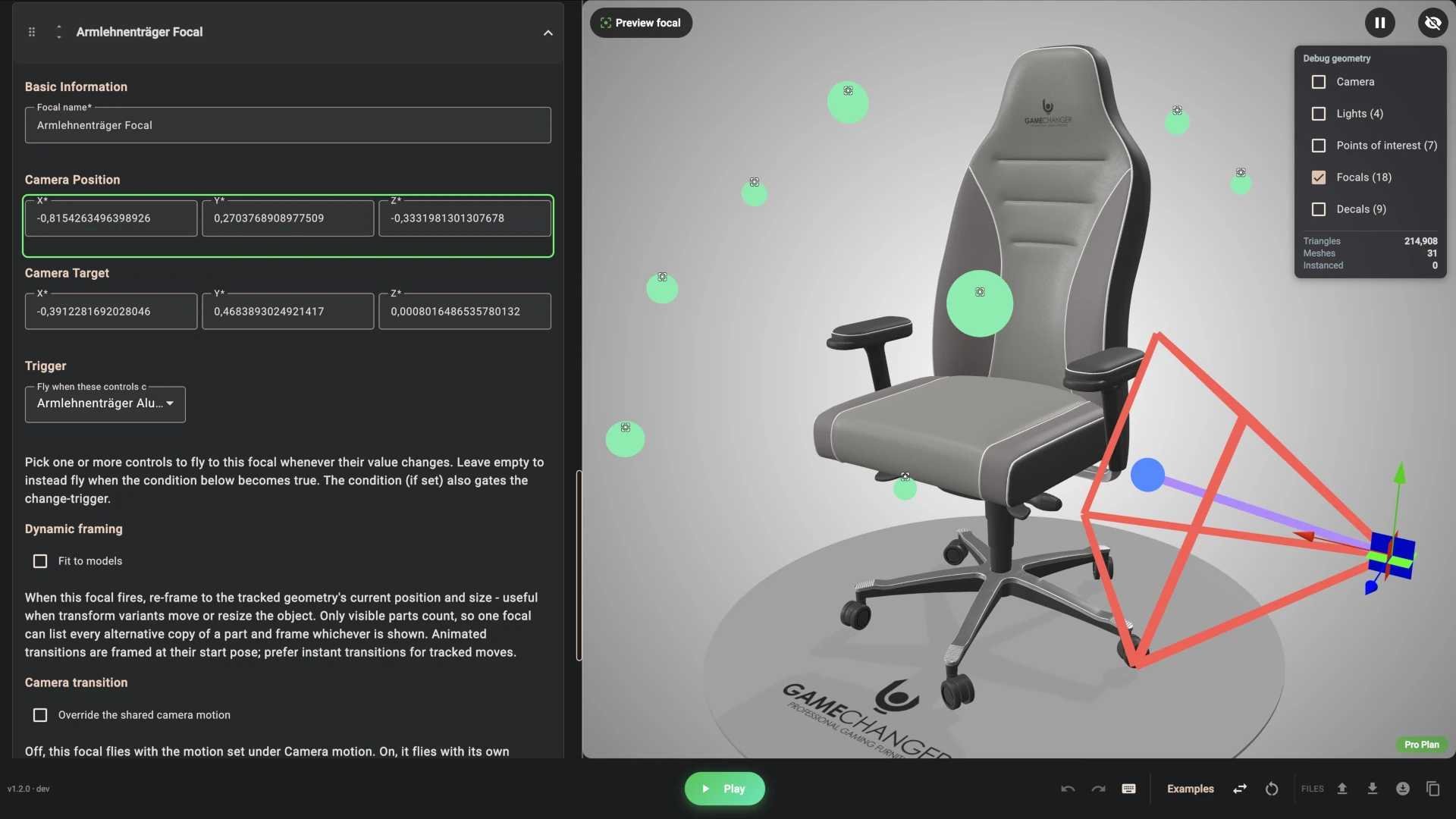
Focals solve this. A focal is a camera move that fires on its own when a shopper does something. This configurator has eighteen of them, roughly one per group of options:
- Change the main colour and the camera settles on the seat and backrest
- Change the appliqués, the outer edge or the back, and it turns to show that zone
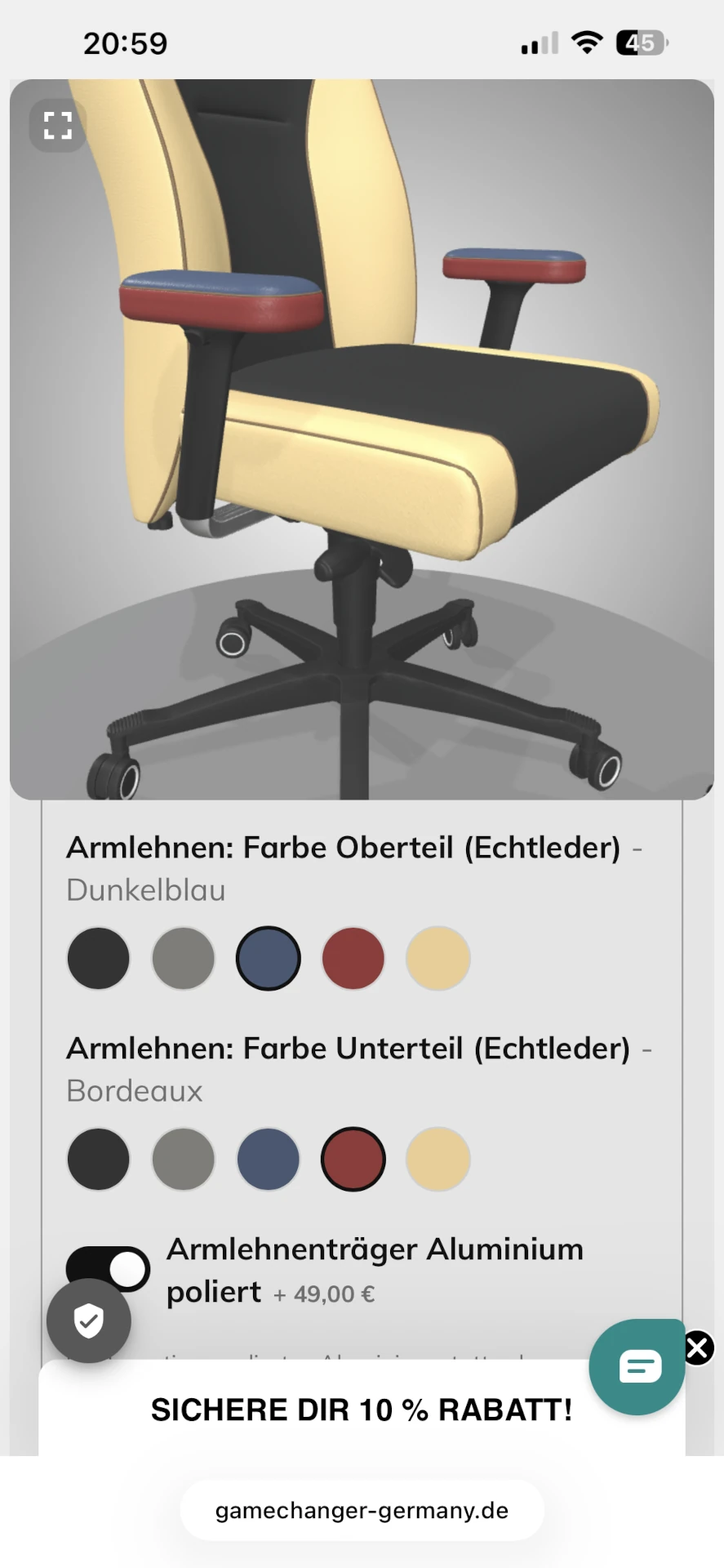
- Switch on the padded armrests, or pick their colour, and it swings round to the armrest
- Touch the gas spring, the base or the castors and it drops down to the base
- Toggle the lumbar support or the memory foam and it shows you where they go
- Start typing on the left side panel and it flies there so you can watch the letters appear; the right panel, the front and the back each have their own
A "show the whole chair" button pulls back to the full view, and a reset button restores every option to its default. Alongside these there are seven points of interest - clickable markers for top, side, front, back, seat, armrest and overall view - which the shopper can switch on with a toggle in the corner of the 3D view. A second toggle switches shadows on for a more realistic look.
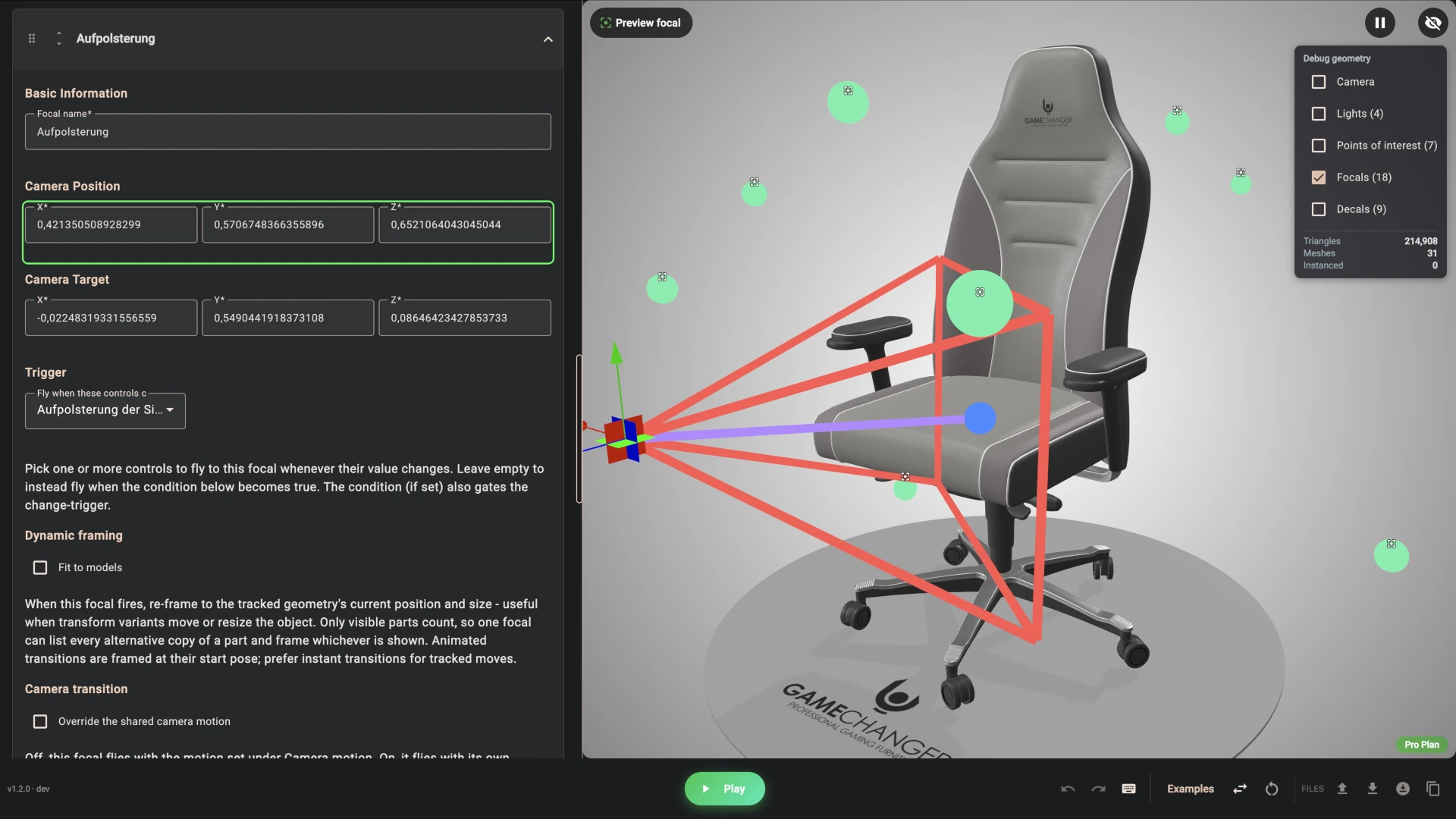
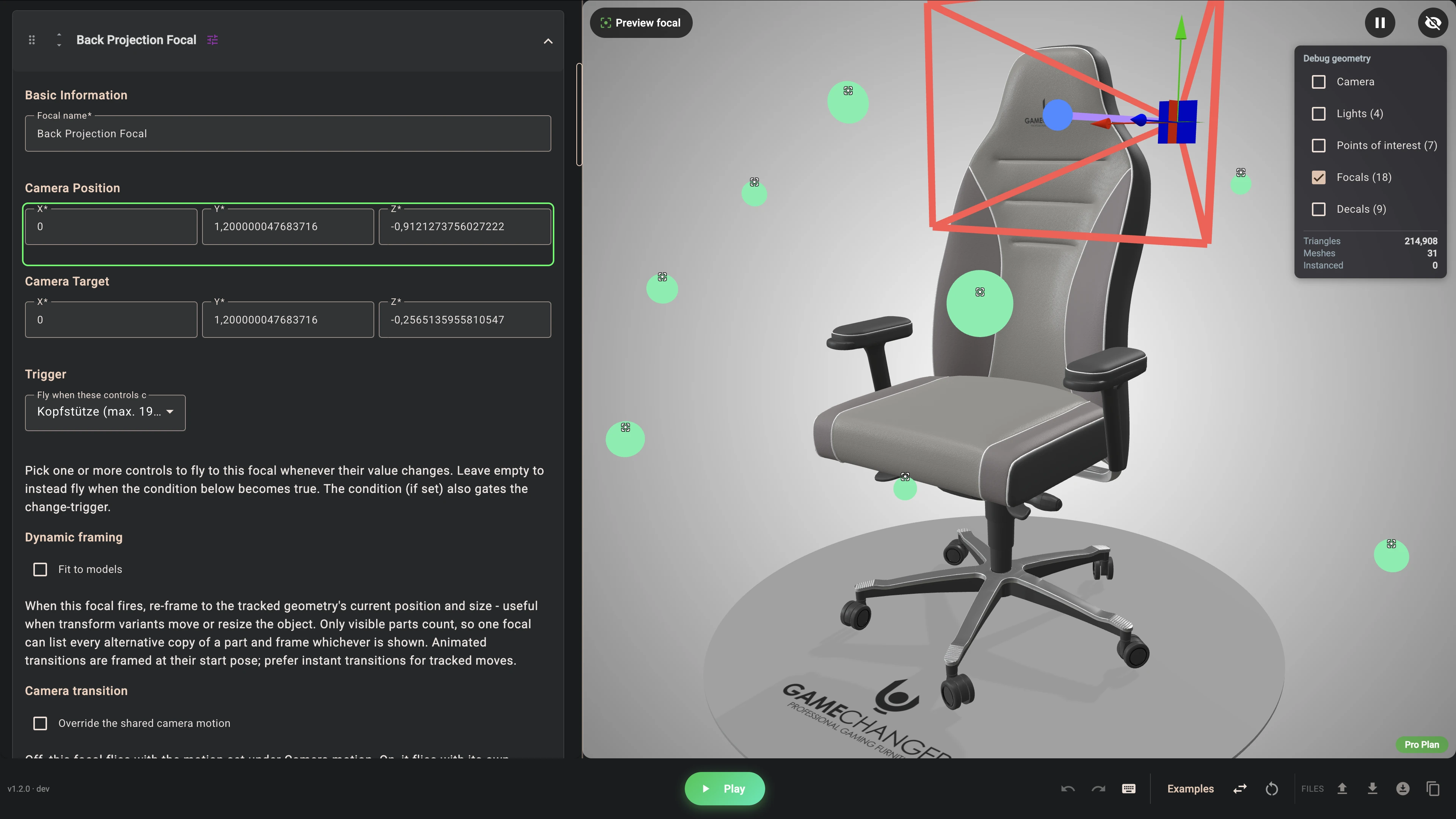
The effect on the shopper is hard to overstate. They never have to hunt for what changed. They change something and they are shown, every time, and then they are free to spin the chair themselves.
Upgrades That Swap Real Parts
Not everything is a colour. The memory foam upgrade replaces the seat cushions with thicker ones. The padded 4D armrests replace the hard armrests with upholstered ones that get their own material and top-and-bottom colour choice. The adjustable lumbar support adds its knob to the backrest. Each of these is a part of the 3D model that shows or hides based on the switch in the panel, so the shopper sees the actual thing they are paying for.
The Buy Panel Lives on the 3D View
One layout decision worth copying: the price and the add-to-cart button do not sit at the bottom of a long list of options. They float in a card over the bottom-right corner of the 3D view, together with the delivery promise, "at your home in 14 to 21 days". A second card in the bottom-left corner holds the small tools - the viewpoint toggle, the shadow toggle and the three icon buttons for the full view, reset and PDF.
These are Composer's areas: parts of the panel that can be placed over the 3D canvas instead of beside it. On a desktop screen the shopper always sees the price and the buy button, however deep they are in the options, while the tools card starts folded away and opens on a tap, so the chair keeps the screen.
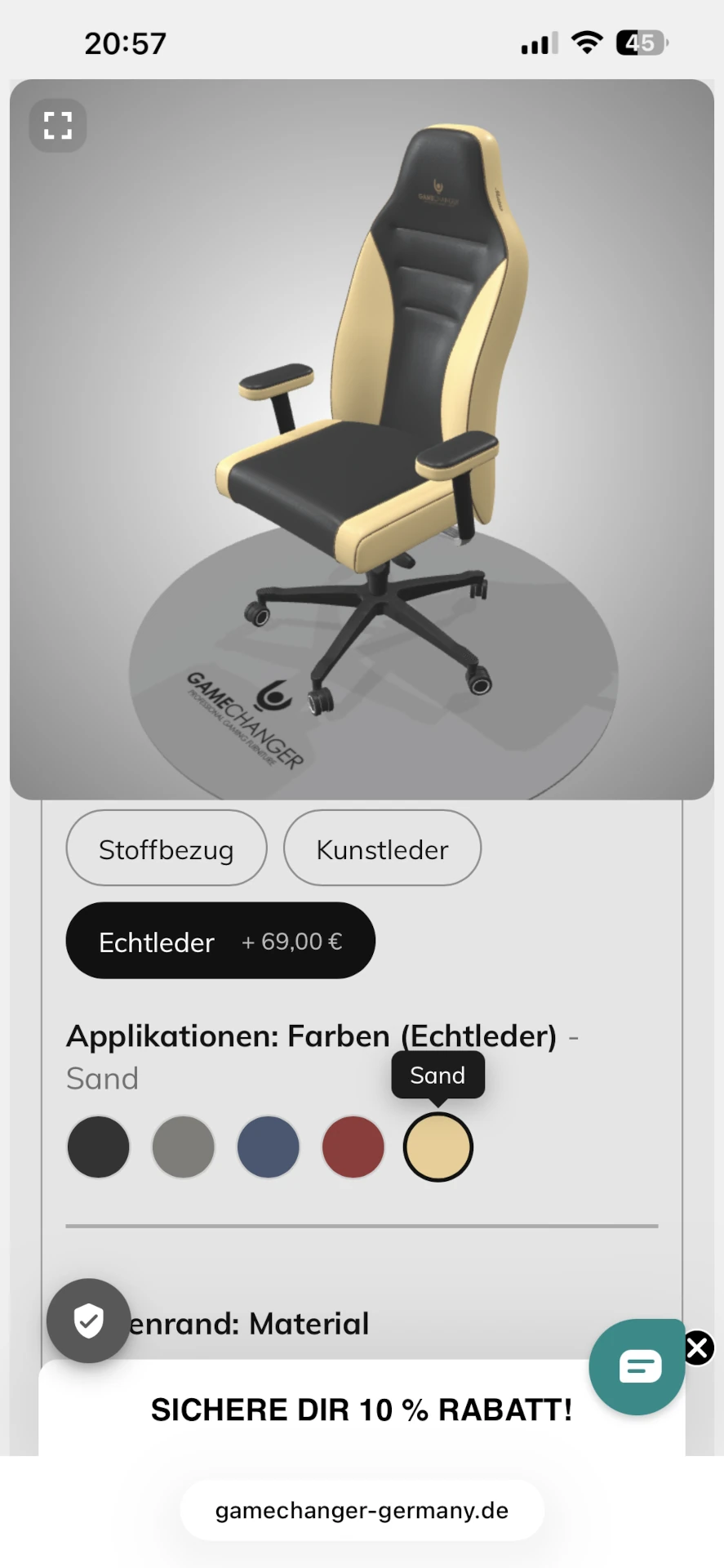
Built for Phones
Most shoppers will meet this chair on a phone, and a layout that works on a wide screen can turn into one long scroll on a small one. 3D Bits handles this on its own. On a phone the page splits in two: the 3D view takes the top of the screen, and the options live in a panel below it that scrolls on its own. The shopper works down through size, materials, upgrades and lettering while the chair stays exactly where it is - it never jumps or shrinks as the panel scrolls, and it can still be spun and zoomed at any point. The two cards that float over the 3D view on a desktop cannot float on a phone, so they join the scrollable part below the panel instead, with the price and the buy button where a shopper expects to find them at the end.
None of this needed configuring. The panel is built once in Composer, and the app adapts it to the screen. The only choice a merchant makes is how much of the phone screen the 3D view should take, and that is set separately for desktop and mobile in the app's display settings - a view that fills three quarters of a laptop screen would swallow a whole phone, so the two get different answers.
Readers of the Strength Shop case study will recognise the pattern - 3D view fixed on top, options scrolling below - which their team built by hand for their custom interface. Here it comes built in.
One PDF for the Shopper, Another for the Workshop
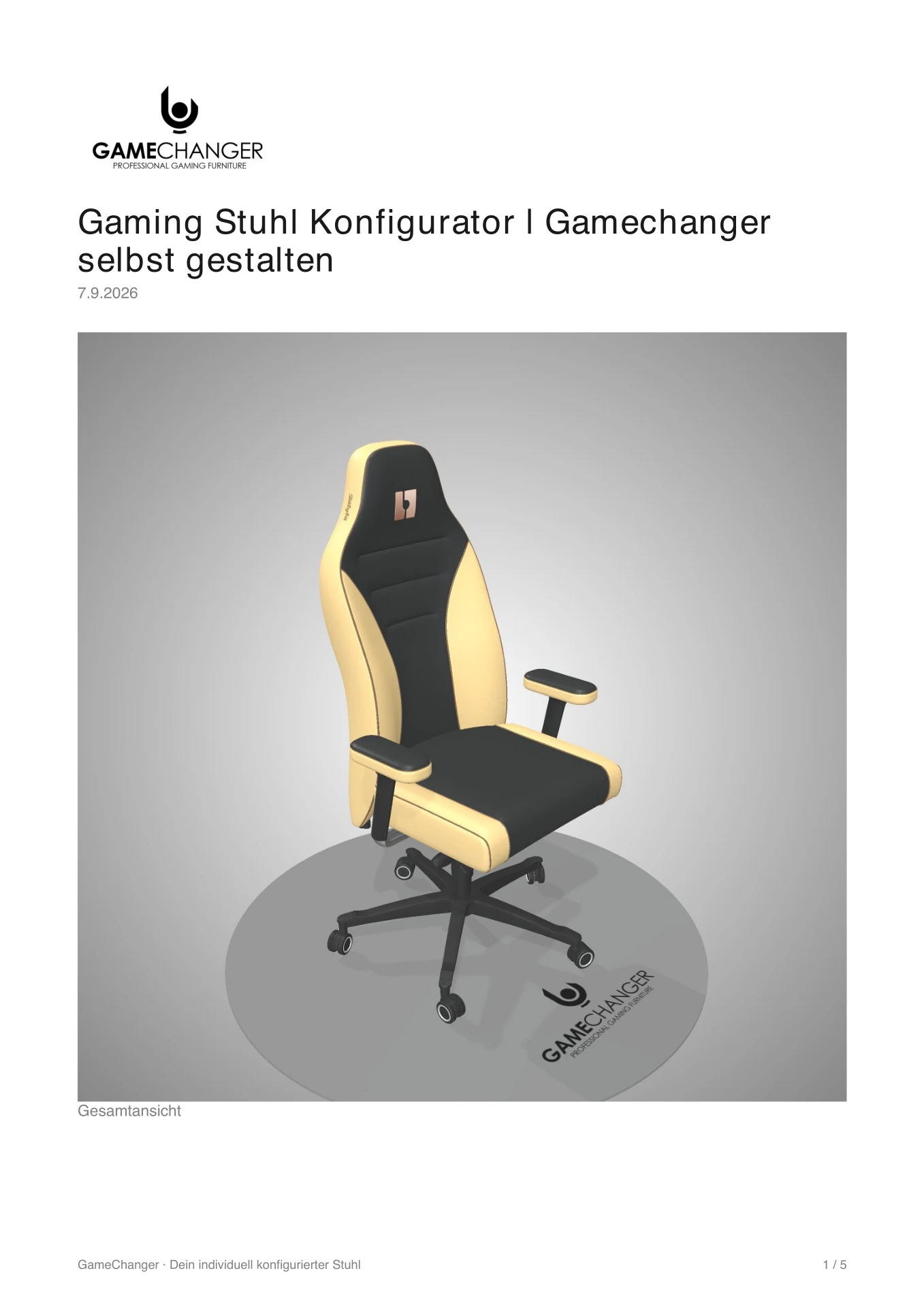
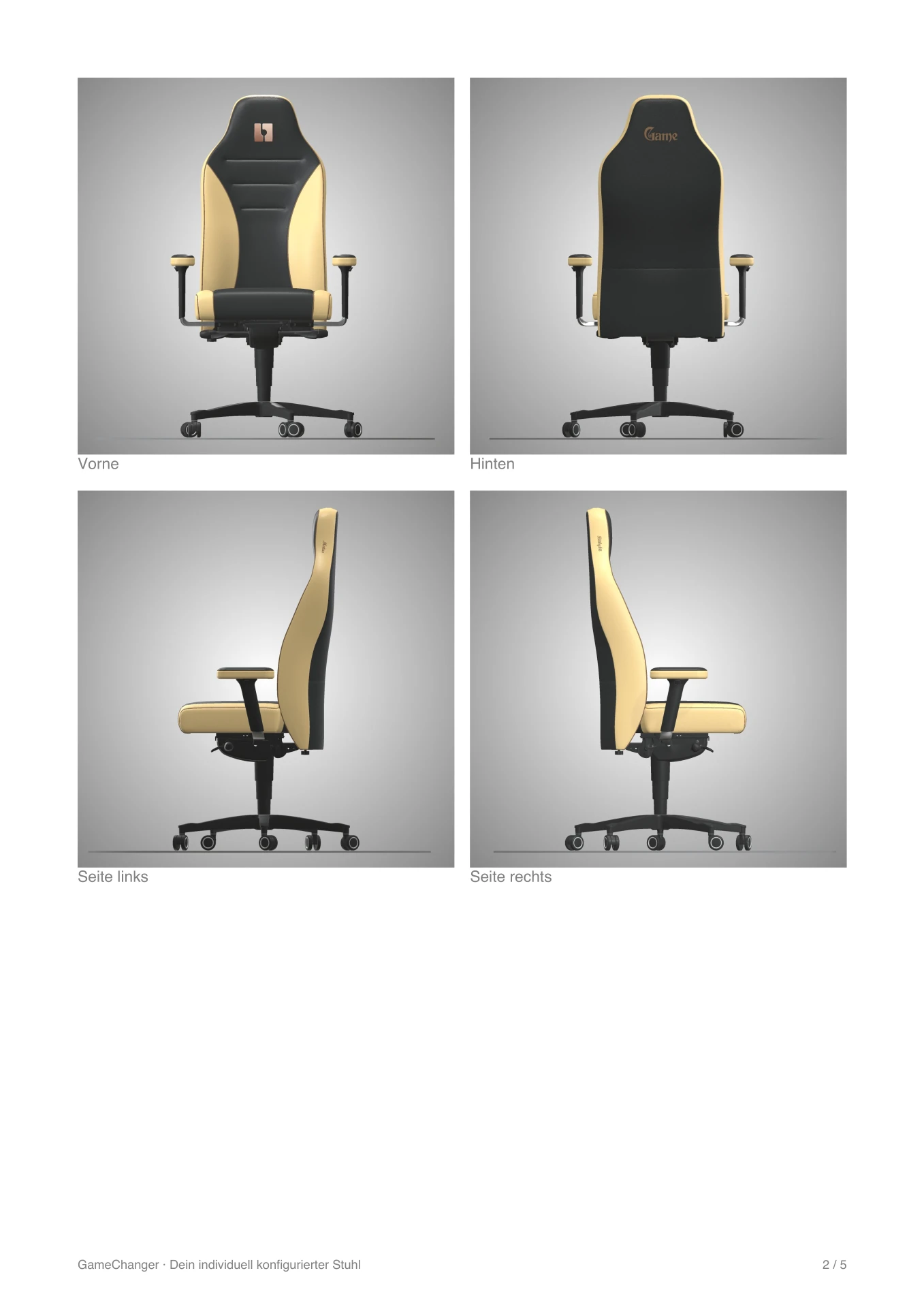
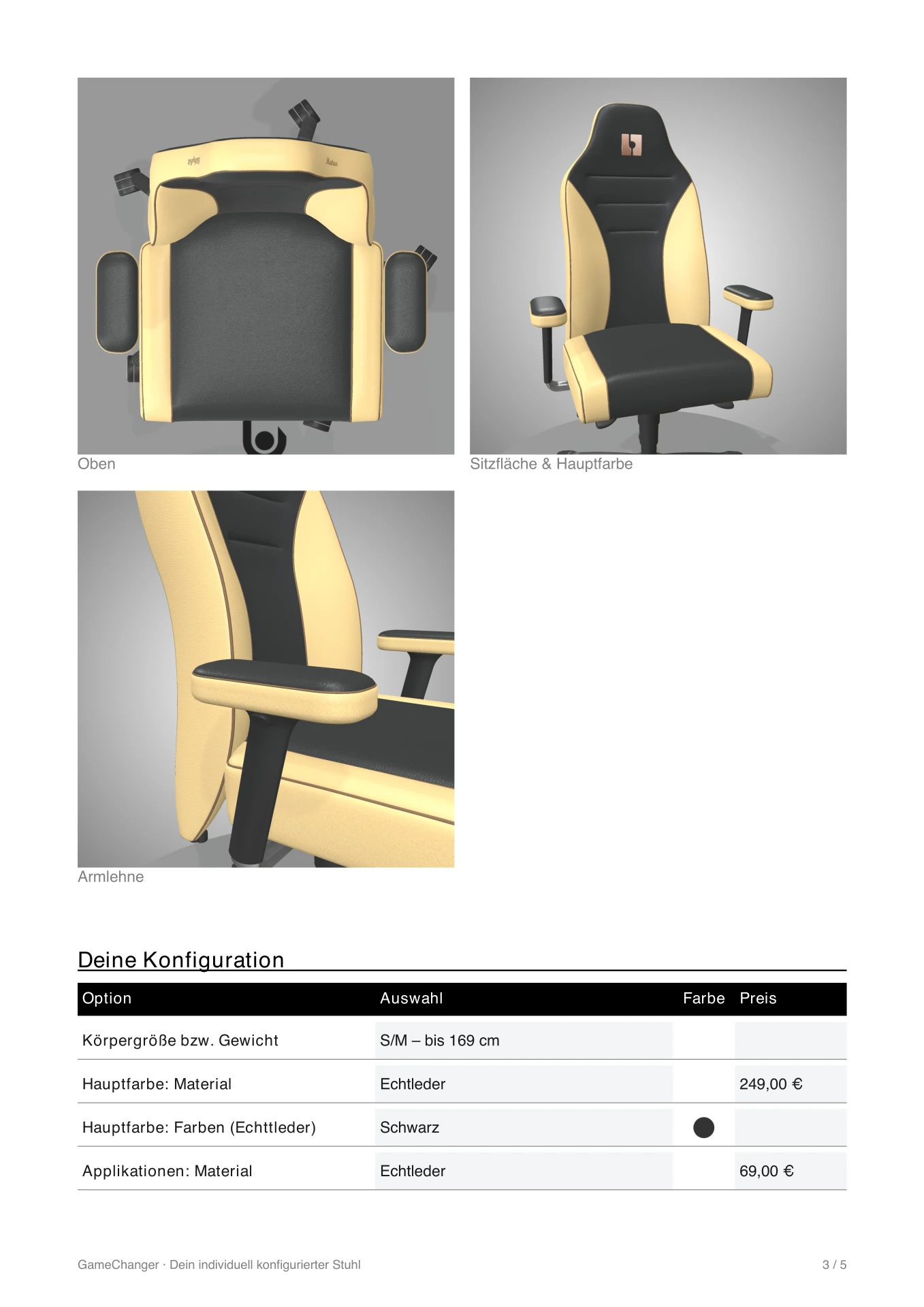
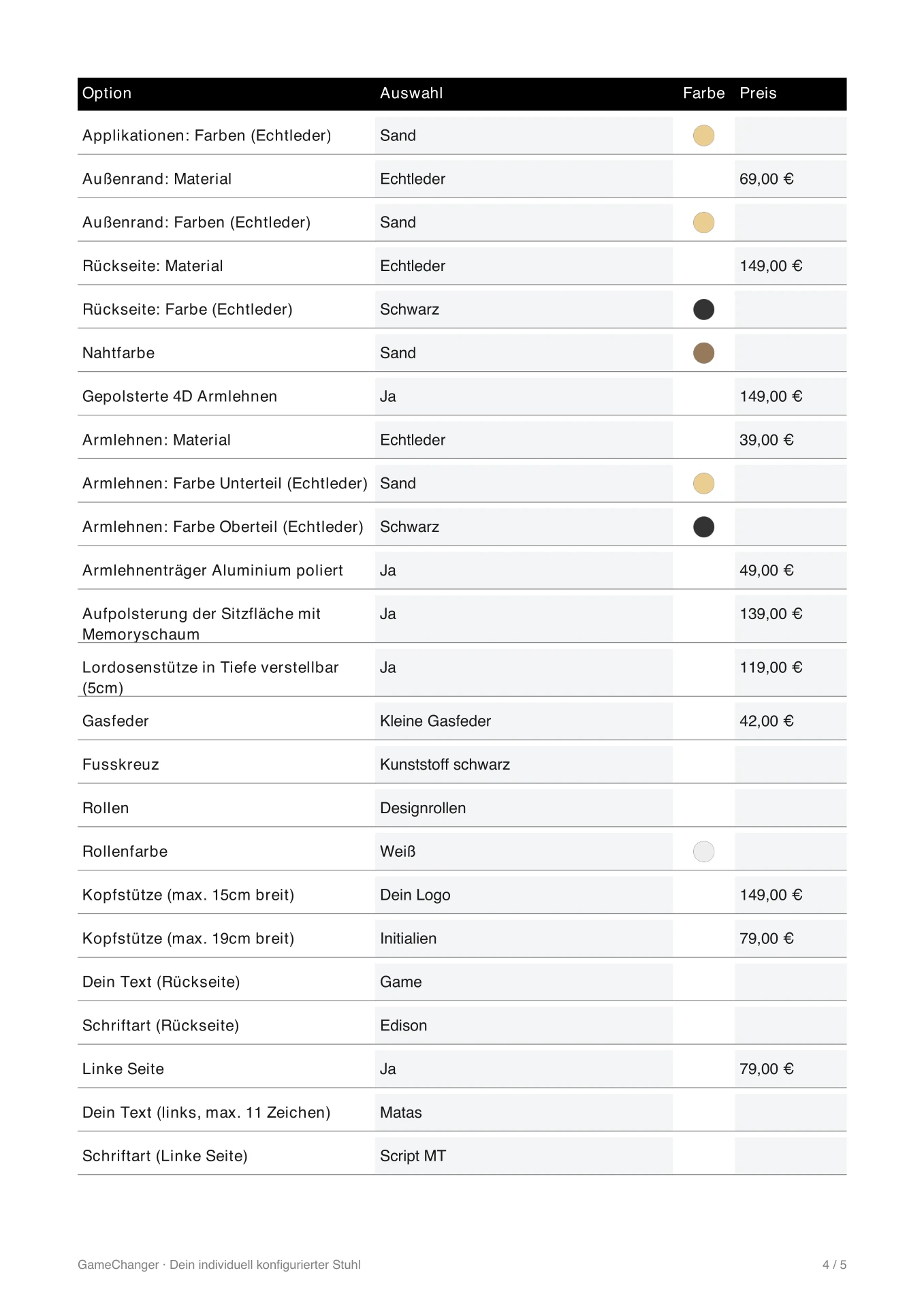
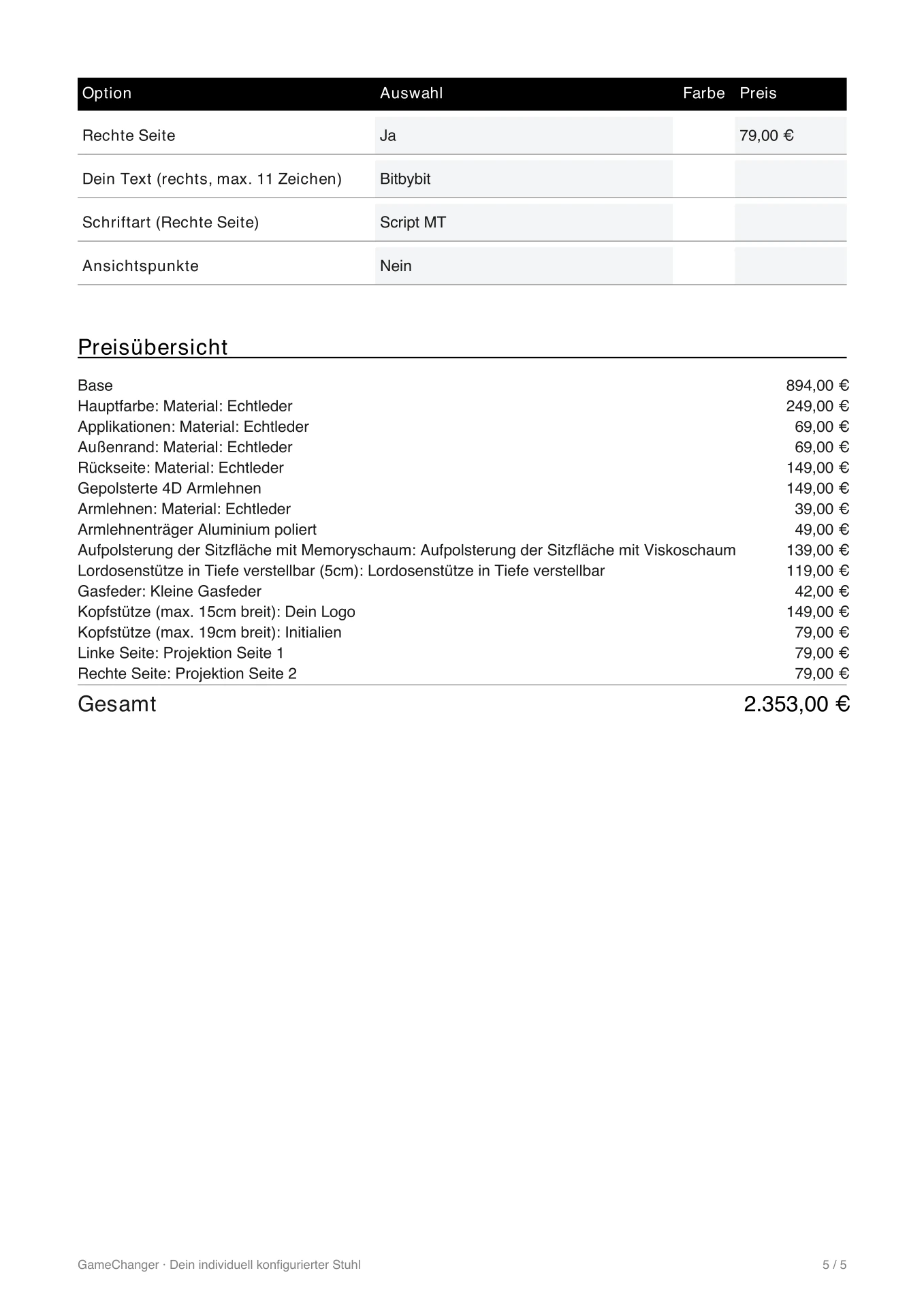
A chair that costs this much is rarely bought on the first visit. People want to think about it, show it to someone, or compare two versions. So the customer PDF is switched on. One click on the PDF button and the shopper downloads a branded document with a cover, eight rendered pictures of their chair - overall, front, back, both sides, top, and two close-ups taken from the same camera positions the focals use for the seat and the armrest - a table of every choice with its colour swatch and its price, and a price summary.
A second document, the order PDF, is generated when the chair is added to the cart and attached to the order. This one is for the people who make the chair: the product description on the cover, one picture of the configured chair, and a numbered table of every choice with its swatch and the colour code the workshop needs. Prices are left out, because the workshop does not need them. A rendered "configuration preview" image is also saved with the order, so anyone opening it in Shopify sees the chair at a glance.
Finally, every configuration can be shared as a link - uploads included - so a shopper can send their exact chair to a friend, or come back to it a week later. Try it yourself, click this link
What Gamechanger Says
"We use 3D Bits for our gaming chair configurator and we're really happy with it. It's an all-in-one solution: 3D, UI and pricing in one app, no patchwork of plugins. Our customers can now configure the chair down to the smallest detail and see every change live in 3D.
The real highlight is Matas. We had some very specific requirements, e.g. individual colors with their own surcharge, which simply wasn't possible before. He made it happen, and fast. Every change request we sent was implemented quickly, and the new projection features are a nice bonus on top. If you need a configurator that actually adapts to your product instead of the other way around, give it a try."
Gamechanger Germany
🇩🇪 Germany

Key Takeaways
Gamechanger's configurator shows what a merchant can build today with 3D Bits alone:
- Everything in one app - the option panel, the prices, the personalisation and the PDFs were all set up in Composer, with no options app, no pricing app and no custom development
- Conditions keep a big panel small - fifty-three controls, and the shopper only ever sees the ones that apply to what they have chosen
- Projected decals sell personalisation - initials and logos wrap onto the headrest the way embroidery does, in the thread colour the shopper picked, so the screen matches the finished chair
- Focals do the guiding - eighteen automatic camera moves mean the shopper is always looking at the part they just changed
- Two PDFs, two audiences - a branded document the shopper takes away, and a production document the workshop works from
- Shopify stays Shopify - the configured price is charged exactly at checkout, and shipping, tax, discounts and payment are untouched
Ready to Build Your Own Configurator?
If you sell products that customers want to make their own, 3D Bits can give them the page Gamechanger's shoppers have. Personalisation, PDF documents and parts lists are part of the Pro plan, which also includes hands-on help from us when you set up your first configurator. Guided camera moves and points of interest start on the Standard plan, and the option panel with live pricing is included on every plan.
Interested in exploring what's possible? Reach out to us.