Making Bitbybit AI Ready: Our MCP Servers, and a Jet Engine Built With Them

More and more of the code that uses Bitbybit is not typed by a person. It is written by an AI coding agent, inside an editor or a terminal, while a person describes what they want and judges what comes back. We think this is where 3D development is heading, and we want Bitbybit to be the CAD library that agents get right. That is why Bitbybit now runs its own MCP servers: one that teaches any agent the exact Bitbybit API, and one that lets an agent run real CAD operations for you.
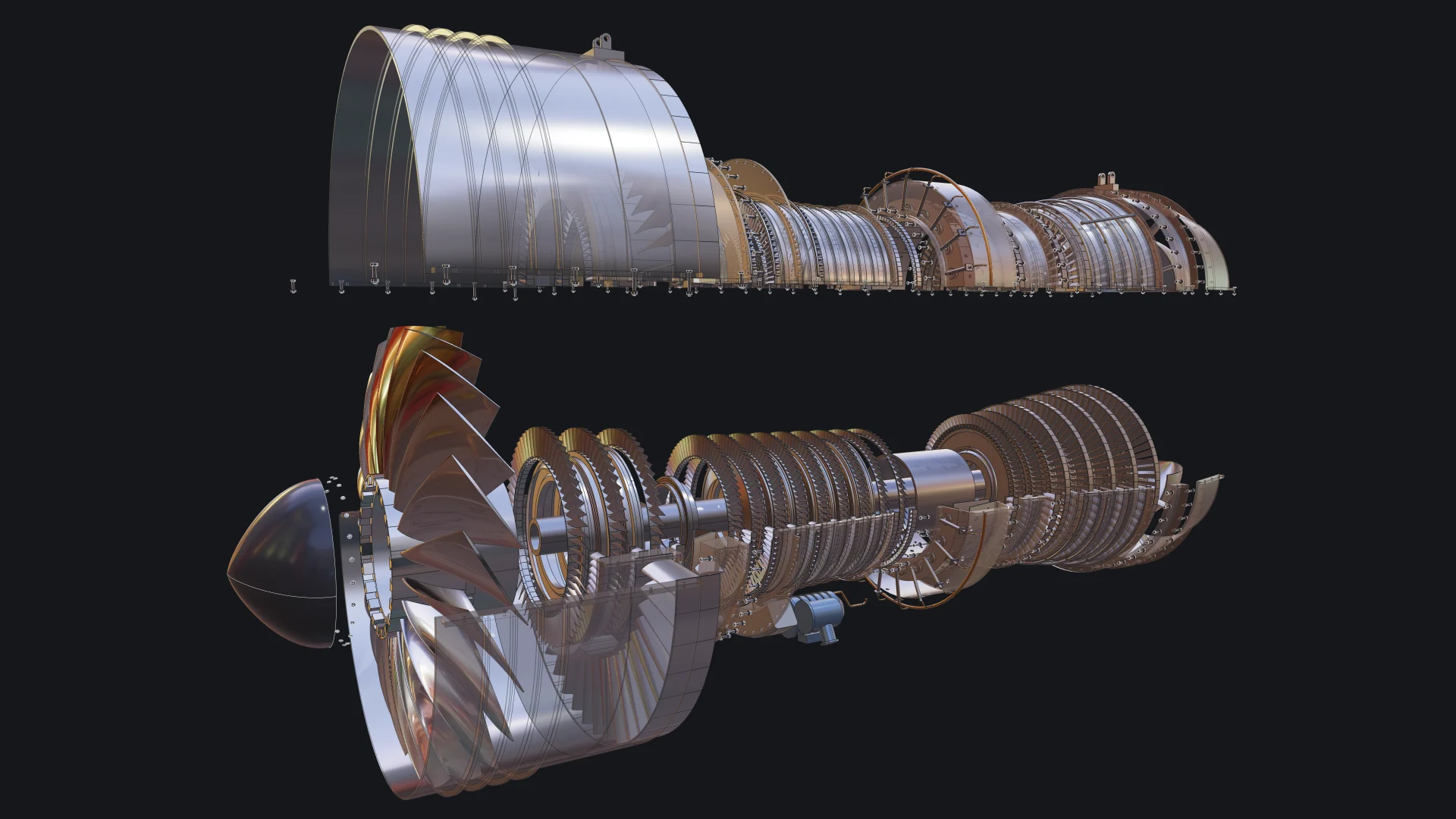
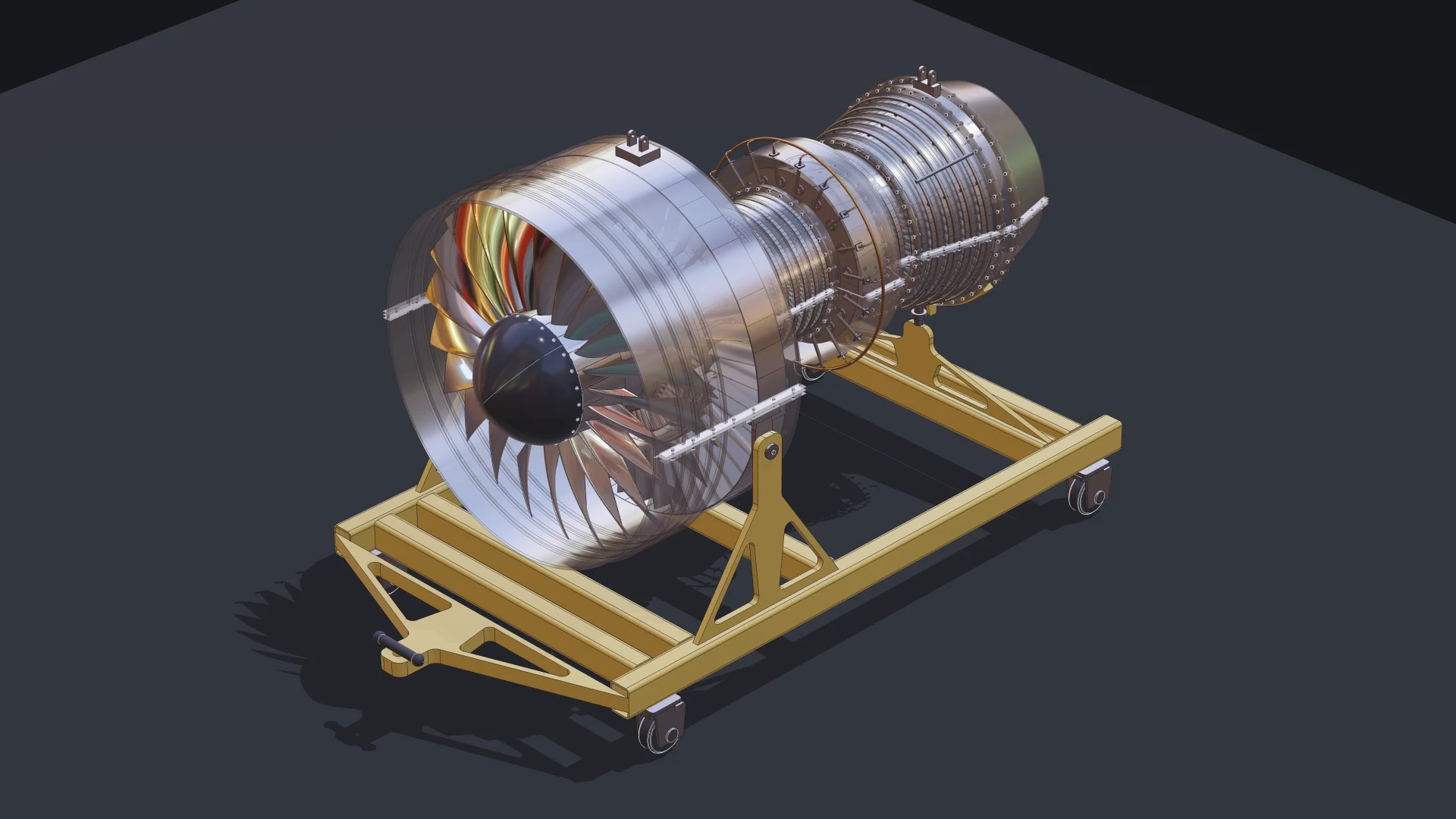
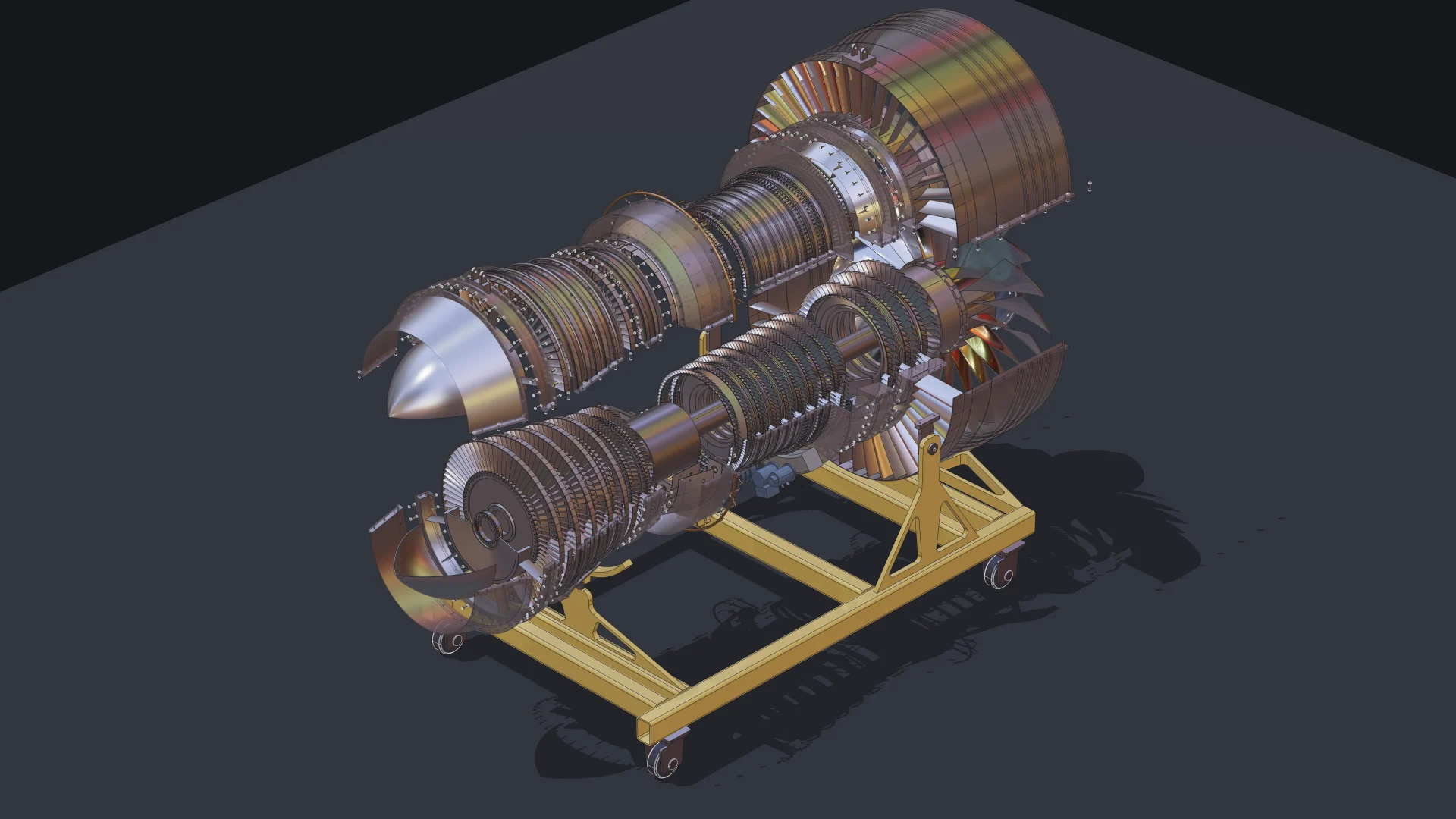
To show what that looks like in practice, we asked an agent to build something far beyond a demo cube: a two-spool turbofan engine with 130 unique parts placed 4,853 times, bolted flanges, blades seated in slotted disks, a casing that opens, an exploded view and a welded transport stand. This post explains what MCP is, the use cases we care about most, what they mean for you, and how the engine was made.
Watch It Come Together
Here is the finished engine in our TypeScript editor: it starts exploded in empty space, assembles itself, takes its place on the stand with its labels, then opens up for a closer look at the fan, the compressor, the combustor, the turbines and the stand.
Why an agent needs more than its memory
A language model learns libraries from whatever it read during training. For a small, stable library that works. For Bitbybit it does not: the API has close to two thousand functions across three CAD kernels, it changes with every release, and many functions take one argument object with a dozen named fields and defaults. An agent that writes Bitbybit code from memory produces names that sound right and do not exist, or fields that existed two versions ago. The code looks plausible, it fails to compile, and you lose the time you hoped to save.
The fix is not a bigger model. The fix is giving the agent a way to look things up at the moment it needs them, the same way a person opens the documentation.
What MCP is, in one paragraph
The Model Context Protocol is an open standard for connecting AI assistants to tools and data. A server publishes a set of tools, the assistant discovers them and calls them while it works, and the answers flow back into its reasoning. Claude Code, Codex, Cursor, VS Code, Gemini CLI, Windsurf, Zed, the JetBrains IDEs, claude.ai and ChatGPT all speak it. One server, written once, works in all of them.
Our two servers
| Bitbybit CAD MCP | Bitbybit CAD Cloud MCP | |
|---|---|---|
| What it gives the agent | knowledge: every function, parameter, default, return type and example | hands: it runs geometry on CAD Cloud and returns files |
| Cost | free, no account | a CAD Cloud plan and an API key |
| Address | https://mcp.bitbybit.dev/mcp, or locally npx -y @bitbybit-dev/mcp | https://api.bitbybit.dev/mcp with your key |
| Docs | Bitbybit CAD MCP | Bitbybit CAD Cloud MCP |
Connecting the free one to Claude Code is a single line:
claude mcp add --transport http bitbybit https://mcp.bitbybit.dev/mcp
Every other host is covered on the MCP page, most of them with a one-click install.
The use cases that matter most
1. Code that compiles the first time
This is the everyday one. Before an agent writes a Bitbybit call, it asks the server: search_api finds the function from a few words ("box with rounded edges"), describe returns its exact signature with every field, default and range, and get_examples returns calls that are known to work. The answers are version exact: the local server reads the version installed in your project, so an agent working on a project pinned to an older release is not handed functions from a newer one. A half-remembered name comes back with the nearest real ones, so a near miss still lands.
2. Learning the API by asking
You do not need an agent to write code for you to benefit. Ask it "how do I fillet only the vertical edges of this solid?" or "which kernel should I use for a fast boolean on a mesh?" and it answers from the same index we publish with every release, not from a blog post it half remembers. For people new to Bitbybit, this turns the API from something to study into something to talk to.
3. Honest advice about where geometry should run
Bitbybit geometry can run in your users' browsers, on your own Node servers, or on CAD Cloud. The server carries our integration guide and serves it to agents verbatim through get_guide, and every function it describes carries a tier: oss (in the free MIT packages, runs anywhere), platform-pro (available in the bitbybit.dev editors on Silver and Gold plans) or cloud-pro (runs only on CAD Cloud). An agent that reads the tier never sends you to a paid service for something the free packages already do. We wrote it that way on purpose, because agents repeat what they are told.
4. Answers about real geometry, without writing code
A language model cannot measure a part by looking at it, and it will happily guess a number anyway. With the CAD Cloud server it does not have to. "How heavy is this bracket in aluminium?" becomes an upload, a pipeline that loads the STEP file and measures its volume, and a multiplication. "Will it fit in a 60 by 40 by 20 box?", "where is the center of mass?", "convert this STEP to glTF for my web page", "flatten this sheet-metal part": each becomes one request, computed by the same kernels that run in our editors, and returned as a number or a file link.
5. Automation and batches
Twenty variants of a parametric model as STL, a folder of STEP files converted for the web, a measurement run over a whole catalogue: an agent with the CAD Cloud server chains operations into one pipeline per request, so the heavy lifting happens next to the kernels and only the results come back. This is the path for work that is too big or too repetitive to do by hand, and for backends such as edge functions that cannot host a CAD kernel themselves.
6. Scripts for the Bitbybit editors
The same server describes the platform-pro members that exist only inside our editors, so an agent can write TypeScript for the Monaco editor at bitbybit.dev with the full API, including the parts you will not find on npm. The jet engine below ended up exactly there.
What this means for you
- If you write code with Bitbybit, connect the free server once and let your agent look things up. You spend your time on the design, not on correcting invented function names.
- If you script in our editors, an agent can now draft multi-file projects for you, and the editors run them as they are.
- If you scaffold an app with
npm init @bitbybit-dev/app, it already comes wired for agents: anAGENTS.mdthat tells the agent how to work, the MCP server configured for Claude Code, Cursor and VS Code, and a smoke test the agent can iterate against. See create-app. - If you do not write code at all, the CAD Cloud server lets an assistant answer questions about your parts and convert your files, with nothing to install but a connector.
- If you run a company that needs its own operations, we build and host private algorithm namespaces on the same infrastructure, so your agents can call your geometry the same way they call ours. Write to us.
The example: a turbofan engine, built by an agent
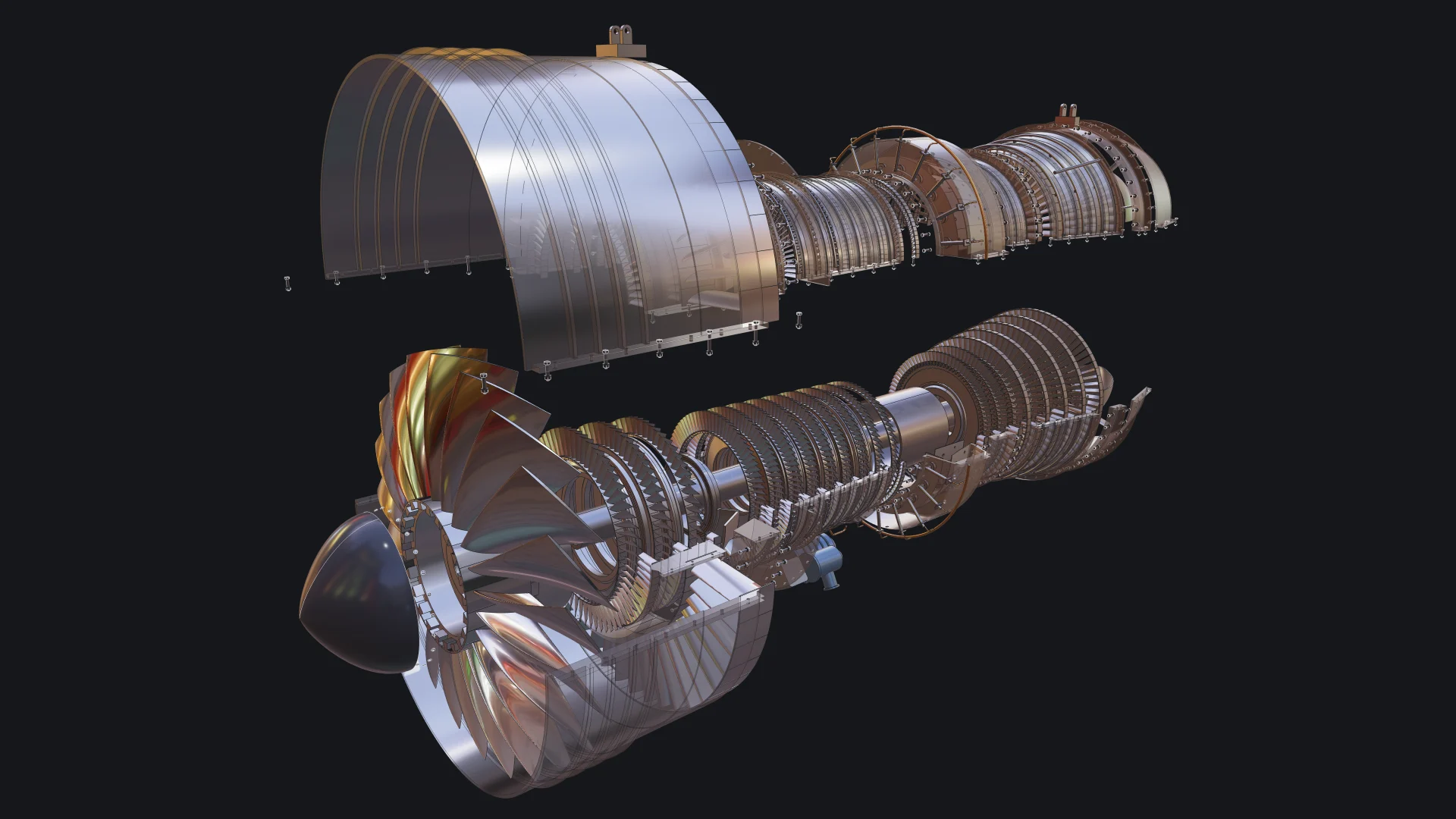
We wanted an example that would break a careless approach. A jet engine is a good test: thousands of blades that must sit in their slots, flanges that must line up bolt for bolt, a casing that splits in two, two spools turning at different speeds, and every part named and placed so the assembly exports as a proper STEP file.
The engine was built by Claude Opus 5.5, Anthropic's model, working as a coding agent in Claude Code, in a project scaffolded with npm init @bitbybit-dev/app, on our three.js template, with the Bitbybit CAD MCP configured from the first minute. A person directed the work, as you would direct a colleague: "make the blades smoother up close", "the fillets on the stand's triangular plates are not symmetric", "the front A-frame does not touch the sides of the base". The agent wrote and corrected every line.
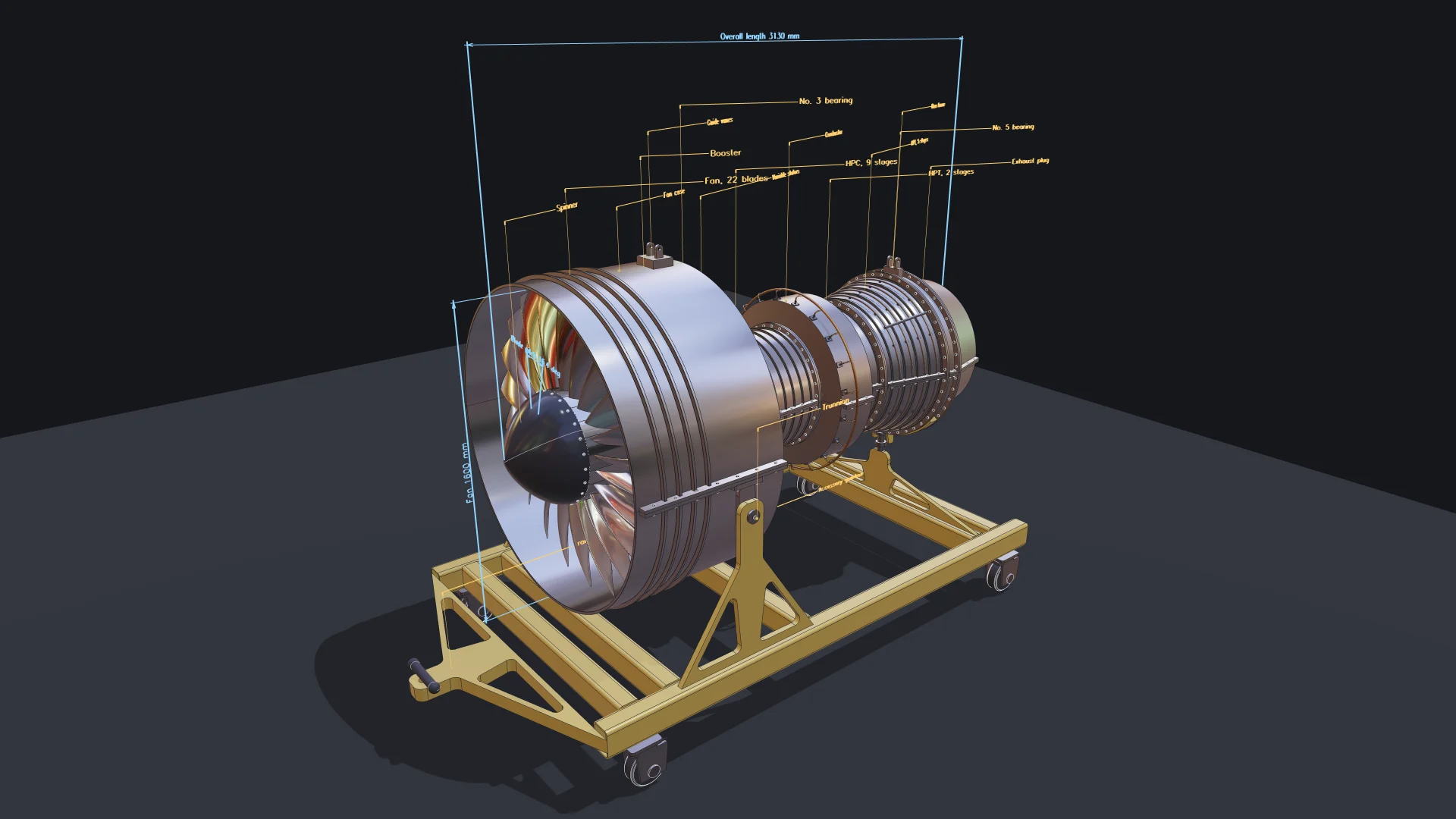
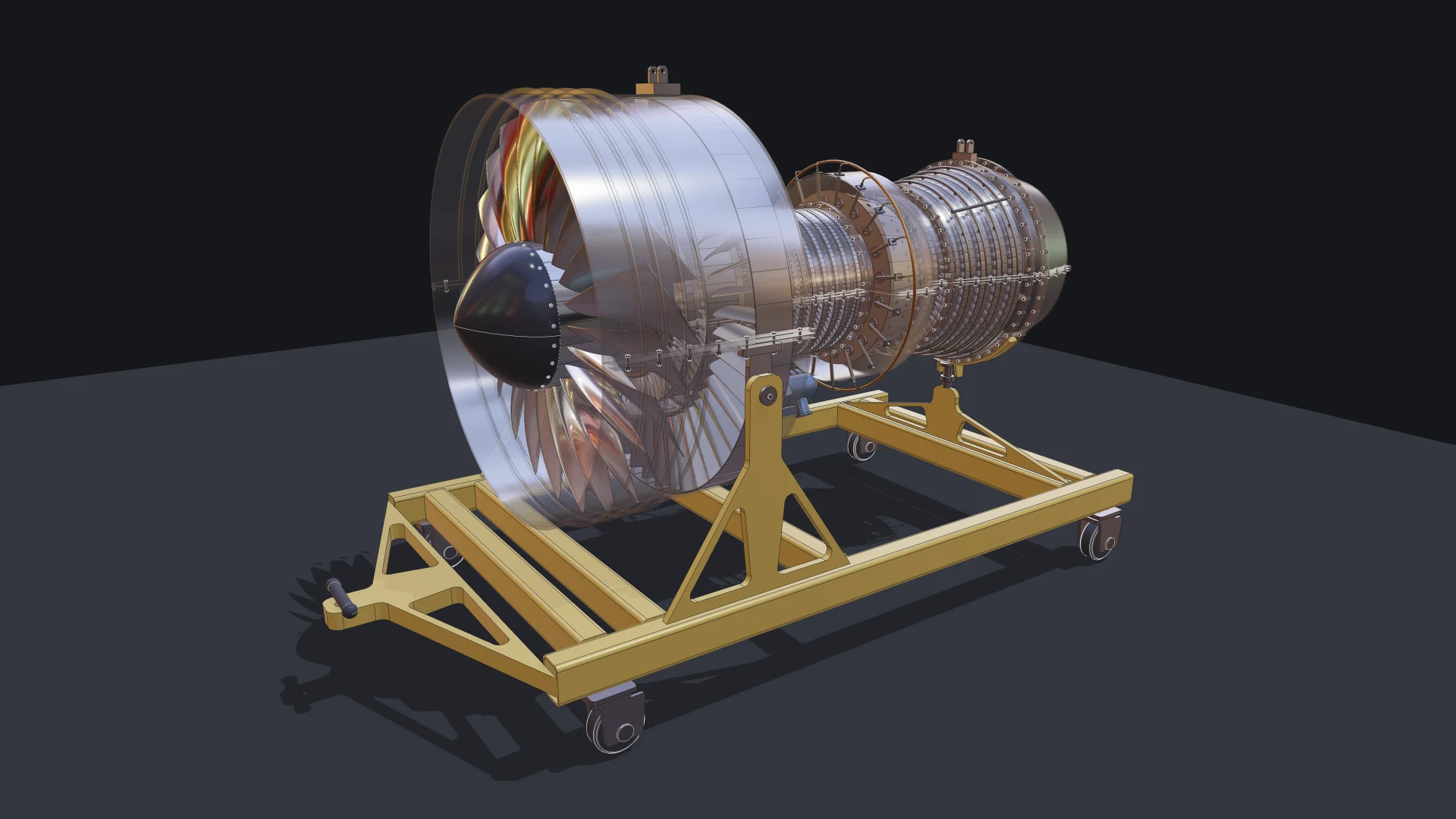
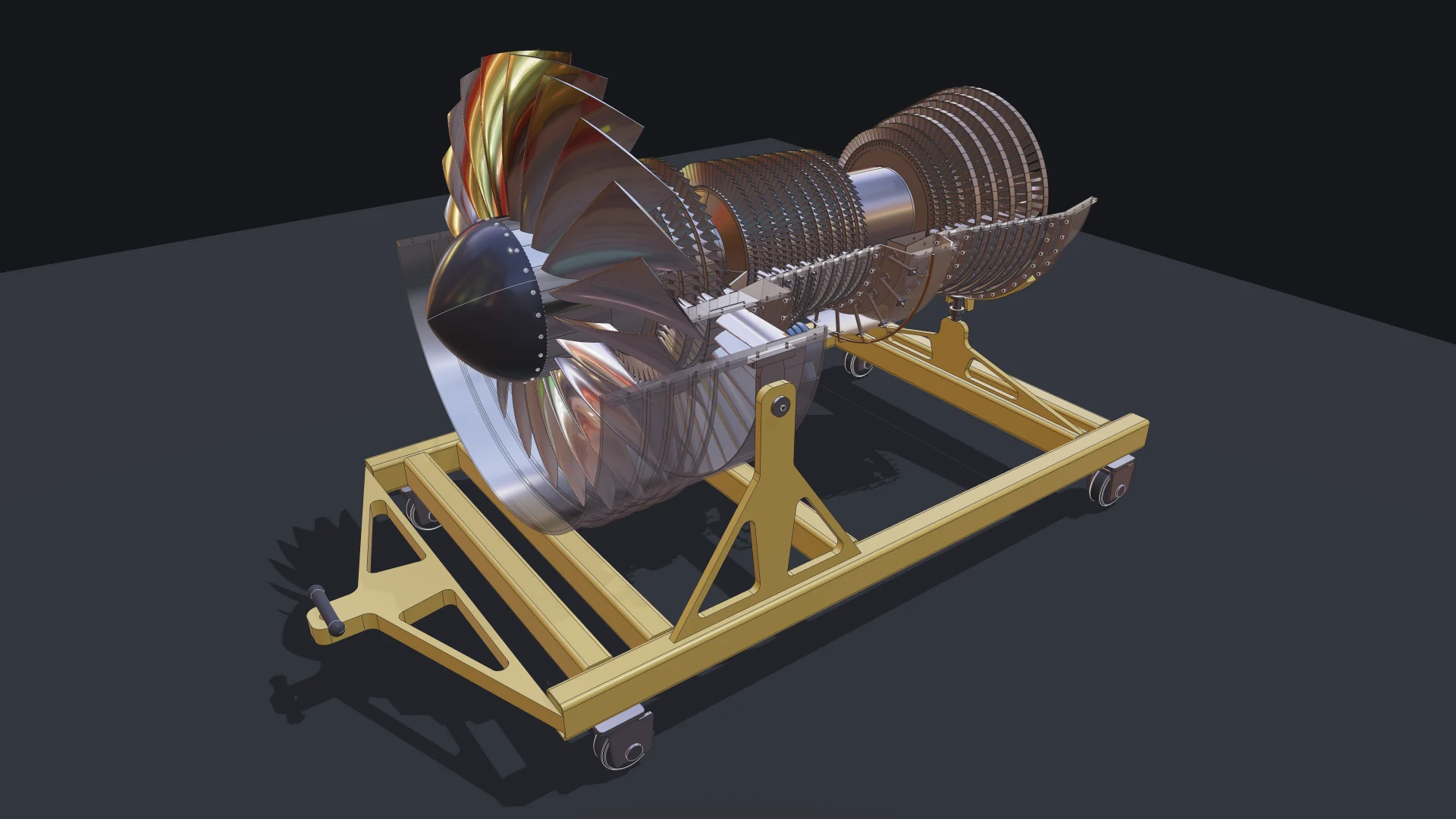
What it contains:
- a fan with wide-chord swept blades on dovetail roots in a slotted disk, a spinner held by a ring of screws, and twice as many outlet guide vanes as fan blades;
- booster and high-pressure compressor stages with blades in grooved drums, stators split into halves, and variable stator levers on unison rings;
- a combustor with fuel nozzles, a manifold ring and drilled liner tiles;
- high- and low-pressure turbines with fir-tree blades and clearance-control pipes clipped to the case;
- shafts, two bearings, an accessory gearbox with its pumps, and mounts;
- 360 bolt sets (bolt, washer and nut defined once and placed by reference) on every flanged joint and split line;
- a welded transport stand on four swivel casters, sized from the fan so the engine always clears the frame.
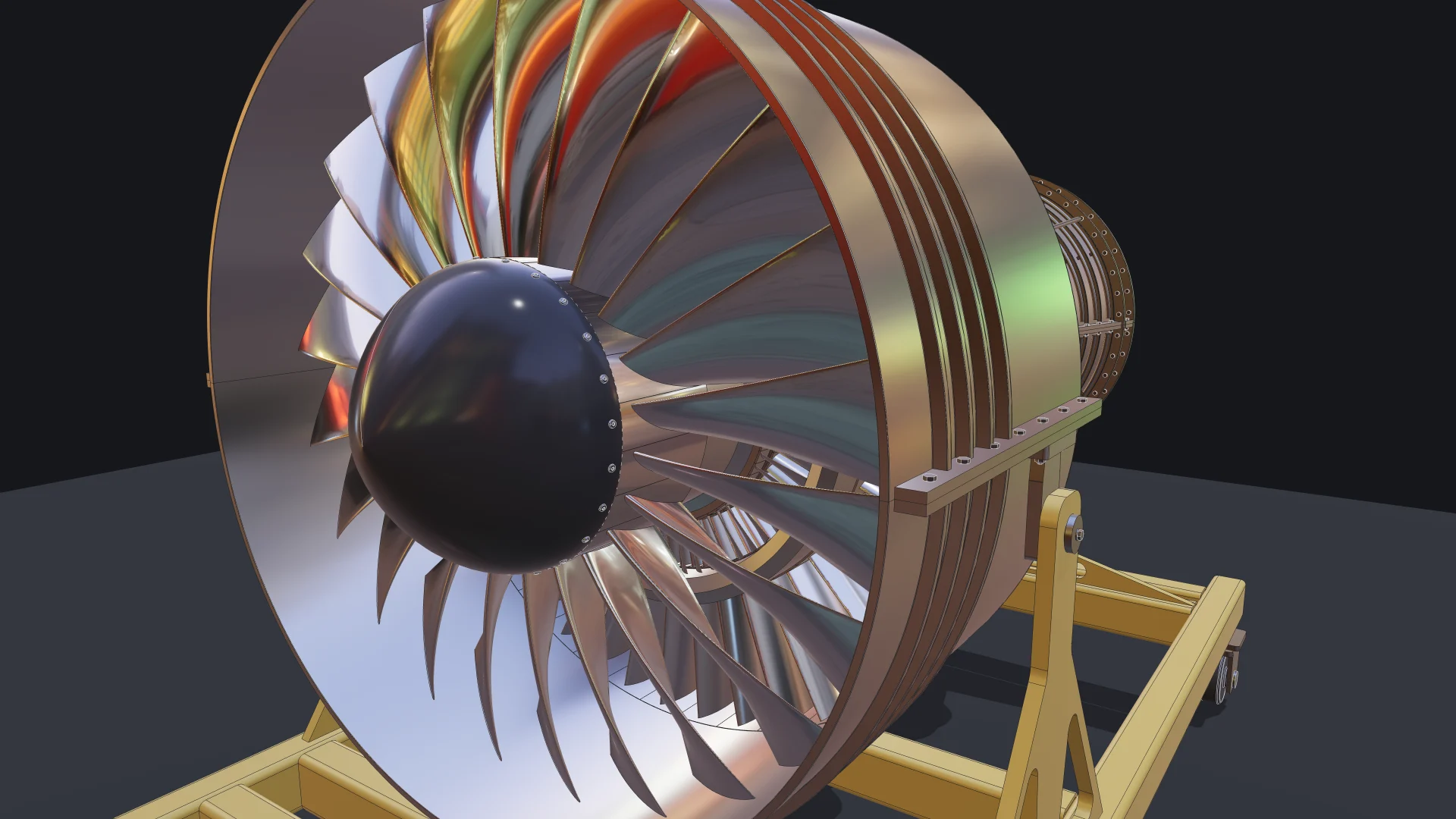
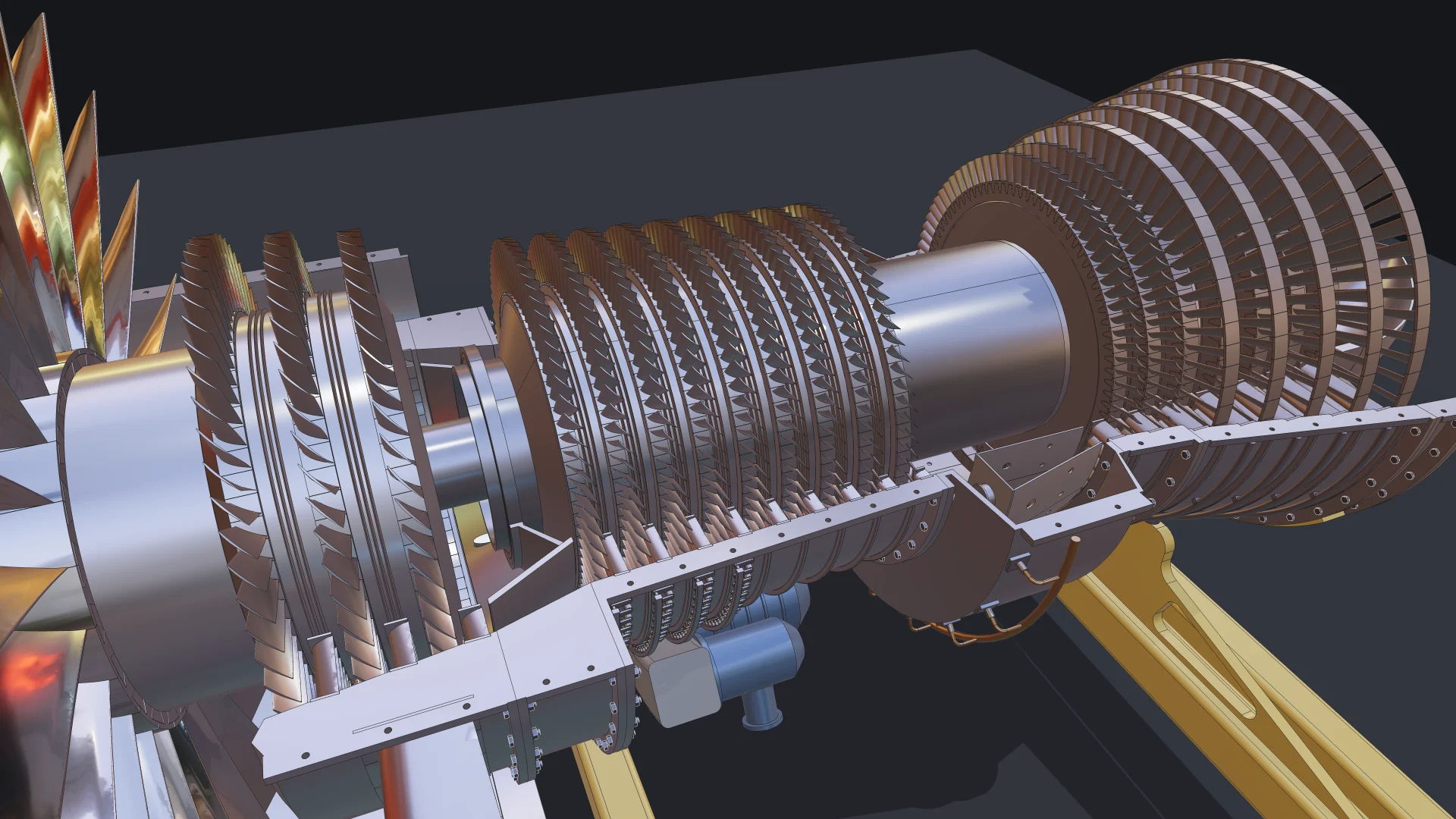
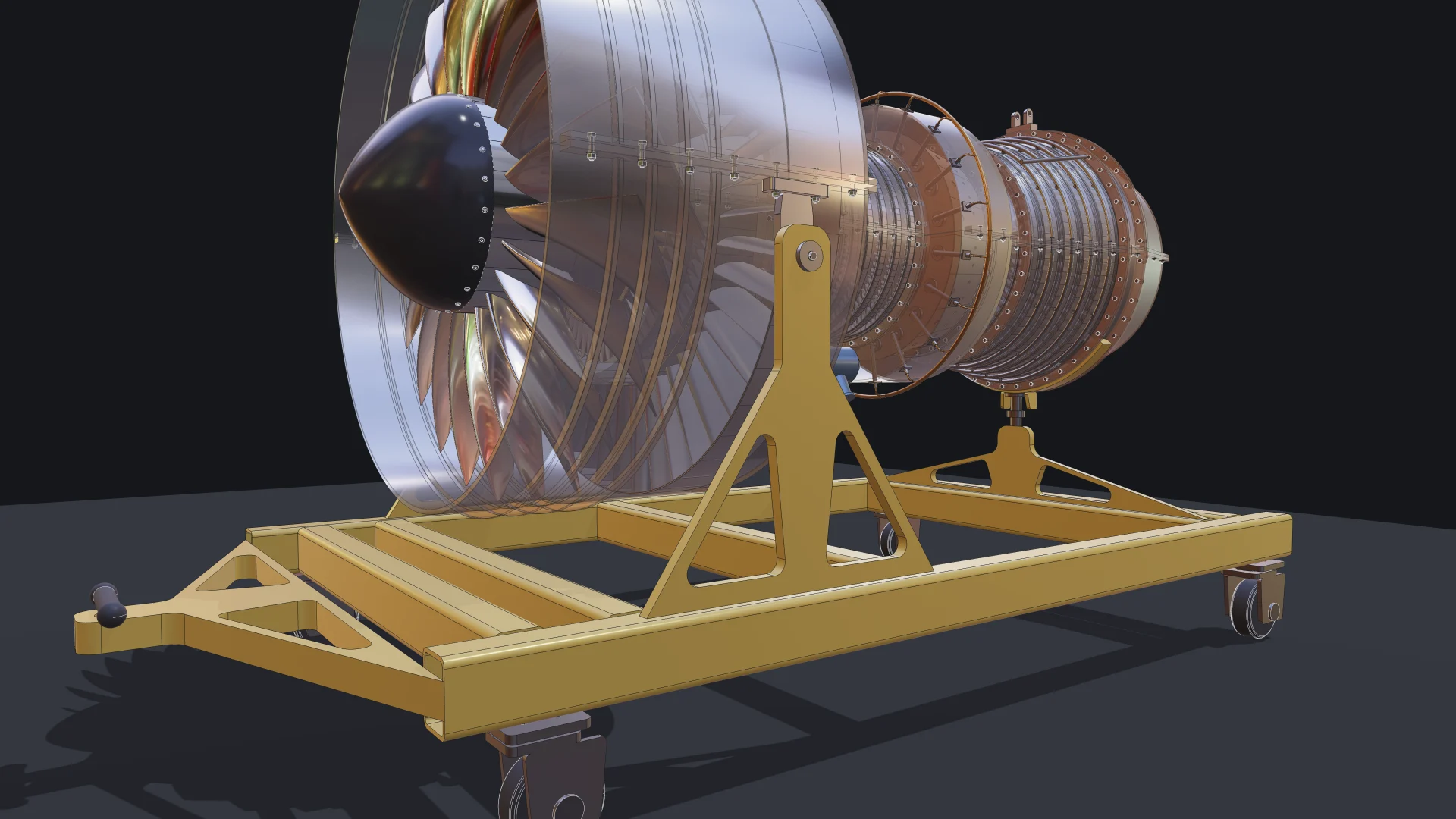
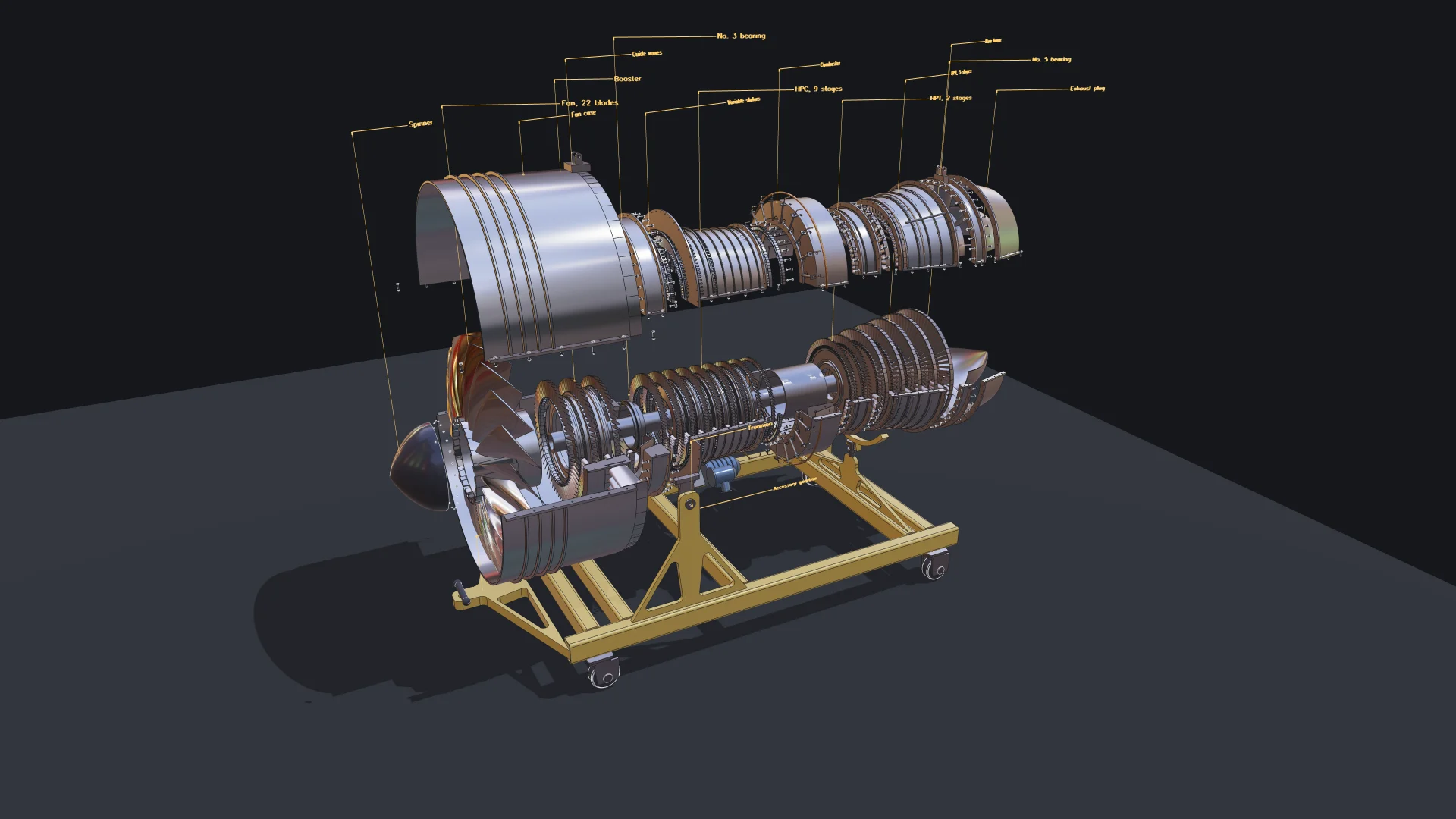
Every blade, vane and bolt is one part placed many times, not a copy. That is what keeps an assembly of this size light: 130 unique shapes, 4,853 placements, 3,060 of them blades and vanes. The same structure goes into the exports: the STEP file holds one product per unique part with every placement as an instance, so it opens in your CAD tool as an assembly with names and colours, not as a soup of solids.
How an agent checks geometry it cannot see
The most interesting part of the project was not writing the parts. It was verifying them. An agent cannot look at a blade root and notice that it bites into its groove, so we did not let it rely on looking. The project has a smoke test that builds the whole engine headlessly on the same OpenCascade kernel and asks the kernel the questions a reviewer would ask:
- does every part have real volume?
- do 103 pairs of neighbouring parts share any volume at all, measured exactly?
- do the parts that are meant to touch, such as blade roots in slots, races on shafts and the engine on its stand, actually touch?
- does the exported STEP read back with exactly the expected number of solids, standing on the ground?
A separate scan checks every part for self-intersection and every pair of parts for interference. Together these checks caught real mistakes that no screenshot would have shown: drum spacers built inside out, blade roots sinking 0.2 mm into their grooves, a turbine flange reaching into a nozzle groove, a guide vane whose trailing edge overhung its platform. The agent found each one in a test result, fixed the code, and ran the checks again. This loop of writing, measuring and correcting, with the kernel as the judge, is how we believe serious CAD gets built with agents.
Parametric to the last bolt
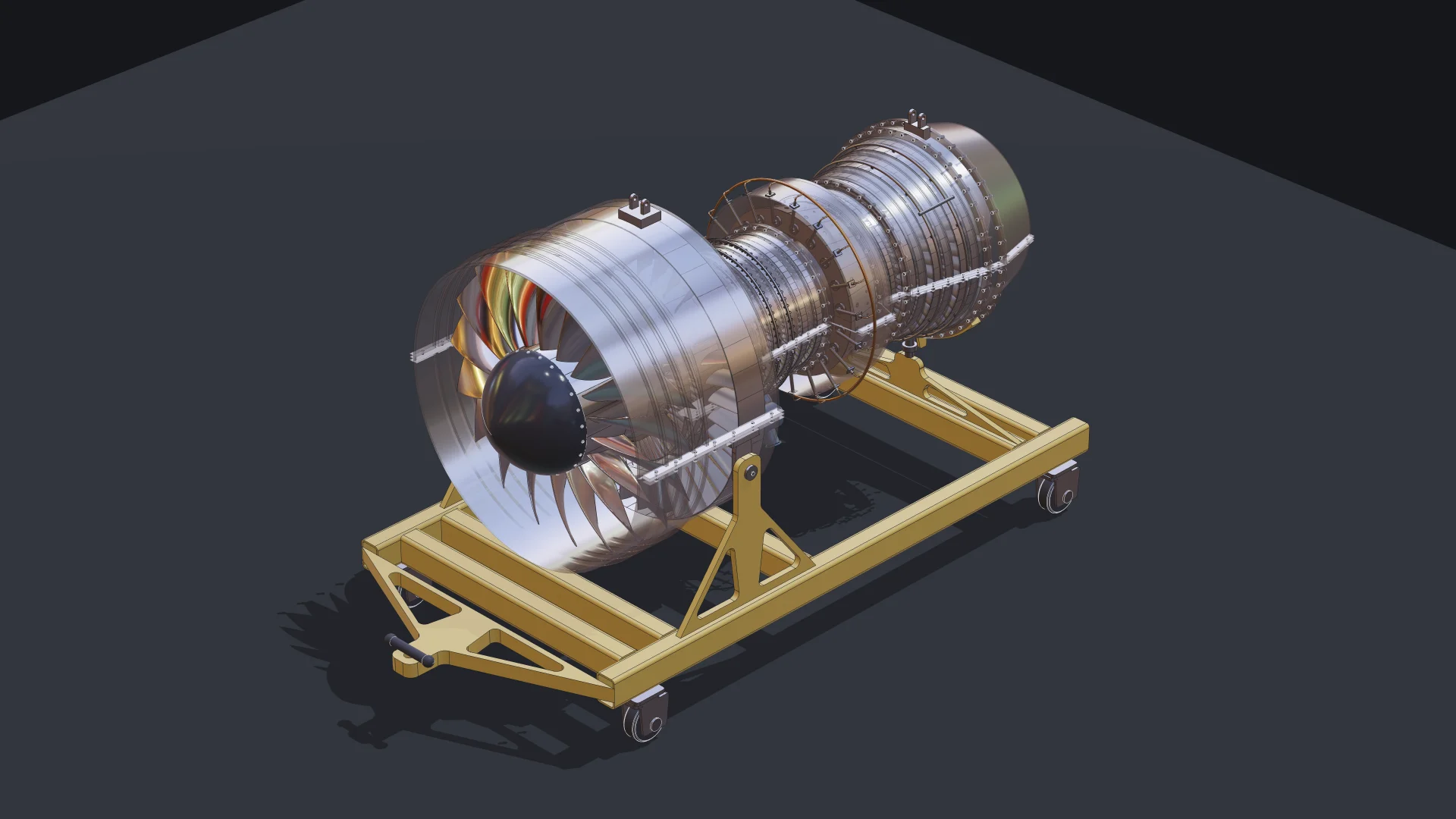
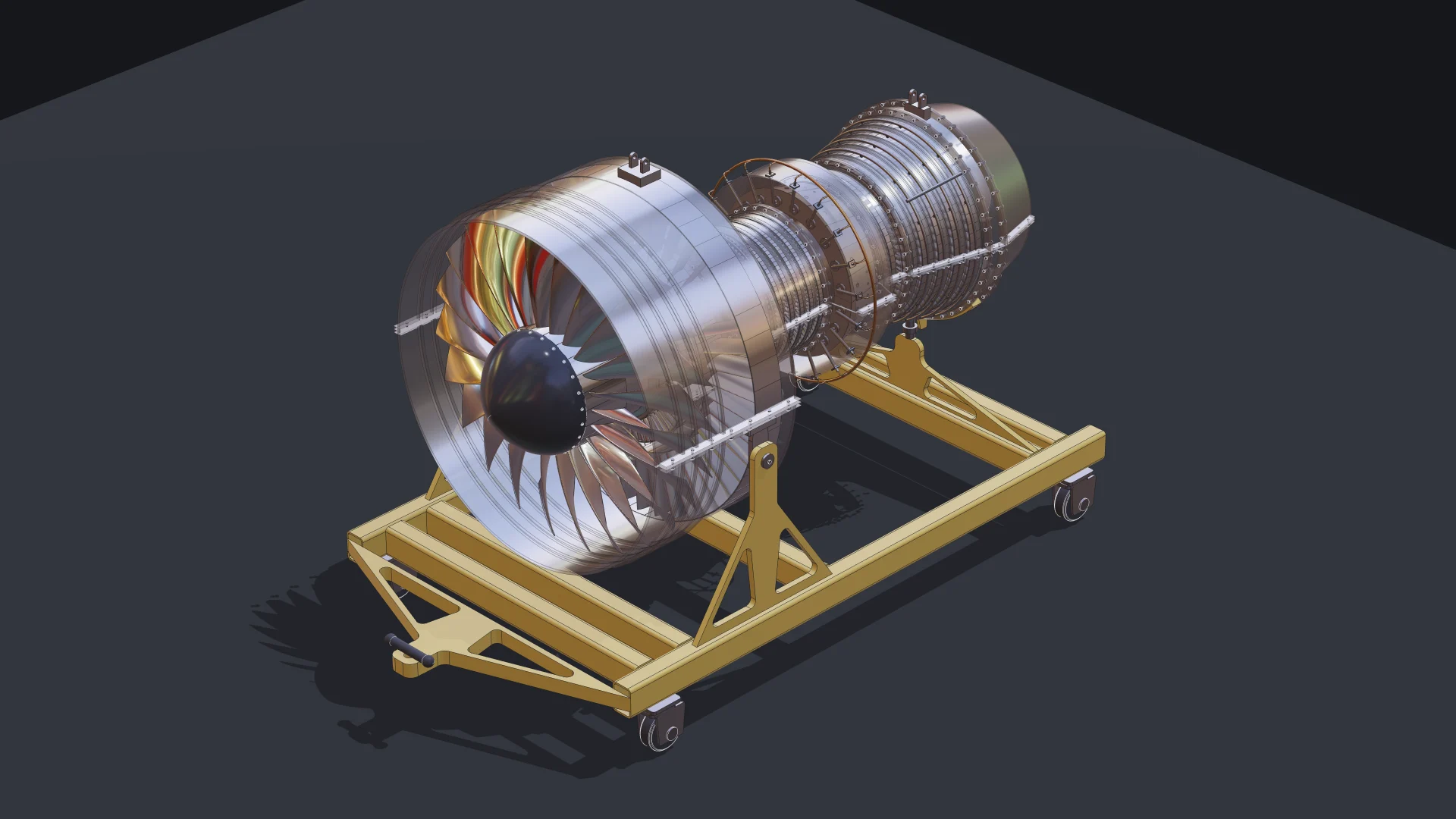
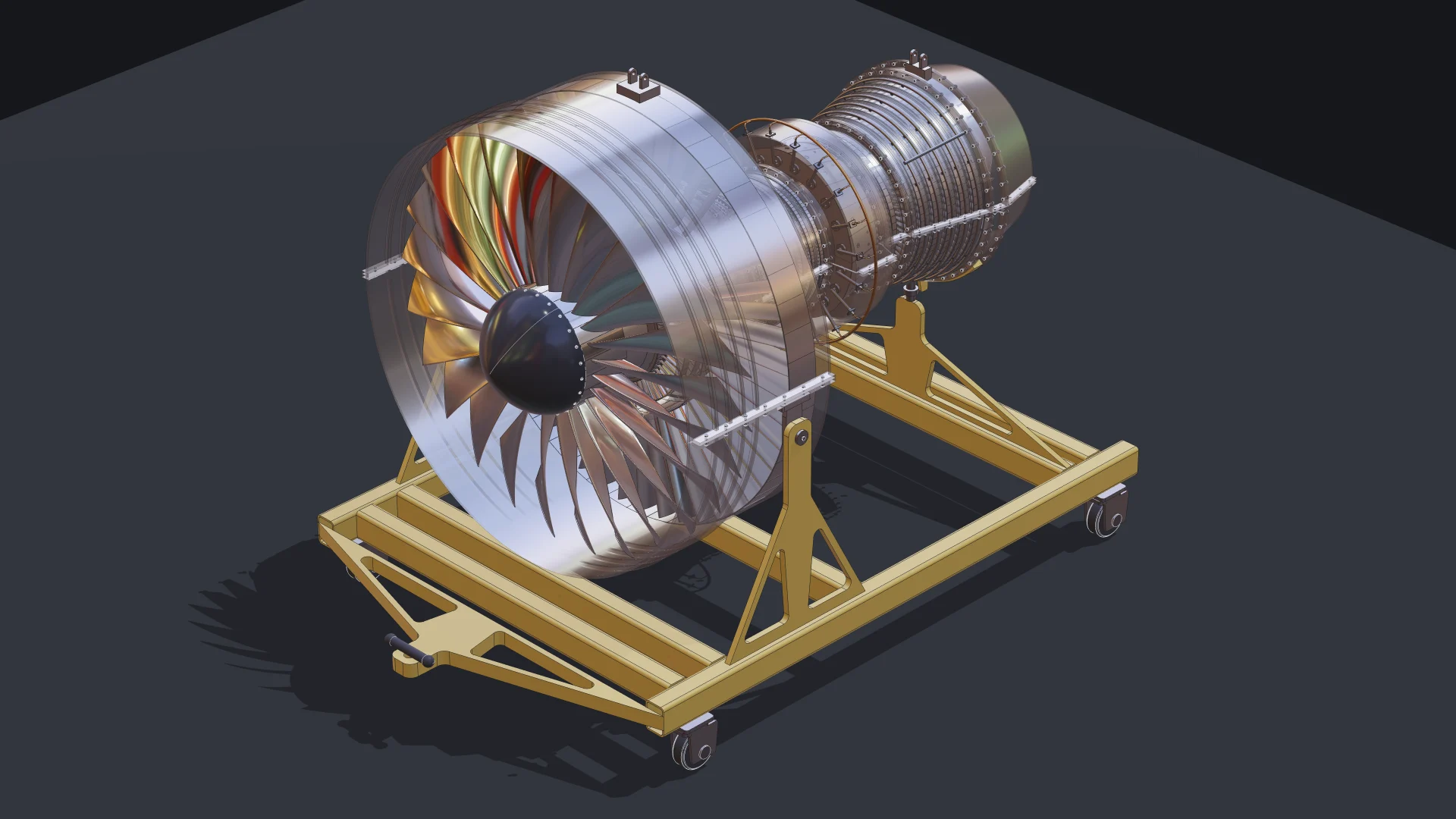
The engine is not a fixed model. The fan blade count, the fan diameter, and the number of compressor and turbine stages are parameters, and a change rebuilds only the parts whose inputs moved. Here is the same code at three settings, seen from the same camera:
- an 18-blade, 1,400 mm fan with six compressor and three turbine stages: 116 parts placed 3,389 times;
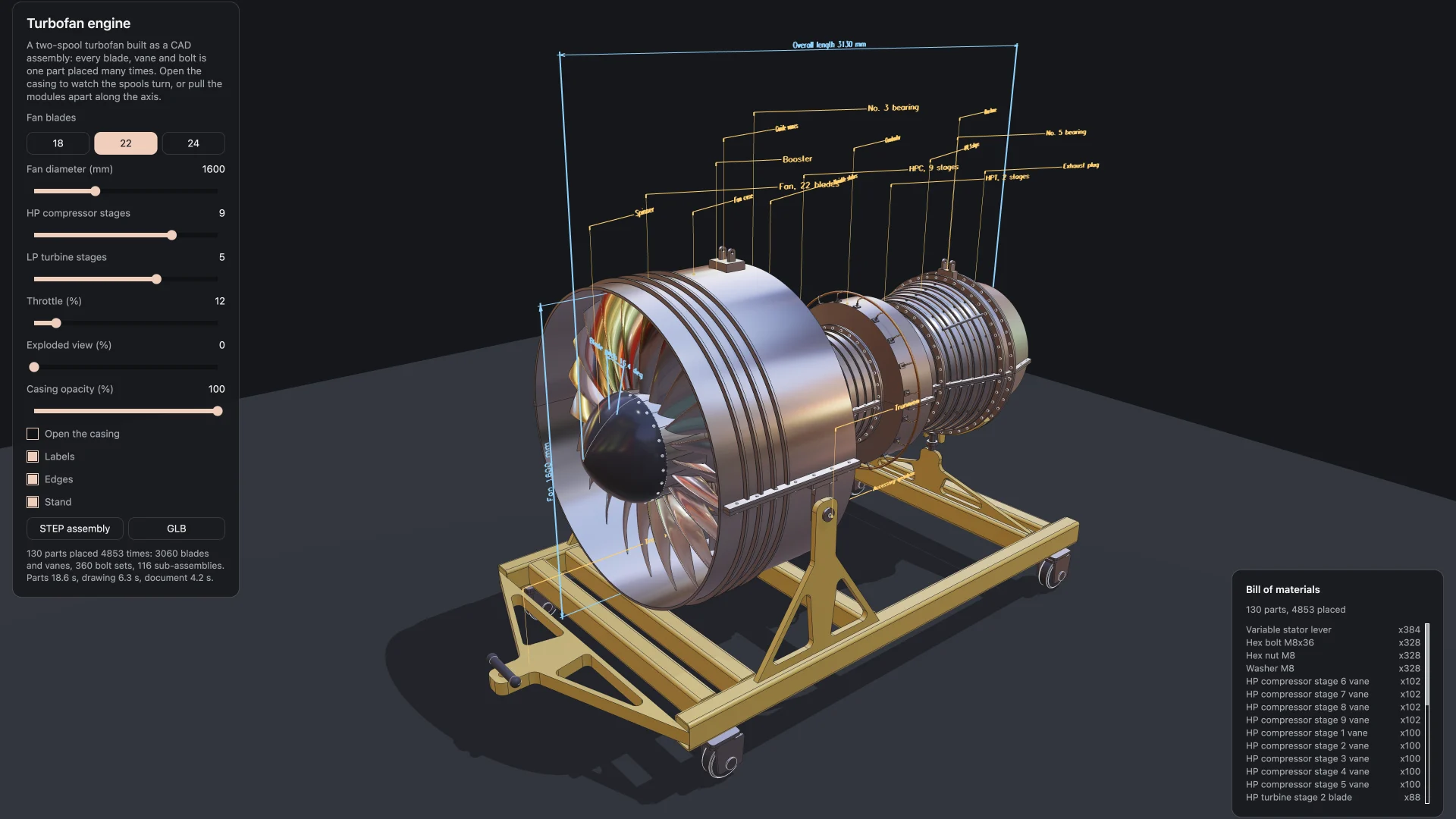
- the default 22-blade, 1,600 mm fan with nine and five: 130 parts placed 4,853 times;
- a 24-blade, 2,000 mm fan with ten and six: 136 parts placed 5,560 times.
The stand resizes itself from the fan, and every bolt circle, blade row and label follows.
From a three.js app to our TypeScript editor
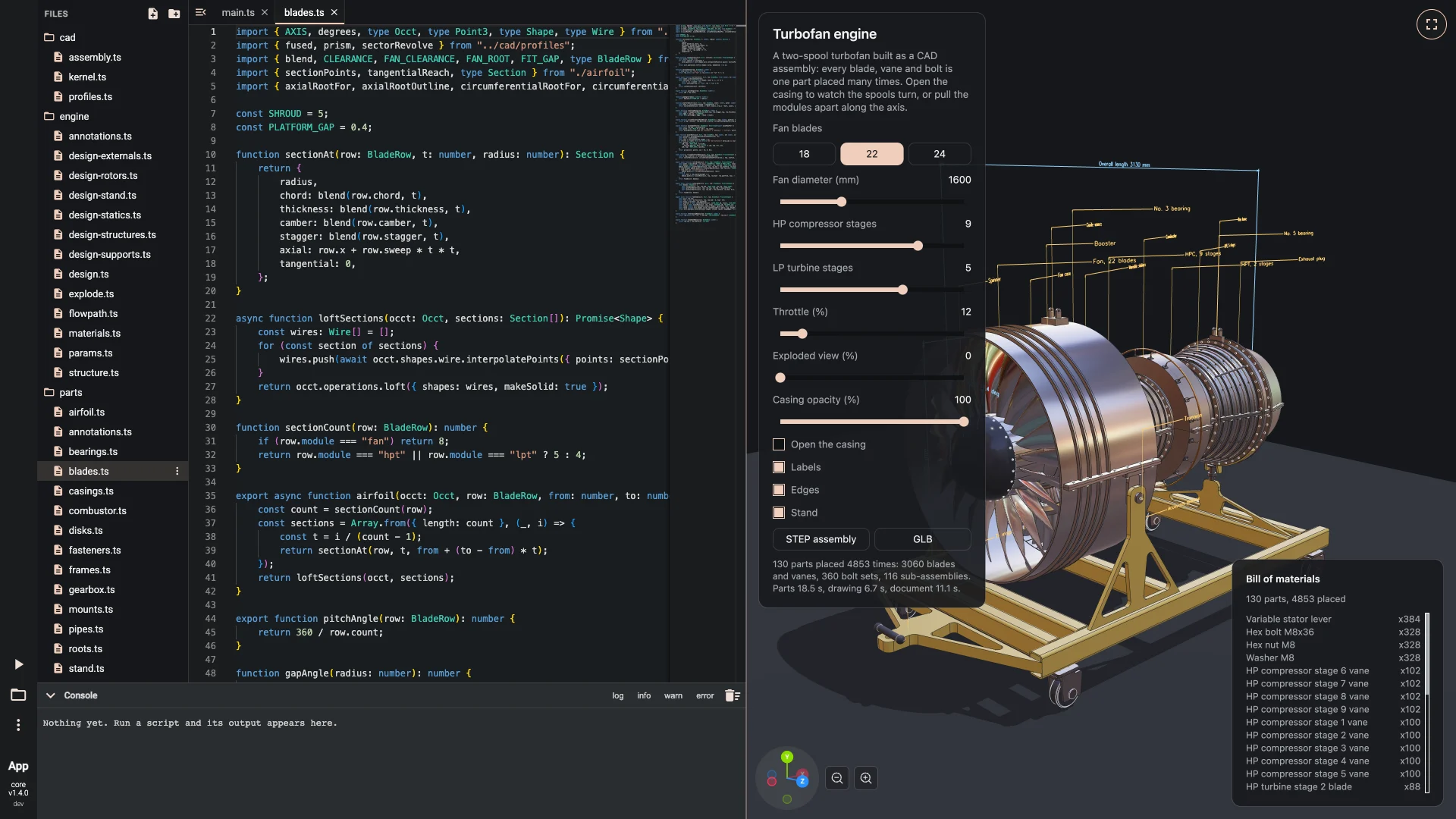
The engine started as a standalone three.js app on our npm packages. Because the model code never touches a renderer, moving it into the Babylon.js editor at bitbybit.dev was a matter of rewriting the viewer and the panel: 30 of the 43 files carried over unchanged. The result is a multi-file project of about 4,800 lines in the editor, with folders for the CAD helpers, the engine plan, the parts, the viewer and the user interface, that builds the engine in the browser in well under a minute and animates it smoothly.
Get the source
The complete source of the engine, as a multi-file project you can open, run and change in our TypeScript editor, is available to Gold plan subscribers. Use it as a reference for assemblies, instancing, fasteners placed by reference, parametric rebuilds, exploded views, labels and STEP export, or hand it to your own agent as a worked example. See the plans.
What the agent did, and what it did not
We want to be precise about this, because it is easy to oversell. The agent wrote the code, looked up the API instead of guessing it, and found and fixed its own mistakes through tests. A person decided what to build, judged how it looked, and pointed at what was wrong. The engine is a detailed showcase, not a certified design: its proportions are plausible, not taken from a real engine's drawings. That division of work, a person with intent and judgement and an agent with patience and precision, is what we are building for.
Our ambition: Bitbybit, ready for agents
Making a library usable by agents is not one feature. It is a way of maintaining the whole product:
- Every function documented for machines as well as people. The API reference your agent reads is generated from the same source as the libraries, published with every release and addressed by exact version, never by a moving "latest".
- Clear tiers. Every function says where it runs and what it costs, so neither a person nor an agent is surprised.
- Scaffolds that teach agents how to work. New projects come with instructions for the agent, the MCP server configured, and a test it can iterate against.
- Learning from the gaps. The public server records which names agents reach for that do not exist (never your prompts or your code), and we use that to improve the API and its documentation.
- One vocabulary everywhere. The dotted API an agent learns from the free server is the same one it runs on CAD Cloud, the same one in our editors and the same one in the npm packages.
We think the next generation of CAD will be designed in conversation: you describe the product, an agent writes the parametric model on proven geometry kernels, the kernels check the result, and you decide. Bitbybit's job is to make every step of that reliable.
Get started
- Connect the free server to your agent:
claude mcp add --transport http bitbybit https://mcp.bitbybit.dev/mcp, or see the MCP page for every other host. - Ask for something: "Using the bitbybit MCP, make a 10 by 20 by 5 box, fillet its edges by 1 and draw it with three.js."
- Start a real project with
npm init @bitbybit-dev/appand let your agent iterate against its smoke test. - When you want the agent to compute geometry for you rather than write code, connect the CAD Cloud MCP.
The Using AI with Bitbybit section has the details. We would love to see what you and your agents build.