4 posts tagged with "BabylonJS"

Using the Babylon.js WebGL engine for real-time 3D graphics in the browser.

View All Tags

The Coding Editors, Rebuilt: Readable Rete Graphs, Async Blockly Functions and a Drone Built Three Ways

· 10 min read
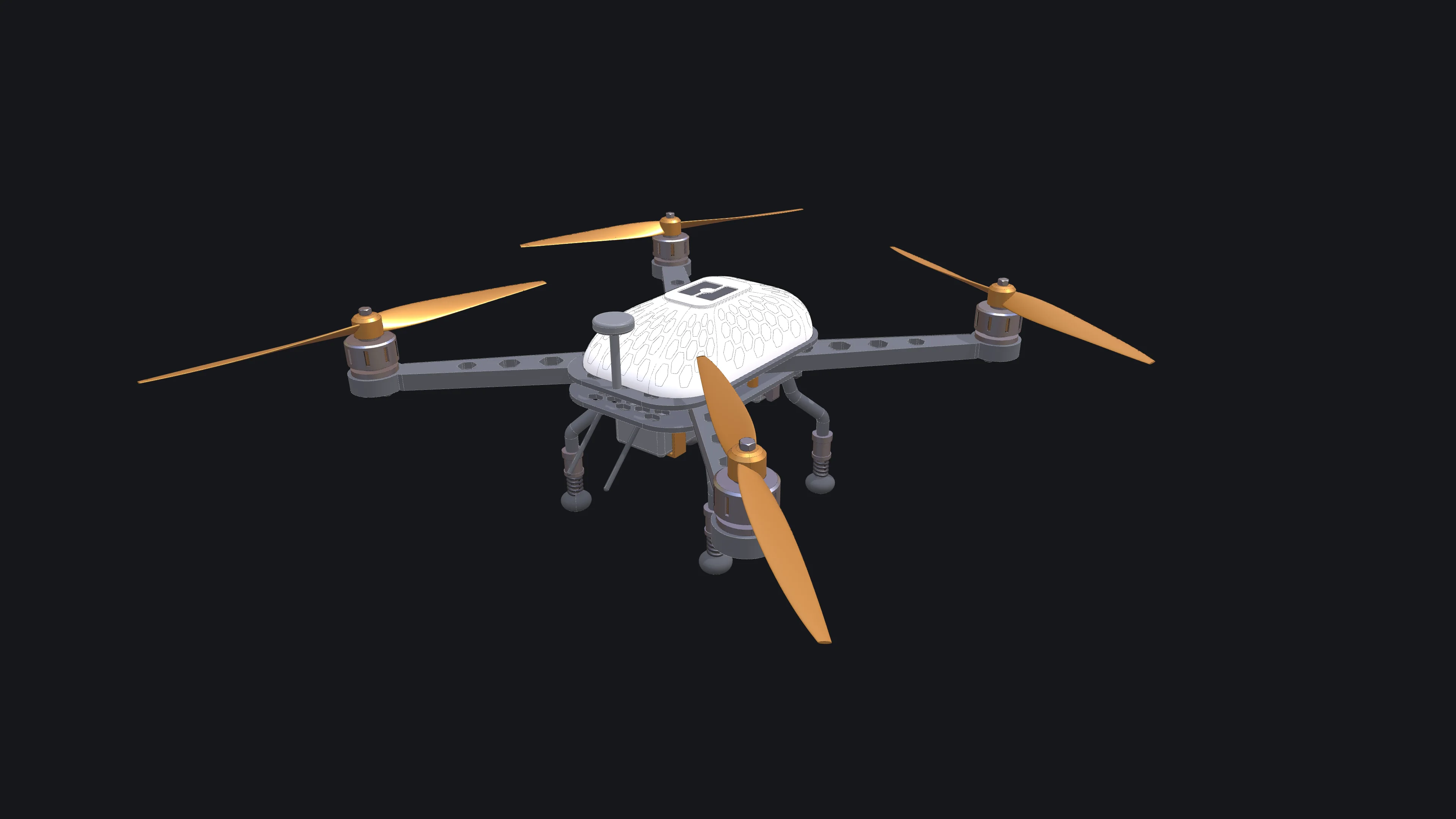
The drone the coding-editor tutorials build, finished in white with orange accents: a carbon frame with hexagon vents, four arms with motors and two-blade propellers, a honeycombed canopy with the bitbybit logo, sprung legs and a camera on its gimbal

Bitbybit has three coding editors: Rete, where you wire nodes together; Blockly, where you snap blocks; and TypeScript, where you write code against the same API. This release rebuilds a large part of all three. Most of the work went into Rete, which now stays readable when a script grows to hundreds of nodes. Blockly functions can await geometry, TypeScript scripts can span many files, and an AI agent can drive any of the three editors.

To show what that adds up to, we built one drone in all three editors: a quadcopter with a carbon frame, motors with cooling slots, propellers that alternate their spin, a canopy traced with a honeycomb and the bitbybit logo on its hatch, sprung landing legs and a camera on a gimbal. Each build is a tutorial with a picture after every step.

Making Bitbybit AI Ready: Our MCP Servers, and a Jet Engine Built With Them

· 16 min read
Exploded view of a two-spool turbofan engine built with Bitbybit by an AI coding agent, with the upper casing lifted and see-through

More and more of the code that uses Bitbybit is not typed by a person. It is written by an AI coding agent, inside an editor or a terminal, while a person describes what they want and judges what comes back. We think this is where 3D development is heading, and we want Bitbybit to be the CAD library that agents get right. That is why Bitbybit now runs its own MCP servers: one that teaches any agent the exact Bitbybit API, and one that lets an agent run real CAD operations for you.

To show what that looks like in practice, we asked an agent to build something far beyond a demo cube: a two-spool turbofan engine with 130 unique parts placed 4,853 times, bolted flanges, blades seated in slotted disks, a casing that opens, an exploded view and a welded transport stand. This post explains what MCP is, the use cases we care about most, what they mean for you, and how the engine was made.

AI Prompt Contexts - Teaching Your AI Assistant to Code with Bitbybit

· 11 min read

AI Prompt Contexts for Bitbybit

Modern AI assistants like Claude, Gemini, Grok or ChatGPT or are remarkably capable at writing code. However, they can struggle with specialized libraries and APIs they weren't extensively trained on. That's where AI Prompt Contexts come in - specially crafted documentation files that give your AI assistant deep knowledge of the Bitbybit API.

Download Context Files​

Choose the context file that matches your 3D rendering engine. Right-click and "Save As" to download, or open and copy the content. Read on below for guidance on which format to choose.

Monaco Editor Context (Beginner-Friendly)

For users of our online TypeScript editor at bitbybit.dev/app

Markdown Context (Dictionary Translation)
TypeScript Declarations (No Translation)