5 posts tagged with "OCCT"

OpenCASCADE Technology - the open-source CAD kernel powering our geometry operations.

View All Tags

Introducing the Designer: Parametric CAD by Clicking, Built for People and Agents

· 10 min read
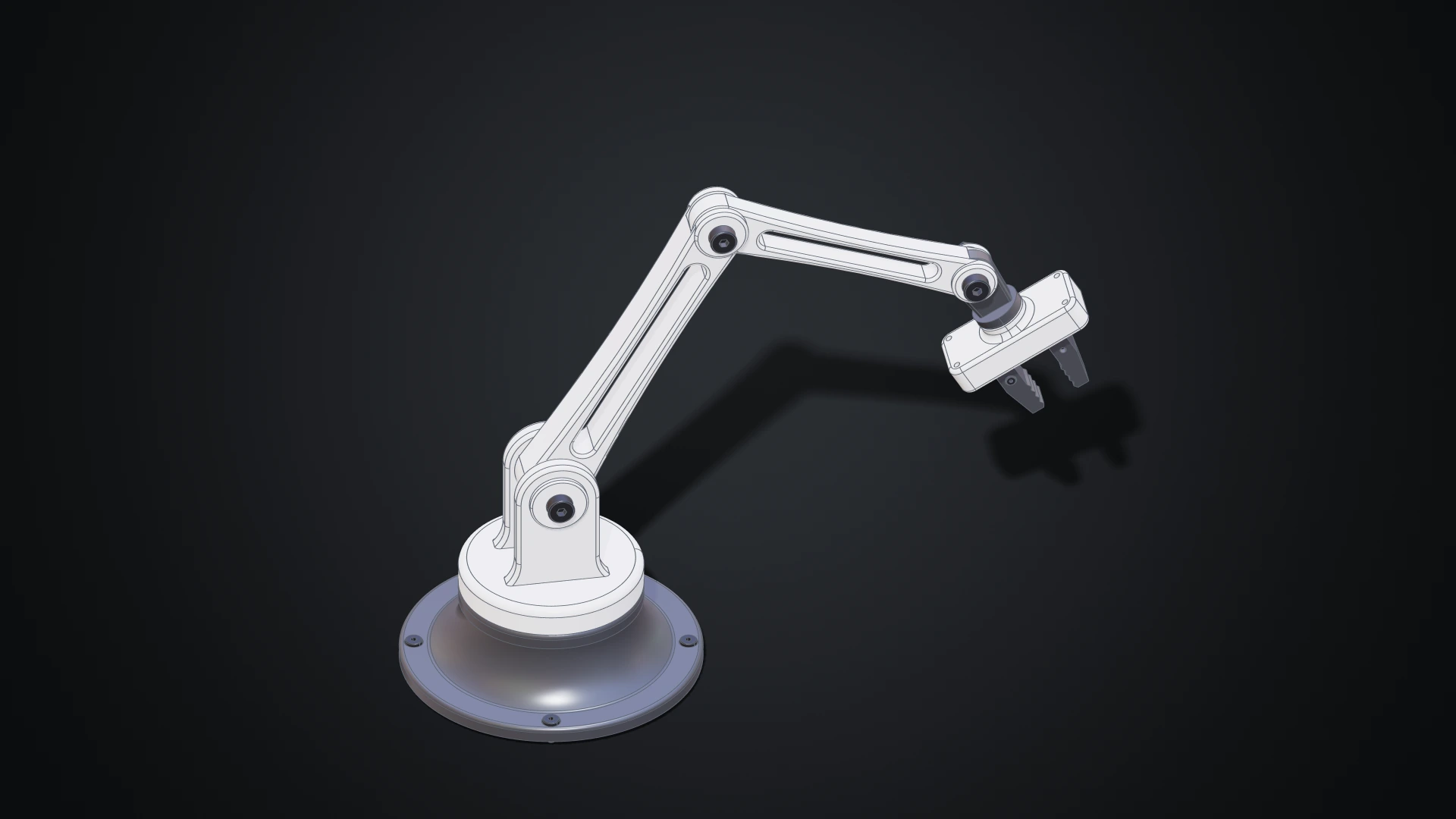
The desk robot arm modelled in the Designer, in white and dark grey: a revolved base with four screws, a shoulder with a clevis, two links with lightening windows, a wrist and a gripper with two jaws

Until now, making geometry on Bitbybit meant writing it: wiring nodes in Rete, snapping blocks in Blockly or typing TypeScript. Those editors shine when a model is a program, a family of parts generated from a few numbers. But a lot of design isn't programming. You want to draw a profile, pull it into a solid, round an edge, drill four holes and see the result straight away.

The Designer is our answer: a parametric CAD modeller you use with the mouse, in your browser. Draw a sketch, extrude it, fillet it, drill it, then put parts together with joints and pose the assembly. Every step is kept, so changing a size later rebuilds everything that depends on it. The Bitbybit OCCT Kernel does the modelling on your own machine, so there is nothing to install. And because the Designer was built for AI agents as much as for people, an agent can work in the same document beside you, while you keep or undo each of its changes.
The Coding Editors, Rebuilt: Readable Rete Graphs, Async Blockly Functions and a Drone Built Three Ways

· 10 min read
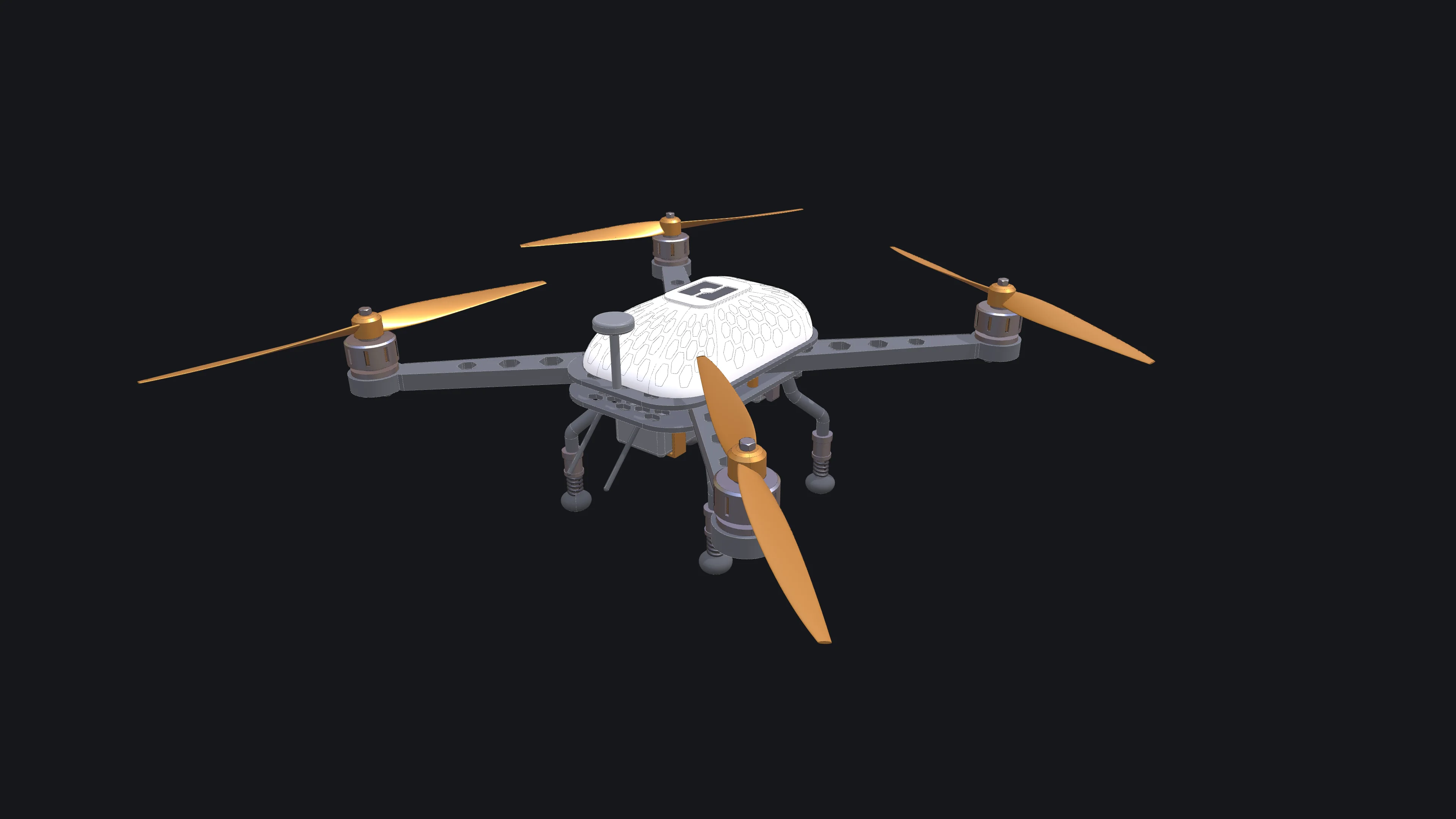
The drone the coding-editor tutorials build, finished in white with orange accents: a carbon frame with hexagon vents, four arms with motors and two-blade propellers, a honeycombed canopy with the bitbybit logo, sprung legs and a camera on its gimbal

Bitbybit has three coding editors: Rete, where you wire nodes together; Blockly, where you snap blocks; and TypeScript, where you write code against the same API. This release rebuilds a large part of all three. Most of the work went into Rete, which now stays readable when a script grows to hundreds of nodes. Blockly functions can await geometry, TypeScript scripts can span many files, and an AI agent can drive any of the three editors.

To show what that adds up to, we built one drone in all three editors: a quadcopter with a carbon frame, motors with cooling slots, propellers that alternate their spin, a canopy traced with a honeycomb and the bitbybit logo on its hatch, sprung landing legs and a camera on a gimbal. Each build is a tutorial with a picture after every step.

Bitbybit v1.0.0: New Base for Cloud and Web CAD

· 8 min read

Bitbybit v1.0.0

After nearly 100 releases in the 0.x.x range and a release candidate phase, Bitbybit v1.0.0 is officially here. This release brings our new CAD foundation, cloud infrastructure, and an expanded toolkit for developers.

This post outlines the major architectural changes and new capabilities available across our NPM packages, TypeScript SDK, Bitbybit Studio, and the Managed CAD Cloud.

STEP Assembly Support: Load, Parse, and Export Professional CAD Files

· 6 min read

Bitbybit STEP Assembly Support

If you've ever tried to load, edit or create a complex STEP assembly in a web browser, you know how tricky it can be. STEP is the standard format engineers use to share CAD models, but browsers don't understand it natively. You usually need desktop software or a server to convert it.

With Bitbybit v1.0.0, that changes. You can now load STEP assemblies directly in the browser, explore their structure, extract individual parts, and export to web-friendly formats. Everything runs locally using Bitbybit OCCT WebAssembly.