Nodes, wires and values
A node is one component on the canvas. The tour names its parts; this page is about connecting them.
Draw a wire
Press on an output's socket, on the right of a node, drag to an input's socket on another node and let go. The input's field hides, because the wire now gives its value, and Rete runs again from that node onwards. To take a wire off, press on the input end of it and drag it away; to delete a node with all its wires, use the cross in its title.
An input can take more than one wire. The values arrive together as a list, and Lists and node options explains what the node does with them.
Wires run in straight lines with rounded corners: out of an output, along to a turn, and into the input. Each output of a node turns in a lane of its own, so the wires of one node never overlap. The settings can draw them as curves instead.
What a wire accepts
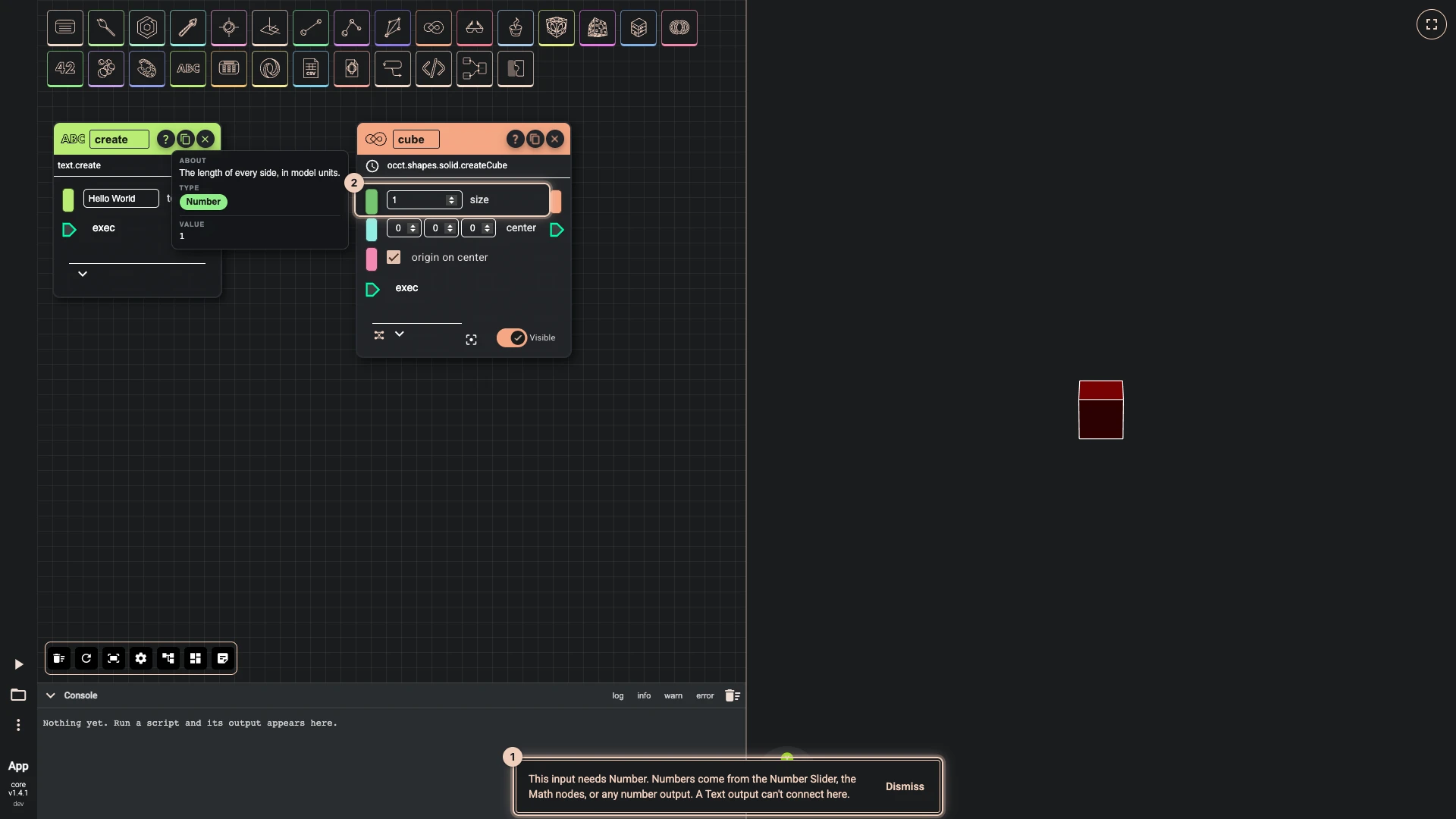
Every socket has a type: a number, a point, a text, an OCCT shape, a list of them, and so on. A wire is refused when the output's type cannot feed the input, and a message at the bottom of the window says what the input needs, where such values come from, and what the output gives instead. Here a text output was dropped on the size of a cube, which needs a number.
A list socket has a stripe across it, and a list of lists has several, so you can tell a socket that takes one point from one that takes a list of points before you drag.
See a value
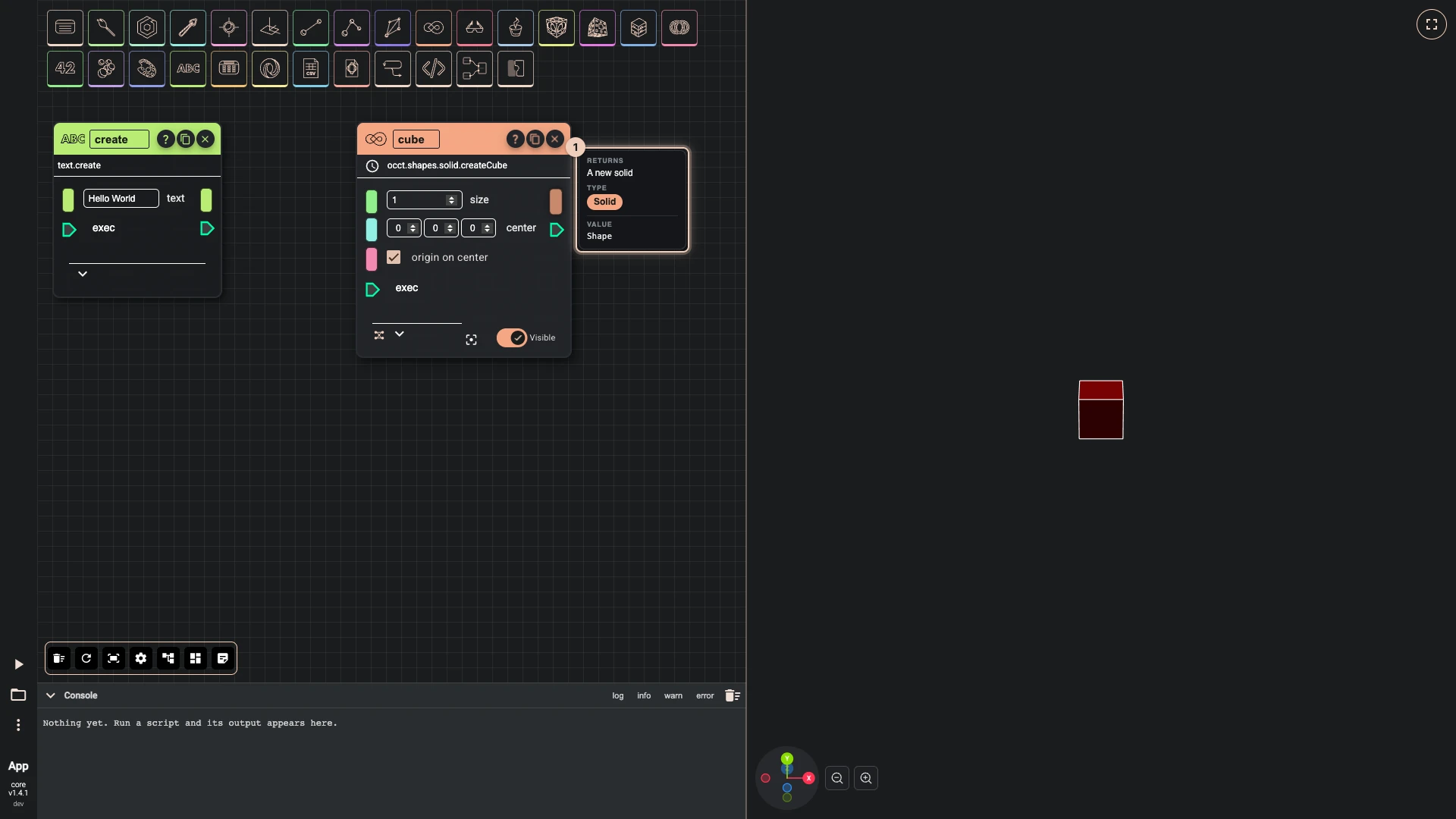
Rest the pointer on a socket. A tip names its type, says what the input is for, and after a run shows the value it holds. When you zoom far out, the nodes shrink to coloured boxes; rest the pointer on one to read its inputs and outputs in a tip.
To keep a value in sight, wire it into a preview component: search for preview data, which shows it as data or as its schema, with buttons to copy or download it.
Which node made which geometry
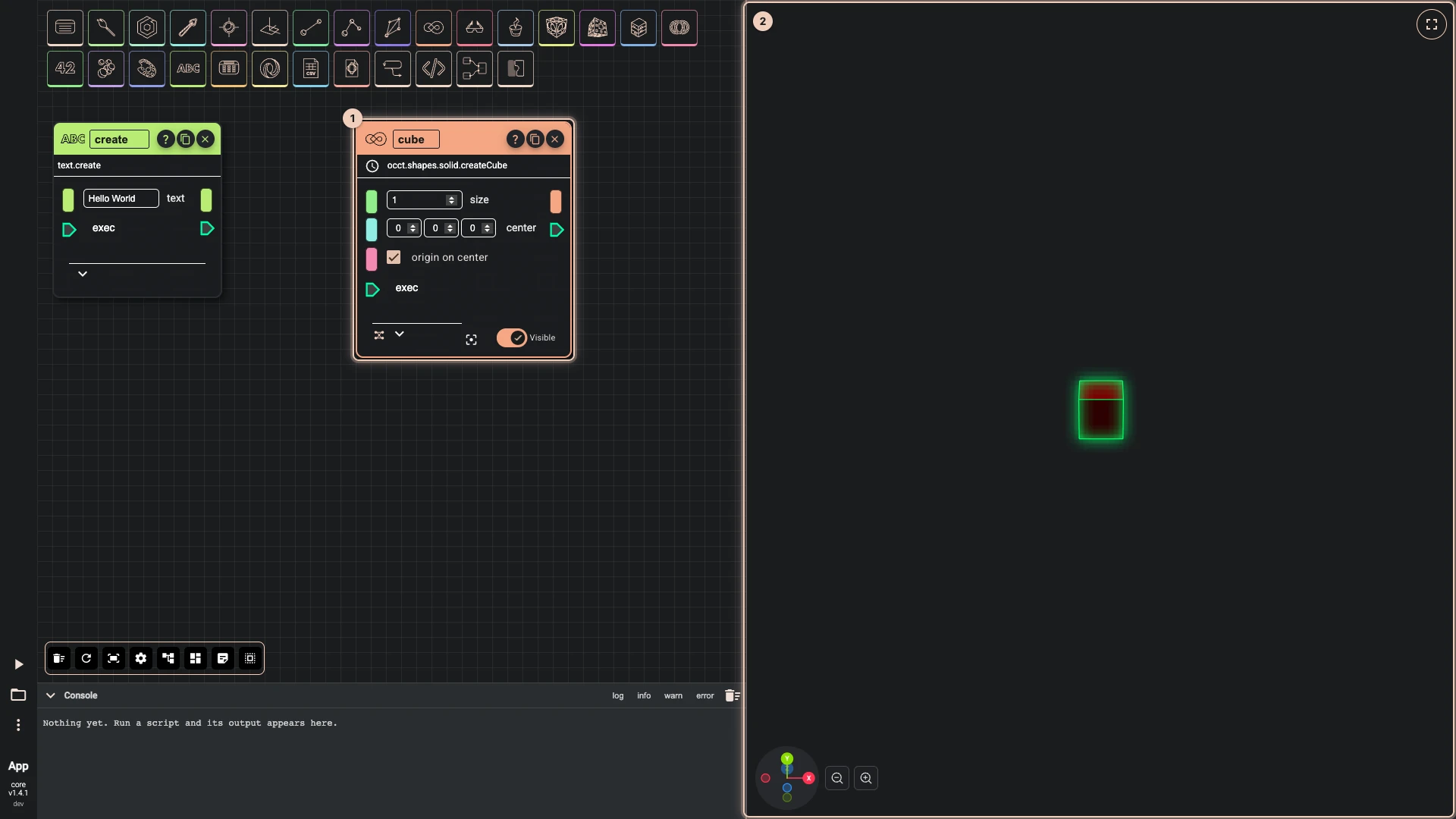
Click a node and its geometry glows in the 3D view; a node hidden with its Visible switch is drawn while it is selected, so you can still find it. Double-click a node, or use the focus button beside Visible, to turn the camera to its geometry.
Red wires in an opened script
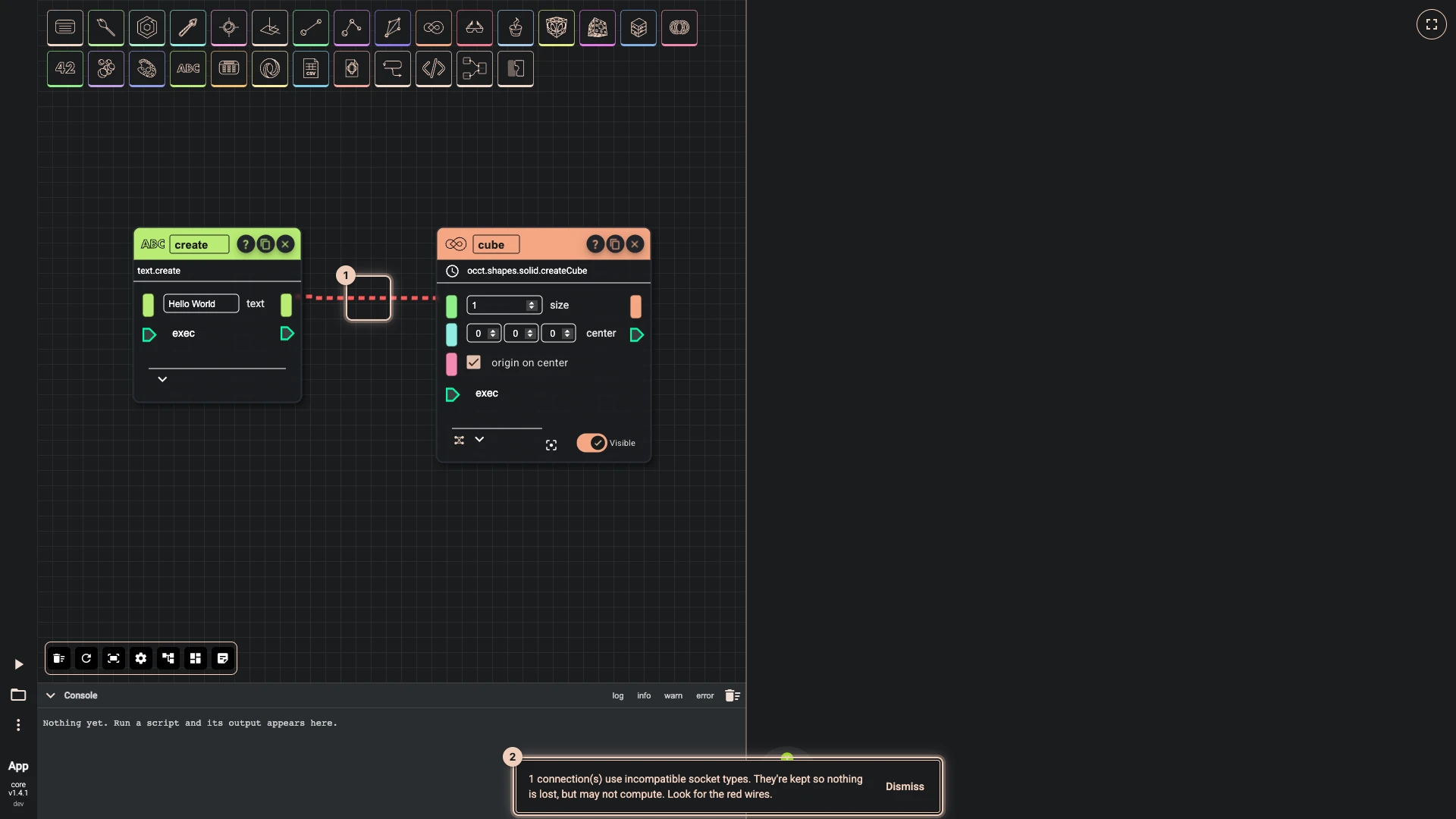
A script you open, import or paste may hold wires the editor would refuse today: written by hand, or saved by an older version. They are kept, so nothing is lost, but drawn red and dashed, and a message counts them. Such a wire may not compute: replace it with one the editor accepts, or put a component between that turns one type into the other.
When a node fails
A node that cannot compute turns its title red and shows an error button; click it to read the error, which the console shows too. Finding errors has the details, for Rete and the other editors.
Verified against the product in October 2026