Adding components
Rete holds more than 1,700 components, one for every function of the Bitbybit API plus a few of its own (sliders, lists, modules, code). There are two ways to put one on the canvas: search for it, or browse to it in the palette. Either way it lands in the middle of the view, ready to be dragged by its title to wherever you want it.
Search with a right-click
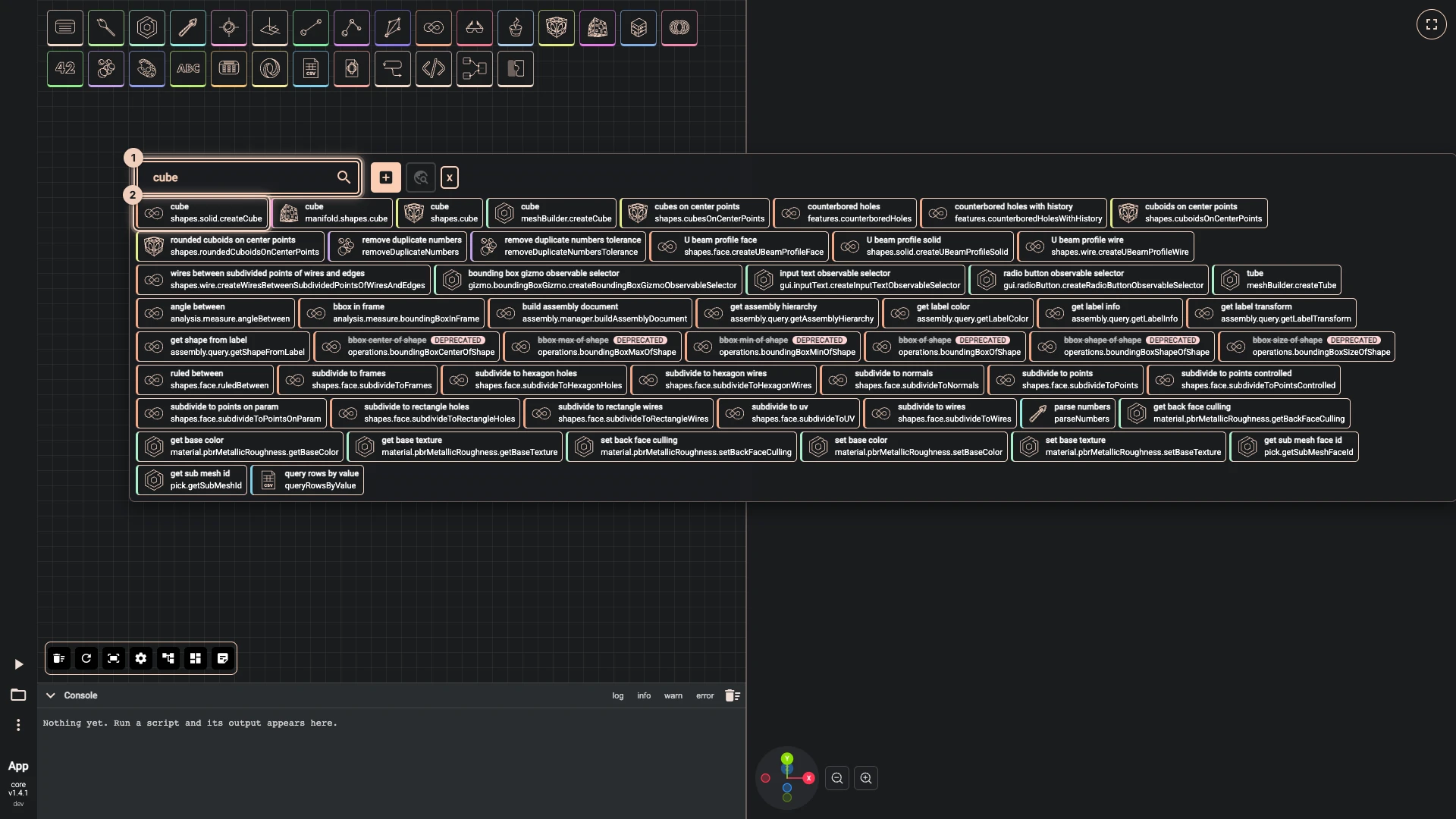
- Right-click an empty spot on the canvas. The search opens in Add components mode, its field ready for typing.
- Type part of the name, such as
cube, or part of the path, such assolid.create. Every result shows its name, and below it the rest of its path. - Click a result, or press Enter to add the first one.
Search knows a few short names for the components you need most often:
| Type | To find |
|---|---|
v, vec or vector | vector xyz |
p, pt or point | point xyz |
n | number slider |
The same search finds what is already on the canvas: switch it to Find on canvas, as Organising a script shows.
Browse the palette
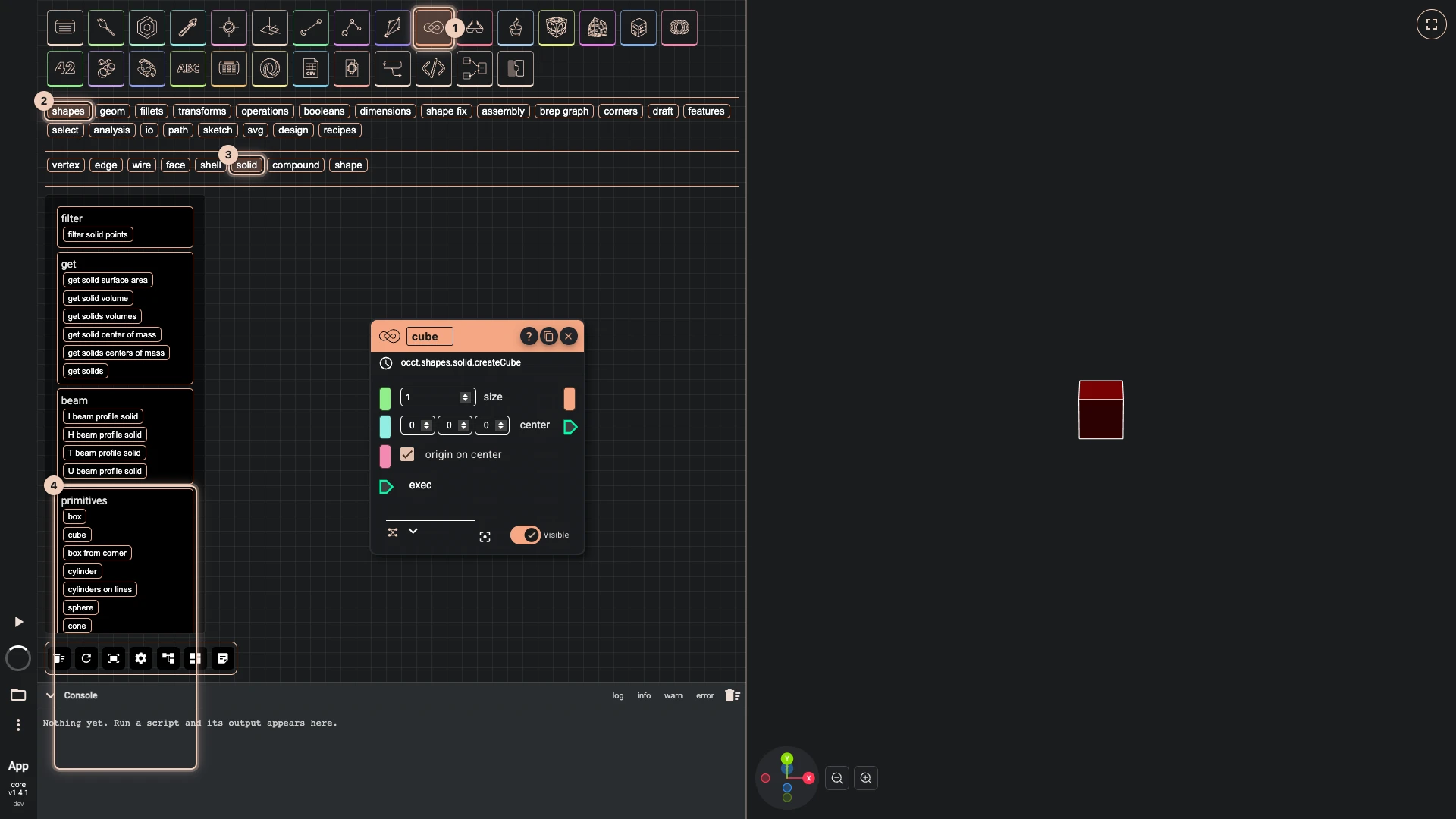
The palette along the top of the canvas follows the API. Its icons are the top categories (draw, occt, math, lists and the rest); hover one to read its name, click it to open it.
- Click a category, then a subcategory in the row that opens below it, as deep as the path goes.
- The components of the last level appear grouped under headings such as create, primitives or booleans.
- Click a component to add it. Click the category's icon again to close the palette.
A component's path is printed on its node, for example occt.shapes.solid.createCube. It is where the component sits in the palette, the name to type into search, and the function you would call in the TypeScript editor. Click it to open the component's page in the API documentation.
Beta and Deprecated
Some components carry a badge, in the palette, in search and on the node:
- Beta: the component is new, and what it takes or returns may still change.
- Deprecated: the component will be removed in a future version. Its description names what to use instead.
A script that uses either says so when it opens, so you know before something changes under you.
Copy a node
The copy button in a node's title puts a duplicate beside your pointer, with the same values but no wires. The close button next to it deletes the node and its wires. Nodes, wires and values explains the rest of a node.
Verified against the product in October 2026