Finding Your Scripts
Every script is in a project, so you find a script by its project.
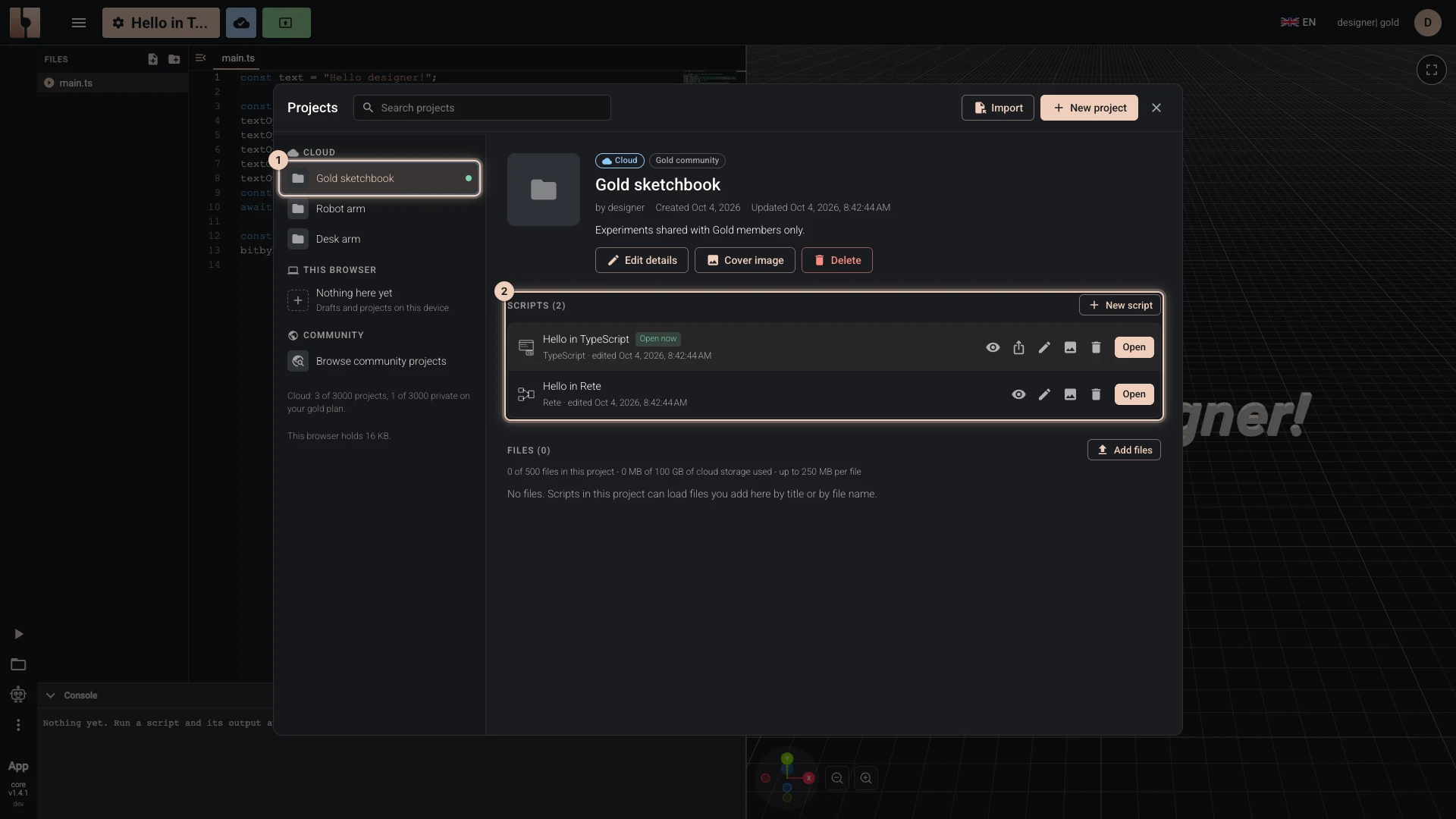
- Open My Projects. While an editor is open, the button with the script's title, at the left of the bitbybit.dev header, opens the same list over the editor.
- On the left, choose the project. The list has:
- Cloud: your projects in your account;
- This browser: projects kept on this device, Drafts among them;
- Viewing: other people's projects you have open;
- Community: Browse community projects.
- The project's scripts are listed under it, each with its editor and when it was last edited. Choose Open beside one.
Search projects, above the list, finds a project by its title. To find other people's work, search the public scripts.
Verified against the product in October 2026