Export and import design files
Export
Choose File > Export.... The dialog offers the whole project or the document that is open:
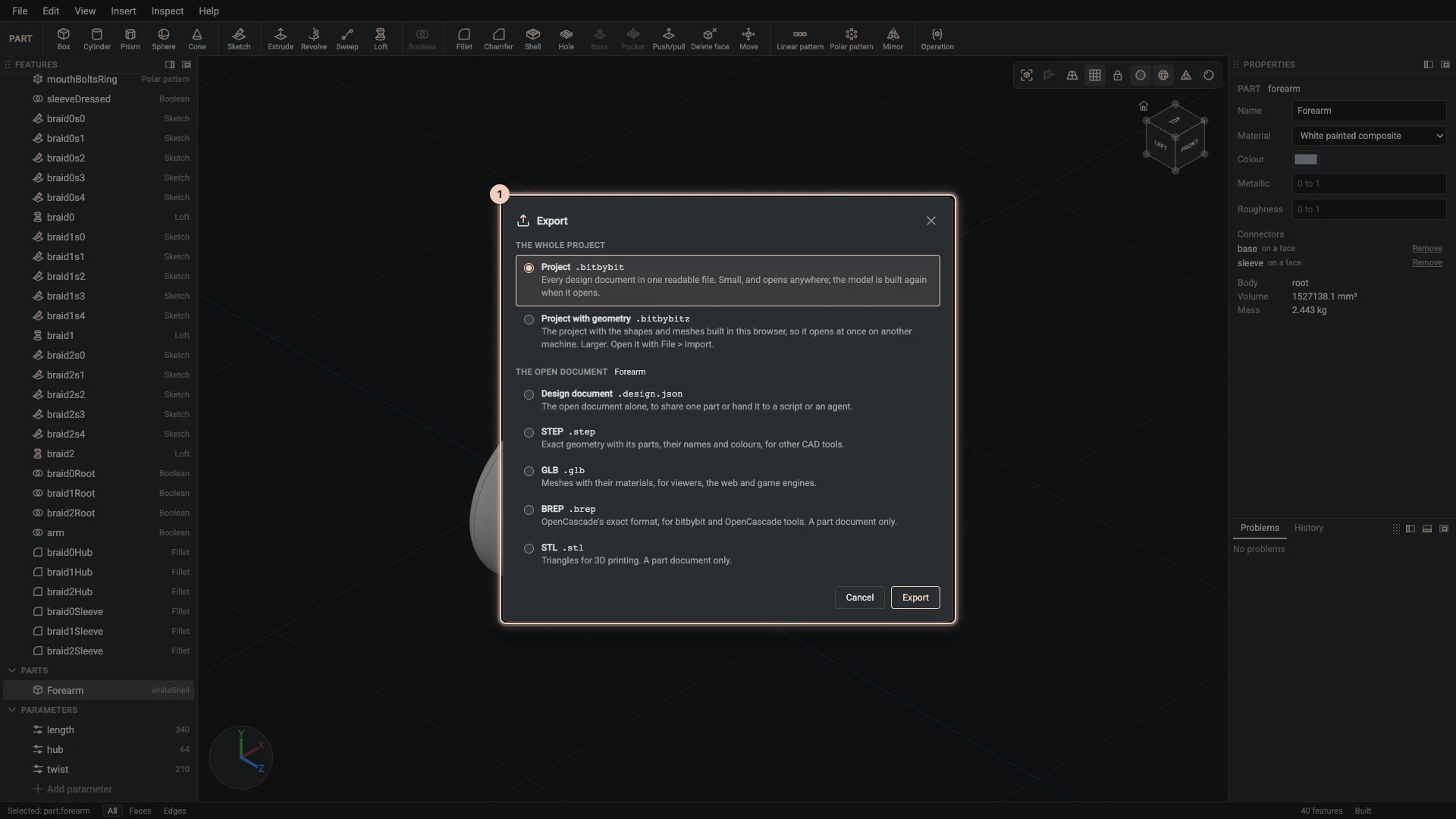
| Choice | What you get |
|---|---|
| Project | Every document of the project in one .bitbybit file, to keep, share or open again. |
| Project with geometry | The same with its built geometry (.bitbybitz), so it opens almost at once. |
| Design document | The open document as a design document (.design.json). |
| STEP | The open document as CAD for other programs, with its assembly tree, names and colours. |
| GLB | A 3D model for the web and for viewers. |
| BREP | OpenCascade's own exact format. |
| STL | A mesh for 3D printing. |
When you view someone else's design below Gold, the dialog offers only what its author allows under Visitors can download, and greys out the rest with the reason.
Import
- File > Import design documents adds the documents of a
.bitbybit,.bitbybitzor design document file to the project. A document with the same id as one you have replaces it. - File > Import STEP, IGES or BREP keeps a file from another CAD program with the project and starts a part that imports it. It needs the project to be open on bitbybit.dev, which keeps the file.
Verified against the product in October 2026