Share a design
Share it on bitbybit.dev
- Keep the project in the cloud: a project in this browser cannot be shared.
- Give it a cover: in My Projects, choose the project, then Cover image. A project without one can only stay private.
- Choose Edit details and set its Visibility: Public for everyone, or Silver community or Gold community for members of those plans and above.
- Under Visitors can download, choose what people below Gold may download: Nothing, the default; Model, a GLB or STL to view or 3D print; or Everything, STEP for other CAD tools and the project file as well. Then Save.
- Send the link of the script, as your browser shows it while the design is open.
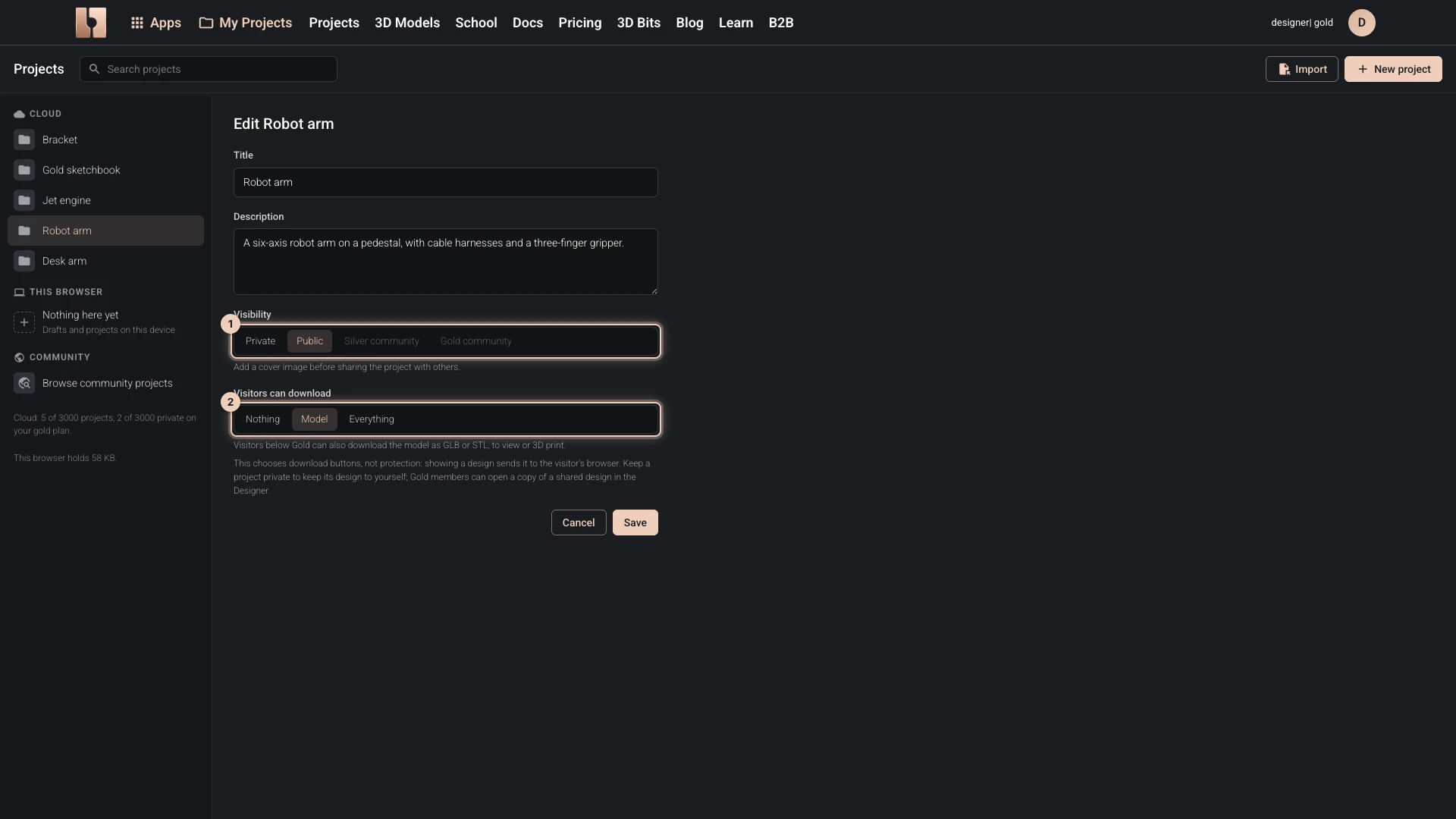
Who sees what:
- A Gold member who opens the link sees the design in the Designer, as it is. Their changes are kept as their own copy and never touch yours.
- Anyone else, signed in on another plan or not signed in, opens it in the Designer to view, marked View only. They can turn it, select its parts, read its tree, parts list and clashes, switch its configurations, and try the values you let visitors change. Everything that would change it is greyed out, and Edit with Gold shows the plans. They can download only what you chose under Visitors can download.
So a public Designer project can be viewed by everyone and changed, as a copy, by Gold members.
To show a design, bitbybit.dev sends its documents and shapes to the visitor's browser. Nothing takes the download buttons away; it does not hide the design from someone determined to copy it. To keep a design to yourself, keep its project private.
Share a file
Export the project with File > Export... > Project and send the file. It opens in the Designer with File > Import design documents, and a STEP or GLB export opens in most other CAD programs and viewers.
Share a preview or embed it
A preview shows the design on its own, without the Designer around it: the model to turn and inspect, a choice of its configurations, the values you let visitors try, and Open on bitbybit.dev. It opens for anyone who can open the project and is view only for everyone, Gold members included.
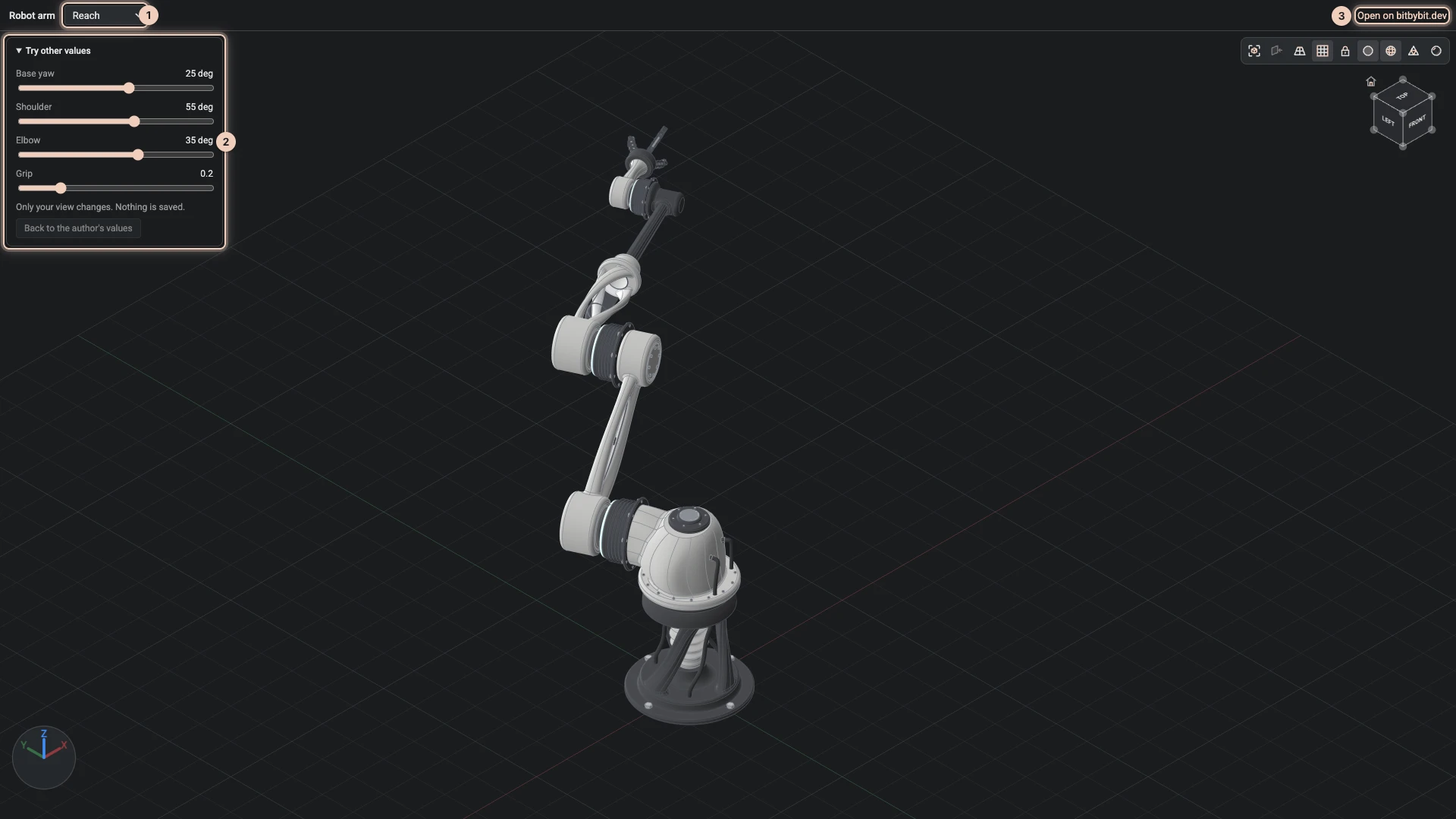
- With the design open, choose the share button at the left of the bitbybit.dev header (Share script preview), or Share a preview beside the script in My Projects.
- Copy the preview's link, or choose Embed Code and paste it into your own page: Embedding Scripts explains the rest.
Verified against the product in October 2026