Open the Designer
The Designer runs in your browser on bitbybit.dev and is part of the Gold plan.
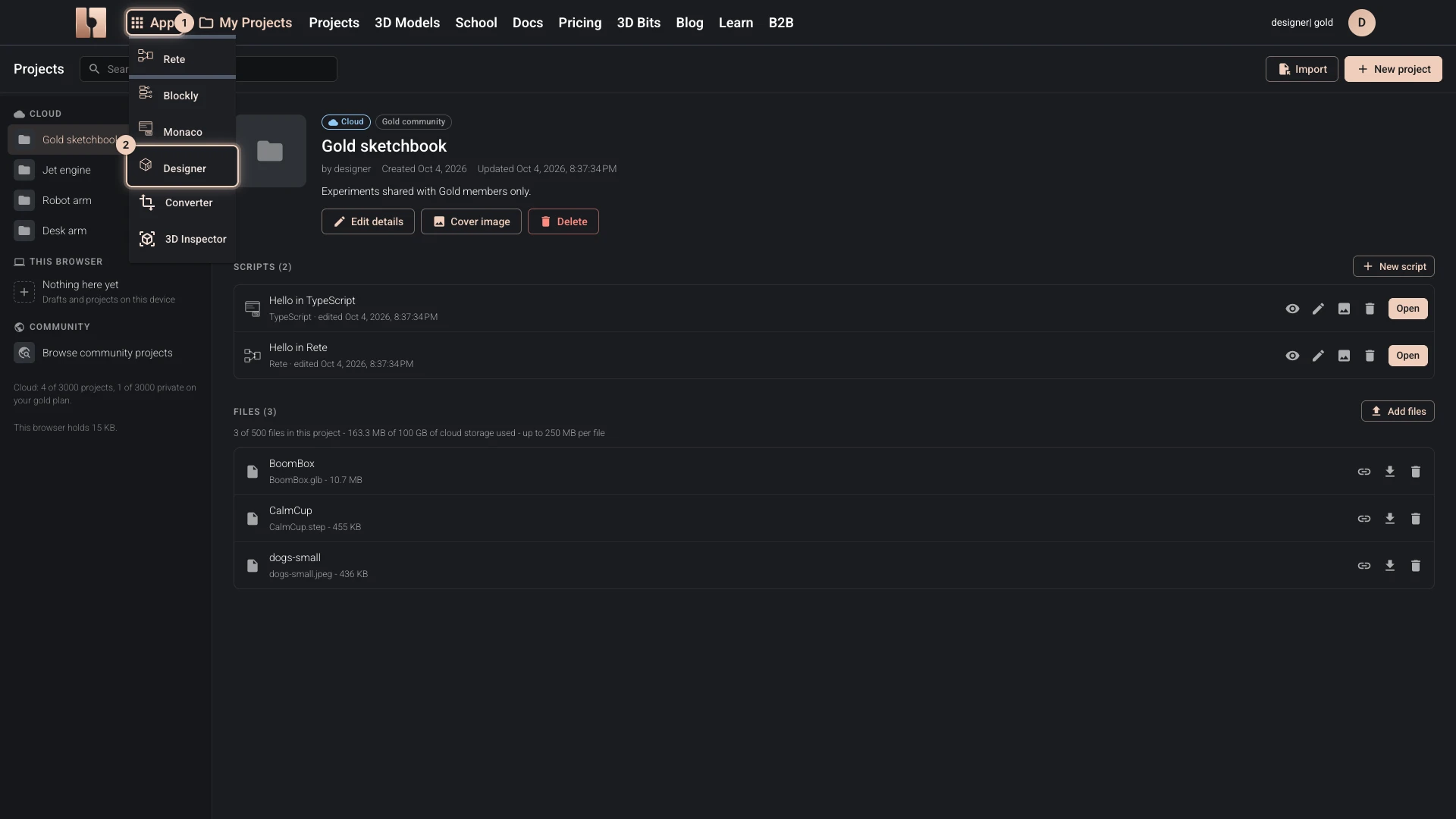
From the Apps menu
- Open Apps in the bitbybit.dev header.
- Choose Designer.
The Designer opens with an empty project. Nothing is saved until you make your first change; then your work is kept as a draft in this browser, in the Drafts project, and you can move it to the cloud later.
From the start dialog
Where bitbybit.dev asks which editor to start, press Launch Designer on the Designer's card. Below Gold the card offers See the plans instead. The homepage shows the same cards, under Start creating now.
From your projects
Make a project whose first script is a Designer script, or add a Designer script to a project you have: Create a Designer project shows both.
Below the Gold plan
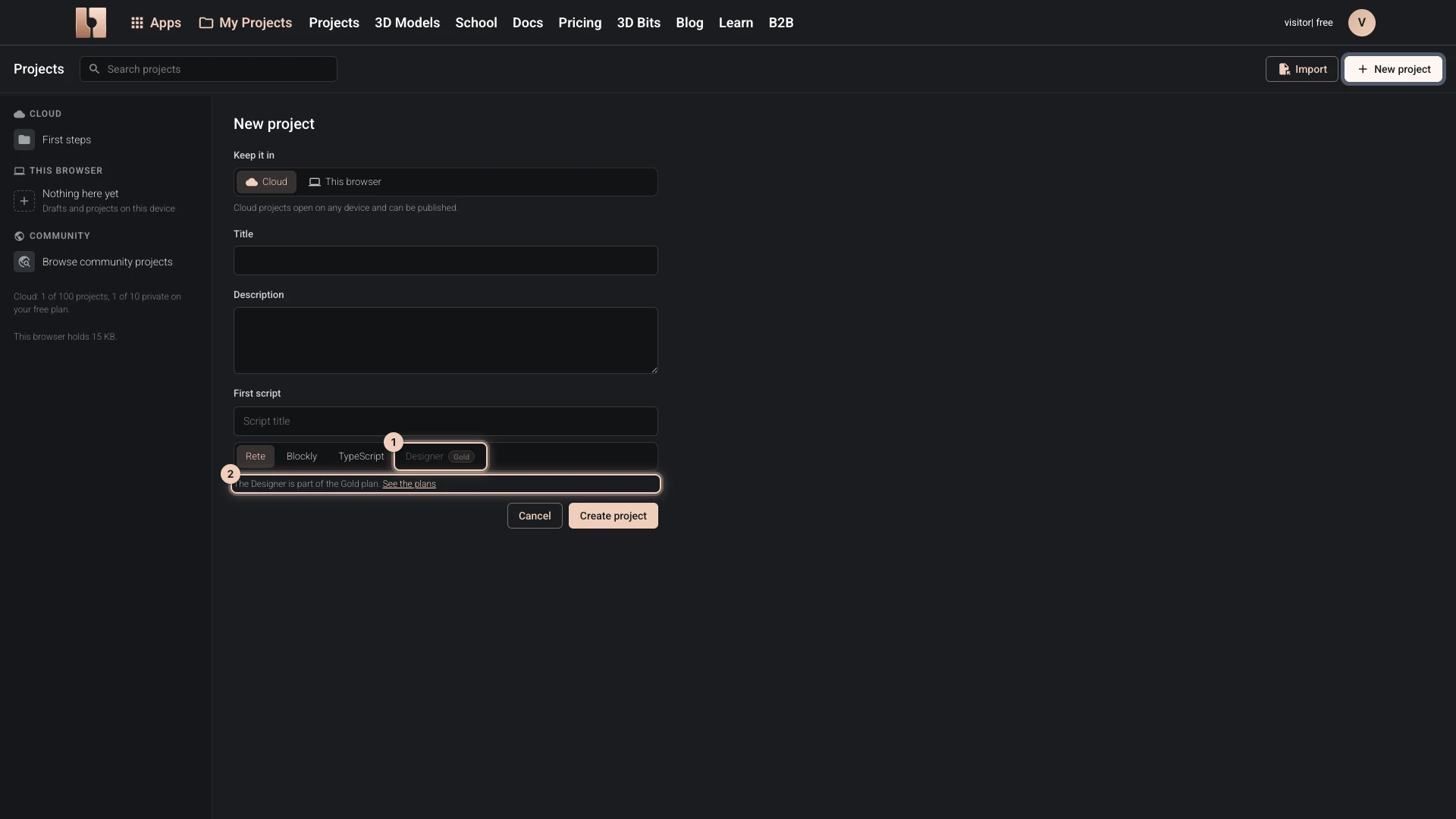
The Designer is marked Gold wherever bitbybit.dev offers it. Below Gold, the start dialog and the project forms show it greyed out, with See the plans beside it.
A Designer project that someone shares with you still opens in the Designer, to view. View only at the top says so:
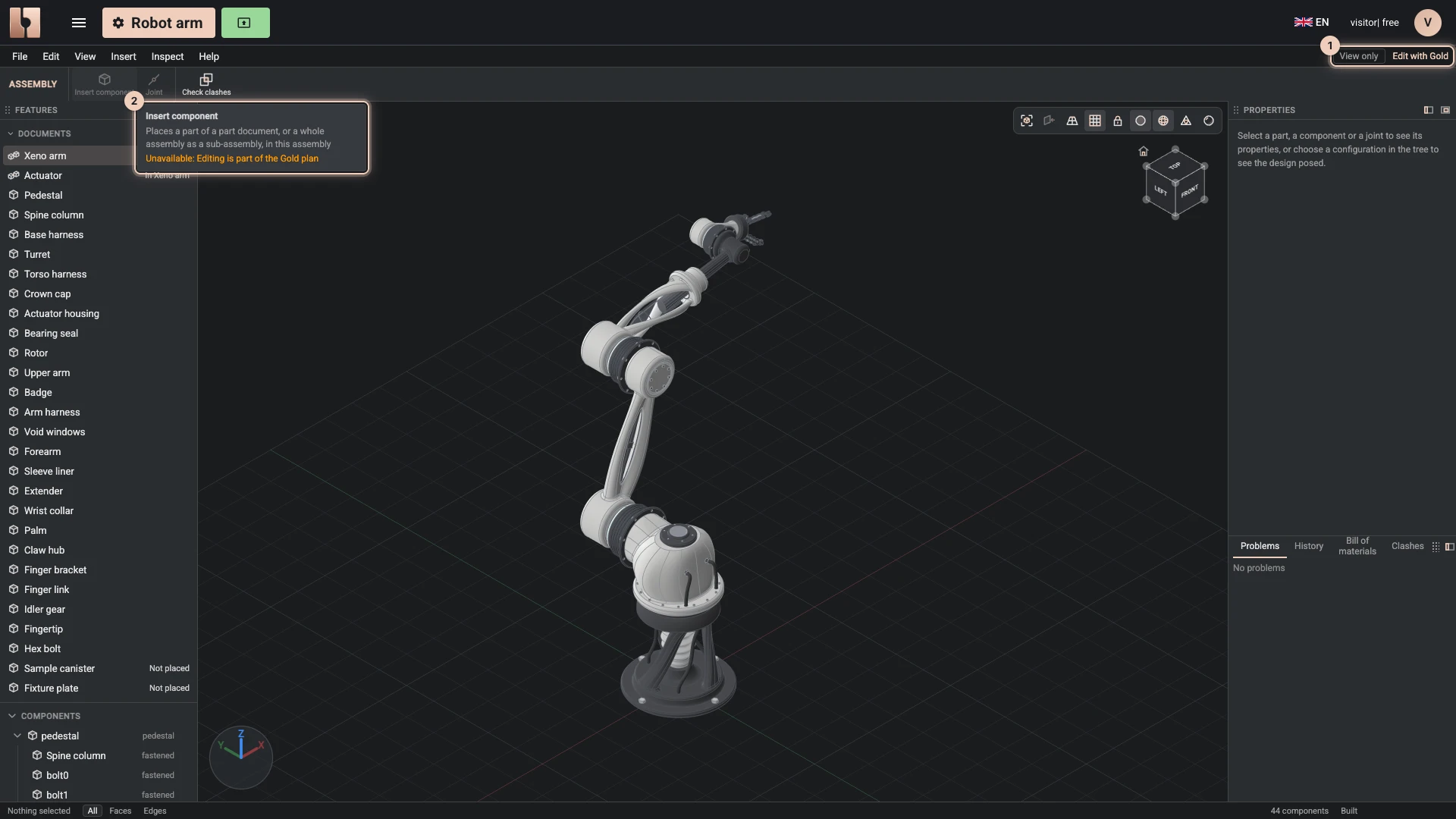
- It opens as its author last built it, from the geometry kept with the project, so even a large design is quick to open.
- Look at it as you like: turn and zoom the view, select parts, open its documents, and read the tree, the parts list, the clashes and each part's mass.
- Switch its configurations, such as an arm's poses, and roll a part back through its features, to see how it was built.
- Try other values where the author lets visitors: drag a slider under Try other values and the design rebuilds in your browser. Nothing you try is saved.
- Changing it is part of Gold. Every command that would change the design is greyed out; point at one to see why, and Edit with Gold shows the plans.
- Downloads are what the author allows: nothing, the model as GLB or STL, or everything, STEP and the project file included. Your own Designer projects always offer everything.
Verified against the product in October 2026