Create a Designer project
A project holds scripts, and a Designer script holds a whole design: every part and assembly document in it. You can keep a project in the cloud, where you reach it from any device, or in this browser only.
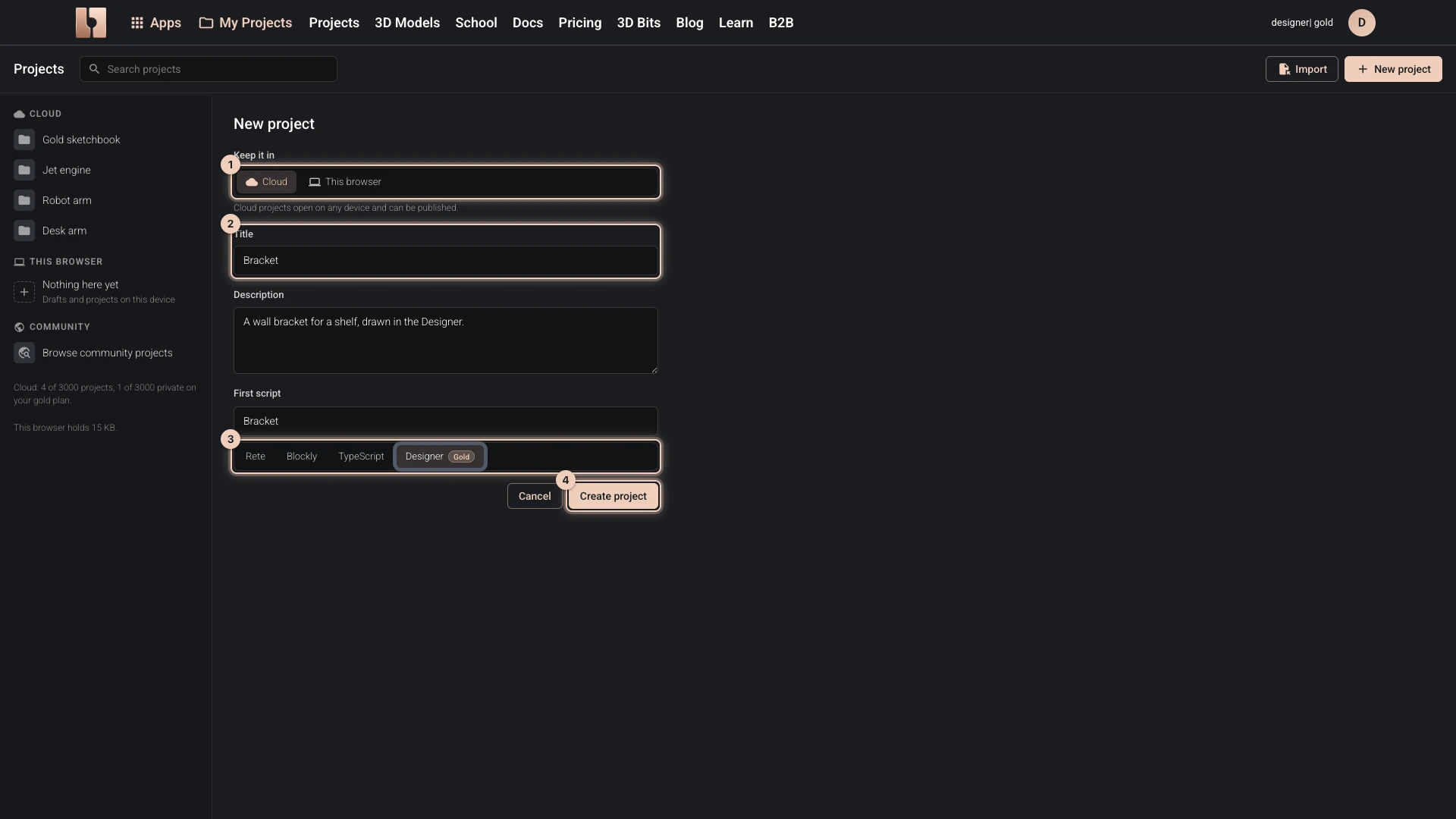
A new project with a Designer script
- Open My Projects in the bitbybit.dev header.
- Choose New project.
- Under Keep it in, choose Cloud or This browser. The cloud needs you to be signed in.
- Give it a Title, and for a cloud project a description if you like.
- For a cloud project, name its first script and choose Designer as its editor.
- Choose Create project.
A cloud project opens its first script in the Designer straight away, with no documents yet: start with a new part. A project in this browser starts empty: add a script to it as below.
A Designer script in a project you have
- In My Projects, choose the project.
- Choose New script.
- Name it, choose Designer as its editor, and choose Create and open.
Verified against the product in October 2026