Build a drone: a module that repeats
The arms, motors, propellers, legs and standoffs all stand evenly around the drone. Instead of building that again for each, you build it once as a module: a graph of its own that takes a shape and a count and gives back the copies, turned. Every instance of the module runs that graph with its own values.
The copies are made as lists. A list wired into an input that takes one value arrives whole rather than once per item, so components that take lists do the repeating: repeat makes the copies, and rotate shapes pairs each copy with its own angle.
Once Around exists, it cuts the plate's four leg openings and places the standoffs that hold the plates apart, each with a bolt from below and one from above.
-
Arms, motors, propellers, legs and standoffs all stand evenly around the drone. A module does that once for all of them: define it in a Modules group, and name it Around.
-
Add Module Definition as Around.
-
Press Add a comment, double-click the comment and write:
Modules
A module is a graph used many times. Double-click one to go inside; every instance of it changes with it.
-
Select the comment and Around, press Group selected components and title the group Modules.
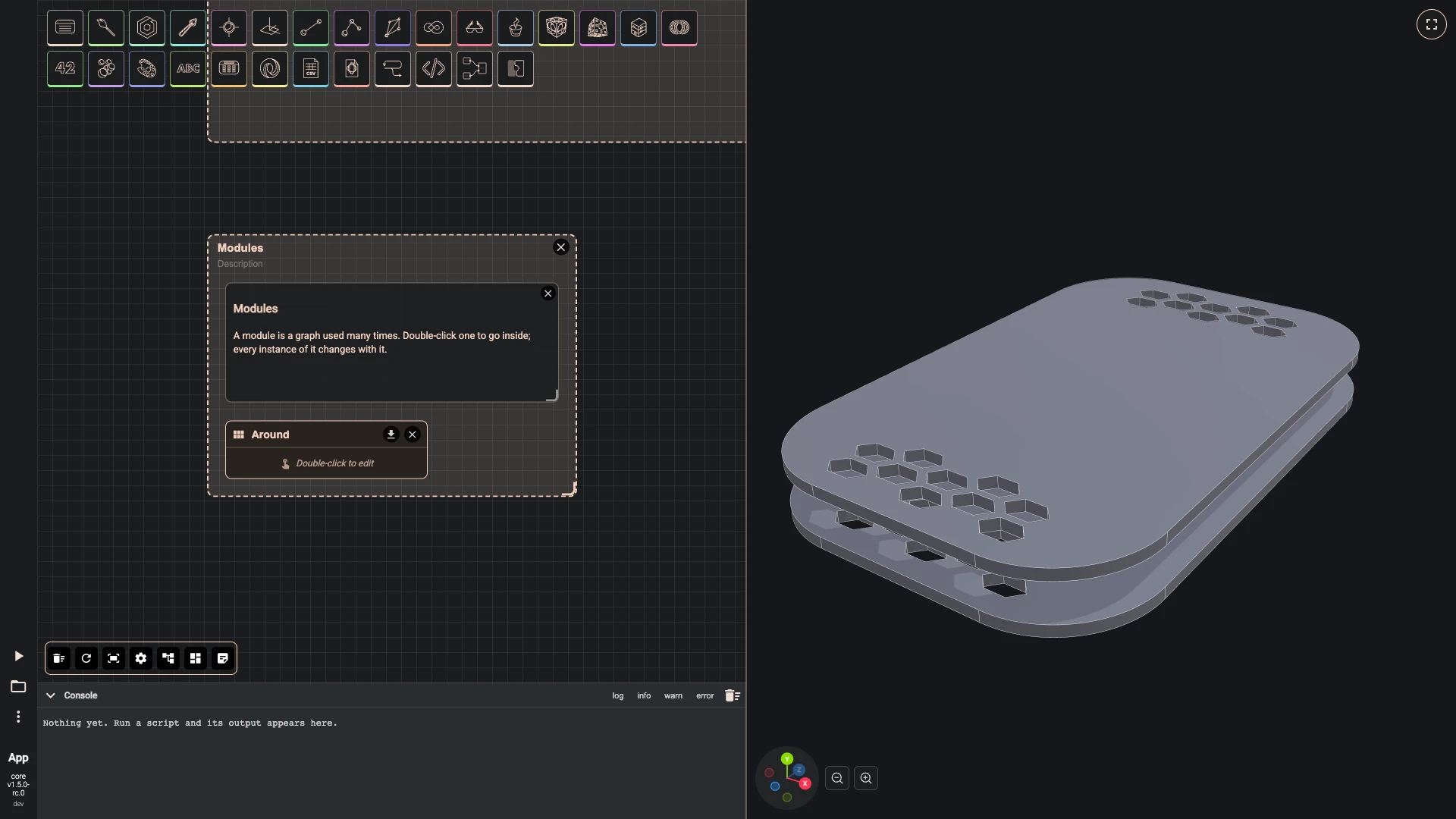
-
-
Go inside the module. It starts with one input and one output; their titles become the ports of every instance, so name them shape and copies, and add a second input, count, with a sample of 4.
-
Double-click Around to go inside.
-
On input, title it shape.
-
On output, title it copies.
-
Add Module Input as count: sample 4.
-
Press Add a comment, double-click the comment and write:
Around
Repeats shape count times around the upright axis, half a step off the axes: for four, at 45, 135, 225 and 315 degrees, so four arms point to the corners of the frame.
-
Select the comment, shape, copies and count, press Group selected components and title the group Around.
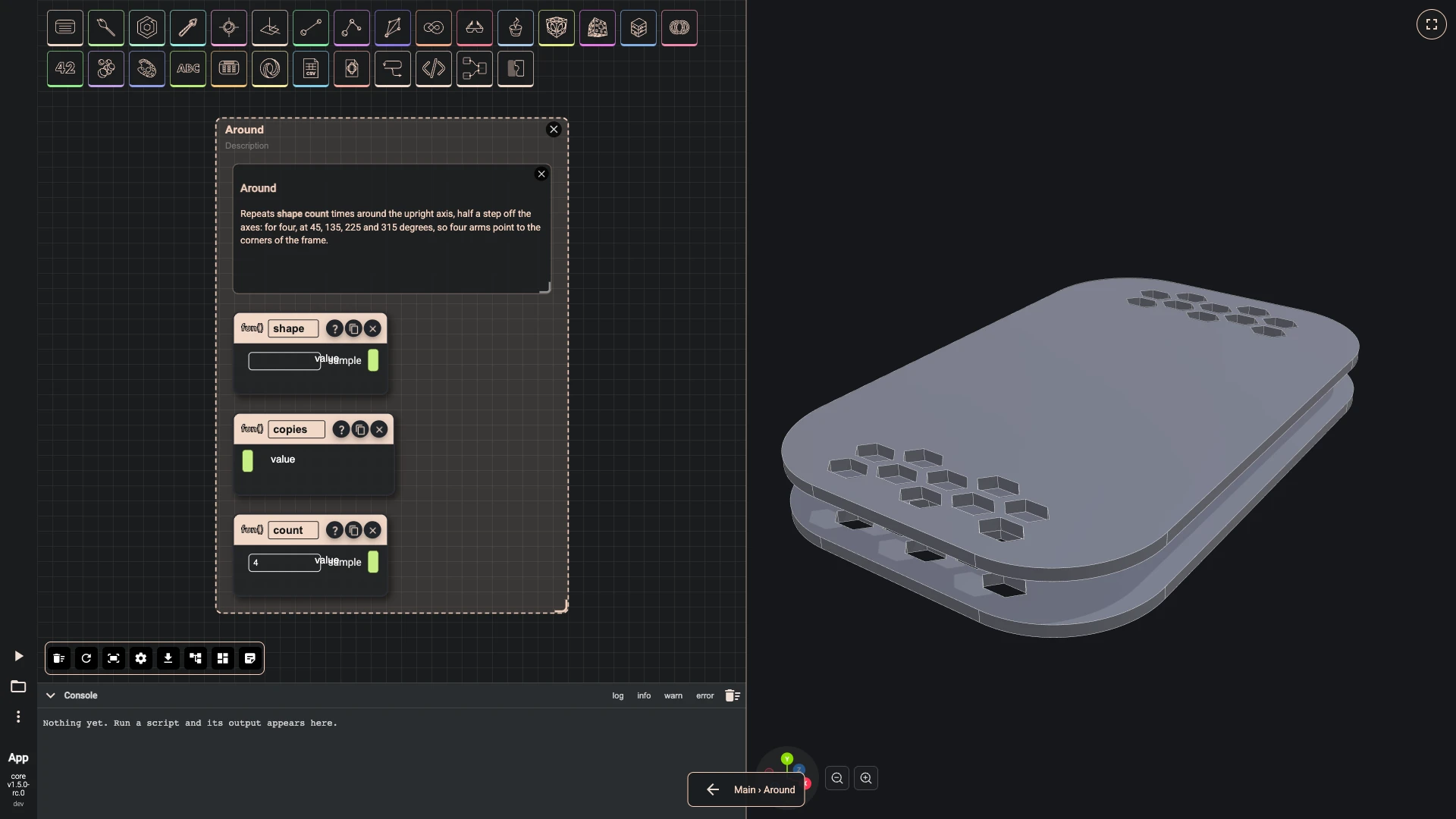
-
-
The shape is repeated count times, and so is the axis to turn around, straight up. A list wired into an input that takes one value would arrive whole, so the copies are made as lists.
- Add repeat as repeat shape in the Around group.
- Wire shape › value into repeat shape › item.
- Wire count › value into repeat shape › times.
- Add vector xyz as up: y 1, in the Around group.
- Add repeat as repeat axis in the Around group.
- Wire up › result into repeat axis › item.
- Wire count › value into repeat axis › times.
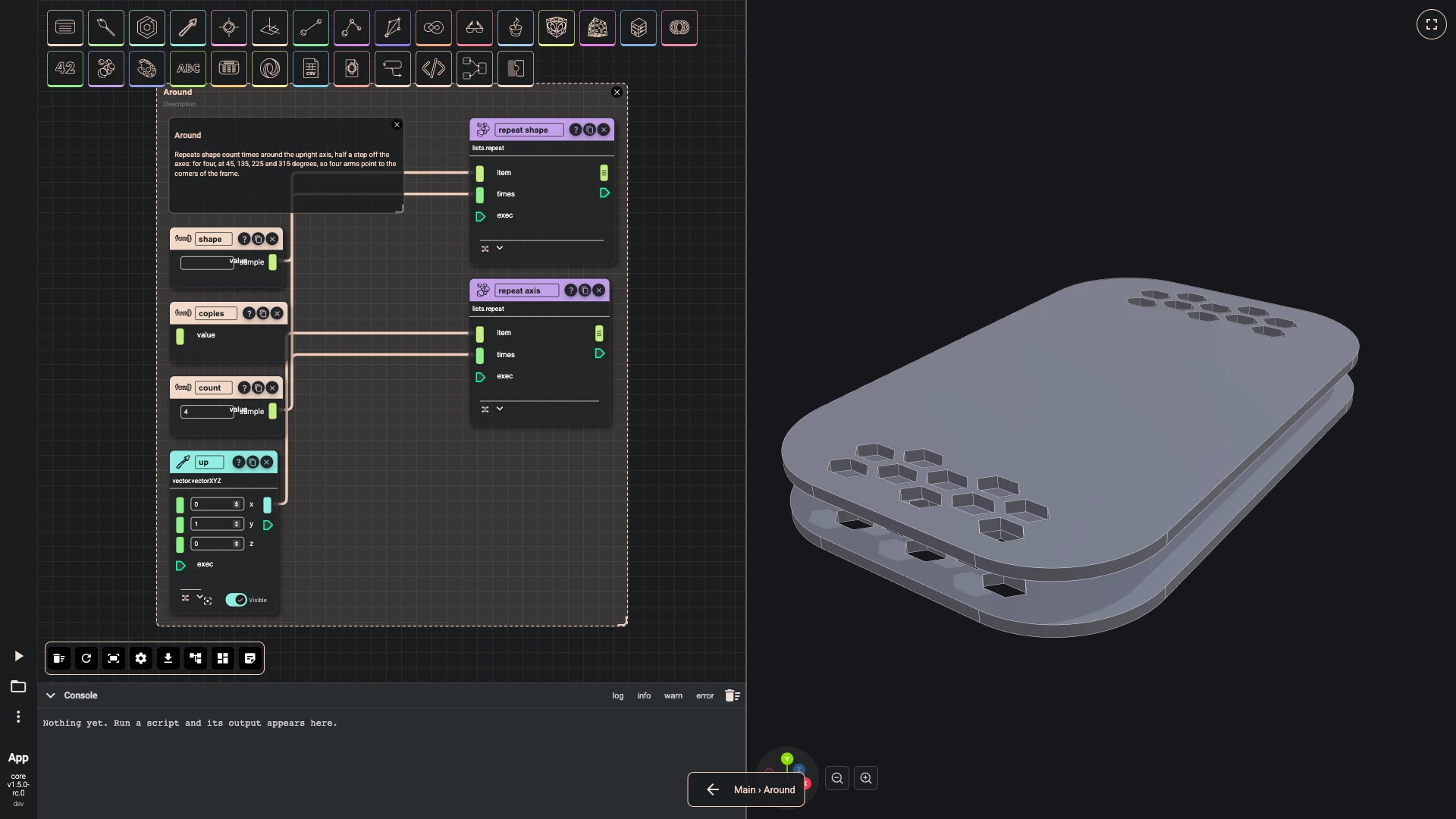
-
A code component works out the angles, half a step off the axes: 45, 135, 225 and 315 for four. A few lines say this more plainly than a dozen nodes.
- Add typescript editor as angles: hidden, in the Around group, with the code below.
- Wire count › value into angles › inputs.
const start = async (inputs: any, index: number) => {const count = Math.max(1, Math.round(inputs));return Array.from({ length: count }, (_, i) => (i + 0.5) * 360 / count);}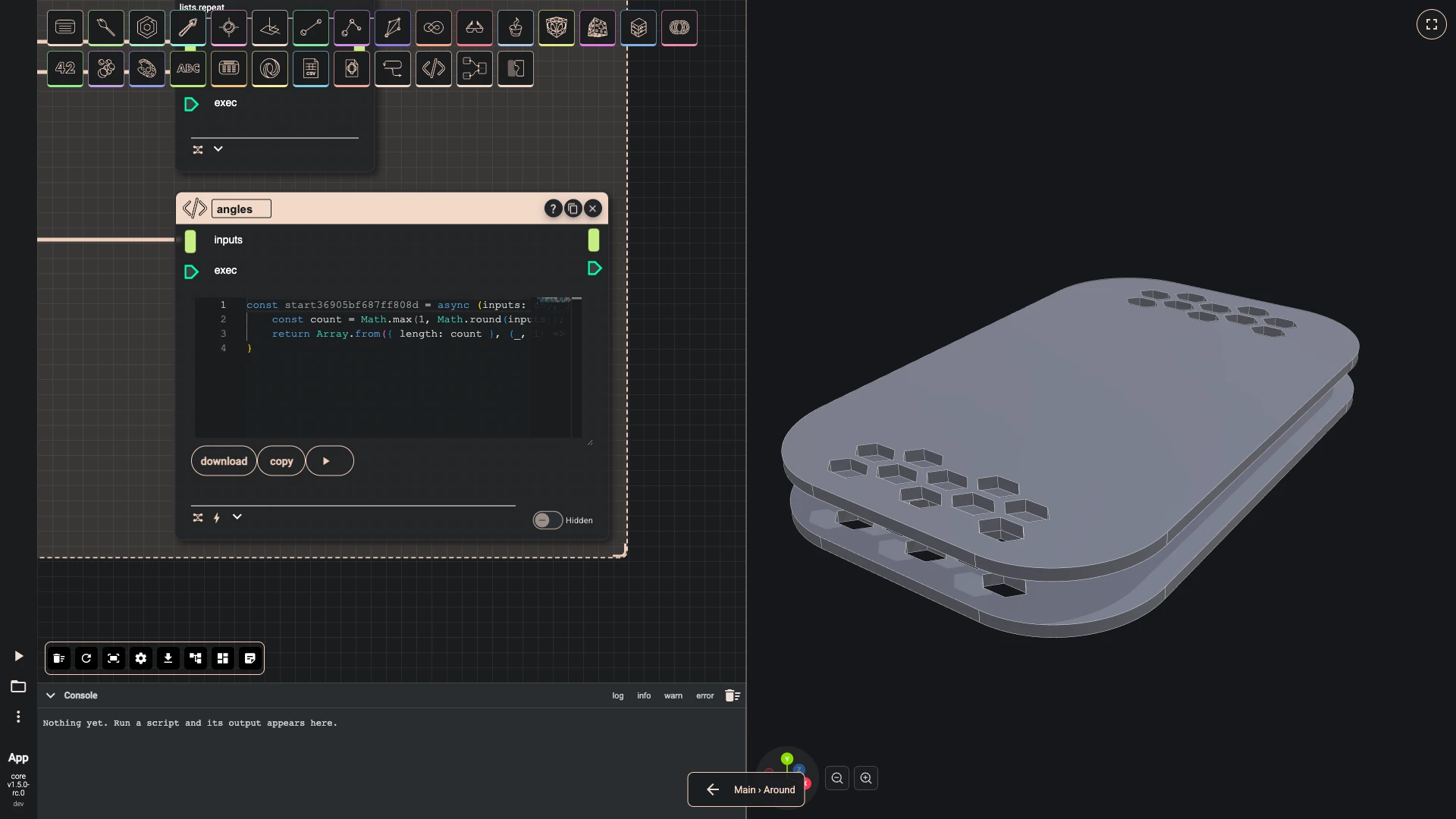
-
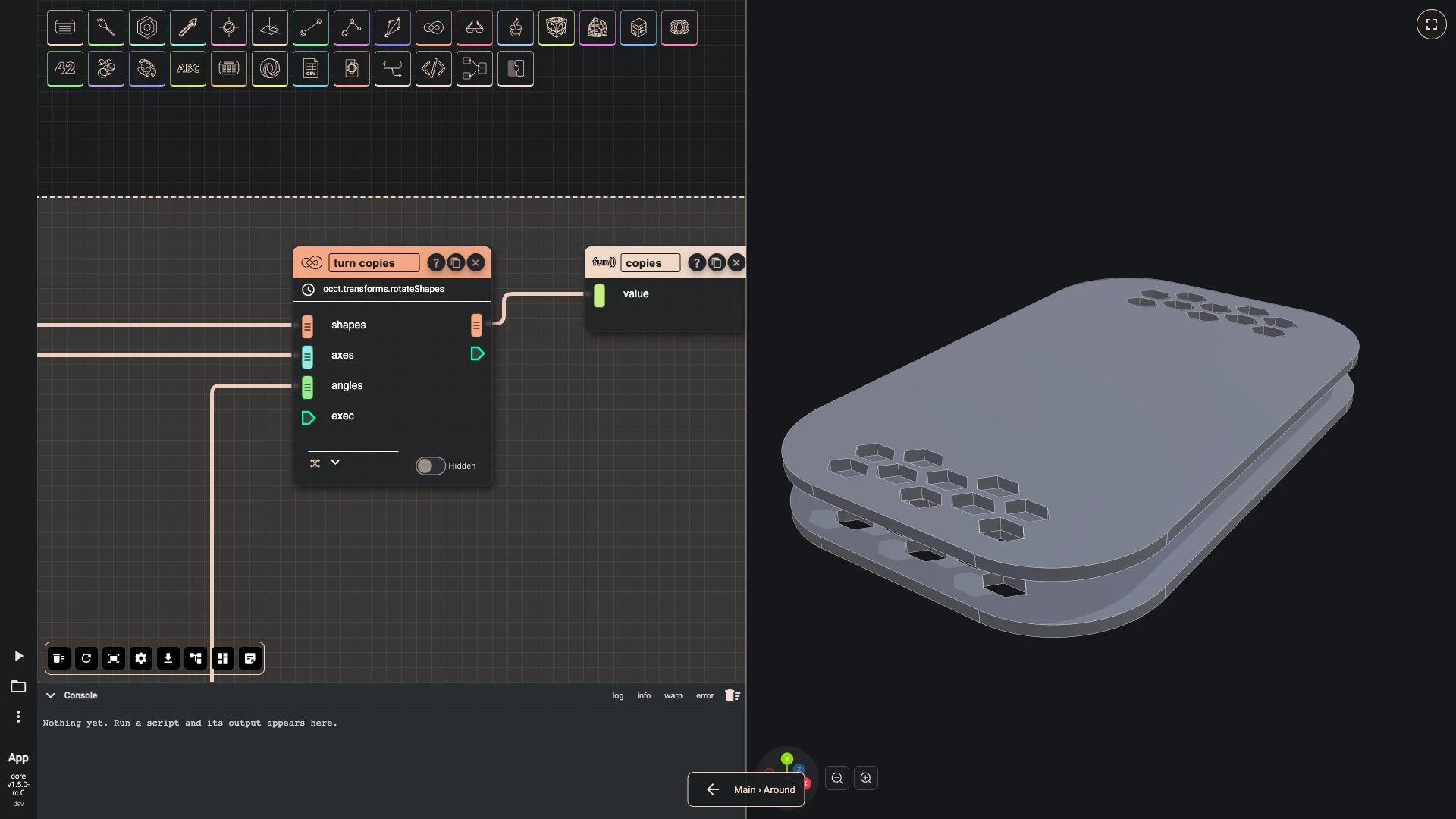
Rotate shapes turns each copy by its own angle around its own axis, pairing the three lists by position, and its result leaves through the module's output.
- Add rotate shapes as turn copies: hidden, in the Around group.
- Wire repeat shape › result into turn copies › shapes.
- Wire repeat axis › result into turn copies › axes.
- Wire angles › result into turn copies › angles.
- Wire turn copies › result into copies › value.
-
Back on the main graph, the definition now shows the module's ports.
- Press the back arrow at the foot of the canvas, Back to parent.
-
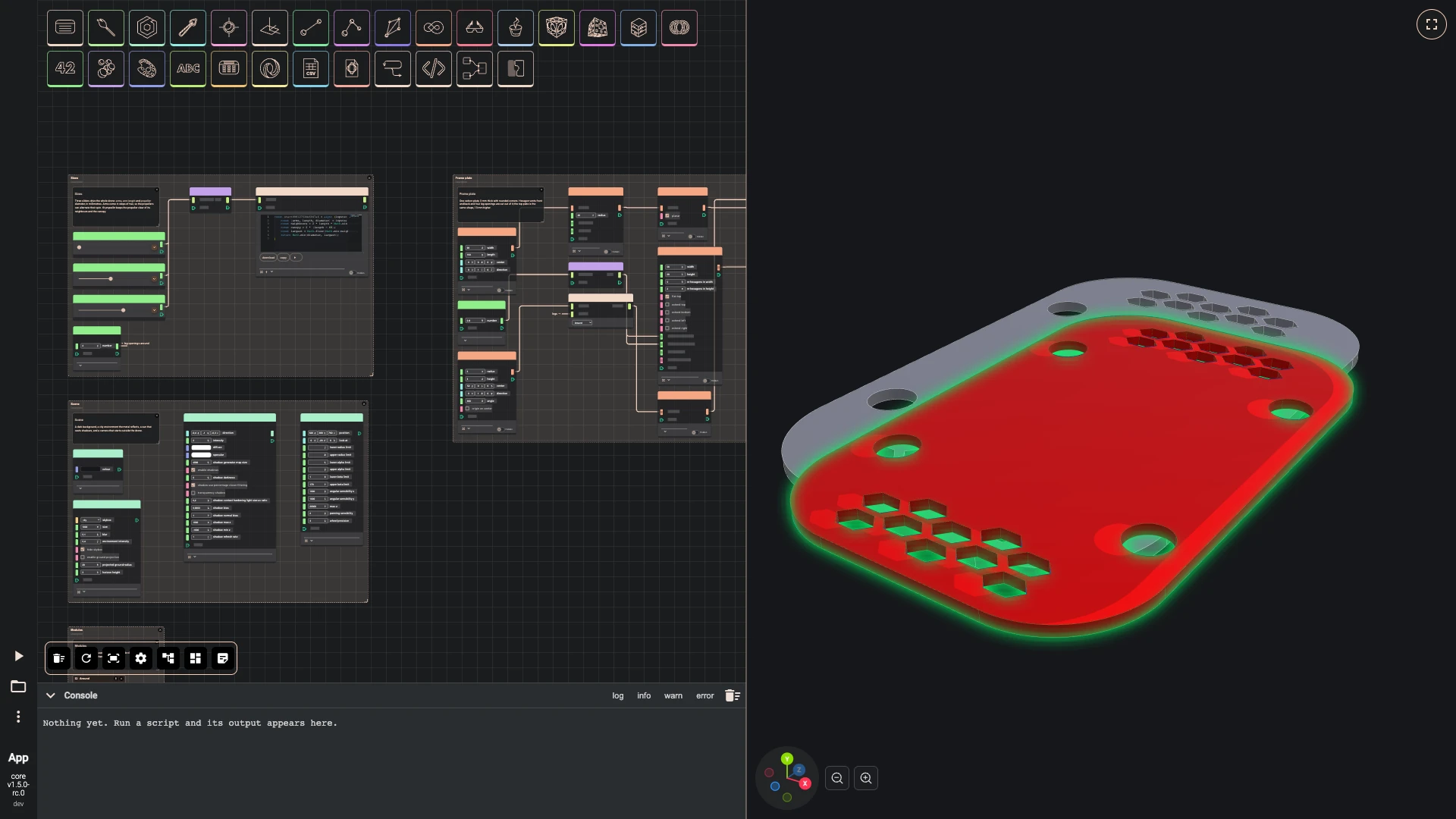
The plate's leg openings are Around's first use: a hole 6 millimetres across, 52 from the centre, repeated four times by an Around instance. A compound makes the four one shape, which joins the plate's cut-outs.
- Add number as legs: number 4, in the Sizes group.
- Add cylinder as leg opening: radius 6, height 3, center [52, 0, 0], direction [0, 1, 0], hidden, in the Frame plate group.
- Add Module Instance as leg openings around: module Around, in the Frame plate group.
- Wire leg opening › result into leg openings around › shape.
- Wire legs › result into leg openings around › count.
- Add make compound as leg openings: hidden, in the Frame plate group.
- Wire leg openings around › copies into leg openings › shapes.
- Wire leg openings › result into cut-outs › listElements.
-
A bolt for the standoffs: a code component revolves its profile and cuts the hexagon socket into its head. A number gives its length, 8 millimetres.
-
Add number as bolt length: number 8.
-
Add typescript editor as M3 bolt: hidden, with the code below.
-
Wire bolt length › result into M3 bolt › inputs.
-
Press Add a comment, double-click the comment and write:
M3 bolt
A socket-head bolt from a code component: a profile revolved into its body, with a hexagon socket cut into the head. The standoffs and the legs use it.
-
Select the comment, bolt length and M3 bolt, press Group selected components and title the group M3 bolt.
const start = async (inputs: any, index: number) => {const length = inputs;const profile = [[0, -3, 0], [2.35, -3, 0], [2.75, -2.6, 0], [2.75, 0, 0], [1.5, 0, 0], [1.5, length - 0.4, 0], [1.1, length, 0], [0, length, 0]];const outline = await bitbybit.occt.shapes.wire.createPolygonWire({ points: profile });const face = await bitbybit.occt.shapes.face.createFaceFromWire({ shape: outline, planar: true });const body = await bitbybit.occt.operations.revolve({ shape: face, angle: 360, direction: [0, 1, 0], copy: false });const hexagon = await bitbybit.occt.shapes.wire.createNGonWire({ nrCorners: 6, radius: 1.45, center: [0, -3.5, 0], direction: [0, 1, 0] });const socketFace = await bitbybit.occt.shapes.face.createFaceFromWire({ shape: hexagon, planar: true });const socket = await bitbybit.occt.operations.extrude({ shape: socketFace, direction: [0, 2.5, 0] });return bitbybit.occt.booleans.difference({ shape: body, shapes: [socket], keepEdges: false });}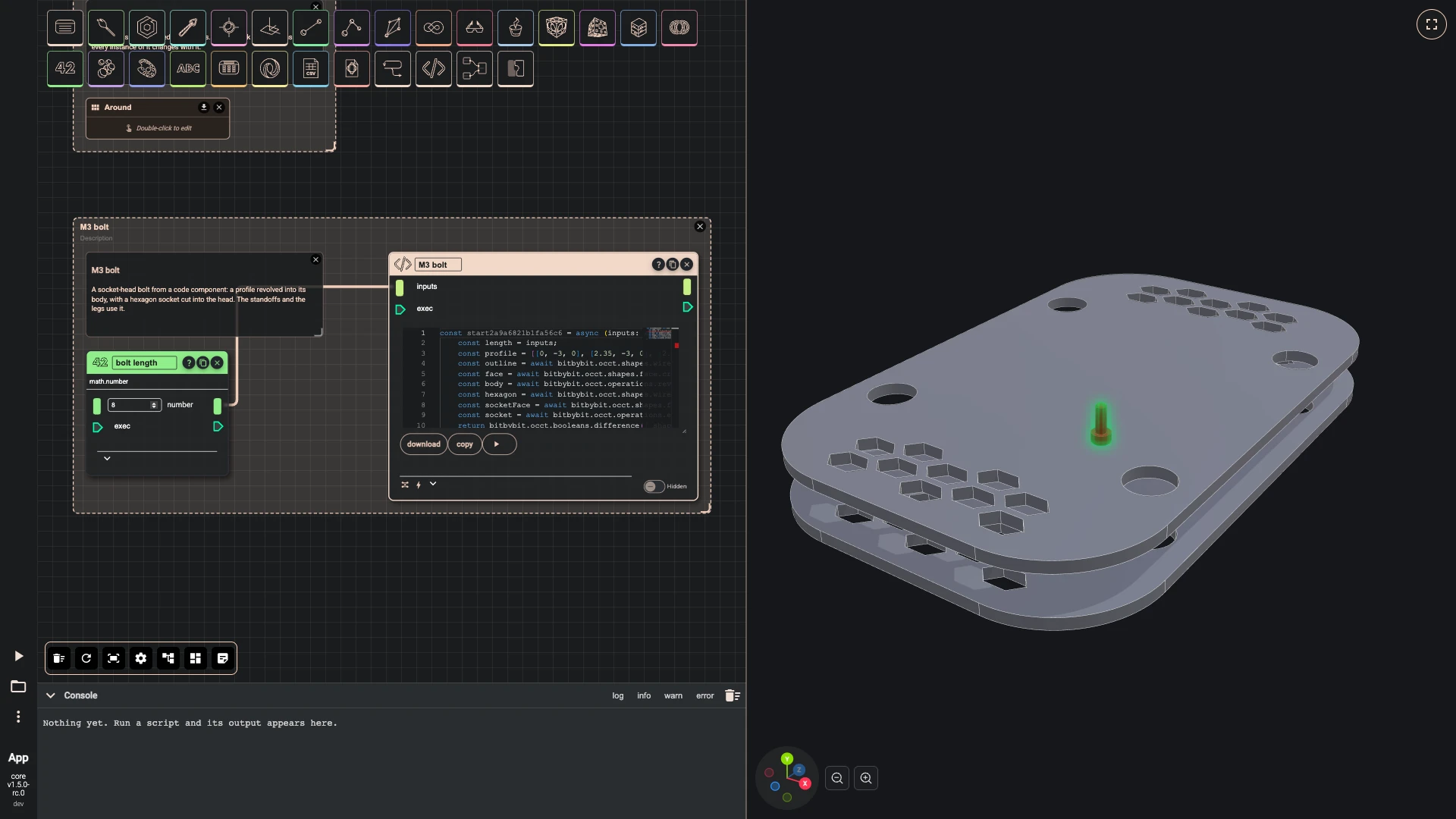
-
-
A standoff is a post 10 millimetres tall, 40 from the centre, with a bolt from below and a flipped bolt from above. A code component turns them back half a step, between the arms, and two Around instances repeat them as many times as there are arms.
-
Add cylinder as standoff: radius 3.2, height 10, center [40, 3, 0], direction [0, 1, 0], hidden.
-
Add translate as lower bolt: translation [40, 0, 0], hidden.
-
Wire M3 bolt › result into lower bolt › shape.
-
Add rotate as flipped bolt: axis [1, 0, 0], angle 180, hidden.
-
Wire M3 bolt › result into flipped bolt › shape.
-
Add translate as upper bolt: translation [40, 16, 0], hidden.
-
Wire flipped bolt › result into upper bolt › shape.
-
Add create list as standoff bolts.
-
Wire lower bolt › result into standoff bolts › listElements.
-
Wire upper bolt › result into standoff bolts › listElements.
-
Add make compound as bolt pair: hidden.
-
Wire standoff bolts › list into bolt pair › shapes.
-
Add typescript editor as half a step back: hidden, with the code below.
-
Wire arms › result into half a step back › inputs.
-
Add rotate as standoff between arms: axis [0, 1, 0], hidden.
-
Wire standoff › result into standoff between arms › shape.
-
Wire half a step back › result into standoff between arms › angle.
-
Add rotate as bolts between arms: axis [0, 1, 0], hidden.
-
Wire bolt pair › result into bolts between arms › shape.
-
Wire half a step back › result into bolts between arms › angle.
-
Add Module Instance as standoffs around: module Around.
-
Wire standoff between arms › result into standoffs around › shape.
-
Wire arms › result into standoffs around › count.
-
Add Module Instance as standoff bolts around: module Around.
-
Wire bolts between arms › result into standoff bolts around › shape.
-
Wire arms › result into standoff bolts around › count.
-
Add pbr metallic roughness as accent material: name accent, base color #f0cebb, metallic 0.85, roughness 0.35, z offset 2, in the Materials group.
-
Add options occt shape as accent look: precision 0.05, draw two sided off, edge colour #0d0e10, edge width 4, in the Materials group.
-
Wire accent material › result into accent look › faceMaterial.
-
Add draw any async as accent in the Materials group.
-
Wire accent look › result into accent › options.
-
Wire standoffs around › copies into accent › entity.
-
Add pbr metallic roughness as steel material: name steel, base color #1c1c1e, metallic 0.9, roughness 0.42, z offset 2, in the Materials group.
-
Add options occt shape as steel look: precision 0.05, draw two sided off, edge colour #f2f2f2, edge width 4, in the Materials group.
-
Wire steel material › result into steel look › faceMaterial.
-
Add draw any async as steel in the Materials group.
-
Wire steel look › result into steel › options.
-
Wire standoff bolts around › copies into steel › entity.
-
Press Add a comment, double-click the comment and write:
Standoffs
Posts that hold the plates 10 mm apart, bolted from above and below. They stand between the arms, so they are turned back half a step before Around repeats them.
-
Select the comment, standoff, lower bolt, flipped bolt, upper bolt, standoff bolts, bolt pair, half a step back, standoff between arms, bolts between arms, standoffs around and standoff bolts around, press Group selected components and title the group Standoffs.
const start = async (inputs: any, index: number) => {return -180 / inputs;}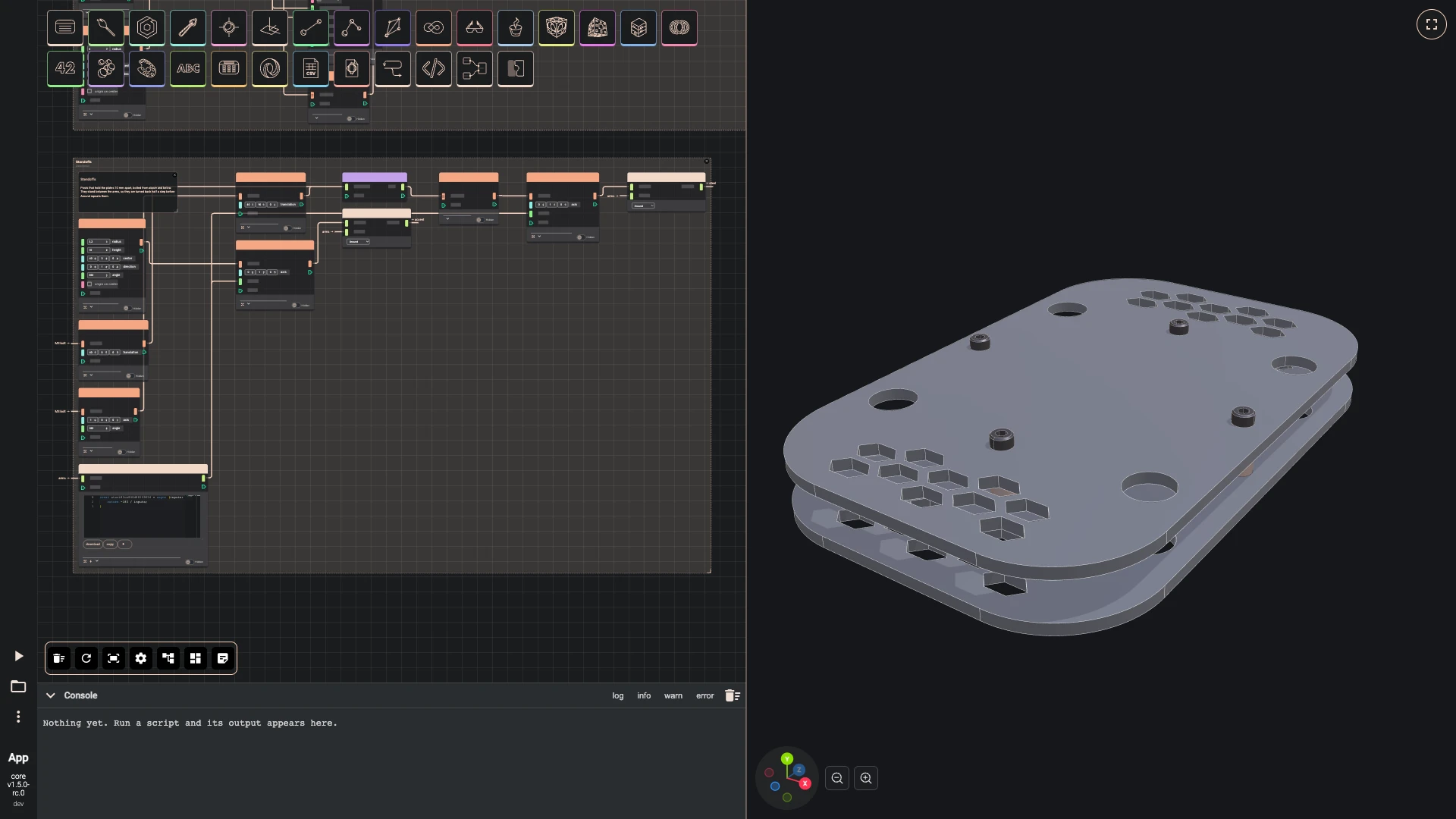
-
Next: the arm module.
Verified against the product in October 2026