Build a drone: payload and sliders
The last parts hang under the frame: a camera on its gimbal and the battery in its straps, placed where they belong without any module. Then the sliders show what the graph was built for.
-
The payload hangs under the frame: a camera on its gimbal at the front, and the battery in two straps. Shapes made of a few primitives are nodes: the camera is a box with its edges rounded joined with a cylinder for the barrel, the battery a rounded box, the lens a glass cylinder. The gimbal's bracket is a profile of six points and the straps a pair placed by a loop, so those two are code components.
-
Add typescript editor as gimbal: hidden, with the code below.
-
Add box as camera box: width 24, length 20, height 18, center [0, -26, 55], hidden.
-
Add fillet edges as camera body: radius 3, hidden.
-
Wire camera box › result into camera body › shape.
-
Add cylinder as lens barrel: radius 6.5, height 9, center [0, -26, 63], direction [0, 0, 1], hidden.
-
Add create list as camera parts.
-
Wire camera body › result into camera parts › listElements.
-
Wire lens barrel › result into camera parts › listElements.
-
Add union as camera: hidden.
-
Wire camera parts › list into camera › shapes.
-
Add cylinder as lens: radius 5.2, height 1.5, center [0, -26, 71.5], direction [0, 0, 1], hidden.
-
Add box as battery box: width 36, length 72, height 26, center [0, -16, -20], hidden.
-
Add fillet edges as battery: radius 3, hidden.
-
Wire battery box › result into battery › shape.
-
Add typescript editor as straps: hidden, with the code below.
-
Wire gimbal › result into aluminium › entity.
-
Wire camera › result into polymer › entity.
-
Wire battery › result into polymer › entity.
-
Wire straps › result into accent › entity.
-
Add pbr metallic roughness as glass material: name glass, base color #0c1522, metallic 0.1, roughness 0.05, z offset 2, in the Materials group.
-
Add options occt shape as glass look: precision 0.05, draw two sided off, edge colour #f2f2f2, edge width 4, in the Materials group.
-
Wire glass material › result into glass look › faceMaterial.
-
Add draw any async as glass in the Materials group.
-
Wire glass look › result into glass › options.
-
Wire lens › result into glass › entity.
-
Press Add a comment, double-click the comment and write:
Payload
A camera on a gimbal at the front and the battery in two straps underneath, placed directly without modules.
-
Select the comment, gimbal, camera box, camera body, lens barrel, camera parts, camera, lens, battery box, battery and straps, press Group selected components and title the group Payload.
const start = async (inputs: any, index: number) => {const outline = await bitbybit.occt.shapes.wire.createPolygonWire({ points: [[-4, 19, -4], [19.5, 19, -4], [19.5, -7, -4], [14.5, -7, -4], [14.5, 15, -4], [-4, 15, -4]] });const rounded = await bitbybit.occt.fillets.fillet2d({ shape: outline, radius: 1.5 });const face = await bitbybit.occt.shapes.face.createFaceFromWire({ shape: rounded, planar: true });const bracket = await bitbybit.occt.operations.extrude({ shape: face, direction: [0, 0, 8] });const yaw = await bitbybit.occt.shapes.solid.createCylinder({ radius: 9, height: 8, center: [0, 18, 0], direction: [0, 1, 0] });const roll = await bitbybit.occt.shapes.solid.createCylinder({ radius: 6, height: 5, center: [14.5, 0, 0], direction: [-1, 0, 0] });const gimbal = await bitbybit.occt.booleans.union({ shapes: [yaw, bracket, roll], keepEdges: false });return bitbybit.occt.transforms.translate({ shape: gimbal, translation: [0, -26, 55] });}const start = async (inputs: any, index: number) => {const outer = await bitbybit.occt.shapes.solid.createBox({ width: 40, length: 10, height: 30, center: [0, 0, 0] });const inner = await bitbybit.occt.shapes.solid.createBox({ width: 36.5, length: 12, height: 26.5, center: [0, 0, 0] });const strap = await bitbybit.occt.booleans.difference({ shape: outer, shapes: [inner], keepEdges: false });const pair = [];for (const z of [-42, 2]) {pair.push(await bitbybit.occt.transforms.translate({ shape: strap, translation: [0, -16, z] }));}return bitbybit.occt.shapes.compound.makeCompound({ shapes: pair });}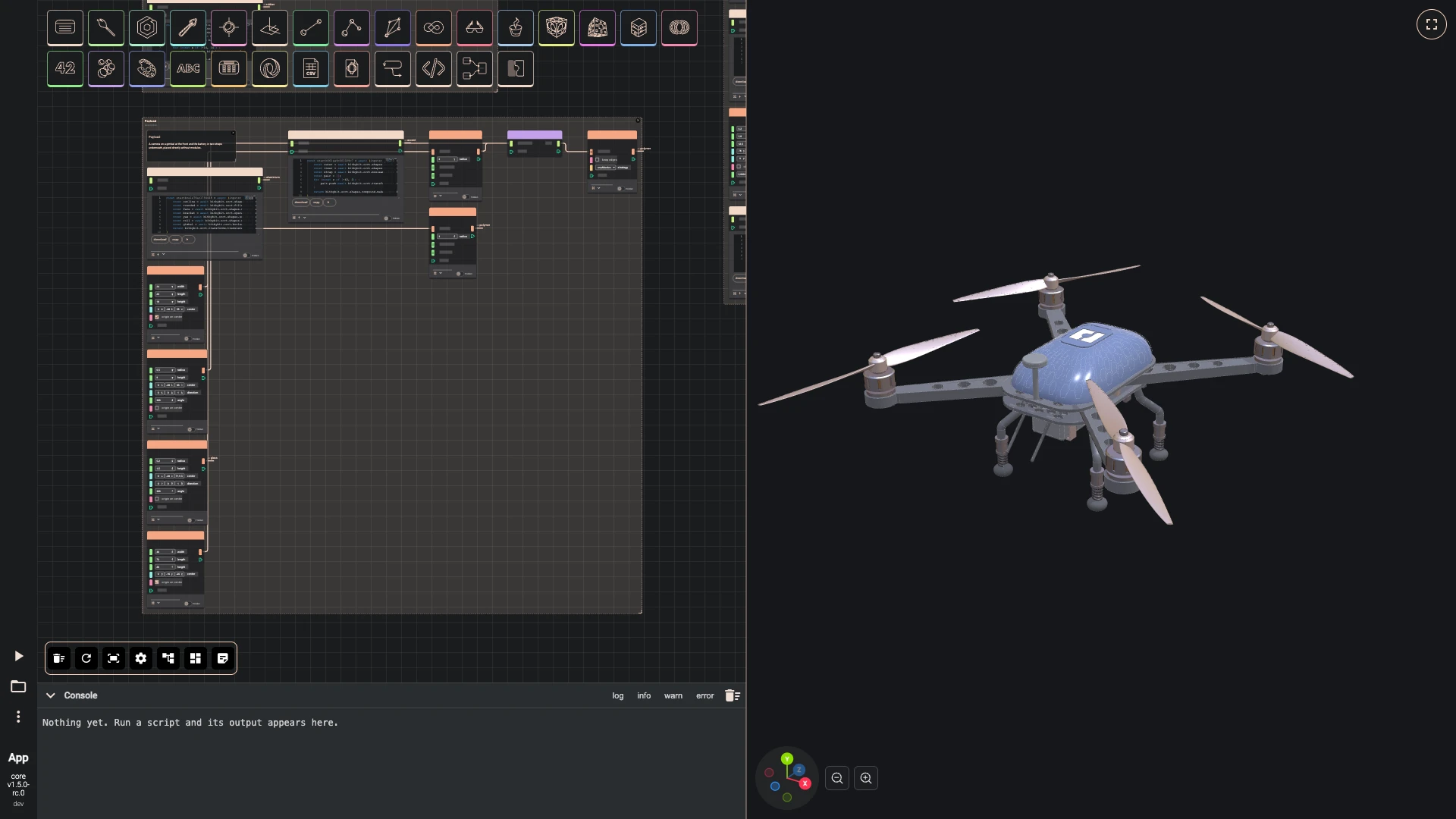
-
-
Move the sliders: six arms rebuild the drone, every Around follows the arms slider, and the propeller shrinks to fit between its neighbours.
- On arms, number 6.
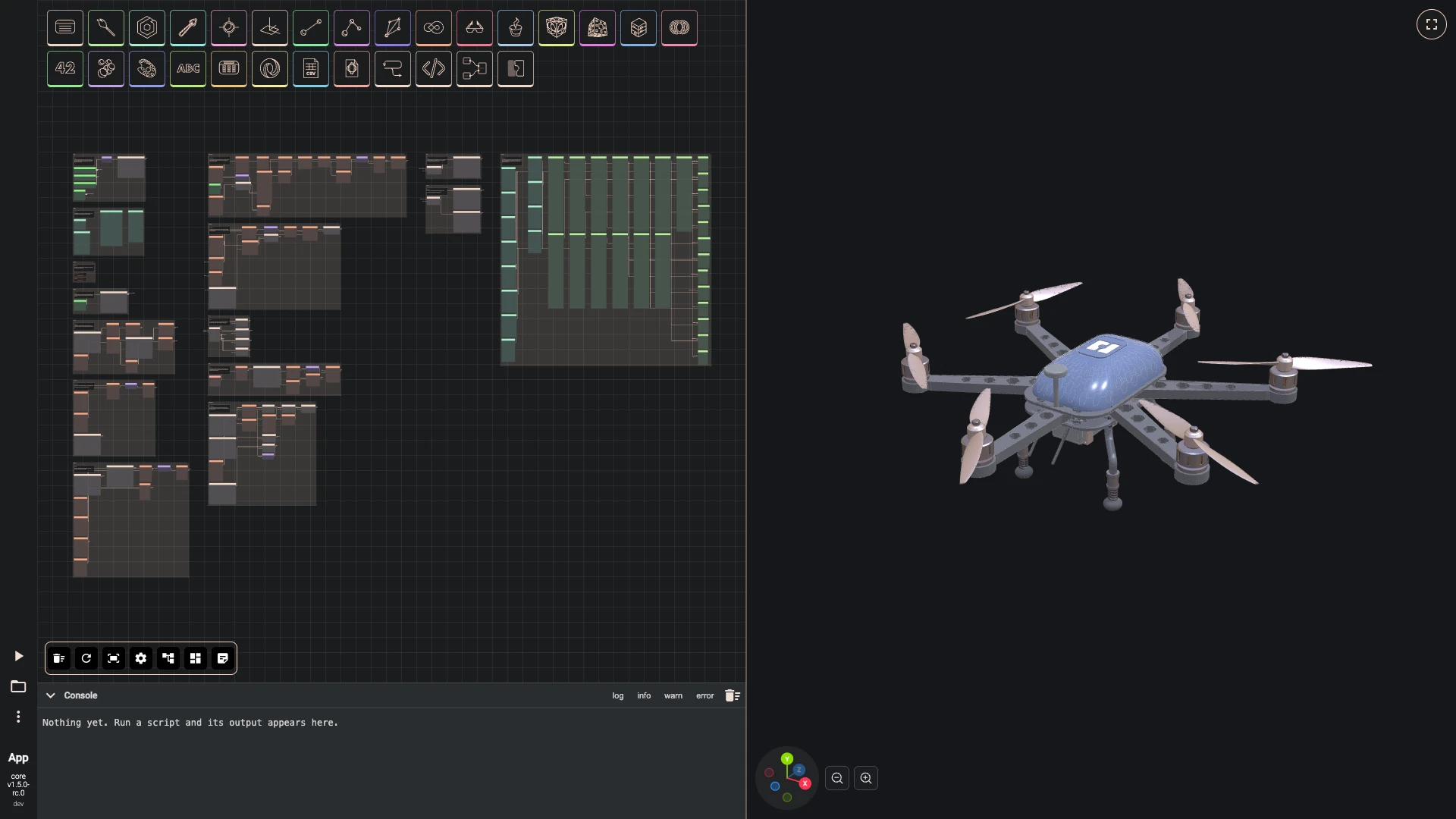
The finished drone
The script the chapters build, to run here:

The finished script is also the Rete showcase, to download and open.
Verified against the product in October 2026