Build a drone: arms around the frame
Both modules come together on the main graph. One instance of Arm makes an arm from the sliders, and instances of Around repeat each of its parts as many times as the arms slider says. Because Arm has one output per material, every repeated part can go to the draw component of its colour.
Two of the parts need a little more than repeating, and code components do it: neighbouring propellers must turn opposite ways, and the lights are green at the front and red at the back.
-
One Arm instance takes the arm length and the fitted propeller. Around instances repeat its arm, motor and stator as many times as the arms slider says; the arms join the carbon draw, and two more draws paint the motors in aluminium and the stators in copper.
-
Add Module Instance as one arm: module Arm.
-
Wire arm length › result into one arm › length.
-
Wire fit propeller › result into one arm › propeller.
-
Add Module Instance as arms around: module Around.
-
Wire one arm › arm into arms around › shape.
-
Wire arms › result into arms around › count.
-
Add Module Instance as motors around: module Around.
-
Wire one arm › motor into motors around › shape.
-
Wire arms › result into motors around › count.
-
Add Module Instance as stators around: module Around.
-
Wire one arm › stator into stators around › shape.
-
Wire arms › result into stators around › count.
-
Wire arms around › copies into carbon › entity.
-
Add pbr metallic roughness as aluminium material: name aluminium, base color #b9bec6, metallic 1, roughness 0.32, z offset 2, in the Materials group.
-
Add options occt shape as aluminium look: precision 0.05, draw two sided off, edge colour #0d0e10, edge width 4, in the Materials group.
-
Wire aluminium material › result into aluminium look › faceMaterial.
-
Add draw any async as aluminium in the Materials group.
-
Wire aluminium look › result into aluminium › options.
-
Wire motors around › copies into aluminium › entity.
-
Add pbr metallic roughness as copper material: name copper, base color #b87333, metallic 1, roughness 0.5, z offset 2, in the Materials group.
-
Add options occt shape as copper look: precision 0.05, draw two sided off, edge colour #0d0e10, edge width 4, in the Materials group.
-
Wire copper material › result into copper look › faceMaterial.
-
Add draw any async as copper in the Materials group.
-
Wire copper look › result into copper › options.
-
Wire stators around › copies into copper › entity.
-
Press Add a comment, double-click the comment and write:
Arms
One Arm instance makes an arm from the sliders. Around instances repeat each of its parts as many times as the arms slider says.
-
Select the comment, one arm, arms around, motors around and stators around, press Group selected components and title the group Arms.
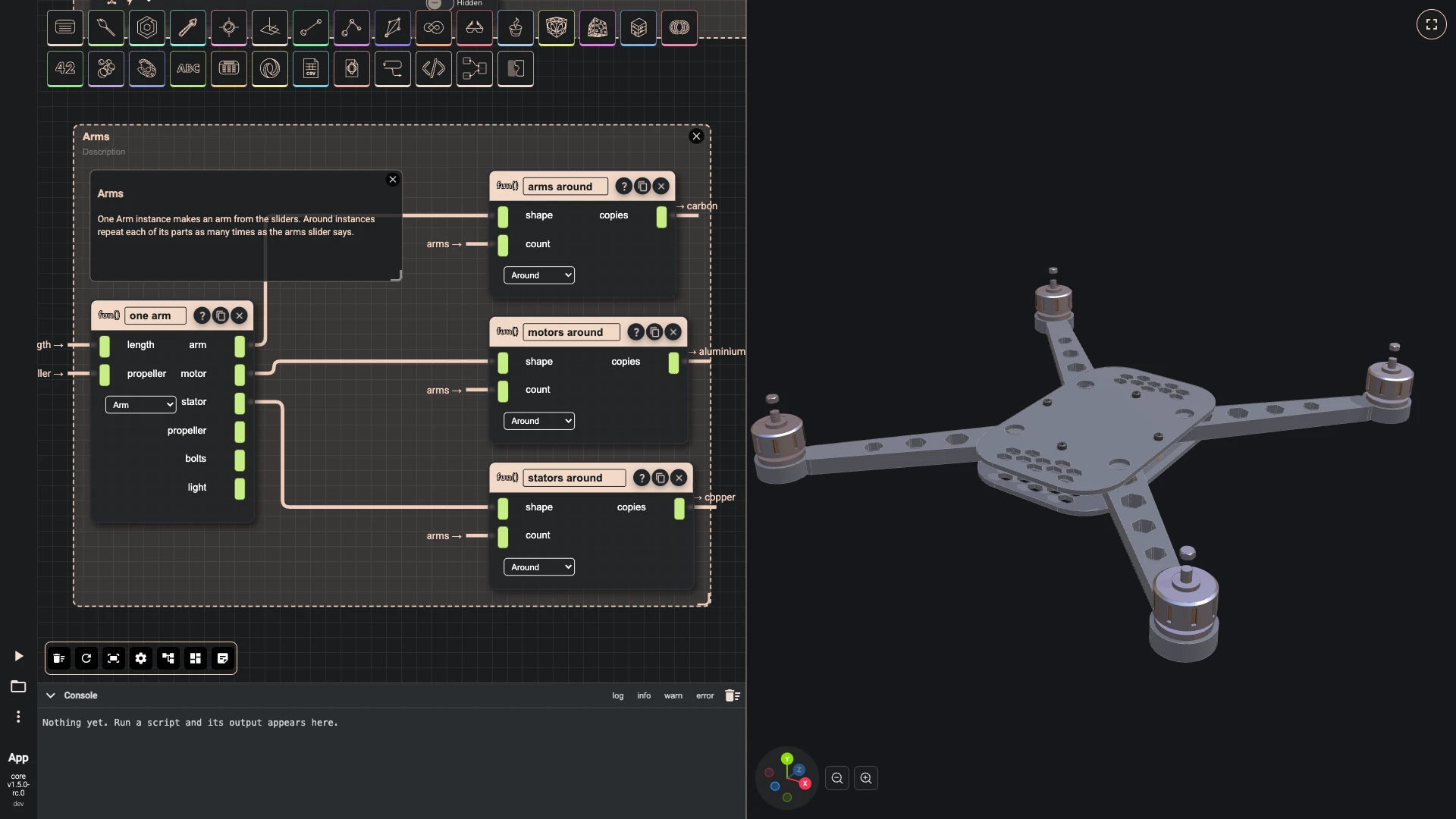
-
-
Neighbouring propellers turn opposite ways, so the drone does not spin. Around repeats the propeller, and a code component mirrors every second copy across its own arm and turns each a little, so the blades do not all line up.
-
Add Module Instance as propellers around: module Around.
-
Wire one arm › propeller into propellers around › shape.
-
Wire arms › result into propellers around › count.
-
Add typescript editor as alternate spin: hidden, with the code below.
-
Wire propellers around › copies into alternate spin › inputs.
-
Wire alternate spin › result into accent › entity.
-
Press Add a comment, double-click the comment and write:
Spin
Neighbouring propellers turn opposite ways, so the drone does not spin. Every second propeller is mirrored across its own arm, and each is turned a little, so the blades do not all line up.
-
Select the comment, propellers around and alternate spin, press Group selected components and title the group Spin.
const start = async (inputs: any, index: number) => {const propellers = inputs;const count = propellers.length;const spun = [];for (const [i, propeller] of propellers.entries()) {const angle = (i + 0.5) * 360 / count * Math.PI / 180;const centre = (await bitbybit.occt.analysis.measure.tightBoundingBox({ shape: propeller })).center;const turned = await bitbybit.occt.transforms.rotateAroundCenter({ shape: propeller, angle: i * 37, center: [centre[0], 0, centre[2]], axis: [0, 1, 0] });spun.push(i % 2 === 0 ? turned : await bitbybit.occt.transforms.mirrorAlongNormal({ shape: turned, origin: [0, 0, 0], normal: [Math.sin(angle), 0, Math.cos(angle)] }));}return spun;}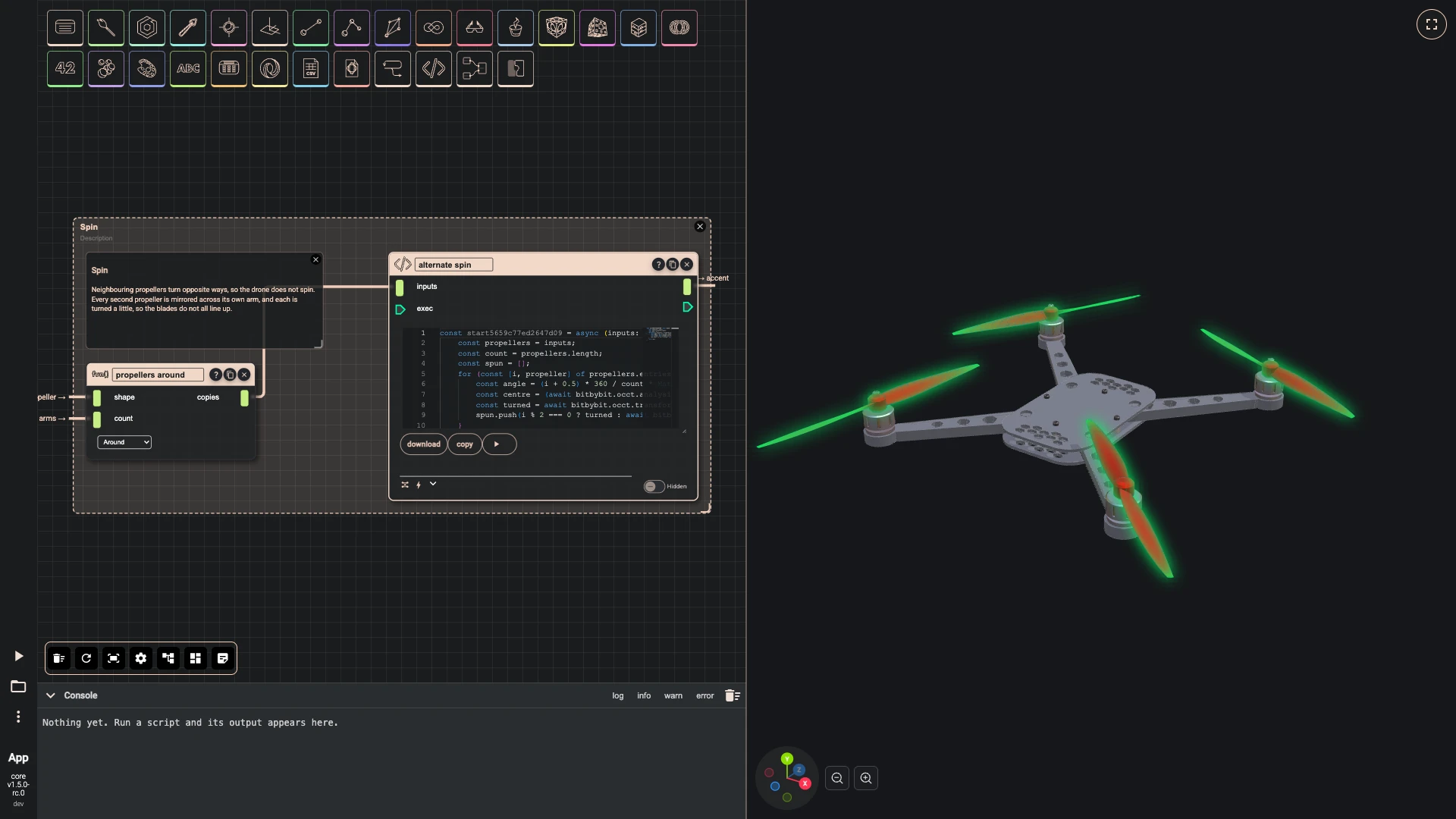
-
-
The bolts join the steel draw. Under each arm an LED: two code components sort the lights by the side of the drone they are on, and draw the front ones green and the back ones red.
-
Add Module Instance as bolts around: module Around, in the Arms group.
-
Wire one arm › bolts into bolts around › shape.
-
Wire arms › result into bolts around › count.
-
Wire bolts around › copies into steel › entity.
-
Add Module Instance as lights around: module Around.
-
Wire one arm › light into lights around › shape.
-
Wire arms › result into lights around › count.
-
Add typescript editor as front lights: hidden, with the code below.
-
Add typescript editor as back lights: hidden, with the code below.
-
Wire lights around › copies into front lights › inputs.
-
Wire lights around › copies into back lights › inputs.
-
Add pbr metallic roughness as green light material: name green light, base color #22ff66, metallic 0, roughness 0.2, z offset 2, emissive color #22ff66, in the Materials group.
-
Add options occt shape as green light look: precision 0.05, draw two sided off, draw edges off, in the Materials group.
-
Wire green light material › result into green light look › faceMaterial.
-
Add draw any async as green light in the Materials group.
-
Wire green light look › result into green light › options.
-
Add pbr metallic roughness as red light material: name red light, base color #ff2a2a, metallic 0, roughness 0.2, z offset 2, emissive color #ff2a2a, in the Materials group.
-
Add options occt shape as red light look: precision 0.05, draw two sided off, draw edges off, in the Materials group.
-
Wire red light material › result into red light look › faceMaterial.
-
Add draw any async as red light in the Materials group.
-
Wire red light look › result into red light › options.
-
Wire front lights › result into green light › entity.
-
Wire back lights › result into red light › entity.
-
Press Add a comment, double-click the comment and write:
Lights
Green at the front, red at the back, as on an aircraft: two code components sort the lights by the side they are on.
-
Select the comment, lights around, front lights and back lights, press Group selected components and title the group Lights.
const start = async (inputs: any, index: number) => {const lights = [];for (const light of inputs) {const centre = (await bitbybit.occt.analysis.measure.tightBoundingBox({ shape: light })).center;if (centre[2] > 0) {lights.push(light);}}return lights;}const start = async (inputs: any, index: number) => {const lights = [];for (const light of inputs) {const centre = (await bitbybit.occt.analysis.measure.tightBoundingBox({ shape: light })).center;if (centre[2] <= 0) {lights.push(light);}}return lights;}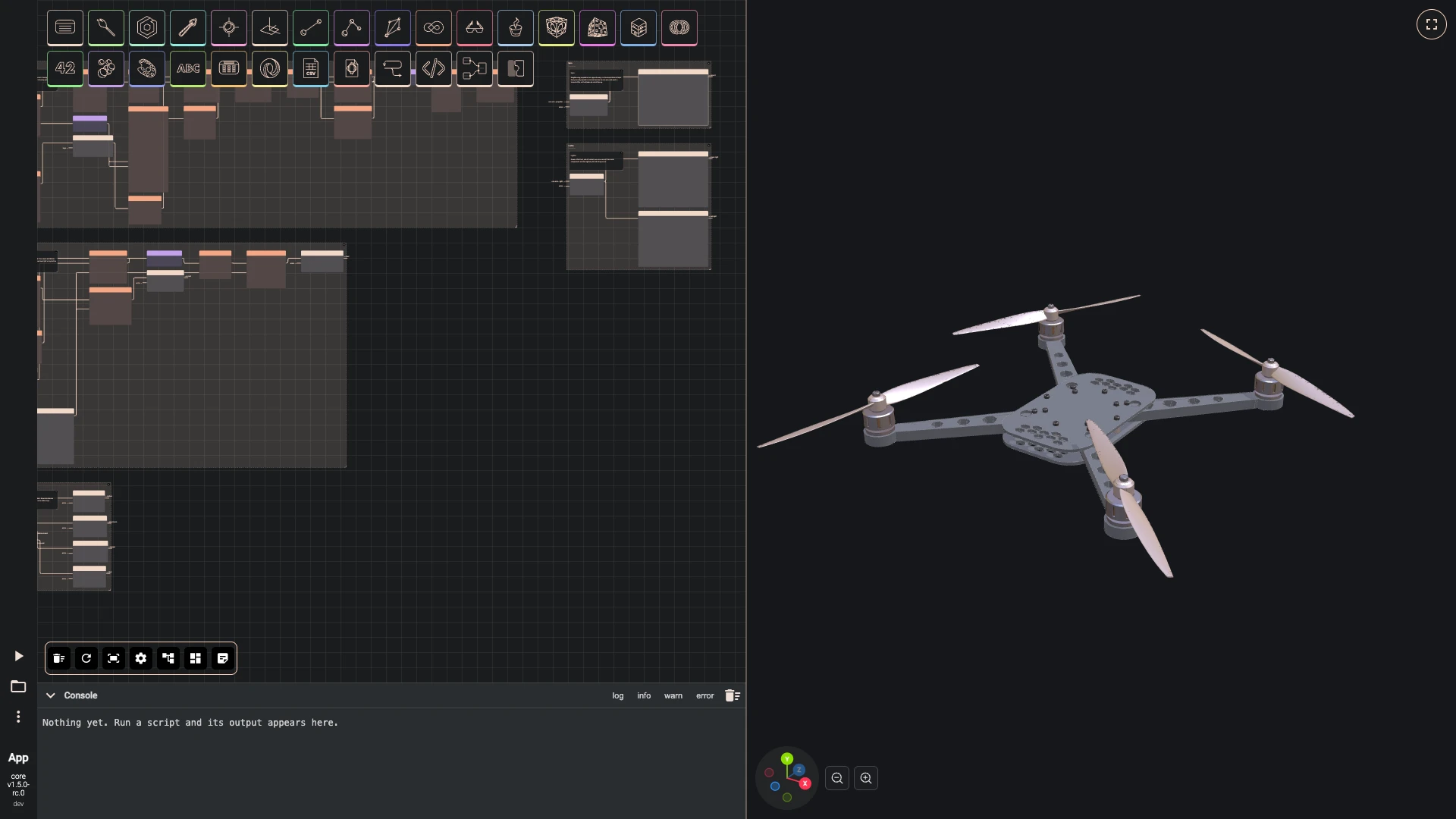
-
Next: canopy and electronics.
Verified against the product in October 2026