Build a drone: the arm module
One arm with everything it carries is a module of its own: the length of the arm and the size of the propeller come in, and the parts go out, one output for each material, so the main graph can draw each in its colour. Inside, code components do what would take many nodes: the corner points of the arm, the cut-outs along it, the motor's revolved body, the twisted blade and the bolts.
While you edit a module, its inputs have no values: only an instance gives them one. A module input's sample stands in meanwhile, so the parts appear as you build them. Selecting a node draws its part glowing in the 3D view, even when the node is hidden.
-
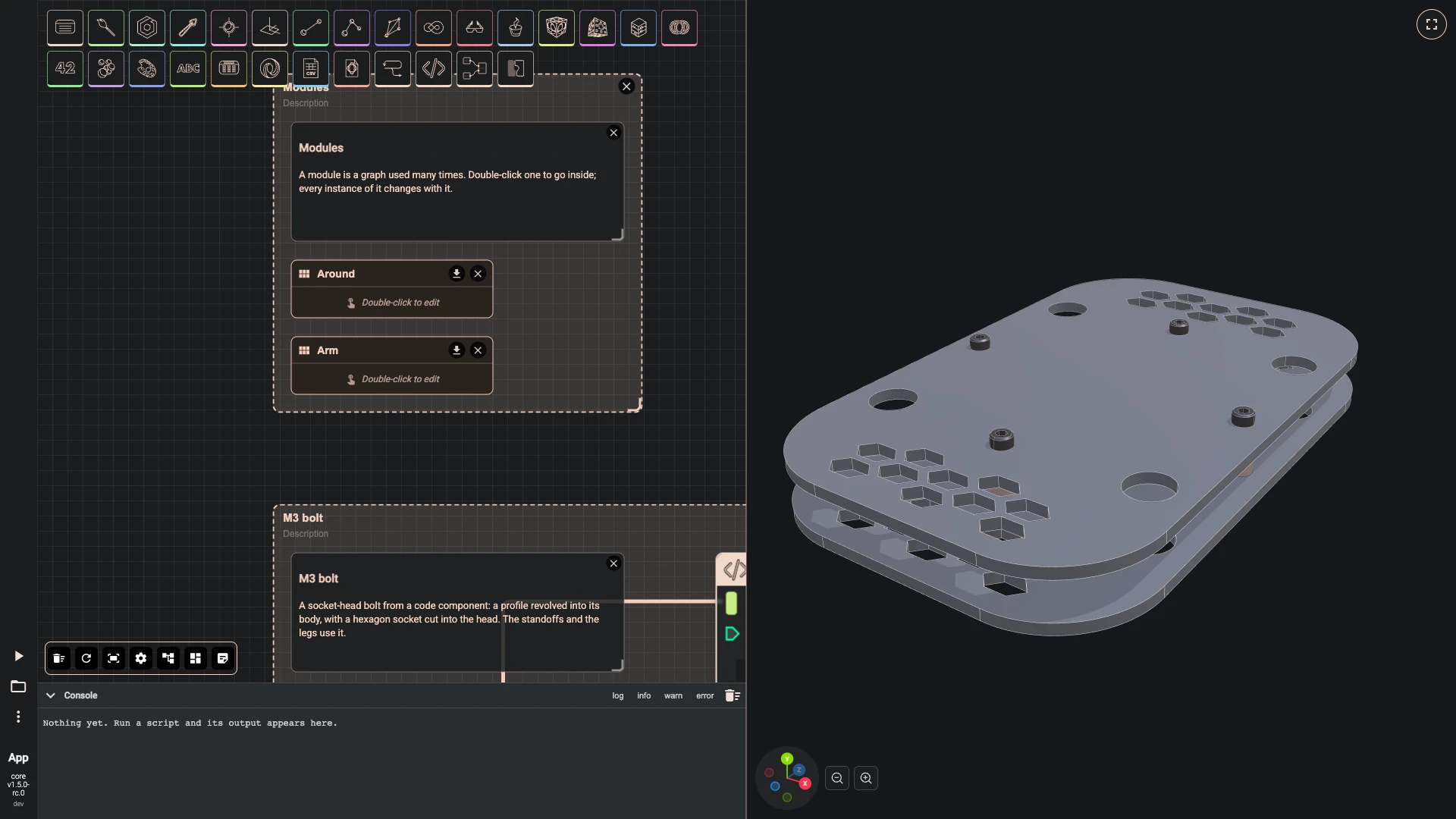
The arm with its motor, propeller, bolts and light is a module of its own, Arm. The arm's length and the propeller's diameter come in as inputs, and its parts leave as outputs, one for each material.
- Add Module Definition as Arm in the Modules group.
-
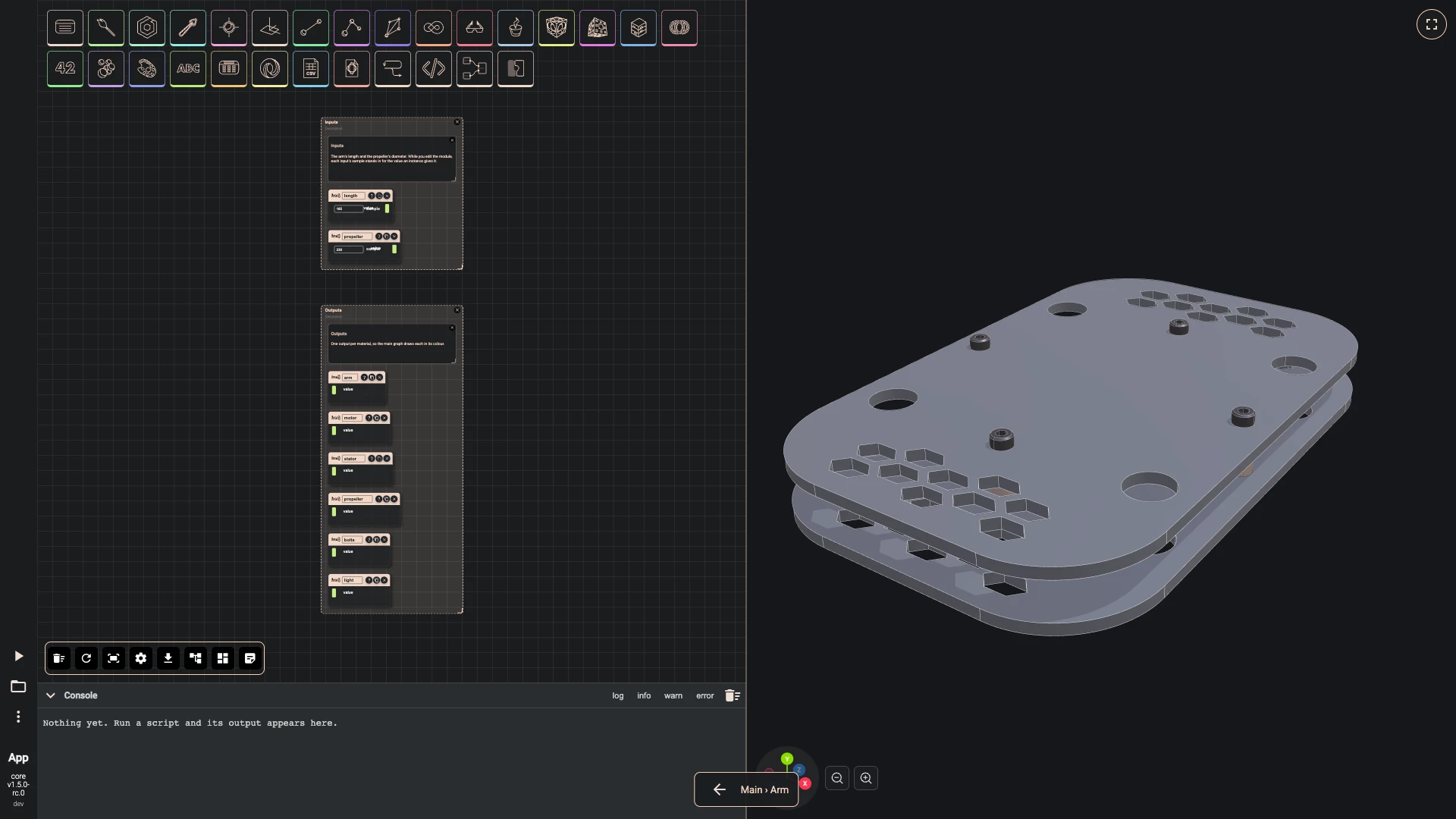
Inside, name the ports: length and propeller in, and arm, motor, stator, propeller, bolts and light out. Give the inputs samples, 185 and 230: while you edit a module, a sample stands in for the value an instance will give, so you can see what the module makes.
-
Double-click Arm to go inside.
-
On shape, title it length, sample 185.
-
Add Module Input as propeller: sample 230.
-
On copies, title it arm.
-
Add Module Output as motor.
-
Add Module Output as stator.
-
Add Module Output as propeller.
-
Add Module Output as bolts.
-
Add Module Output as light.
-
Press Add a comment, double-click the comment and write:
Inputs
The arm's length and the propeller's diameter. While you edit the module, each input's sample stands in for the value an instance gives it.
-
Select the comment, length and propeller, press Group selected components and title the group Inputs.
-
Press Add a comment, double-click the comment and write:
Outputs
One output per material, so the main graph draws each in its colour.
-
Select the comment, arm, motor, stator, propeller, bolts and light, press Group selected components and title the group Outputs.
-
-
A code component turns the length into the arm's four corner points, wide at the root and narrow at the tip; a polygon joins them, its corners are rounded, and it is extruded 10 millimetres and lifted onto the plate.
-
Add typescript editor as outline points: hidden, with the code below.
-
Wire length › value into outline points › inputs.
-
Add polygon wire as arm outline: hidden.
-
Wire outline points › result into arm outline › points.
-
Add fillet 2d as rounded outline: radius 4, hidden.
-
Wire arm outline › result into rounded outline › shape.
-
Add face from wire as arm face: planar on, hidden.
-
Wire rounded outline › result into arm face › shape.
-
Add extrude as arm slab: direction [0, 10, 0], hidden.
-
Wire arm face › result into arm slab › shape.
-
Add translate as arm on plate: translation [0, 3, 0], hidden.
-
Wire arm slab › result into arm on plate › shape.
-
Press Add a comment, double-click the comment and write:
Arm
Carbon, 10 mm thick, narrowing from 26 mm at the root to 16 at the tip. A round pad at the tip carries the motor, and hexagon cut-outs lighten it.
-
Select the comment, outline points, arm outline, rounded outline, arm face, arm slab and arm on plate, press Group selected components and title the group Arm.
const start = async (inputs: any, index: number) => {const tip = inputs - 12;return [[28, 0, -13], [tip, 0, -8], [tip, 0, 8], [28, 0, 13]];}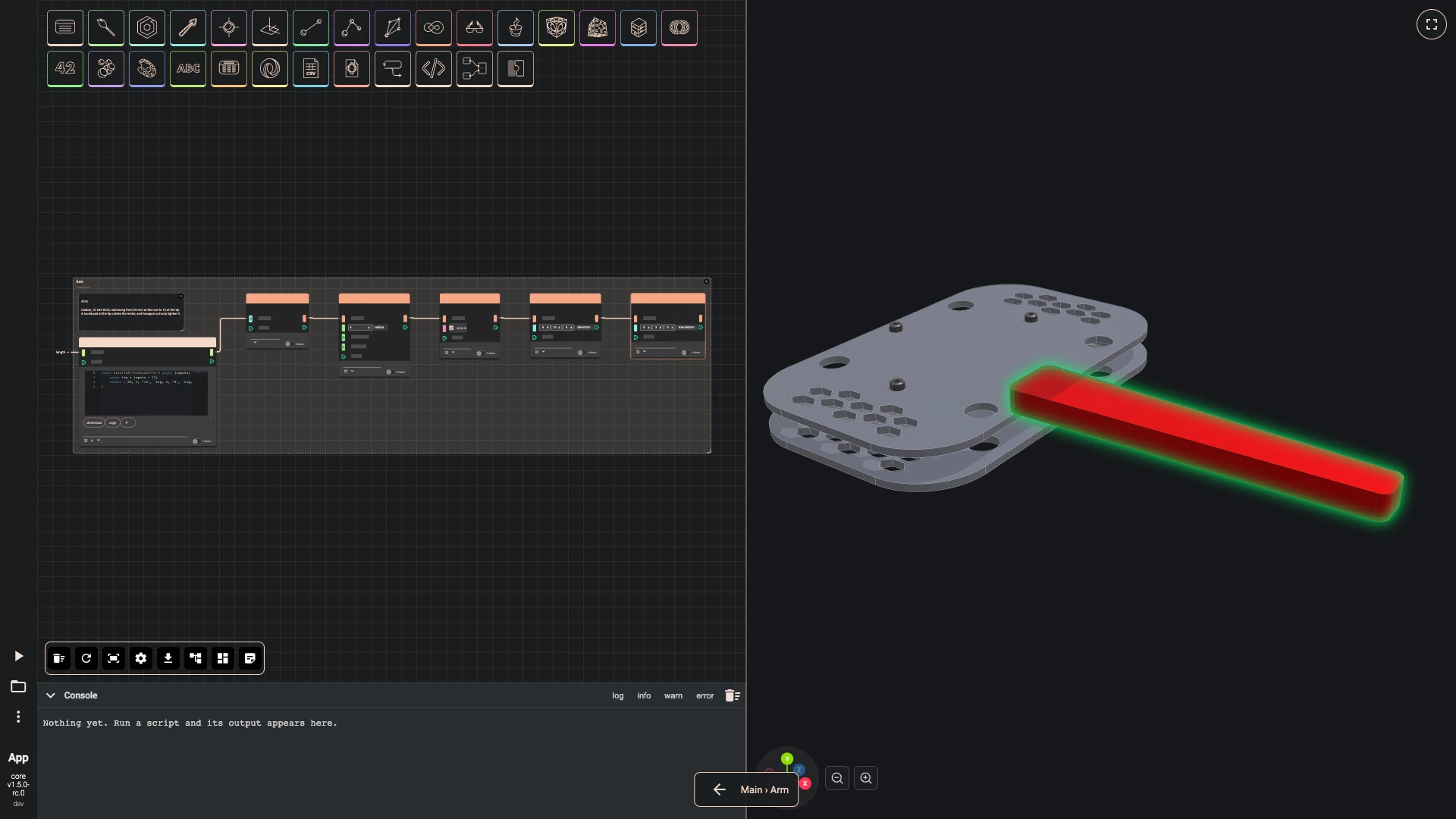
-
-
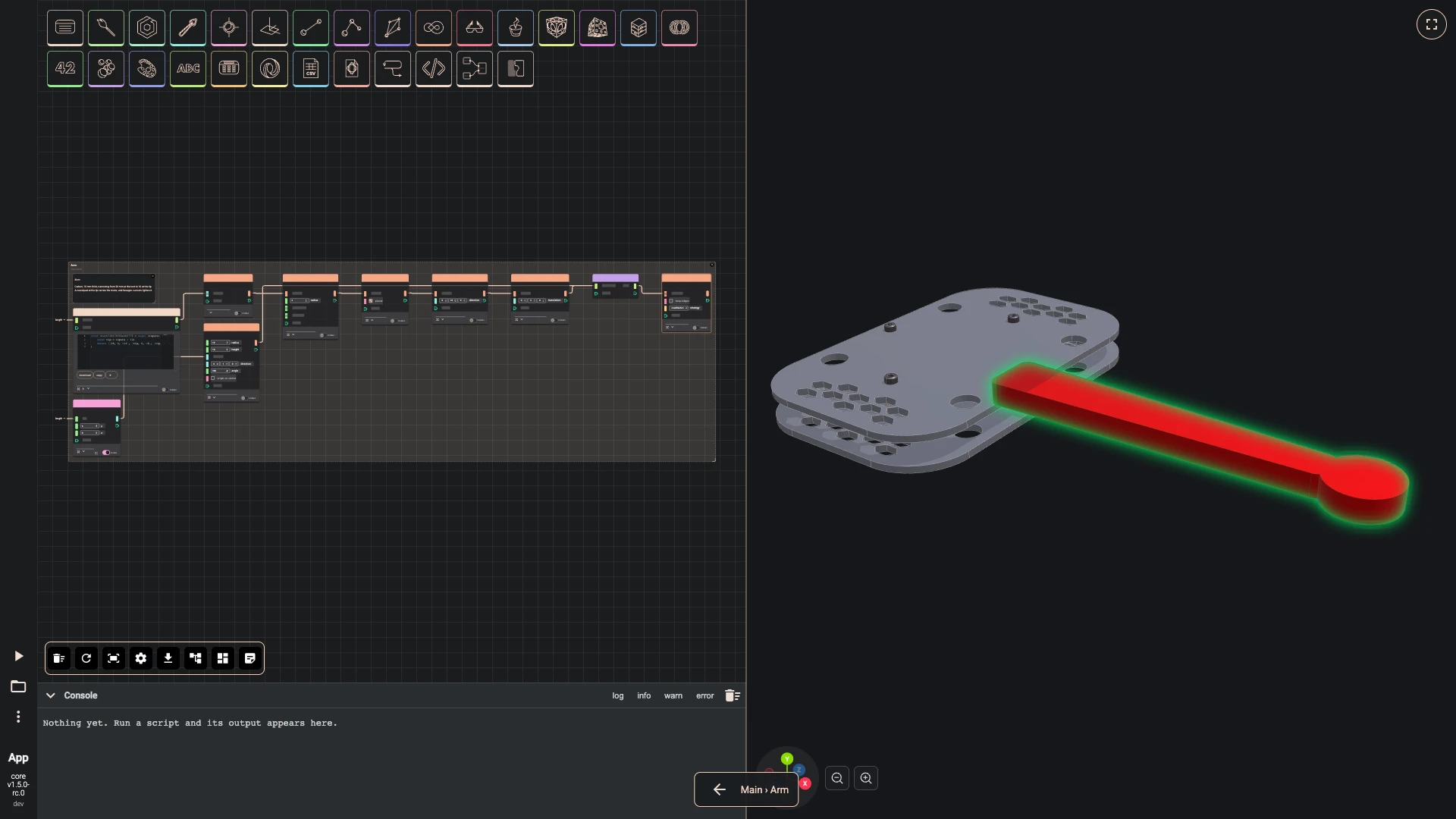
A round pad at the tip carries the motor: a cylinder whose centre takes the length as its x, joined to the arm.
- Add point xyz as pad centre: y 3, in the Arm group.
- Wire length › value into pad centre › x.
- Add cylinder as motor pad: radius 15, height 10, hidden, in the Arm group.
- Wire pad centre › result into motor pad › center.
- Add create list as arm parts in the Arm group.
- Wire arm on plate › result into arm parts › listElements.
- Wire motor pad › result into arm parts › listElements.
- Add union as arm and pad: hidden, in the Arm group.
- Wire arm parts › list into arm and pad › shapes.
-
Hexagonal cut-outs lighten the arm. A code component makes one rounded hexagon prism every 24 millimetres, each sized to the arm's width where it sits, and the difference cuts them all away.
- Add typescript editor as hex cut-outs: hidden, in the Arm group, with the code below.
- Wire length › value into hex cut-outs › inputs.
- Add difference as arm: hidden, in the Arm group.
- Wire arm and pad › result into arm › shape.
- Wire hex cut-outs › result into arm › shapes.
- Wire arm › result into arm › value.
const start = async (inputs: any, index: number) => {const length = inputs;const tip = length - 12;const holes = [];for (let x = 62; x < length - 34; x += 24) {const half = 13 + (8 - 13) * (x - 28) / (tip - 28);const hexagon = await bitbybit.occt.shapes.wire.createNGonWire({ nrCorners: 6, radius: Math.max(half - 3.5, 2.5), center: [x, 3, 0], direction: [0, 1, 0] });const rounded = await bitbybit.occt.fillets.fillet2d({ shape: hexagon, radius: 1.2 });const face = await bitbybit.occt.shapes.face.createFaceFromWire({ shape: rounded, planar: true });holes.push(await bitbybit.occt.operations.extrude({ shape: face, direction: [0, 10, 0] }));}return holes;}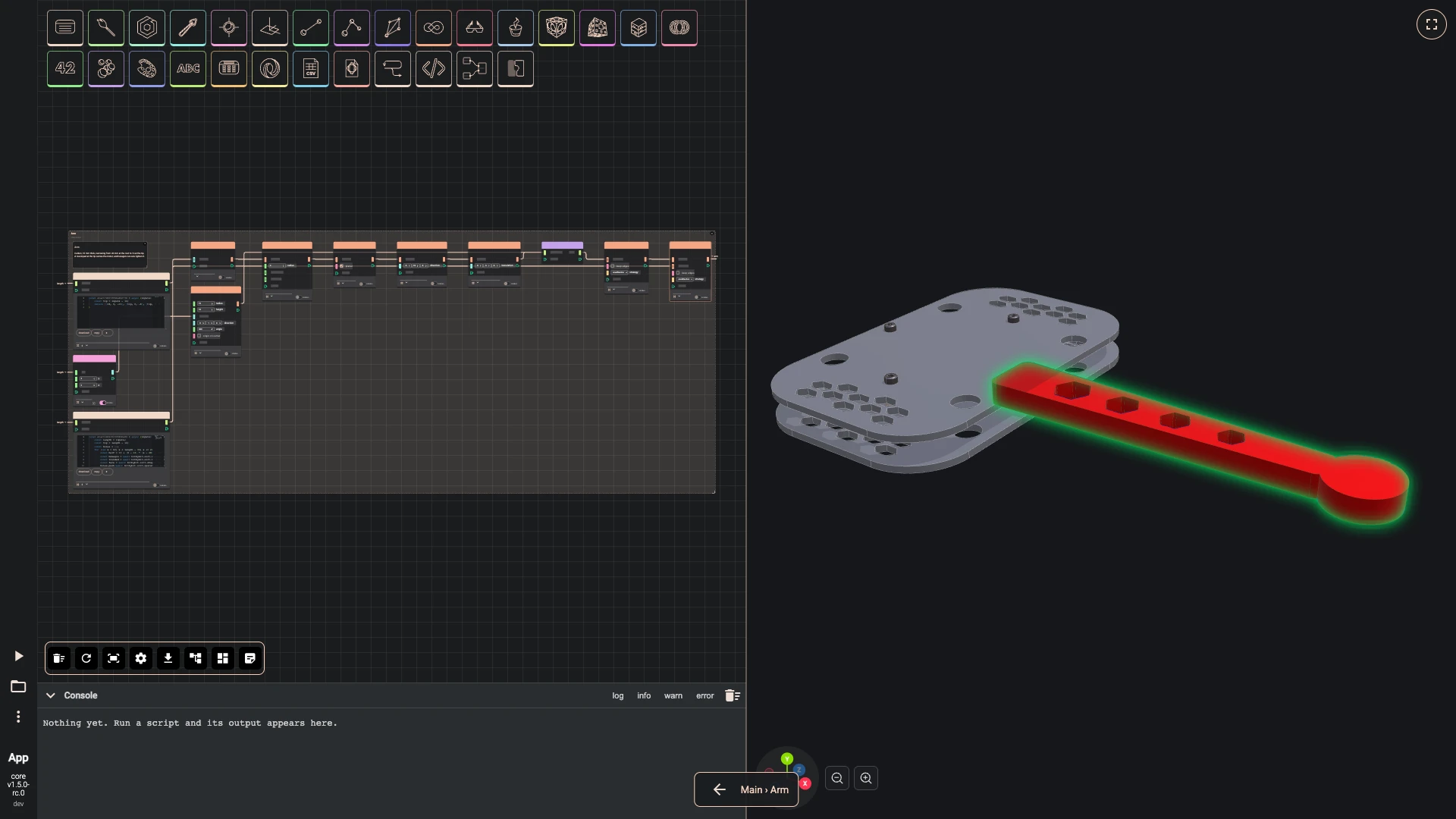
-
The motor is a profile revolved around its shaft, with a cavity and eight cooling slots cut away and its propeller nut on top, all in one code component. A cylinder makes the copper stator, and a vector that takes the length as its x moves both to the tip.
-
Add typescript editor as motor: hidden, with the code below.
-
Add cylinder as stator: radius 11.8, height 11, center [0, 6.5, 0], direction [0, 1, 0], hidden.
-
Add vector xyz as motor position: y 13.
-
Wire length › value into motor position › x.
-
Add translate as motor at tip: hidden.
-
Wire motor › result into motor at tip › shape.
-
Wire motor position › result into motor at tip › translation.
-
Add translate as stator at tip: hidden.
-
Wire stator › result into stator at tip › shape.
-
Wire motor position › result into stator at tip › translation.
-
Wire motor at tip › result into motor › value.
-
Wire stator at tip › result into stator › value.
-
Press Add a comment, double-click the comment and write:
Motor
The body is a profile revolved around the shaft, with a cavity and eight cooling slots cut away and the propeller nut on top. The copper stator shows through the slots.
-
Select the comment, motor, stator, motor position, motor at tip and stator at tip, press Group selected components and title the group Motor.
const start = async (inputs: any, index: number) => {const revolved = async (points: number[][]) => {const outline = await bitbybit.occt.shapes.wire.createPolygonWire({ points });const face = await bitbybit.occt.shapes.face.createFaceFromWire({ shape: outline, planar: true });return bitbybit.occt.operations.revolve({ shape: face, angle: 360, direction: [0, 1, 0], copy: false });};const body = await revolved([[0, 0, 0], [13, 0, 0], [13, 3, 0], [8, 3, 0], [8, 6, 0], [14, 6, 0], [14, 19, 0], [12.8, 20, 0], [6, 20, 0], [6, 22, 0], [2.5, 22, 0], [2.5, 28, 0], [0, 28, 0]]);const cavity = await bitbybit.occt.shapes.solid.createCylinder({ radius: 12.4, height: 12, center: [0, 6, 0], direction: [0, 1, 0] });const bearing = await bitbybit.occt.shapes.solid.createCylinder({ radius: 4, height: 14, center: [0, 5, 0], direction: [0, 1, 0] });const ring = await bitbybit.occt.booleans.difference({ shape: cavity, shapes: [bearing], keepEdges: false });const cuts = [ring];for (let i = 0; i < 8; i++) {const slot = await bitbybit.occt.shapes.solid.createBox({ width: 2.2, length: 8, height: 9, center: [0, 13, 12] });cuts.push(await bitbybit.occt.transforms.rotate({ shape: slot, axis: [0, 1, 0], angle: i * 45 }));}const motor = await bitbybit.occt.booleans.difference({ shape: body, shapes: cuts, keepEdges: false });const hexagon = await bitbybit.occt.shapes.wire.createNGonWire({ nrCorners: 6, radius: 3.6, center: [0, 34, 0], direction: [0, 1, 0] });const hexFace = await bitbybit.occt.shapes.face.createFaceFromWire({ shape: hexagon, planar: true });const hex = await bitbybit.occt.operations.extrude({ shape: hexFace, direction: [0, 3.5, 0] });const chamfer = await revolved([[0, 34, 0], [2.9, 34, 0], [3.7, 34.7, 0], [3.7, 36.8, 0], [2.9, 37.5, 0], [0, 37.5, 0]]);const nut = await bitbybit.occt.booleans.intersection({ shapes: [hex, chamfer], keepEdges: false });return bitbybit.occt.shapes.compound.makeCompound({ shapes: [motor, nut] });}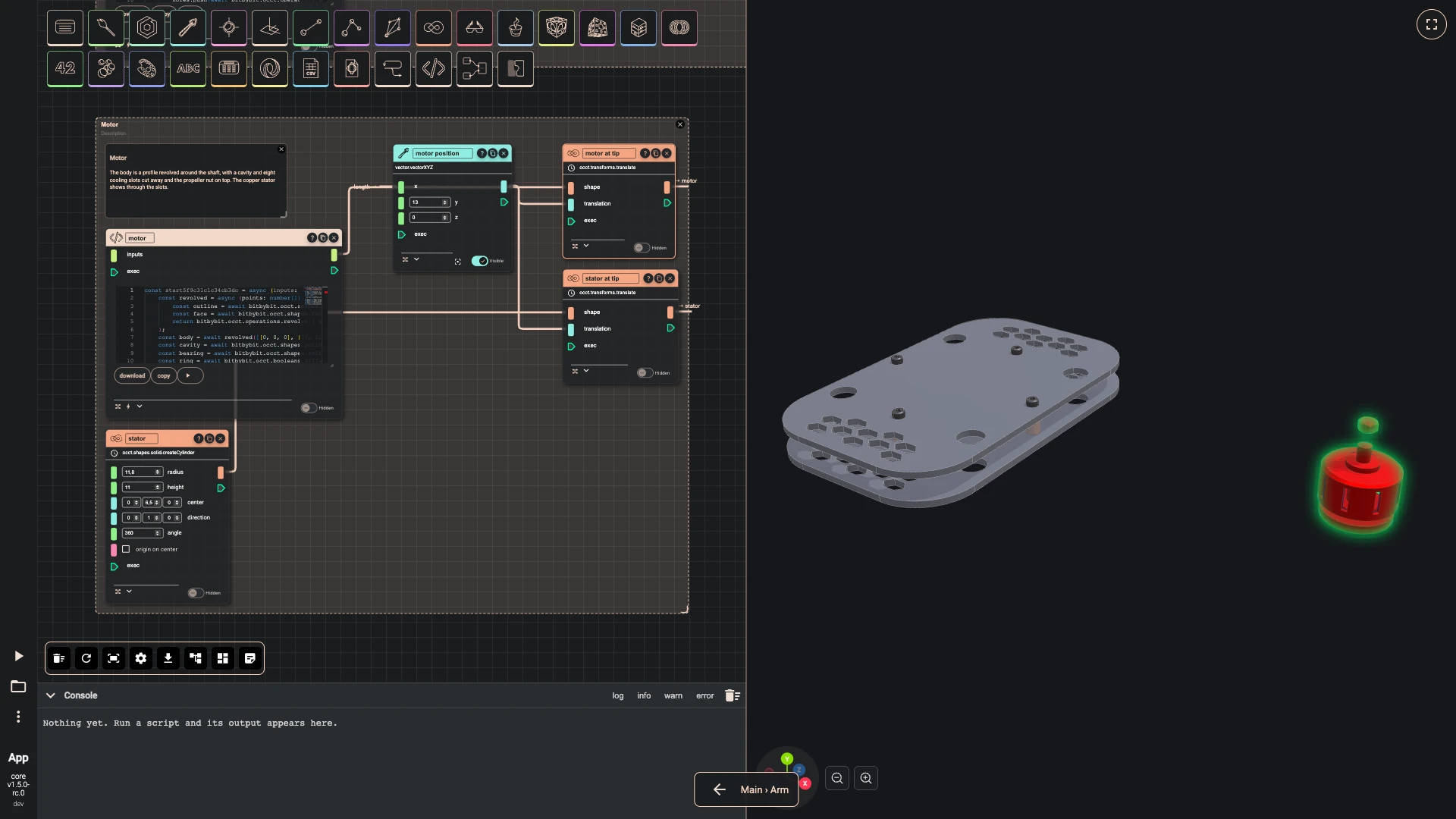
-
-
Each blade is lofted through five twisted ellipses, from a thick root to a thin, swept tip, in a code component that calls the same loft the graph has. A second blade turned half a turn and a revolved hub complete the propeller, which sits on the motor's shaft.
-
Add typescript editor as blade loft: hidden, with the code below.
-
Wire propeller › value into blade loft › inputs.
-
Add rotate as second blade: axis [0, 1, 0], angle 180, hidden.
-
Wire blade loft › result into second blade › shape.
-
Add typescript editor as hub: hidden, with the code below.
-
Add create list as propeller parts.
-
Wire hub › result into propeller parts › listElements.
-
Wire blade loft › result into propeller parts › listElements.
-
Wire second blade › result into propeller parts › listElements.
-
Add union as propeller: hidden.
-
Wire propeller parts › list into propeller › shapes.
-
Add vector xyz as propeller position: y 40.
-
Wire length › value into propeller position › x.
-
Add translate as propeller at tip: hidden.
-
Wire propeller › result into propeller at tip › shape.
-
Wire propeller position › result into propeller at tip › translation.
-
Wire propeller at tip › result into propeller › value.
-
Press Add a comment, double-click the comment and write:
Propeller
Each blade is lofted through five twisted ellipses, from a thick root to a thin, swept tip. A second blade half a turn round and a revolved hub complete it.
-
Select the comment, blade loft, second blade, hub, propeller parts, propeller, propeller position and propeller at tip, press Group selected components and title the group Propeller.
const start = async (inputs: any, index: number) => {const stations = [[0, 12, 3.2, 38, 0], [0.25, 17, 2.4, 24, 0.6], [0.5, 15.5, 1.8, 16, 1.8], [0.78, 11, 1.4, 11, 3.6], [1, 4.5, 1, 8, 6]];const root = 6;const span = inputs / 2 - root;const sections = [];for (const [t, chord, thickness, twist, sweep] of stations) {const r = root + span * t;const ellipse = await bitbybit.occt.shapes.wire.createEllipseWire({ center: [r, 0, sweep], direction: [1, 0, 0], radiusMinor: thickness / 2, radiusMajor: chord / 2 });sections.push(await bitbybit.occt.transforms.rotateAroundCenter({ shape: ellipse, angle: twist, center: [r, 0, sweep], axis: [1, 0, 0] }));}return bitbybit.occt.operations.loft({ shapes: sections, makeSolid: true });}const start = async (inputs: any, index: number) => {const outline = await bitbybit.occt.shapes.wire.createPolygonWire({ points: [[0, -5, 0], [8, -5, 0], [8, 4.5, 0], [6.5, 6.2, 0], [4.5, 7, 0], [0, 7, 0]] });const face = await bitbybit.occt.shapes.face.createFaceFromWire({ shape: outline, planar: true });return bitbybit.occt.operations.revolve({ shape: face, angle: 360, direction: [0, 1, 0], copy: false });}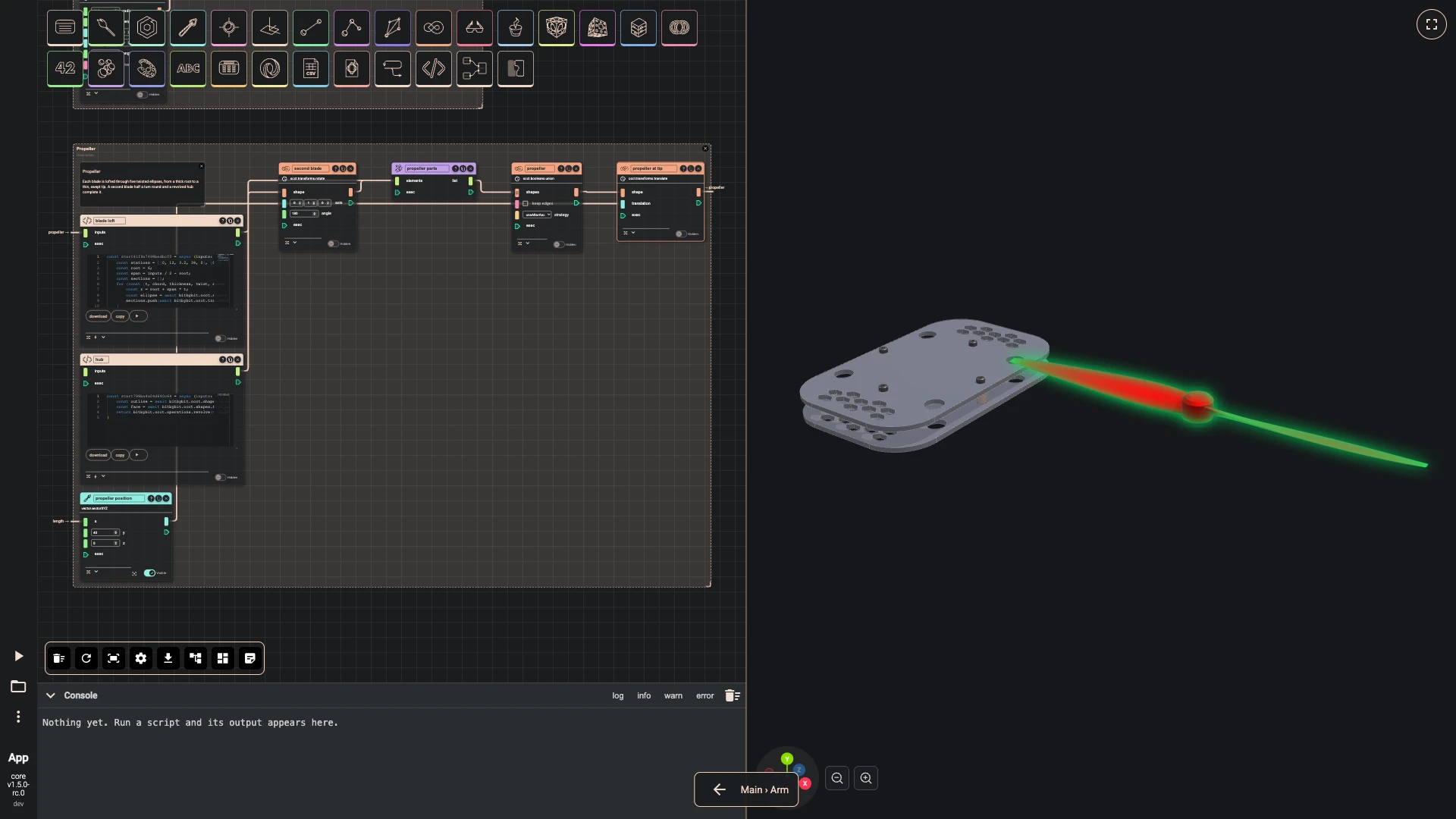
-
-
Six bolts hold the arm: two clamp it between the plates and four fix the motor from below. An LED dome hangs under the arm. Both take the length, so they follow the tip.
-
Add typescript editor as arm bolts: hidden, with the code below.
-
Wire length › value into arm bolts › inputs.
-
Add typescript editor as light: hidden, with the code below.
-
Wire length › value into light › inputs.
-
Wire arm bolts › result into bolts › value.
-
Wire light › result into light › value.
-
Press Add a comment, double-click the comment and write:
Bolts and light
Two bolts clamp the arm between the plates, four hold the motor from below, and an LED under the arm shows which way the drone faces.
-
Select the comment, arm bolts and light, press Group selected components and title the group Bolts and light.
const start = async (inputs: any, index: number) => {const length = inputs;const bolt = async (size: number) => {const profile = [[0, -3, 0], [2.35, -3, 0], [2.75, -2.6, 0], [2.75, 0, 0], [1.5, 0, 0], [1.5, size - 0.4, 0], [1.1, size, 0], [0, size, 0]];const outline = await bitbybit.occt.shapes.wire.createPolygonWire({ points: profile });const face = await bitbybit.occt.shapes.face.createFaceFromWire({ shape: outline, planar: true });return bitbybit.occt.operations.revolve({ shape: face, angle: 360, direction: [0, 1, 0], copy: false });};const clamp = await bitbybit.occt.transforms.rotate({ shape: await bolt(16), axis: [1, 0, 0], angle: 180 });const motorBolt = await bolt(12);const placed = [];for (const x of [34, 44]) {placed.push(await bitbybit.occt.transforms.translate({ shape: clamp, translation: [x, 16, 0] }));}for (const angle of [45, 135, 225, 315]) {const a = angle * Math.PI / 180;placed.push(await bitbybit.occt.transforms.translate({ shape: motorBolt, translation: [length + 8 * Math.cos(a), 3, 8 * Math.sin(a)] }));}return bitbybit.occt.shapes.compound.makeCompound({ shapes: placed });}const start = async (inputs: any, index: number) => {const dome = await bitbybit.occt.shapes.solid.createSphere({ radius: 3, center: [inputs - 24, 3, 0] });const above = await bitbybit.occt.shapes.solid.createBox({ width: 8, length: 8, height: 4, center: [inputs - 24, 5, 0] });return bitbybit.occt.booleans.difference({ shape: dome, shapes: [above], keepEdges: false });}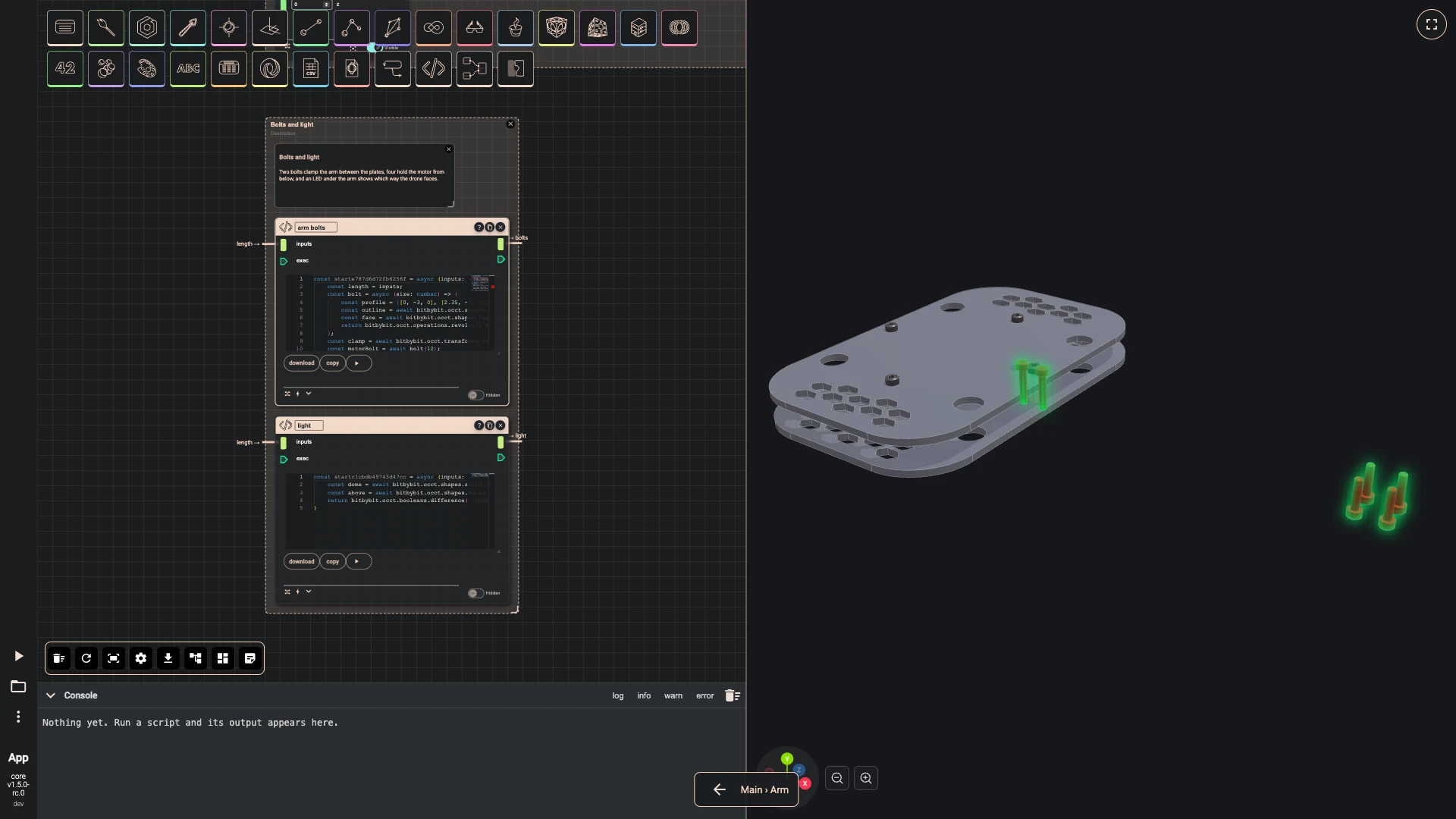
-
-
Back on the main graph, the Arm definition shows its ports.
- Press the back arrow at the foot of the canvas, Back to parent.
Next: arms around the frame.
Verified against the product in October 2026