The Surroundings
The boat is on a plain backdrop. Here you put it where a shopper wants to imagine it. The three steps of Environment run in order, as each builds on the one before: what shows behind the product, how it is lit, and what is under it. Everything in this chapter works on every plan.
Starting here? On Composer's start screen press Have a saved configuration? Load a scene config or project file (.json) and pick this file. It holds everything the earlier chapters built.
Download the file this chapter starts from (2 KB)-
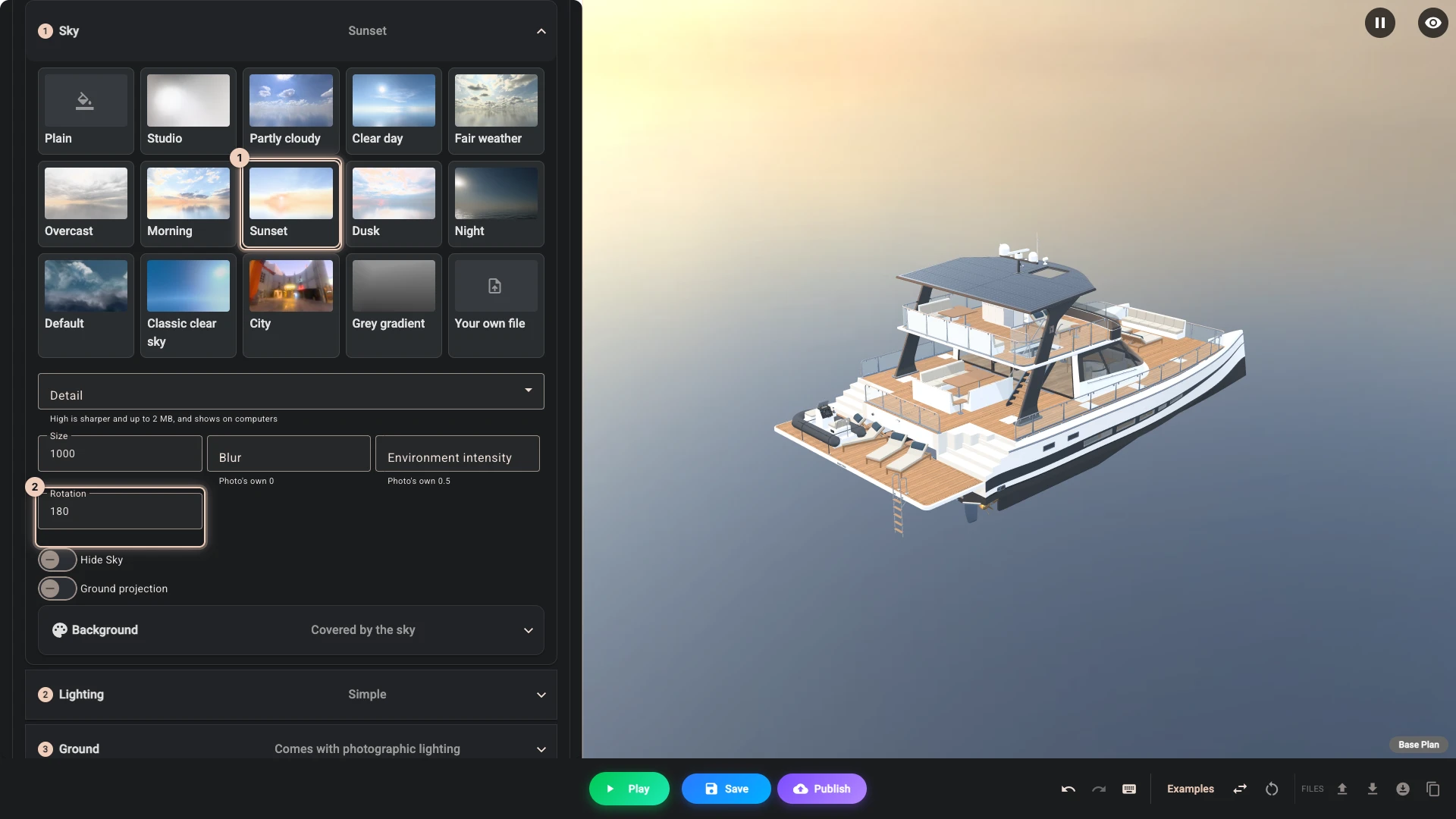
Open Scene, then Environment, then Sky, and press Sunset 1. Picking a sky shows it. Set Rotation 2 to 180, which turns the sky and the sun with it.
-
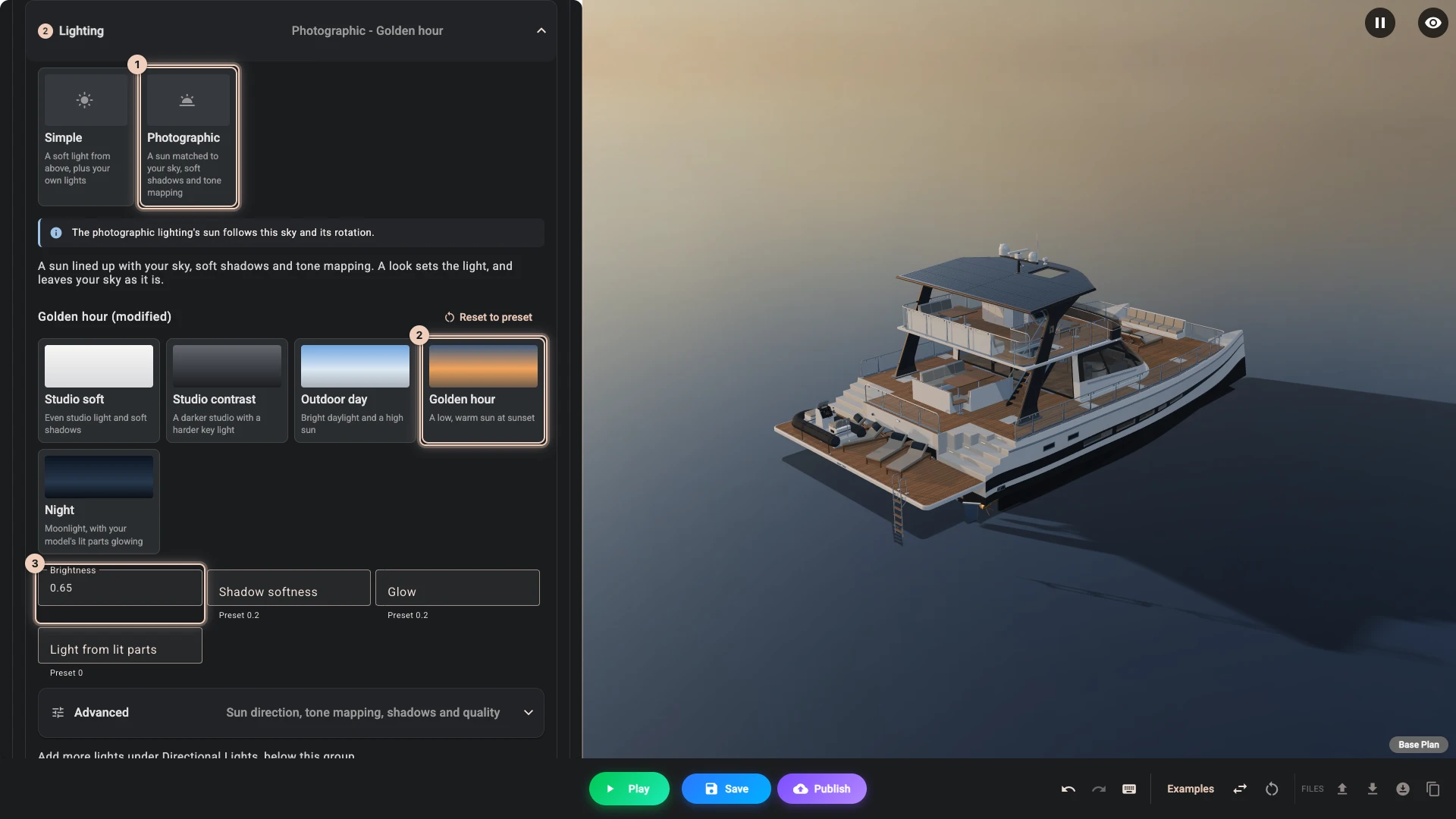
Open Lighting, press Photographic 1 and then the Golden hour card 2, a warm evening look that suits this sky. Set Brightness 3 to 0.65.
-
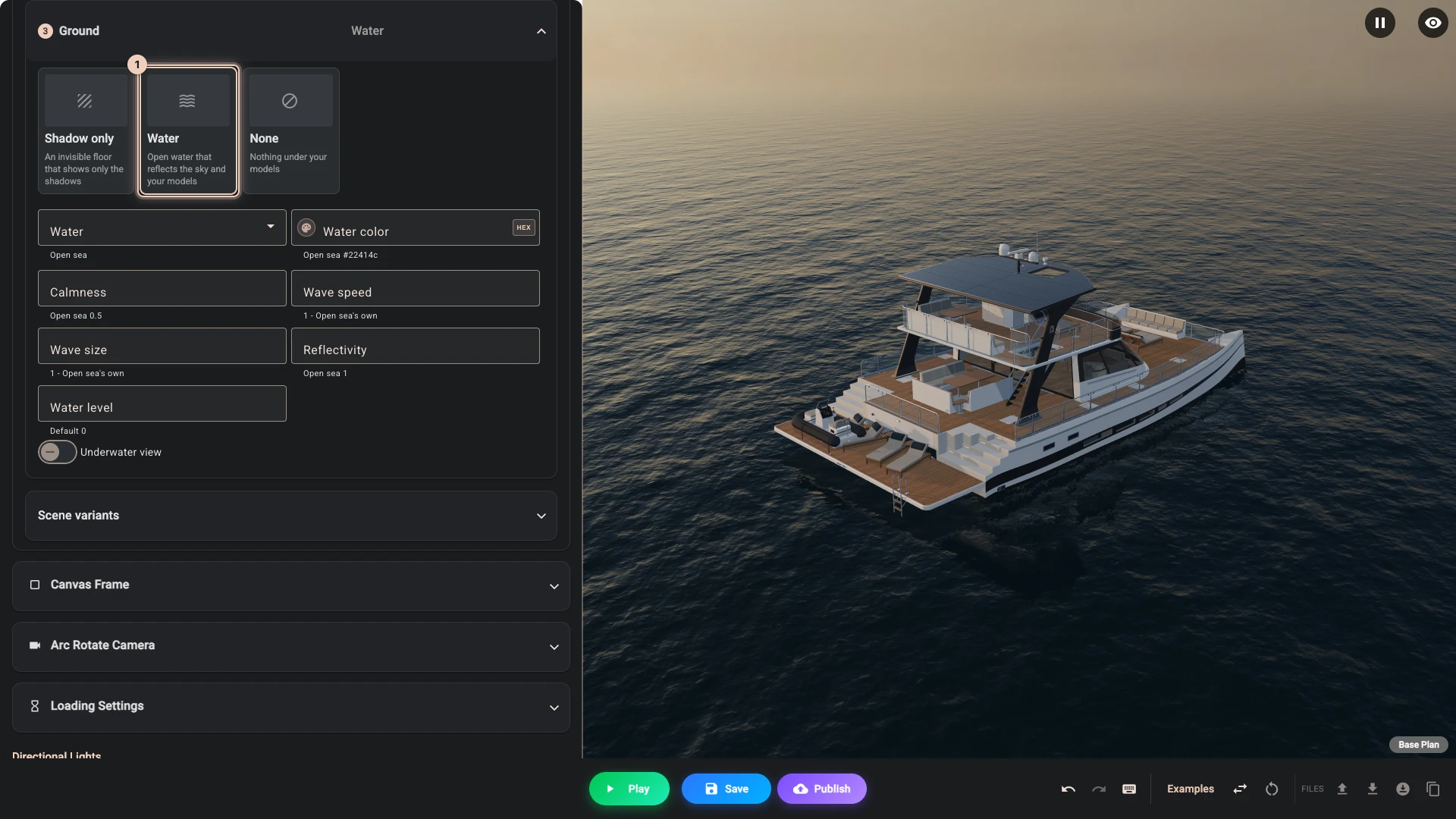
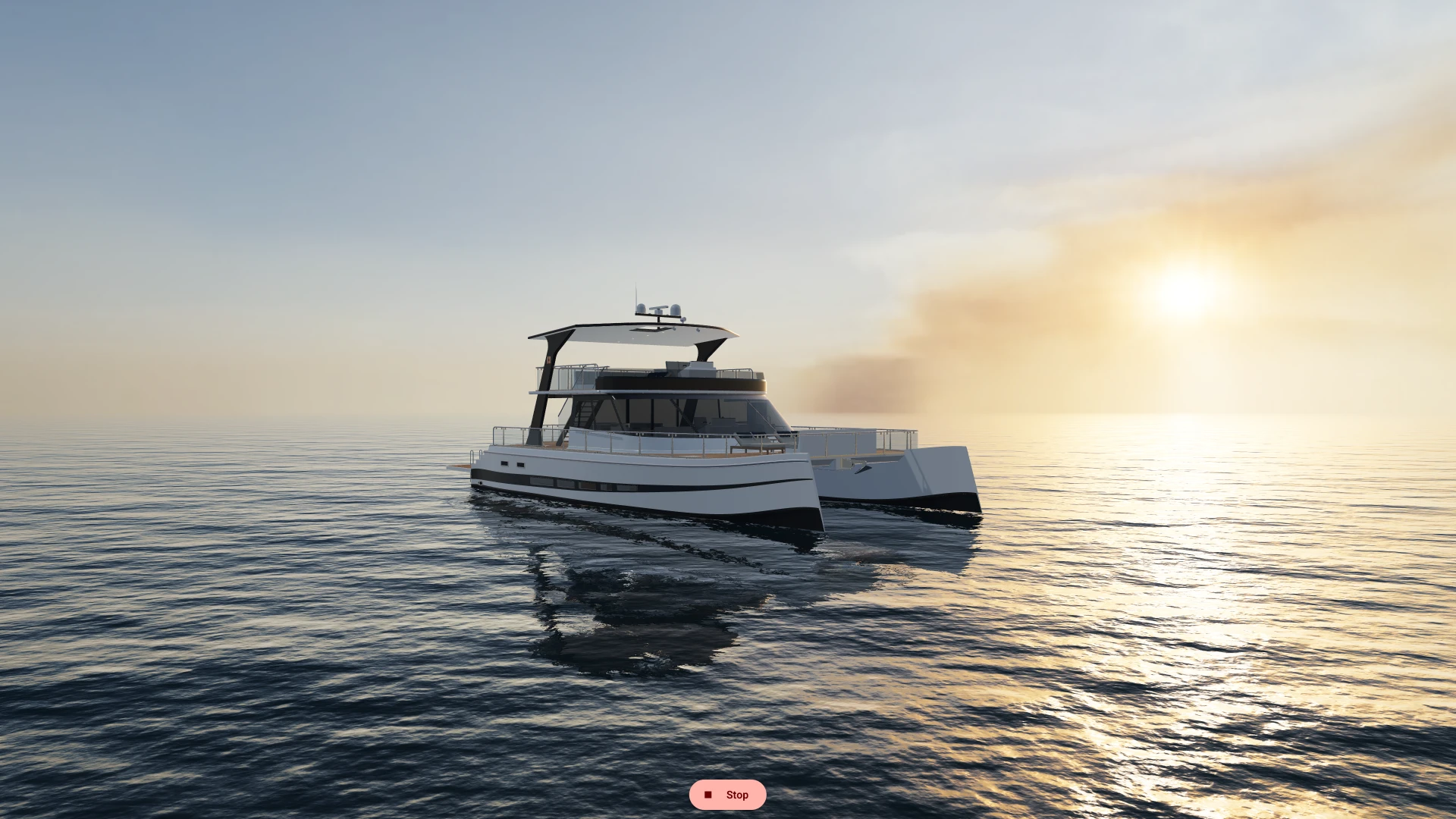
Open Ground and press Water 1. The boat now floats on open water that reflects the sky and the boat.
-
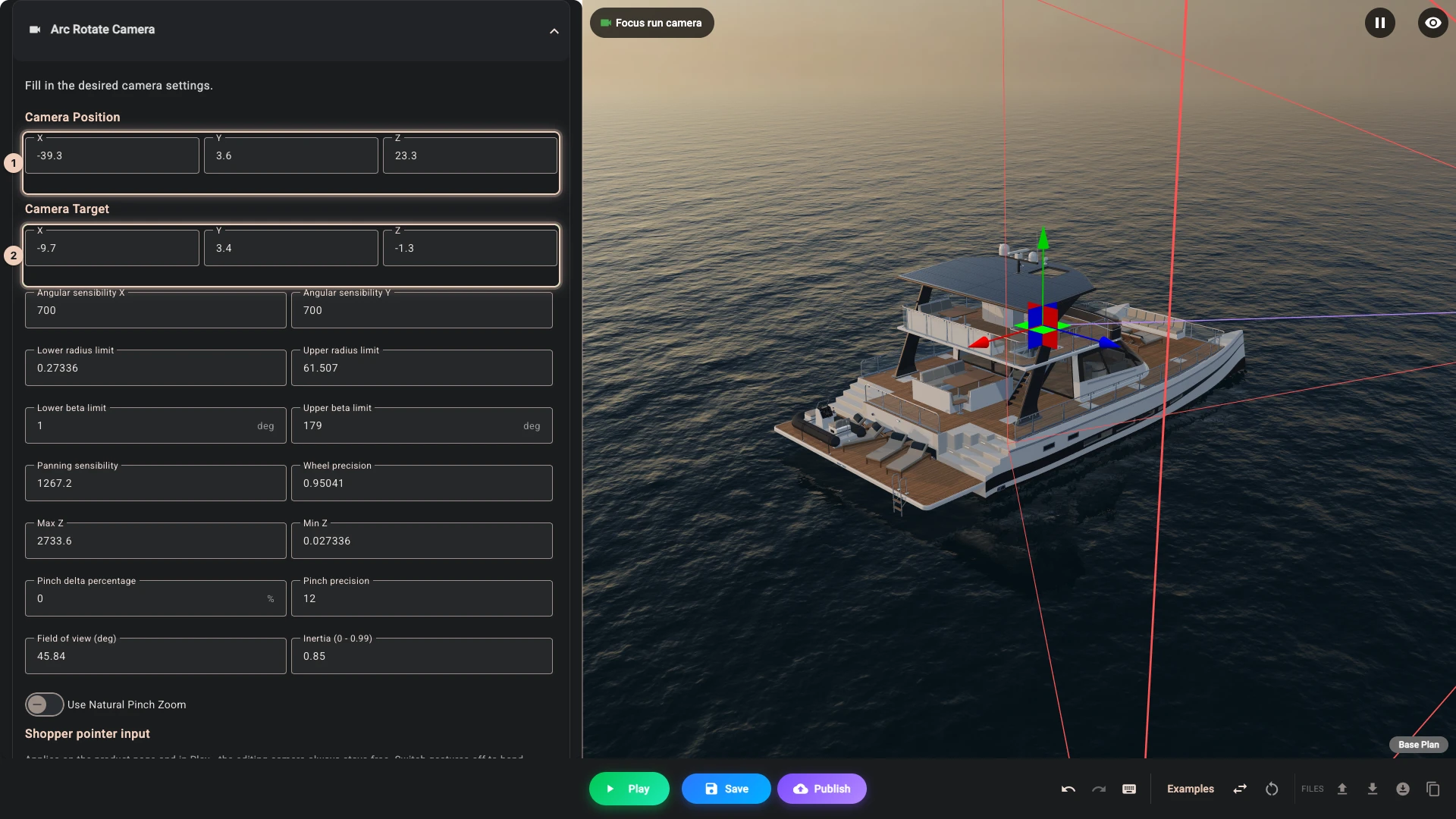
Open Arc Rotate Camera and stand the camera low, off the bow, looking towards the sun: Camera Position 1 -39.3, 3.6, 23.3 and Camera Target 2 -9.7, 3.4, -1.3. The red frame shows what the opening view covers, the view a shopper opens on. The view you work in stays where you left it.
-
Press Play to see it as a shopper will.
What you just did
The sky does two jobs. It is what a shopper sees behind the boat, and it is what the boat reflects, so the paint picks up the warm evening light. If you want only the light, Hide Sky keeps the reflections and takes the picture away.
The sun turns with the sky. Rotation moves the sky round the boat, and the sun's light goes with it. At 180 the sun stands ahead of the opening view, so it lays a path of light on the water behind the boat.
The sky sets the sun, and a look sets the rest. With a sky like Sunset, the sun's colour, height and direction come from the sky. Golden hour sets how strong it is, the shadows and a filmic tone mapping, and it suits Sunset because the two share the same low, warm sun. Brightness scales the exposure, so 0.65 is about two thirds of what the look gives on its own.
Water needs photographic lighting. The Ground step offers water only once Lighting is Photographic, as the water takes its light from that sun.
Play is the real thing. The editor keeps every part showing so that you can work on it. Play shows what a shopper sees, and the storefront runs the same code.
Environment explains every setting here, including the other skies and looks.
Next
Finishes gives the boat its deck and hull choices.
Verified against the product in November 2026