Finishes
A shopper wants to choose how the boat looks. Composer has two ways of doing that, and this chapter uses both: the deck comes from finishes stored in the file, and the hull from colours you set yourself. By the end you will know which one to reach for on your own product.
The panel stays plain for now. A later chapter gives it cards and pictures.
Starting here? On Composer's start screen press Have a saved configuration? Load a scene config or project file (.json) and pick this file. It holds everything the earlier chapters built. Then open the model's Parse Structure and, if it asks, press Re-parse & Preserve, as this chapter works in the model's tree.
Download the file this chapter starts from (2 KB)-
Open GUI and press Add Control. With the pencil set its Key to
deck, then set Label to Planks and Type to Radio. Press Add Option 1 four times and fill in each Label 2 and Value 3: Natural teaknatural_teak, Silver teaksilver_teak, Synthetic teaksynthetic_teakand Pearl non-slippearl_non_slip. Tick Default 4 on Natural teak.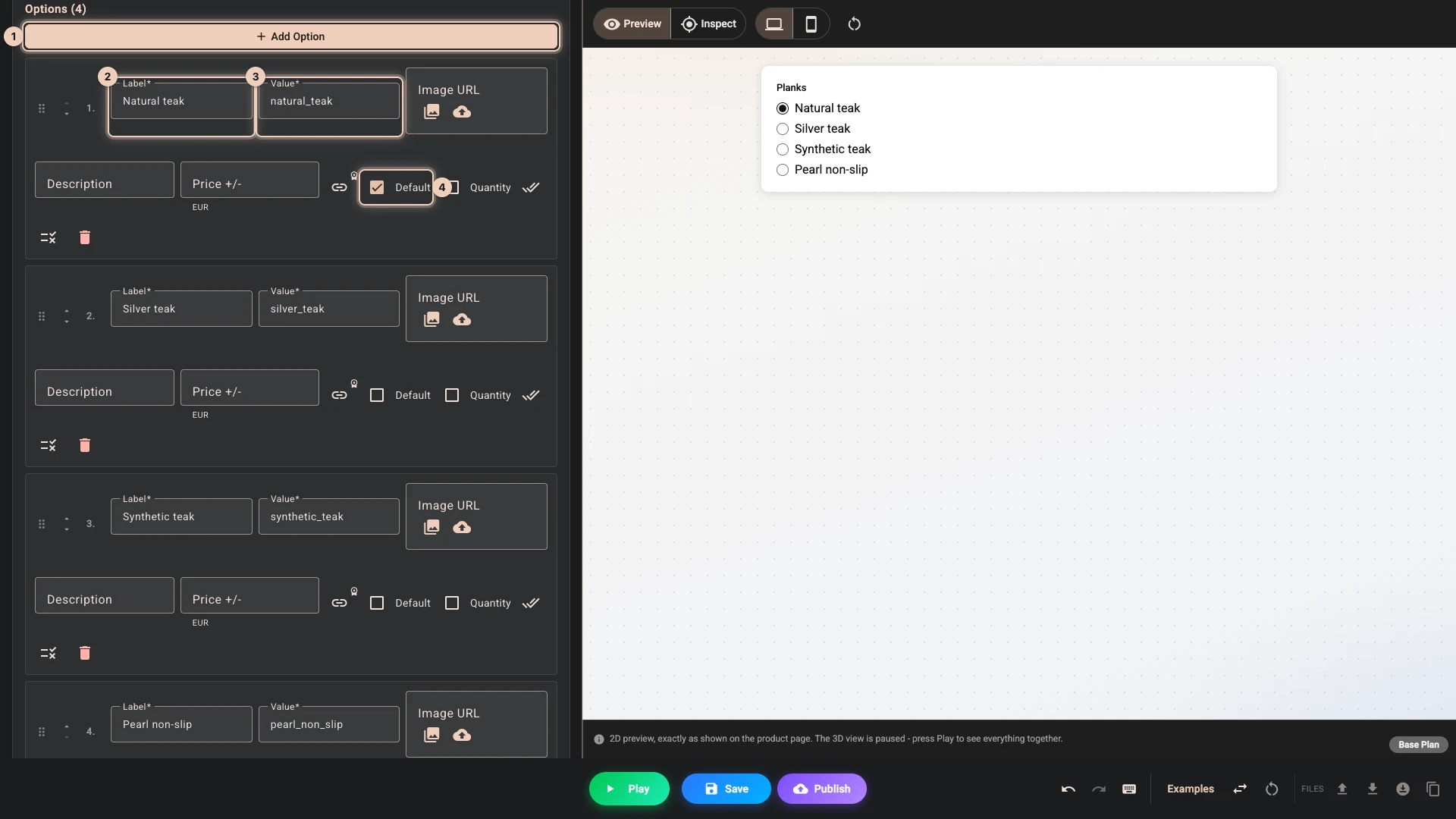
-
Open Models, the boat's row and Material variants, which lists the finishes in the file. Press
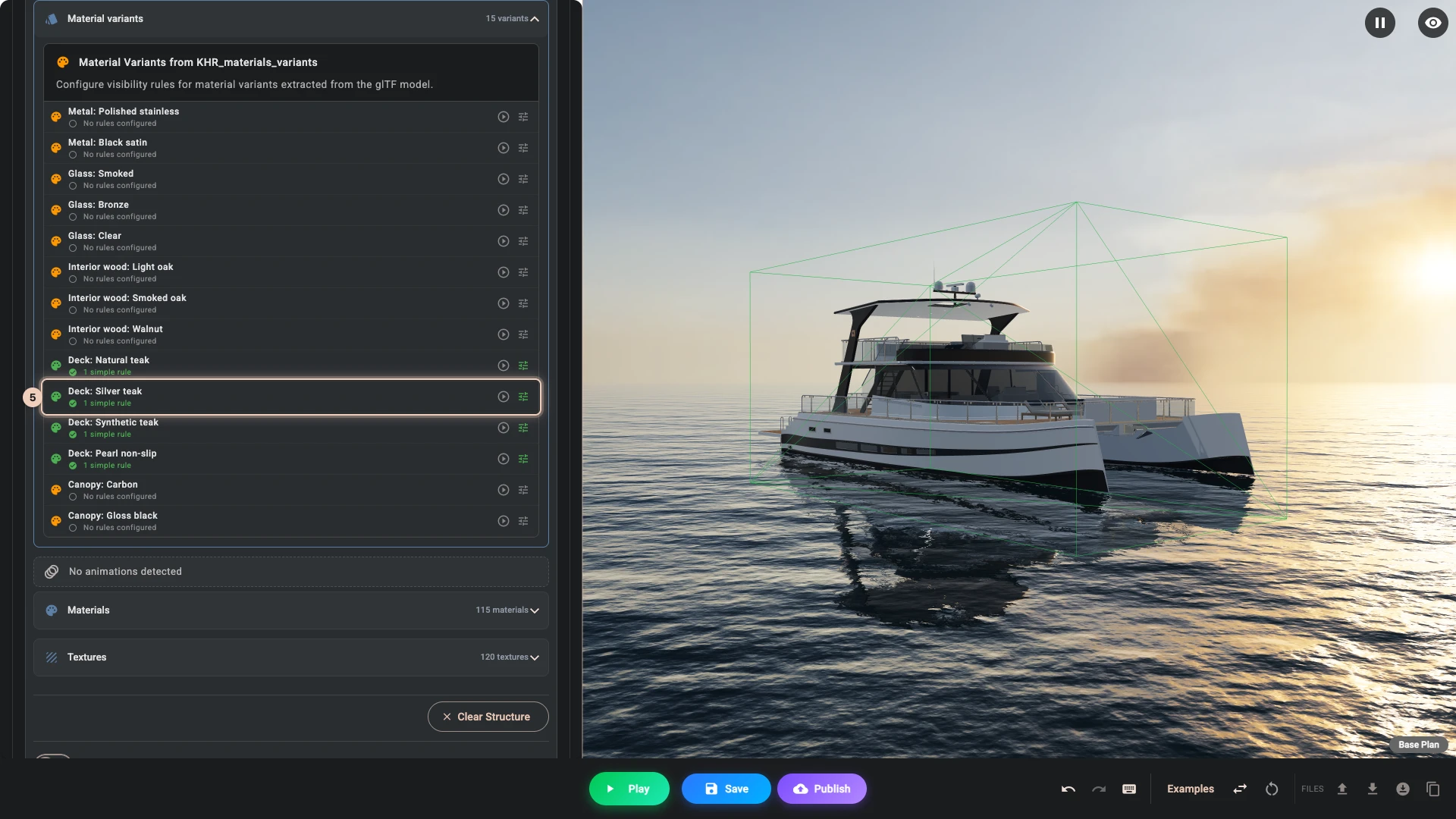
Deck: Natural teak, open Variant rules 1, press Add Variant Match 2, set Name to Planks and Value to Natural teak 3, and press Save Variant Rules 4. Do the same for the other three decks 5.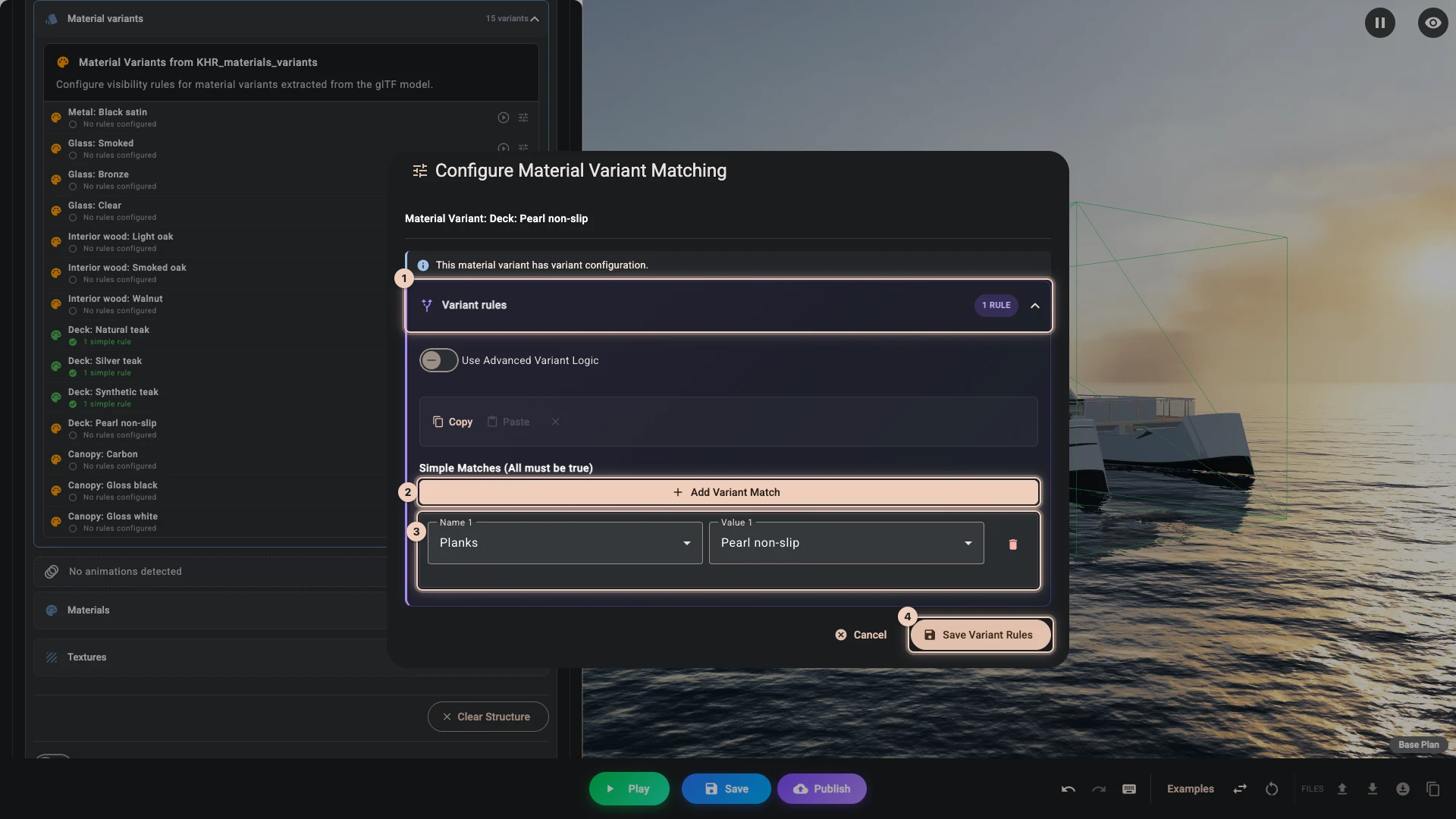
-
Back in GUI, add a second control the same way, with the key
collection, the label Collection and the type Radio. Its options 1 are Regattaregatta, Midnightmidnightand Noirnoir, with Regatta as the default 2.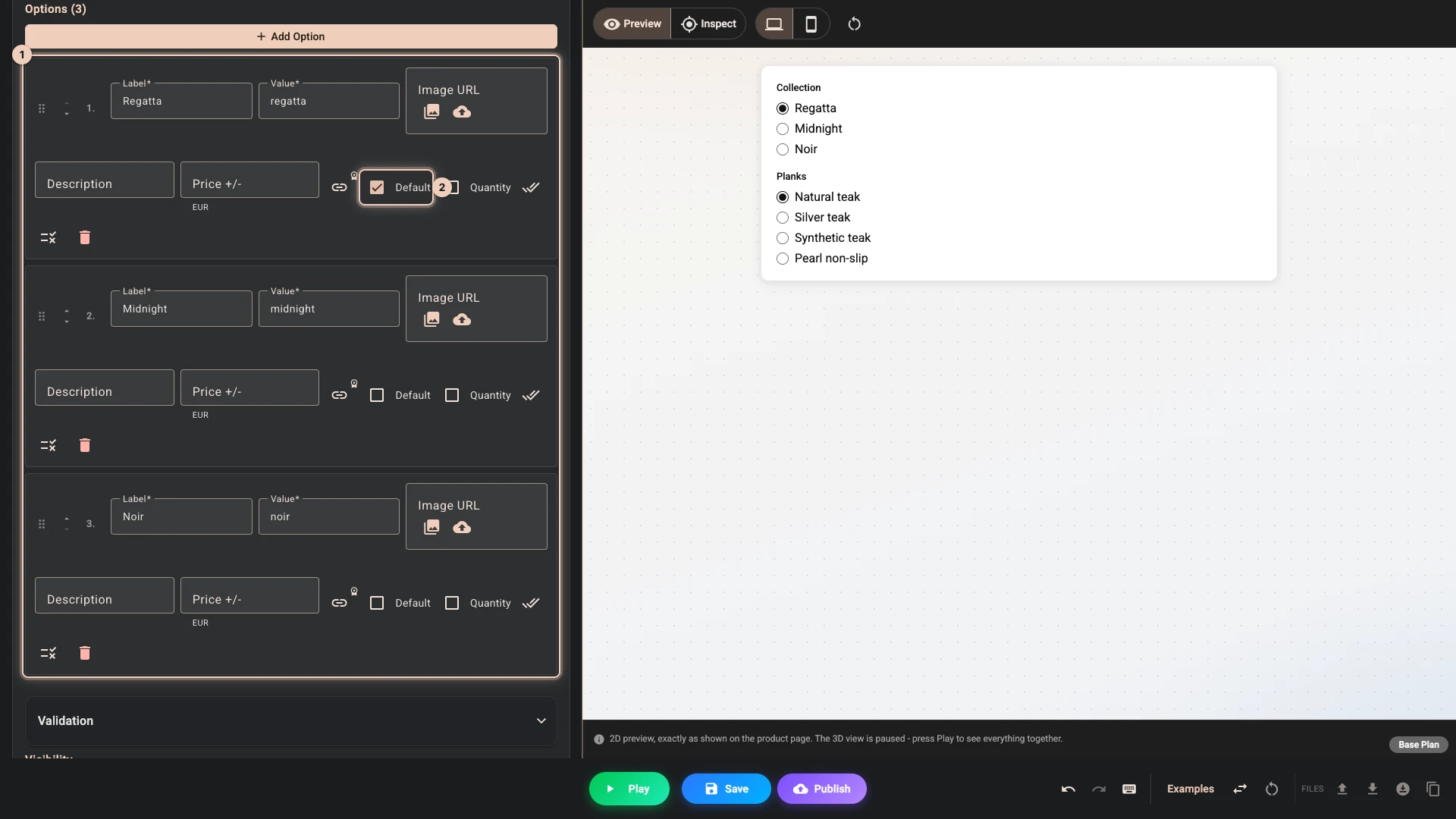
-
Open Models, the boat's row and Materials. Find Hull paint and press its palette button. Press Add color 1, set Label (optional) to Regatta and Color to
#f3f3f02, open Variant rules and add a match 3: Collection, Regatta. Add Midnight#1a2c4eand Noir#121316the same way, each with its own match, and press Save Colors 4.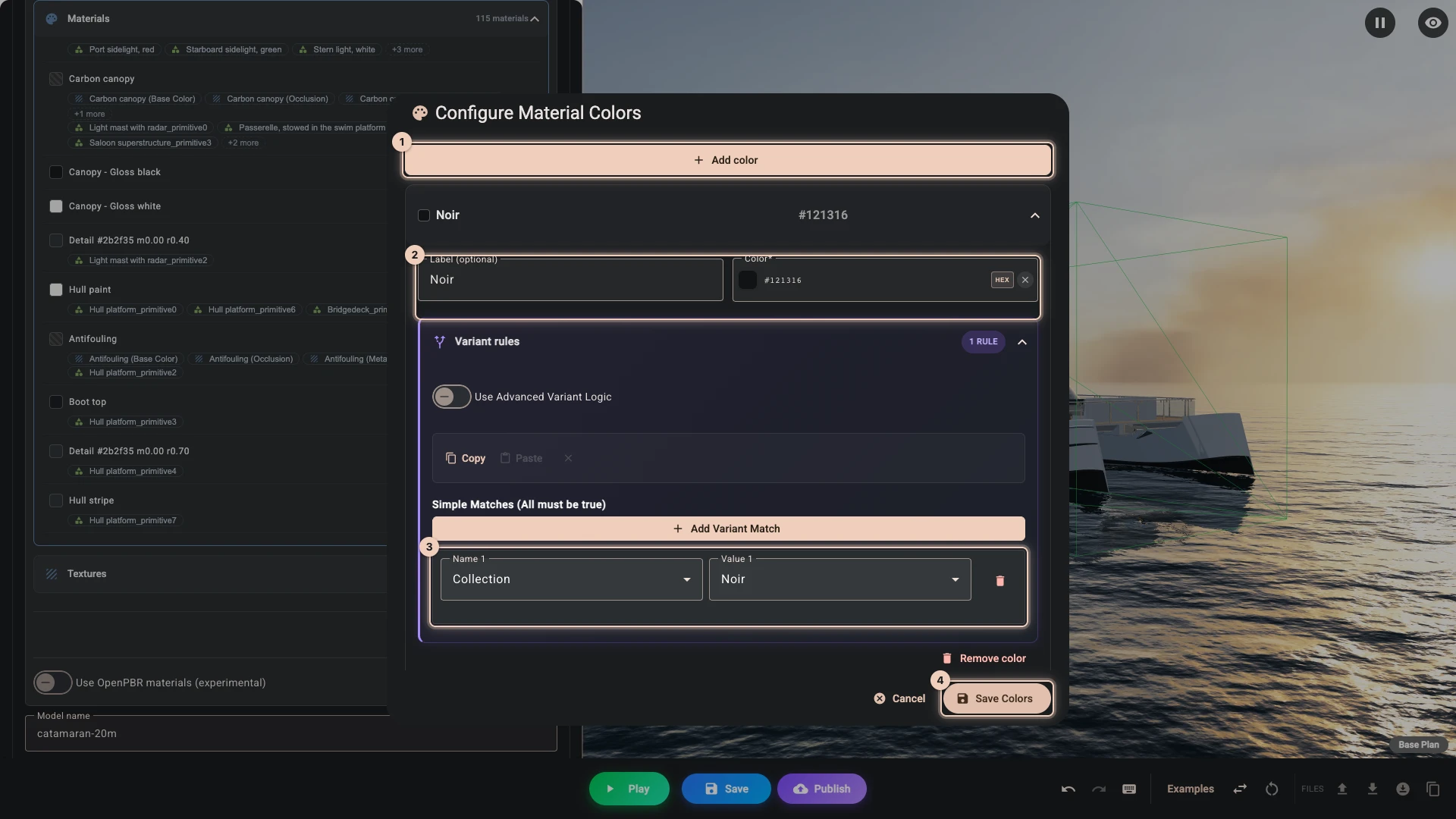
-
Do the same for Hull stripe: Regatta
#1d2b3d, Midnight#101b30and Noir#2a2d311.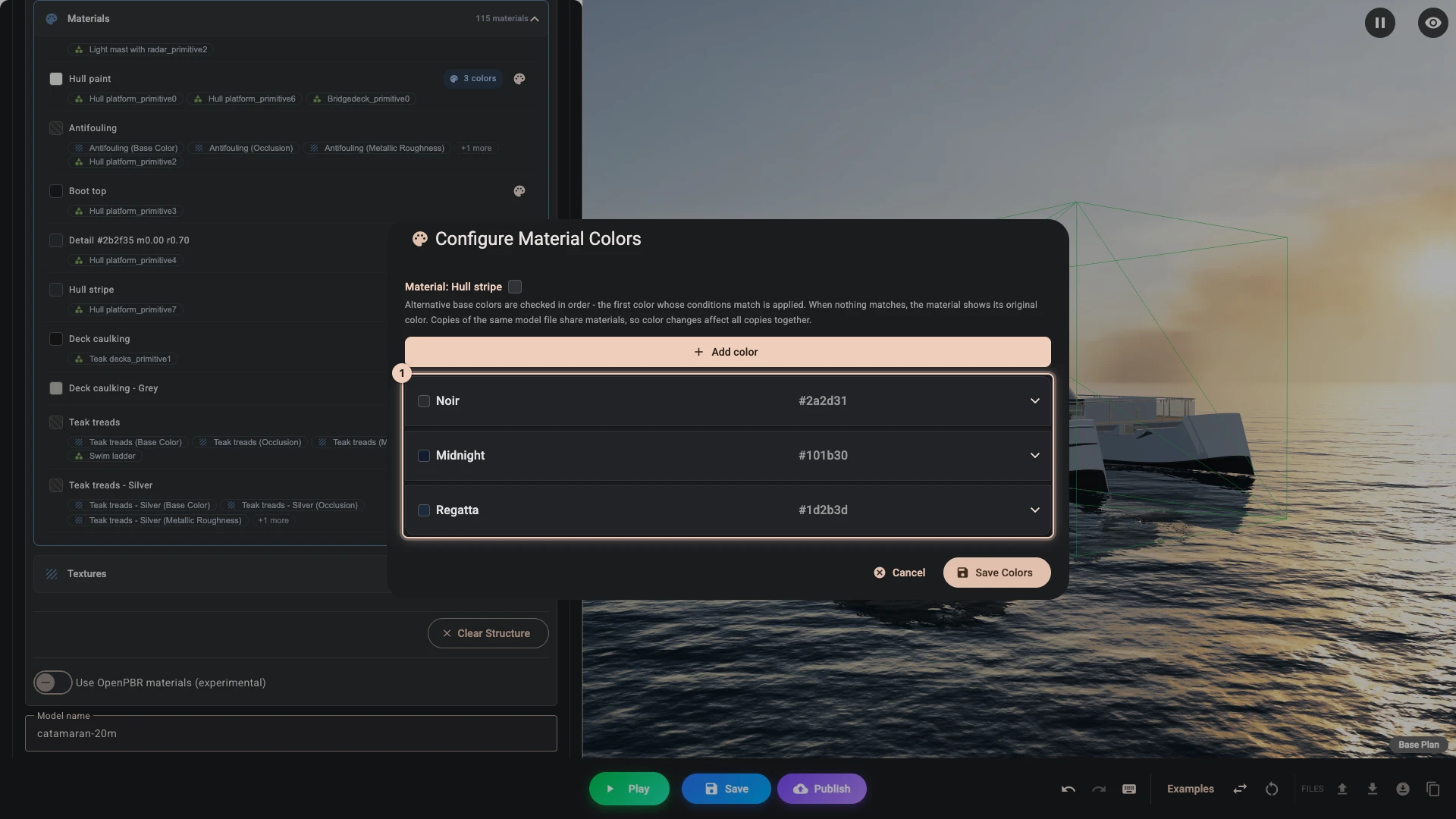
-
Press Play. Both controls are in the panel, and the boat starts on their defaults.
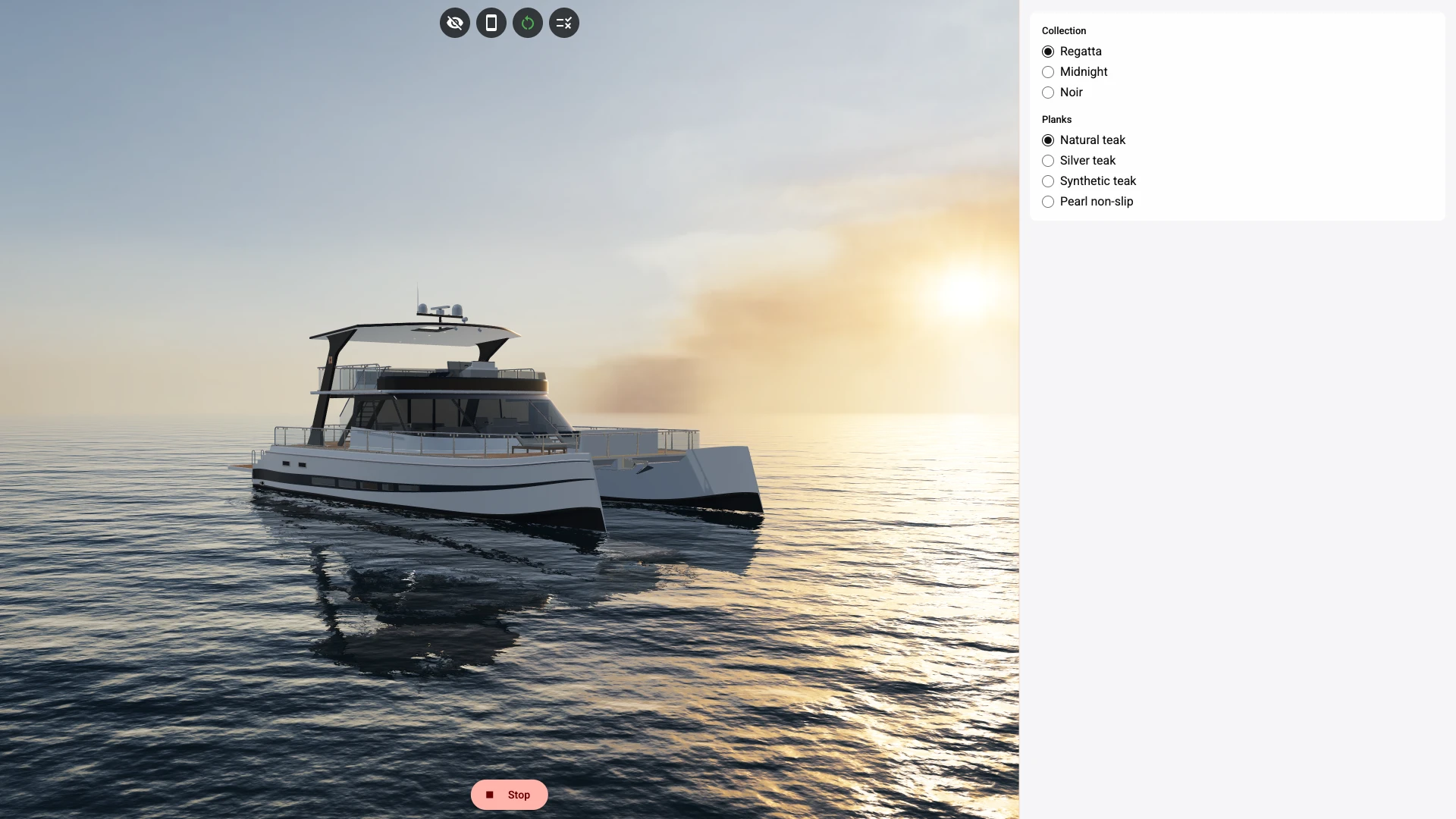
-
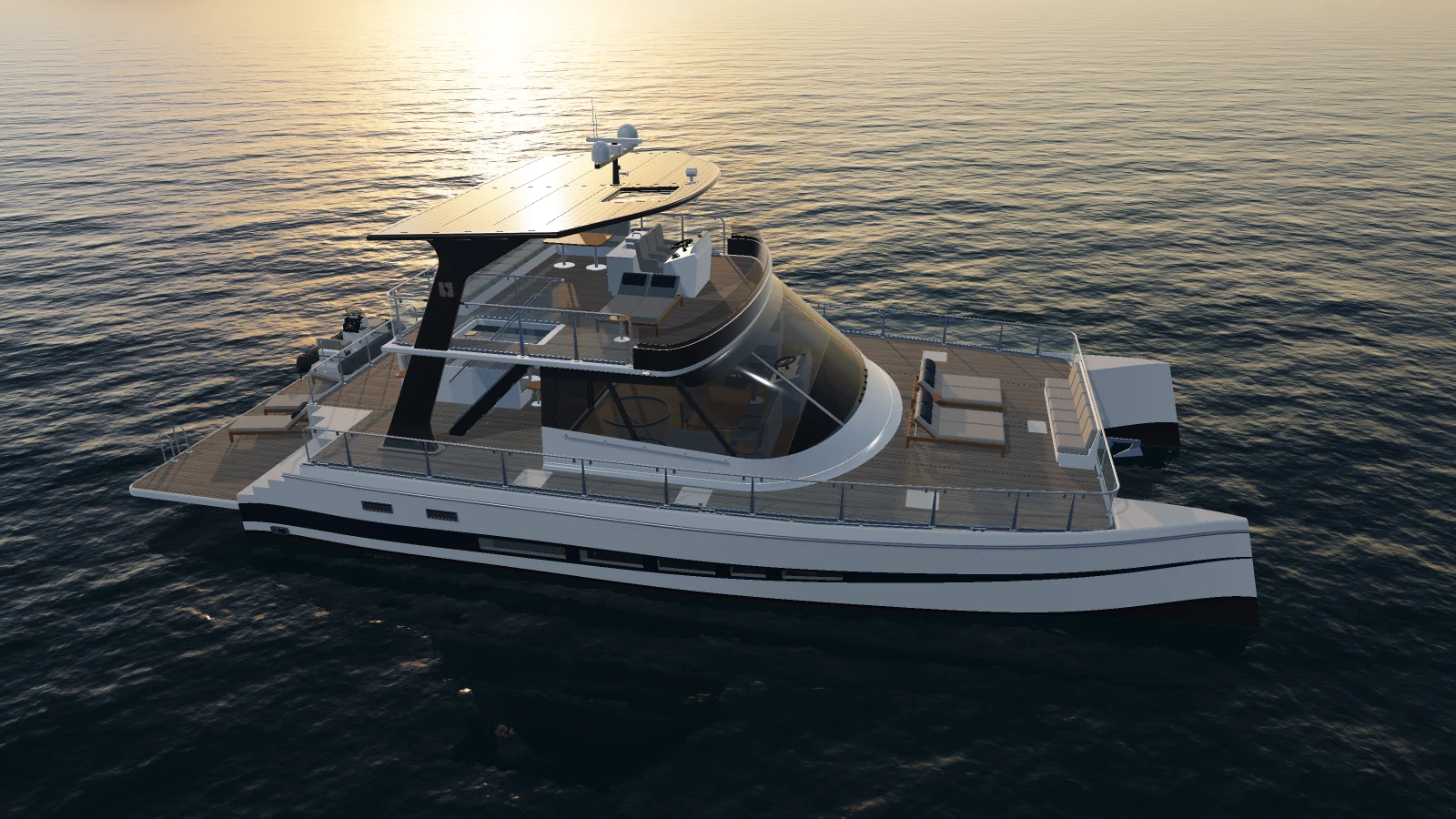
Pick Silver teak. Every plank on the boat changes, grain included, as the file swaps one whole material for another.
-
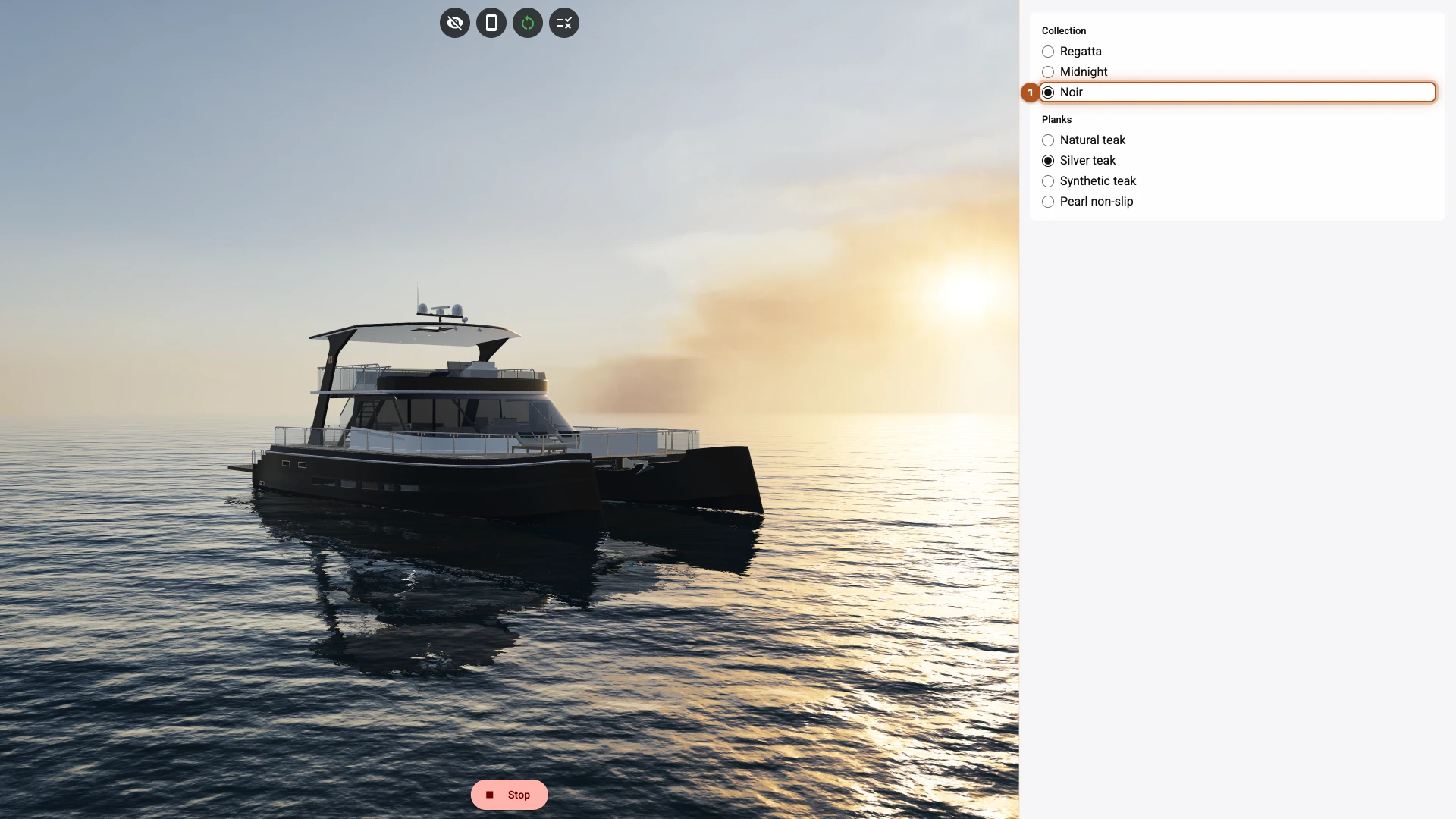
Pick Noir 1. The hull and its stripe take their colours, and the deck stays silver: the two controls do not touch each other.
-
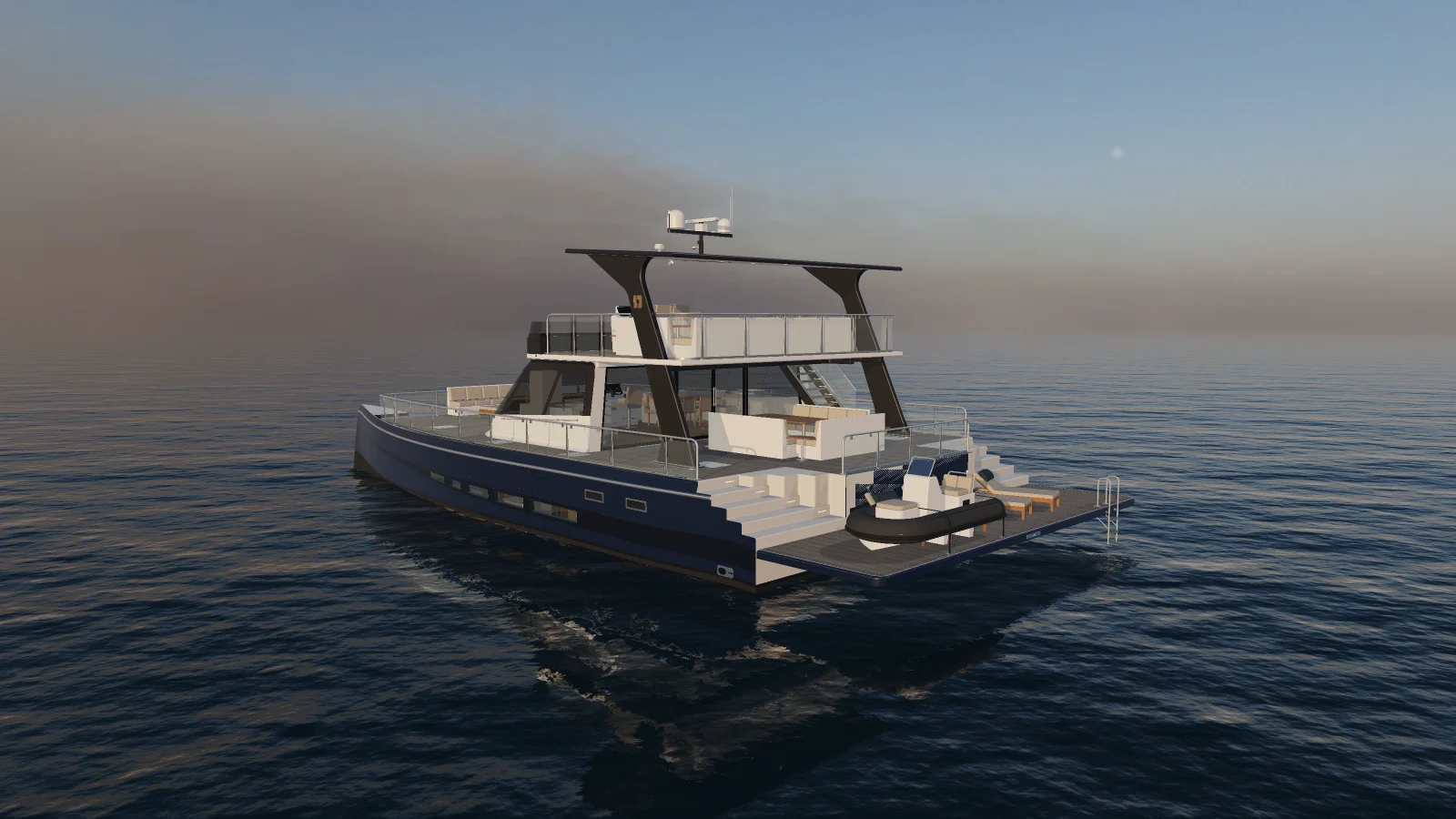
From the opening view the sun is behind the boat, so a dark hull shows little of its colour. Drag the view round to the far side of the boat, where the sun falls on the hull, and pick Midnight. The navy shows.
-
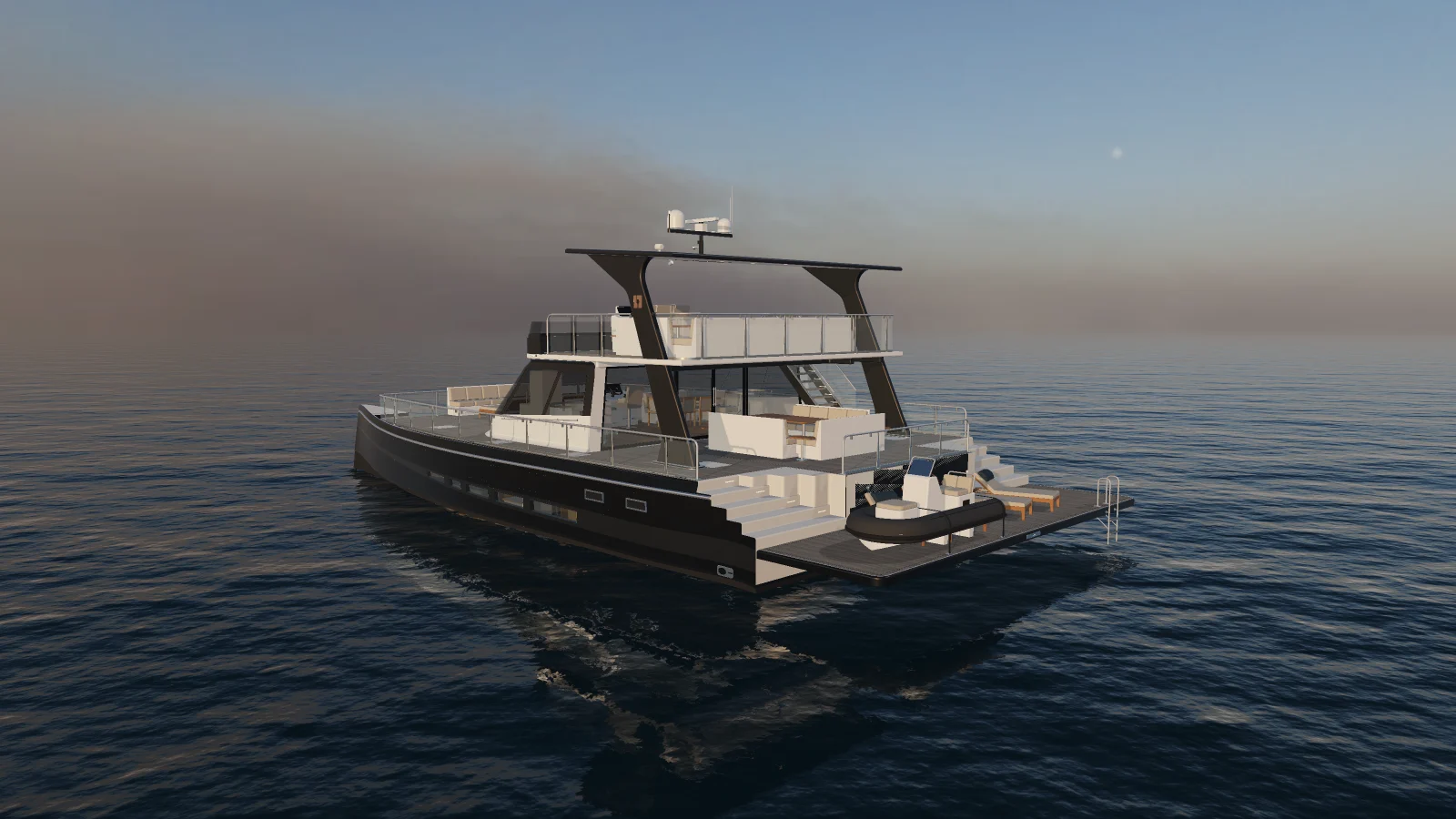
Pick Noir again. From this side the two dark hulls are easy to tell apart.
What you just did
A material variant lives in the file. Whoever made the model stored it there: a named look for a set of surfaces, with its own textures and shine. That is why the grain changed along with the colour. Composer only decides when each variant is on, so a new variant means a new file.
A colour lives in Composer. It replaces the base colour of one material while its match holds. It needs no new file, so you can add a collection whenever you like. It only works on a material with a plain base colour: the teak's colour comes from a texture, so Teak deck has no palette button.
A colour reaches everything painted with that material. You choose a material, not a part. The row in Materials lists the meshes that use it, so look there before you start.
Judge a dark colour where the sun falls on it. The opening view looks towards the sun, which suits the boat and hides the difference between two dark hulls. A shopper can drag the view round, and a later chapter flies the camera there when they pick a collection.
Give every option a rule, the default too. With colours, a material goes back to its own colour when nothing matches. With variants, the file's own look only comes back when no variant at all is on. Natural teak is what the file shows anyway, but without a rule it would not return once a second control drives a variant too.
Variants covers every kind of change a choice can make.
Next
Options and rules gives each helm and sun bed a switch of its own.
Verified against the product in November 2026