Parts and materials
The features of a part document make bodies. A body becomes a part, which is what an assembly places, what the bill of materials counts and what an export names. Until you say otherwise, each body is a part of its own.
Part properties
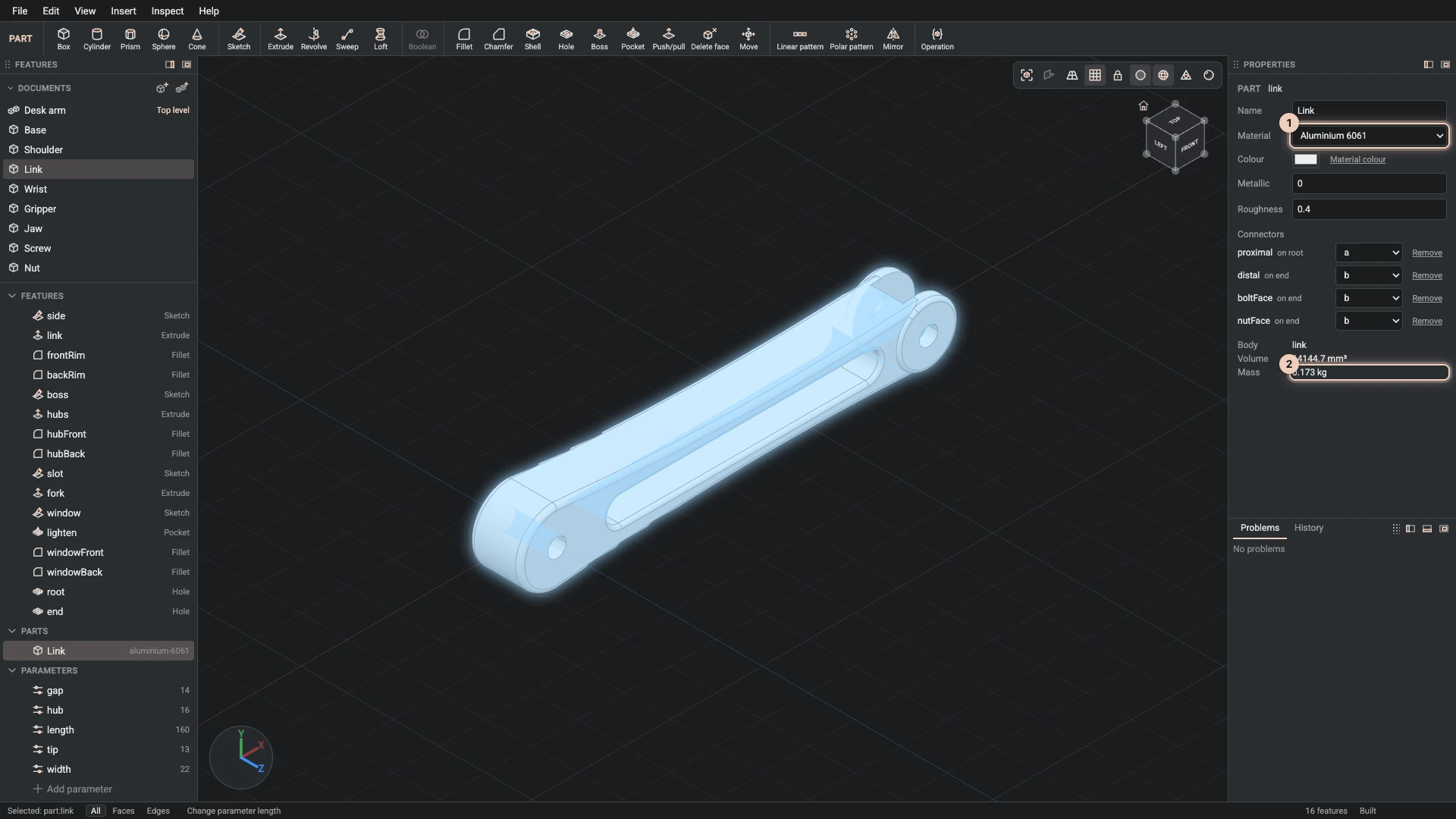
Click a part in the Parts group of the Features panel, and Properties shows it:
- Name: the name the tree, the bill of materials and a STEP export use.
- Material: a preset such as steel or an aluminium alloy. The preset is added to the document with its density and its look.
- Colour: the part's own colour, or Material colour to take the material's.
- Metallic and Roughness: the finish, from 0 to 1. Metallic 0 is paint or plastic and 1 bare metal; roughness 0 is a mirror and 1 chalk. Leave them empty to take the material's.
- Connectors: where an assembly can fasten the part, explained in Connectors.
- The body it is made from, its volume, and its mass from the volume and the material's density.
The picture shows the desk arm's link: aluminium, white, matt, 0.173 kg.
See the materials
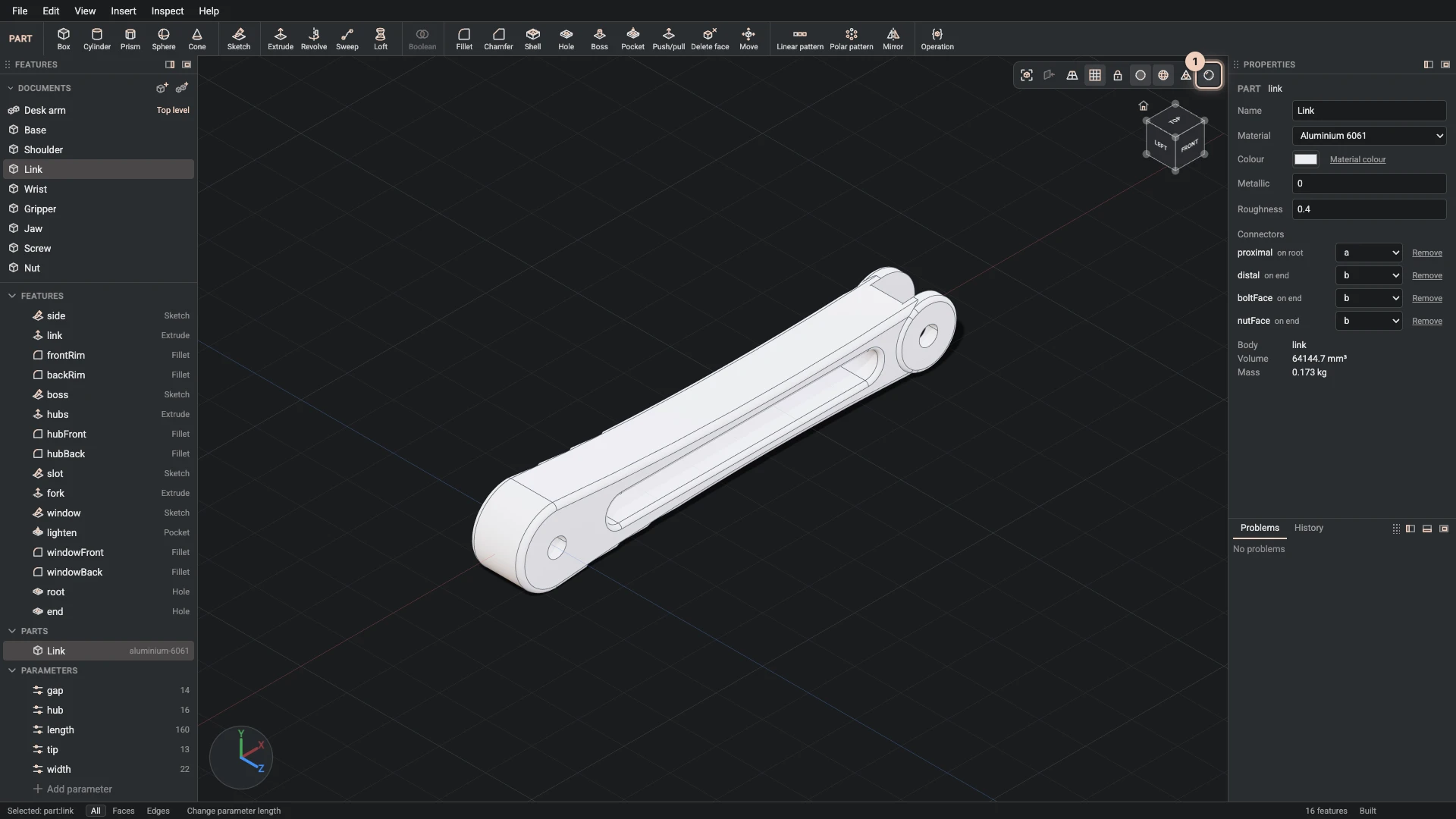
Realistic on the view bar draws every part as its material and finish look, with reflections and soft shadows. The plain look, with it off, is easier to model in: edges read better and nothing reflects. A STEP or GLB export carries the names and colours either way.
Verified against the product in October 2026