When a build has problems
After every change the Designer builds the part again. When a feature cannot be built, such as a fillet too large for its edges or a hole on a face that is gone, the build carries on as far as it can and tells you what went wrong.
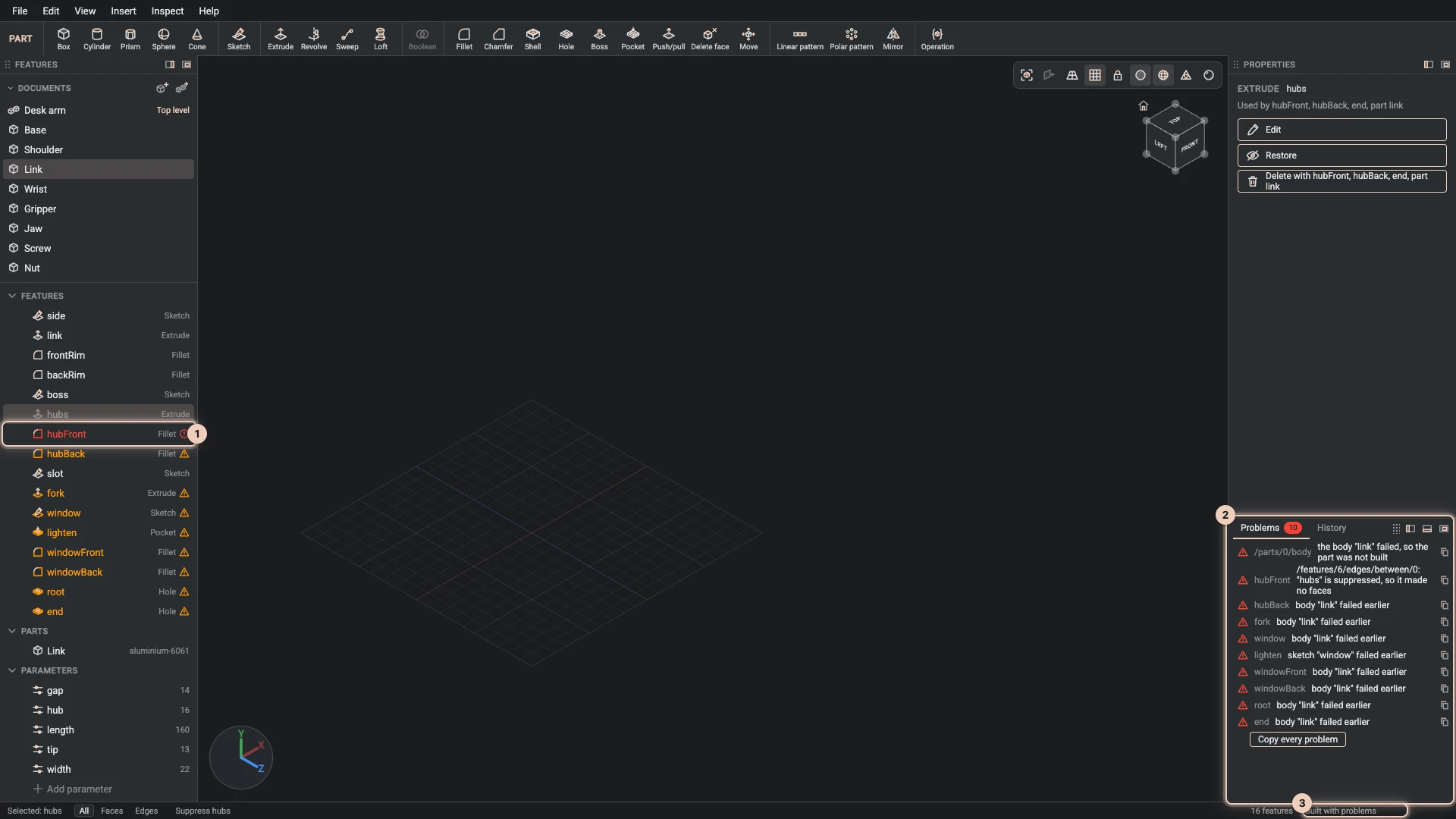
Where it shows
- The Problems tab in the dock counts the problems and lists each one: where it is, as a path into the document such as the field of the feature, and what went wrong in words.
- The Features panel marks the feature that failed in red, and the ones after it on the same body that could not be built for that reason.
- The status bar says the part was built with problems.
- The feature's dialog shows the message under the field it concerns.
The first problem in the list is usually the cause; the ones after it often say only that something earlier failed. Fix the first, and the rest tend to go with it.
What to do
- Change the value. Open the feature with Edit feature and try a smaller radius, a thinner wall or another face. The view previews it before you press OK.
- Undo the change that caused it.
- Suppress the failing feature to see the part without it while you think, then restore it.
- Repair a reference the problem offers to fix: References explains when it can.
Copy a problem
Copy this problem beside a problem, or Copy every problem under the list, puts the text on the clipboard: where it is and what it says, ready to paste to a colleague, an agent or a forum.
When the kernel crashed
Rarely, the geometry kernel itself fails on a shape rather than reporting a problem. The dock then offers Copy crash report, also in Help, which copies what the kernel was making, with the document, to send to Bitbybit, for example on the community Discord.
Clear the kernel caches in Help empties the shapes the kernels keep from earlier builds, so the next build makes every one again. Use it when a build looks wrong although its features are right.
Verified against the product in October 2026