History: undo, edit, suppress, reorder and roll back
A part keeps the list of features that make it, never the shape itself, so nothing you did is fixed: any feature can be changed, left out or moved, and the part is built again from the list.
Change a feature
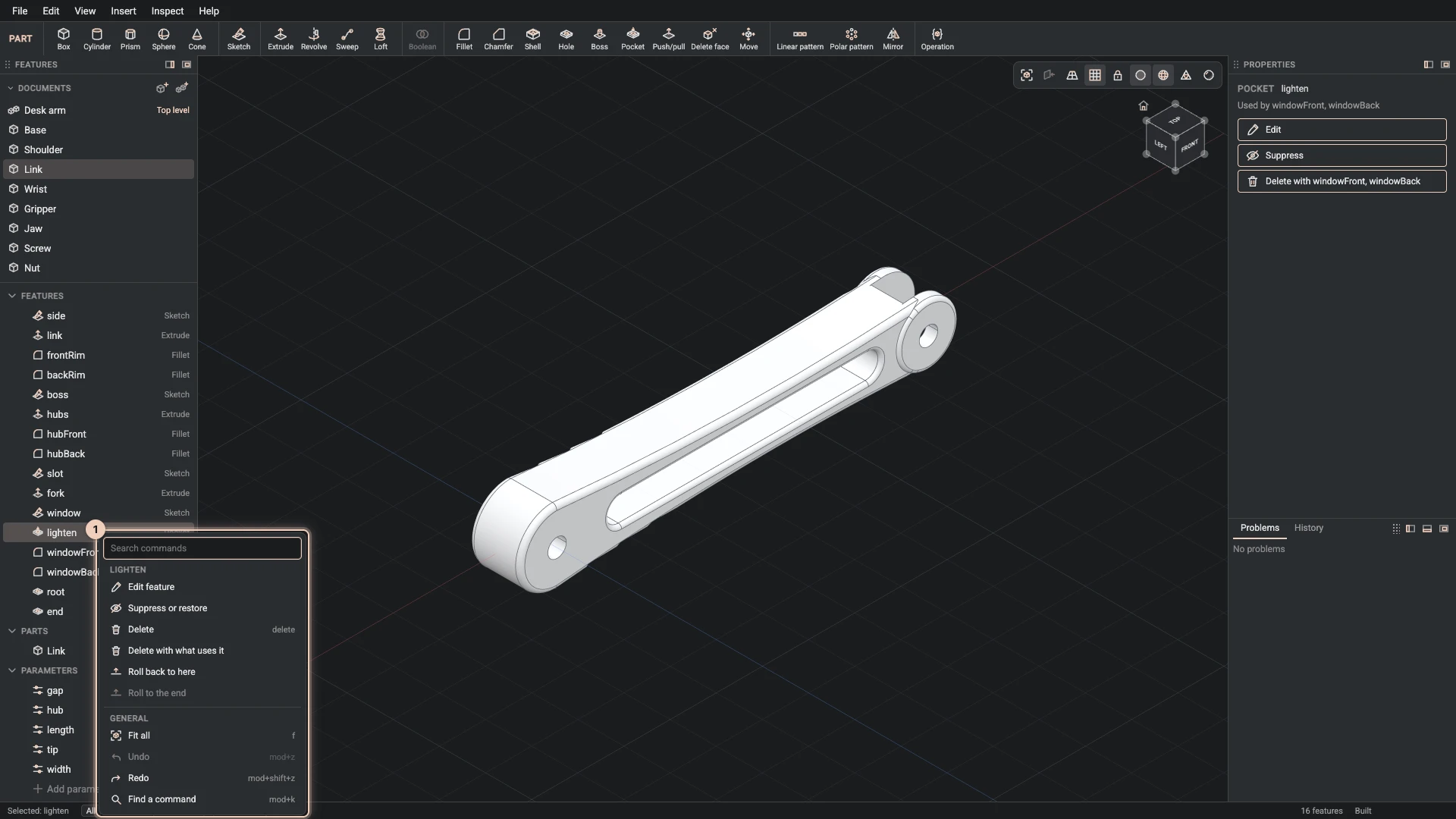
Right-click a feature in the Features panel, or select it and use the buttons in Properties:
- Edit feature opens its dialog as you left it. OK rebuilds it and everything after it.
- Suppress or restore leaves the feature out of the build, or brings it back, without deleting it. The features that use it are built without it, and say so if they cannot be.
- Delete removes it. A feature that something later uses cannot just be deleted: Properties names what uses it, and Delete with what uses it takes them all in one step.
The picture shows the desk arm link's lighten pocket, which the two fillets after it use.
Reorder
Drag a feature up or down the list. Features are built in order, so a move that would put a feature before something it uses, or after something that uses it, is refused, naming both.
Roll back
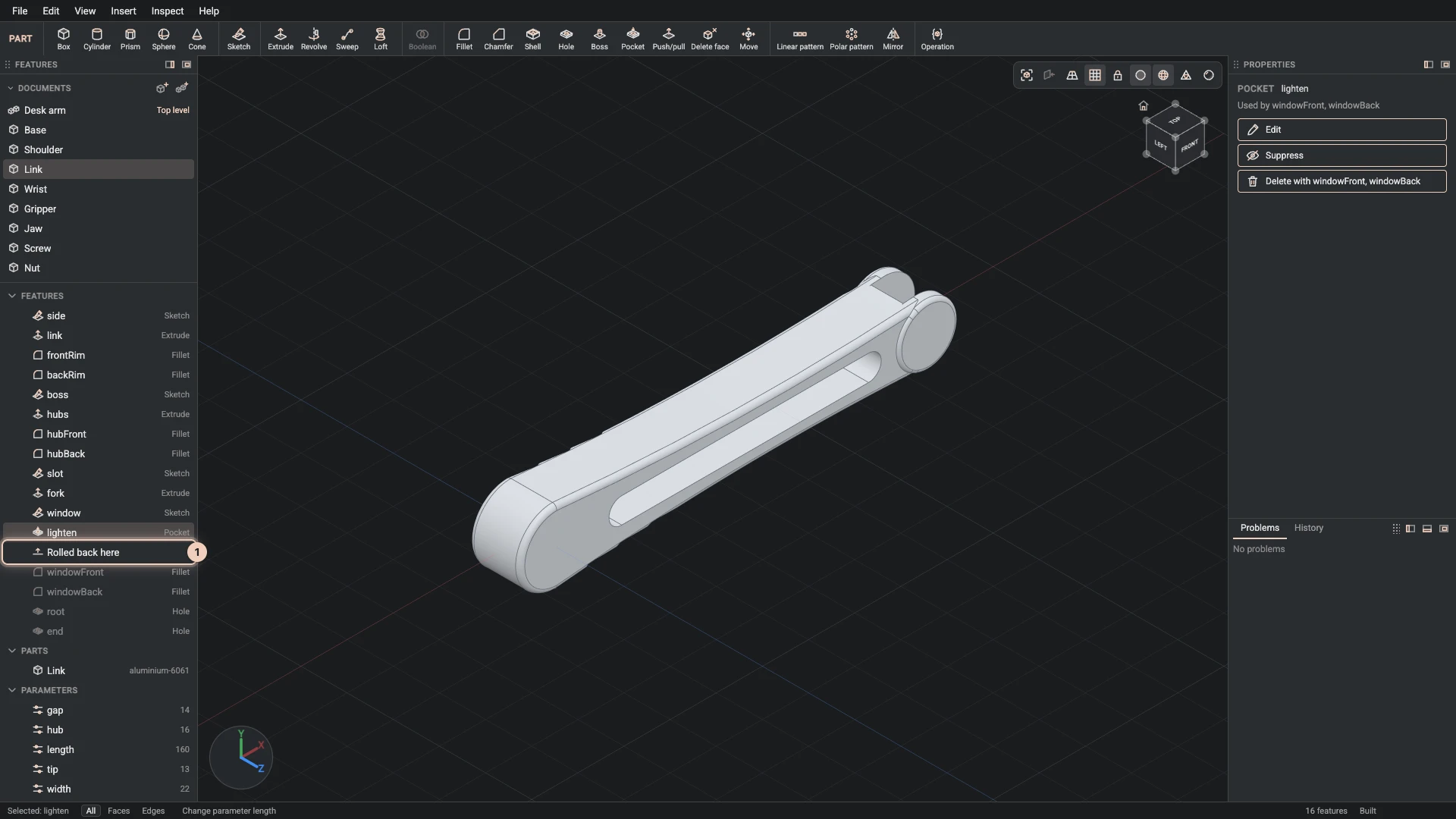
Roll back to here builds the part only up to the feature you chose. A Rolled back here row marks the place, and the features after it are greyed and left out. New features go in at that point, so you can add something early in the part's life without moving every later feature by hand.
Roll to the end, or a double-click on the marker, builds the whole list again.
Undo and redo
Undo (Ctrl+Z, ⌘Z on macOS) takes back your own last change to the document, and Redo (Ctrl+Shift+Z) does it again. Undo is per author: when an agent works in the same document, your undo takes back your change, not the agent's. If someone else has changed the same place since, the undo refuses and names that change. The agent's changes are kept or undone in the Review tab.
The History tab
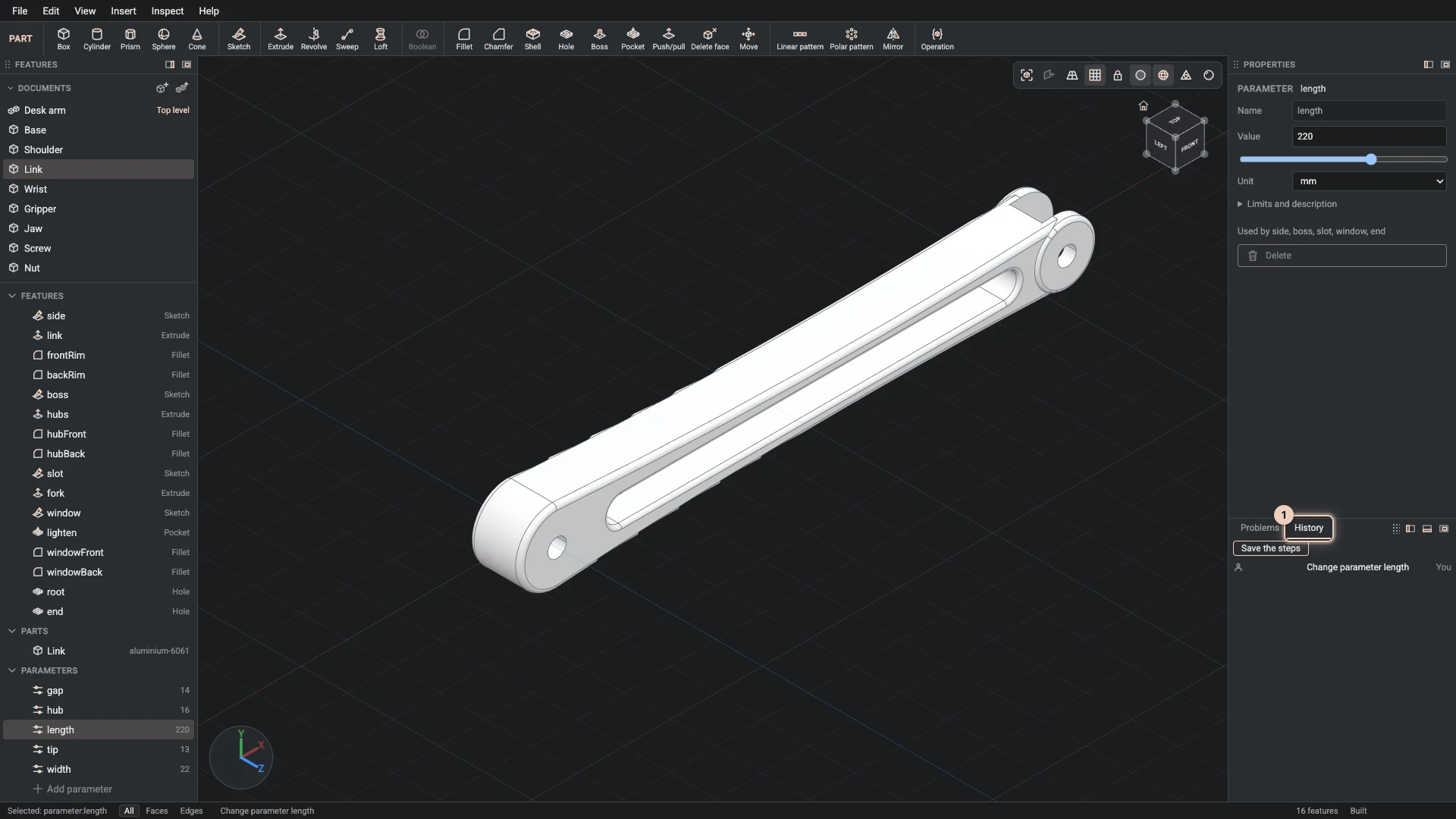
The dock's History tab lists the changes of this session in order, each with who made it. Save the steps saves them as a step file that makes the documents again.
This history is the session's. The versions of a whole project, which you can restore, are kept by the save: Saving your work explains them.
Verified against the product in October 2026