Publishing Your Projects
Publishing a project lets others open, run and learn from its scripts. Others learn from your techniques, a public project can serve as a portfolio, and you can get feedback from the community.
Before you publish
- Keep the project in the cloud. A project in this browser cannot be shared; move it with Move to the cloud first.
- Give it a cover image. Until it has one, only Private can be chosen.
- Make sure its scripts run, so whoever opens them sees what you meant.
Change its visibility
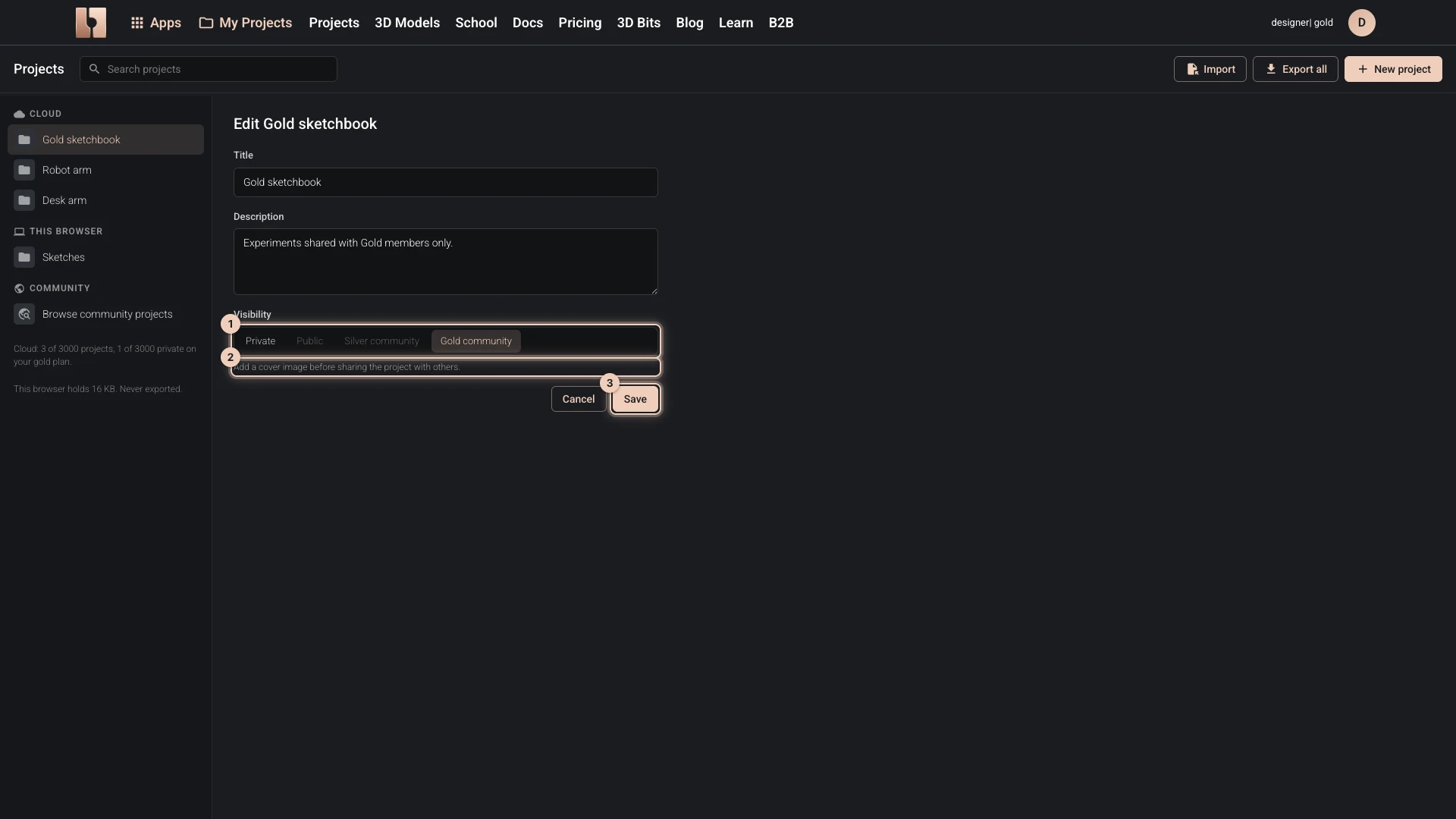
- In My Projects, choose the project.
- Choose Edit details.
- Under Visibility, choose who can open it:
- Public for everyone, on every plan;
- Silver community for Silver and Gold members, offered on the Silver and Gold plans;
- Gold community for Gold members, offered on the Gold plan;
- Private to take it back.
- For a project that holds a Designer script, choose under Visitors can download what people below Gold may download from it: Nothing, Model (GLB and STL) or Everything (STEP and the project file as well). It is asked once the project is no longer private. Showing a design sends it to the visitor's browser, so this chooses the download buttons visitors see; it is not protection, and it does not change the terms below.
- Choose Save.
Understanding Projects explains each visibility. A public project is listed among the community projects and its scripts' previews can be shared and embedded: see Script Preview Mode.
The code in your public projects is shared under the MIT license, and their creative output under CC BY 4.0. Everyone can view, use, change and share them. The Terms and Conditions have the details.
If you do not want your code open and reusable on those terms, do not make the project public: keep it private, or share it with a community.
Verified against the product in October 2026