Understanding Projects in Bitbybit
A project holds your work on bitbybit.dev: scripts, each written in one of the editors, and the files those scripts use.
- Scripts can be Rete, Blockly, TypeScript or Designer scripts, and one project can mix them.
- Files are the models, images and other files a project's scripts load, added under Files, in the cloud or in this browser. Files of a project shows how.
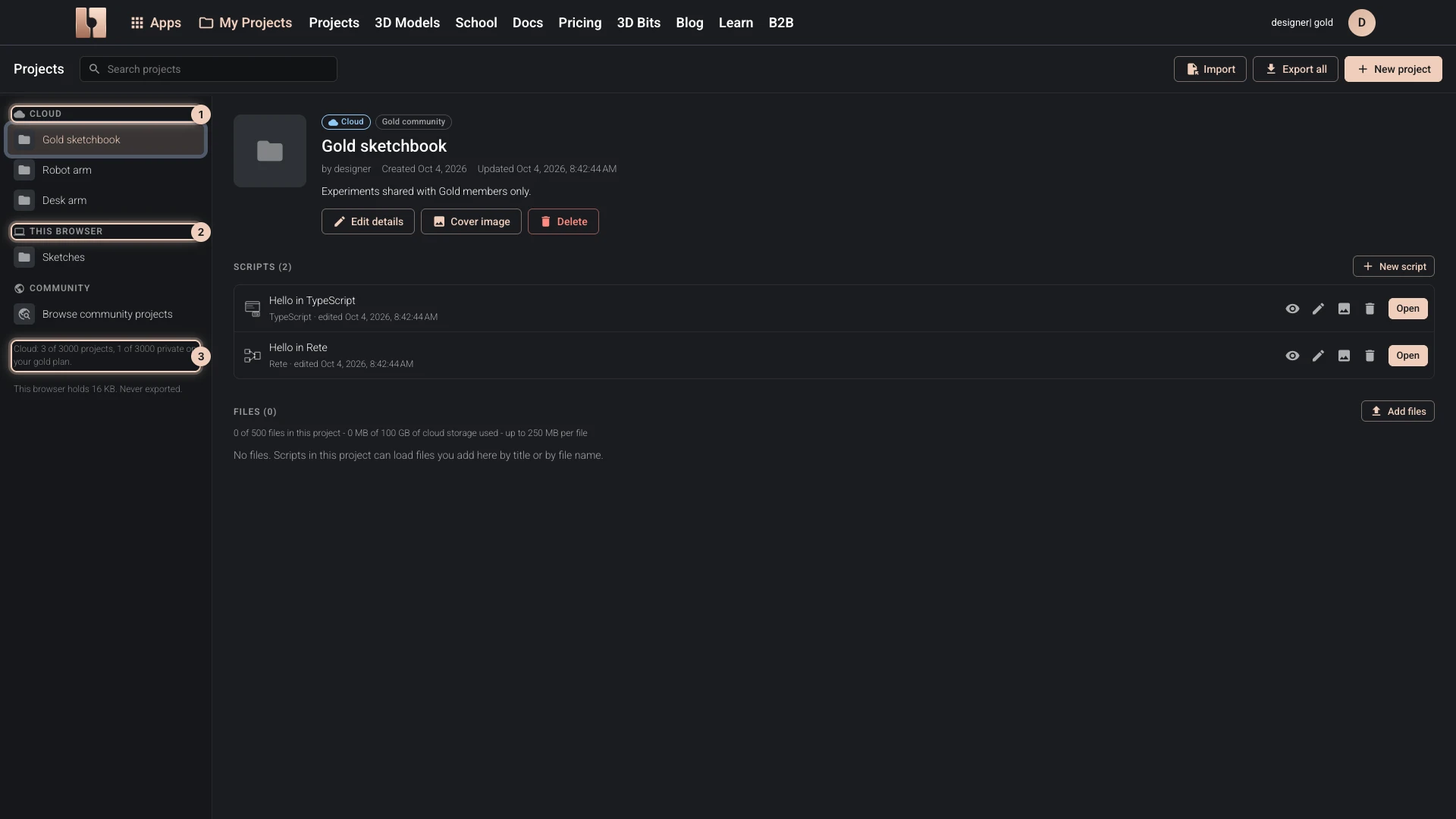
Where a project lives
My Projects lists your projects in two places:
- Cloud projects are kept in your bitbybit.dev account. They open on any device you sign in on, and they are the only ones you can share.
- This browser projects are kept on this device only, signed in or not. Nothing leaves the browser, so export them to keep a copy anywhere else. A project here can be moved to the cloud later with Move to the cloud, which takes its scripts and its files.
Drafts is a project in this browser that fills itself: work you start in an editor without a project lands there. See Creating Scripts.
Who can open a project
A cloud project starts private. Its visibility, changed with Edit details, decides who can open its scripts:
| Visibility | Who can open its scripts |
|---|---|
| Private | Only you. A link to one of its scripts opens for no one else. |
| Public | Everyone, signed in or not. It is listed among the community projects. |
| Silver community | Members of the Silver and Gold plans. Others see the project listed but cannot open its scripts. |
| Gold community | Members of the Gold plan only. |
A Designer script opens in the Designer for everyone who can open it: Gold members can change a copy of it, and everyone else views it, with the downloads its author chose under Visitors can download.
Every script in a project shares its visibility: a public project cannot hold a private script. Publishing Your Projects shows how to change it.
Some algorithms are part of the Silver or Gold plan, and a script that uses them fails for anyone without that plan. Share such a project with the matching community, not as public.
How many projects your plan keeps
| Plan | Cloud projects | Of them private | Scripts in a project |
|---|---|---|---|
| Free | 100 | 10 | 10 |
| Silver | Unlimited* | Unlimited* | 200 |
| Gold | Unlimited* | Unlimited* | Unlimited* |
The footer of the projects list says how many you use. When they are all in use, Cloud is greyed out in the new project form, and projects can still be kept in this browser. Pick a Plan has what each plan includes and what the asterisk means.
Verified against the product in October 2026