Creating a New Project
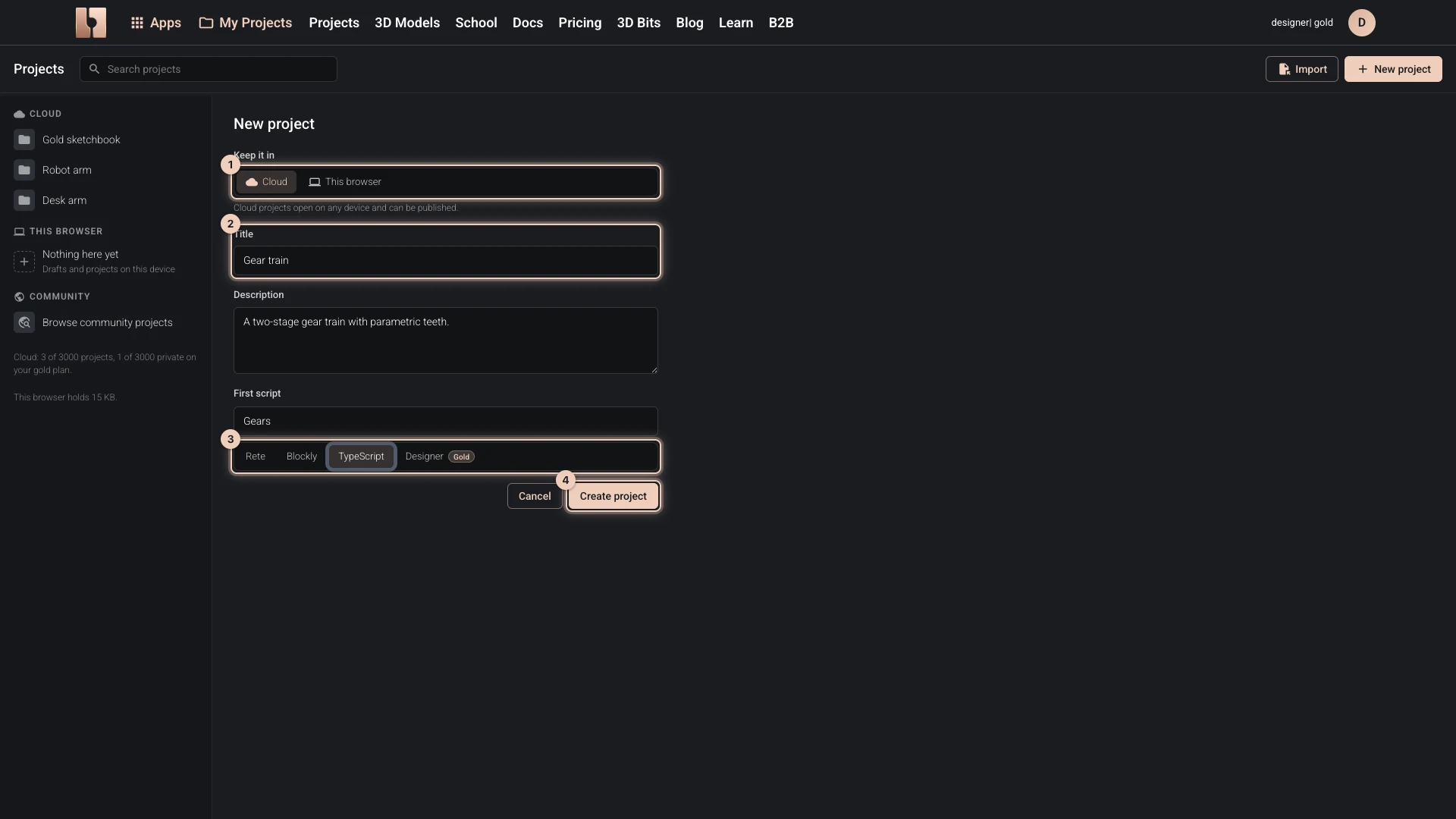
- Open My Projects in the bitbybit.dev header. While an editor is open, the button with the script's title beside it opens the same list.
- Choose New project.
- Under Keep it in, choose where the project lives:
- Cloud keeps it in your account, to open on any device and to share. It needs you to be signed in, and a free place in your plan's cloud projects.
- This browser keeps it on this device only.
- Give it a Title. A cloud project also takes a Description.
- For a cloud project, name its First script and choose its editor: Rete, Blockly, TypeScript or the Designer, which is part of the Gold plan.
- Choose Create project.
A cloud project opens its first script in the editor you chose, which starts with a small example to change or delete. A project in this browser is selected in the list, empty: add its scripts with New script, as Creating Scripts shows.
Every project, whichever way you made it, is listed in My Projects.
Verified against the product in October 2026