Build a drone: sizes, stage and the frame
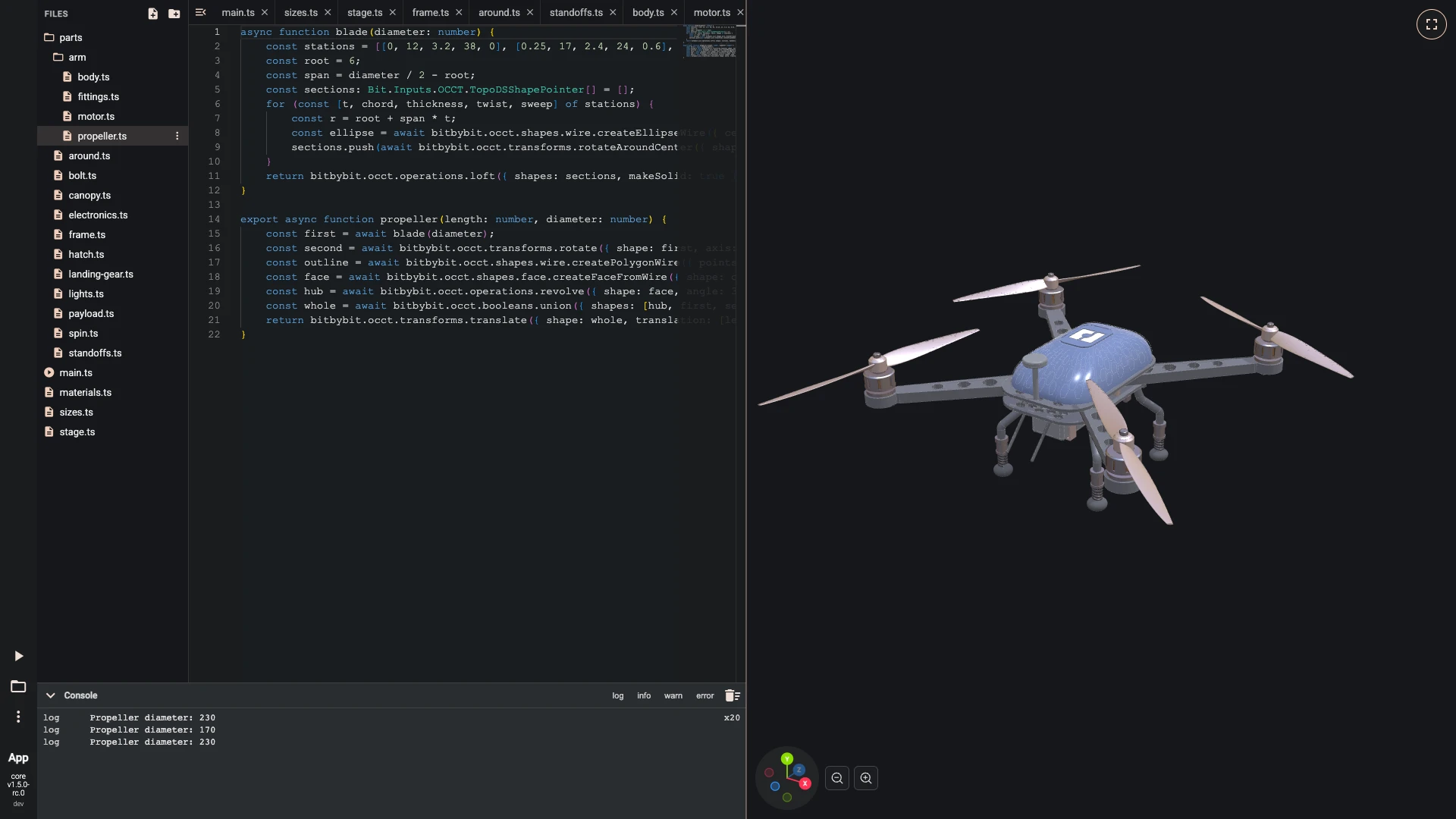
Over seven chapters you write this drone in the TypeScript editor: a carbon frame of two plates, arms that carry motors, propellers, bolts and lights, a canopy traced with a honeycomb and marked with the bitbybit logo, sprung landing legs and a camera, all sized by four numbers. It is the same drone the Rete and Blockly tutorials build, written as code: each part is a function in a file of its own, and main.ts puts them together. It is the showcase of the TypeScript editor.
The drone is built in millimetres. Open a new TypeScript editor and follow the steps: each one makes a file or adds a few lines to one, then runs the script, and the picture shows the editor after the run with the step's file open. Files and imports shows how to make a file and a folder; a new file is written with New file at the top of Files.
This chapter sets the sizes, lights the stage and makes the frame.
-
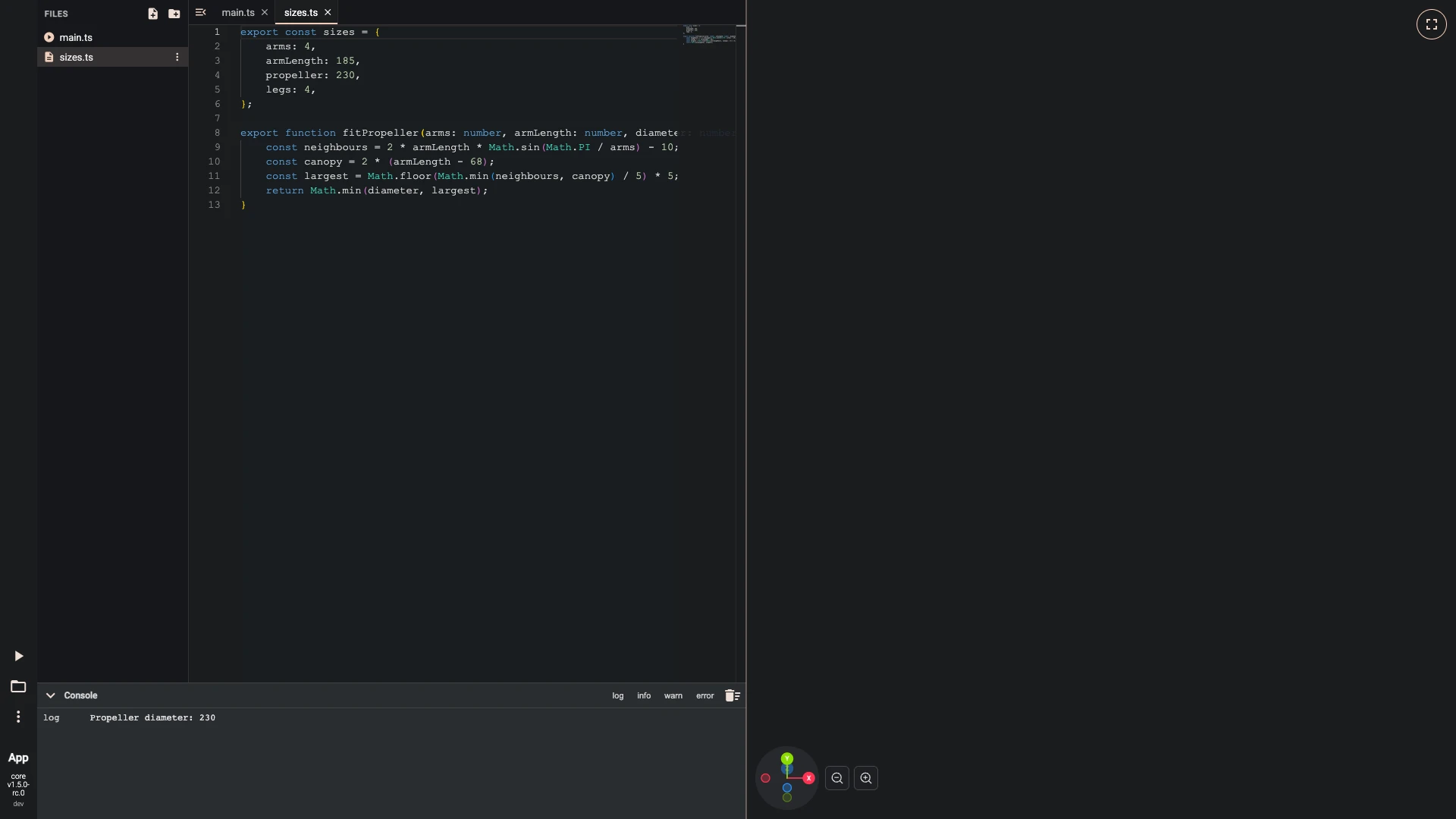
Four numbers size the whole drone: the arms, how long they are, the propeller's diameter and the legs. They live in a file of their own, with a function that works out the largest propeller that clears its neighbours and the canopy.
main.tsimports both and logs the diameter it will use.- Make
sizes.ts:
export const sizes = {arms: 4,armLength: 185,propeller: 230,legs: 4,};export function fitPropeller(arms: number, armLength: number, diameter: number): number {const neighbours = 2 * armLength * Math.sin(Math.PI / arms) - 10;const canopy = 2 * (armLength - 68);const largest = Math.floor(Math.min(neighbours, canopy) / 5) * 5;return Math.min(diameter, largest);}- Replace what
main.tsholds with:
import { fitPropeller, sizes } from "./sizes";const diameter = fitPropeller(sizes.arms, sizes.armLength, sizes.propeller);console.log("Propeller diameter:", diameter);- Run it with Run The Code.
- Make
-
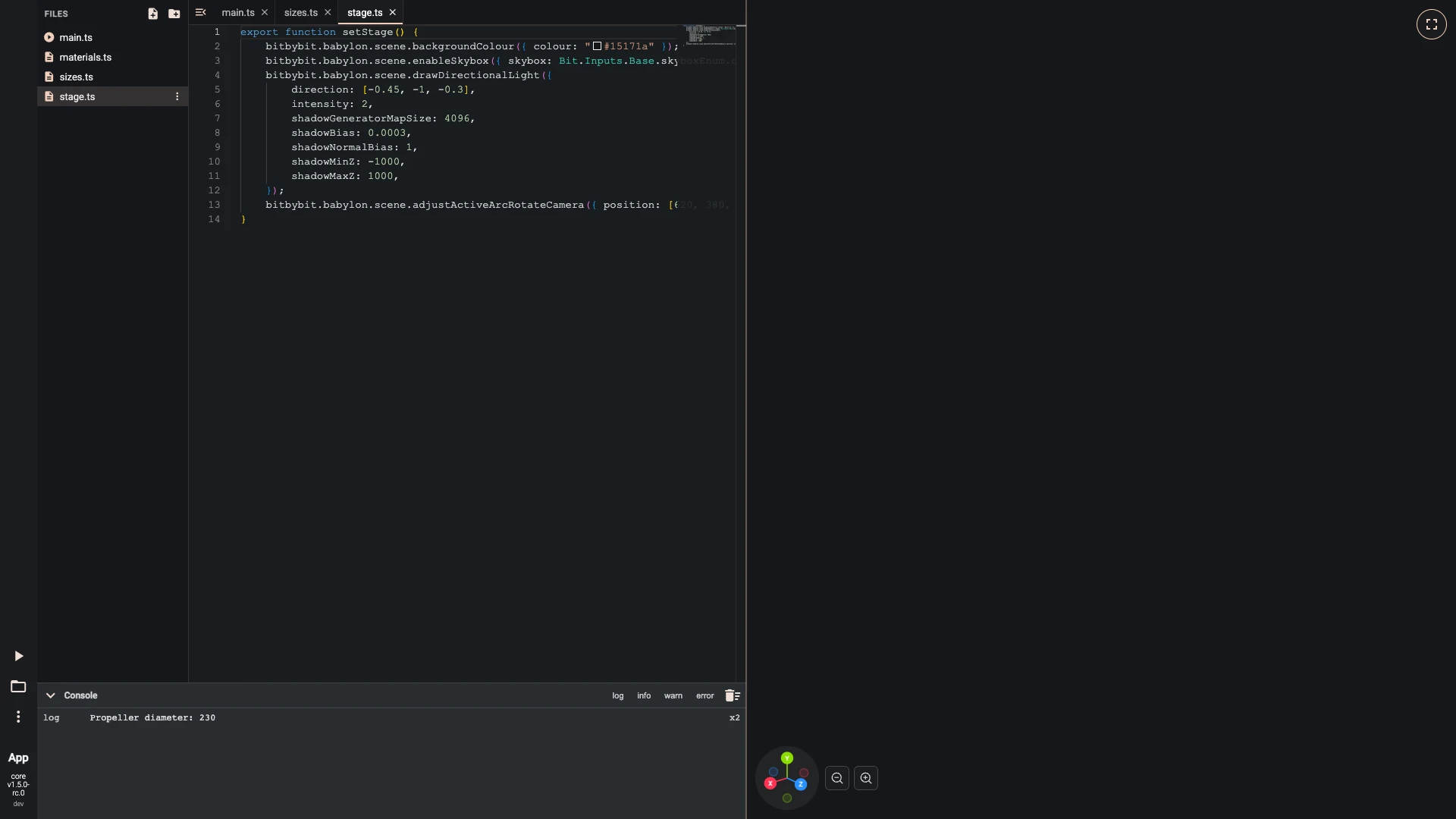
Set the stage before the first part: a dark background, a city environment that metal reflects with its picture hidden, a sun that casts shadows, and the camera placed outside the drone, far enough to see all of it.
materials.tsholds every material the drone uses, each physically based and drawn a little behind its edges, so the white edges on the dark parts stay sharp;drawshows shapes in one of them.- Make
stage.ts:
export function setStage() {bitbybit.babylon.scene.backgroundColour({ colour: "#15171a" });bitbybit.babylon.scene.enableSkybox({ skybox: Bit.Inputs.Base.skyboxEnum.city, environmentIntensity: 0.4, hideSkybox: true });bitbybit.babylon.scene.drawDirectionalLight({direction: [-0.45, -1, -0.3],intensity: 2,shadowGeneratorMapSize: 4096,shadowBias: 0.0003,shadowNormalBias: 1,shadowMinZ: -1000,shadowMaxZ: 1000,});bitbybit.babylon.scene.adjustActiveArcRotateCamera({ position: [620, 380, 760], lookAt: [0, -20, 0], maxZ: 20000, panningSensibility: 2 });}- Make
materials.ts:
type Shape = Bit.Inputs.OCCT.TopoDSShapePointer;interface Finish {readonly colour: string;readonly metallic: number;readonly roughness: number;readonly edgeWidth?: number;readonly emissive?: string;}const FINISHES = {carbon: { colour: "#23262b", metallic: 0.35, roughness: 0.45, edgeWidth: 6 },paint: { colour: "#1f2b4d", metallic: 0.1, roughness: 0.25, edgeWidth: 6 },honeycomb: { colour: "#1f2b4d", metallic: 0.1, roughness: 0.25, edgeWidth: 8 },accent: { colour: "#f0cebb", metallic: 0.85, roughness: 0.35, edgeWidth: 4 },aluminium: { colour: "#b9bec6", metallic: 1, roughness: 0.32, edgeWidth: 4 },copper: { colour: "#b87333", metallic: 1, roughness: 0.5, edgeWidth: 4 },steel: { colour: "#1c1c1e", metallic: 0.9, roughness: 0.42, edgeWidth: 4 },polymer: { colour: "#2a2d31", metallic: 0.05, roughness: 0.4, edgeWidth: 6 },rubber: { colour: "#111214", metallic: 0, roughness: 0.92, edgeWidth: 4 },glass: { colour: "#0c1522", metallic: 0.1, roughness: 0.05, edgeWidth: 4 },emblem: { colour: "#f4f4f4", metallic: 0.2, roughness: 0.5, edgeWidth: 4 },green: { colour: "#22ff66", metallic: 0, roughness: 0.2, emissive: "#22ff66" },red: { colour: "#ff2a2a", metallic: 0, roughness: 0.2, emissive: "#ff2a2a" },} satisfies Record<string, Finish>;type Look = keyof typeof FINISHES;function isDark(hex: string): boolean {const value = parseInt(hex.slice(1), 16);const channel = (shift: number) => ((value >> shift) & 255) / 255;return 0.2126 * channel(16) + 0.7152 * channel(8) + 0.0722 * channel(0) < 0.3;}export function makeLooks() {const looks = {} as Record<Look, Bit.Inputs.Draw.DrawOcctShapeOptions>;for (const [name, finish] of Object.entries(FINISHES) as [Look, Finish][]) {const material = bitbybit.babylon.material.pbrMetallicRoughness.create({name,baseColor: finish.colour,emissiveColor: finish.emissive ?? "#000000",metallic: finish.metallic,roughness: finish.roughness,alpha: 1,backFaceCulling: false,zOffset: 2,});const edges = finish.edgeWidth === undefined? { drawEdges: false }: { edgeColour: isDark(finish.colour) ? "#f2f2f2" : "#0d0e10", edgeWidth: finish.edgeWidth };looks[name] = bitbybit.draw.optionsOcctShape({ faceMaterial: material, precision: 0.05, drawTwoSided: false, ...edges });}return looks;}export function draw(look: Bit.Inputs.Draw.DrawOcctShapeOptions, shapes: Shape | Shape[]) {return bitbybit.draw.drawAnyAsync({ entity: shapes, options: look });}- Import at the top of
main.ts:
import { setStage } from "./stage";import { draw, makeLooks } from "./materials";- Add at the end of
main.ts:
const looks = makeLooks();setStage();- Run it with Run The Code.
- Make
-
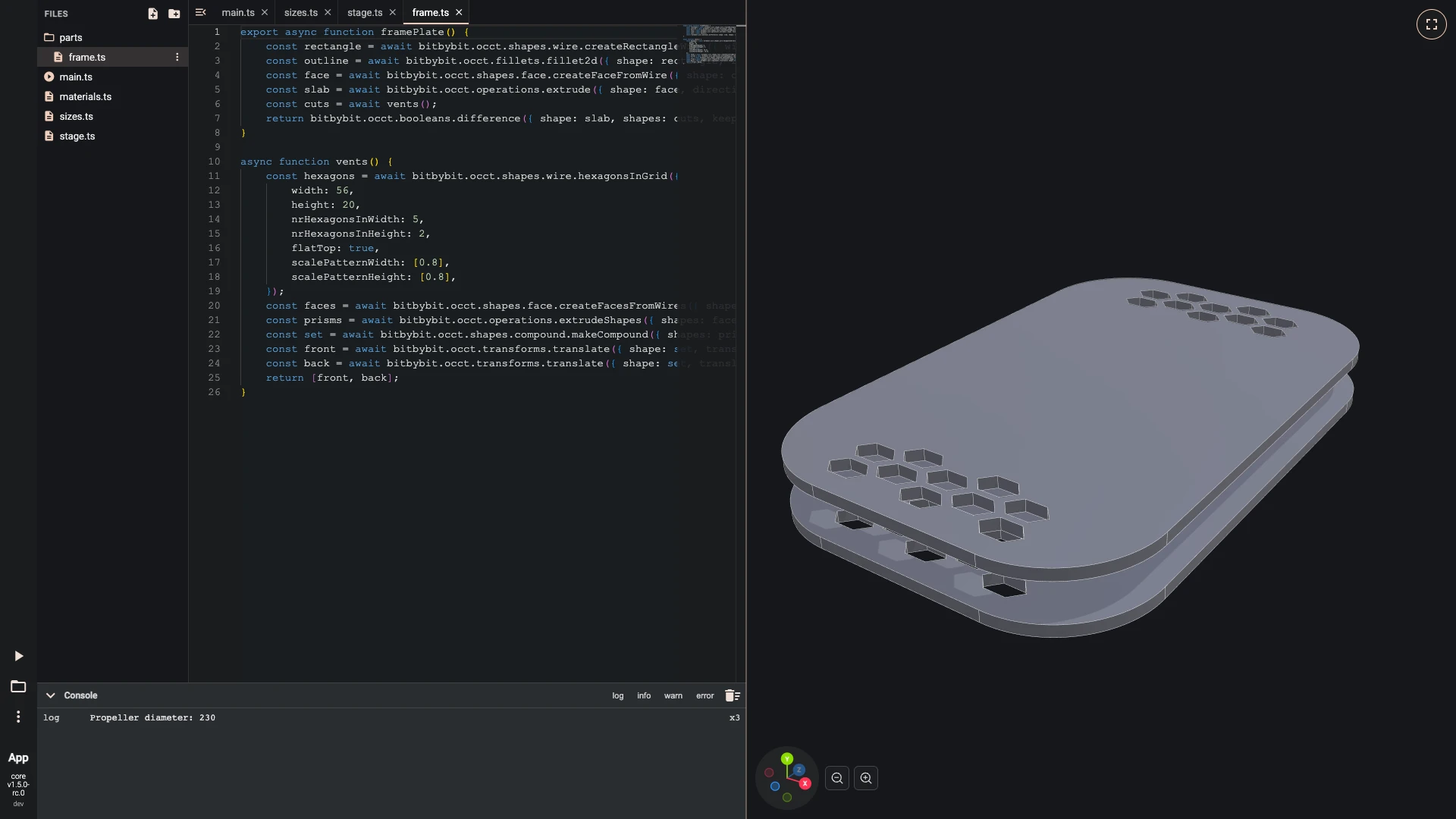
The frame plate is a rounded rectangle, 96 by 150 millimetres, made into a face and extruded 3 millimetres. Hexagon vents from a grid of hexagons are cut through it at the front and the back. The parts go in a folder of their own;
main.tsplaces a second plate 13 millimetres above the first and draws both in carbon.- Make
parts/frame.ts:
export async function framePlate() {const rectangle = await bitbybit.occt.shapes.wire.createRectangleWire({ width: 96, length: 150 });const outline = await bitbybit.occt.fillets.fillet2d({ shape: rectangle, radius: 26 });const face = await bitbybit.occt.shapes.face.createFaceFromWire({ shape: outline, planar: true });const slab = await bitbybit.occt.operations.extrude({ shape: face, direction: [0, 3, 0] });const cuts = await vents();return bitbybit.occt.booleans.difference({ shape: slab, shapes: cuts, keepEdges: false });}async function vents() {const hexagons = await bitbybit.occt.shapes.wire.hexagonsInGrid({width: 56,height: 20,nrHexagonsInWidth: 5,nrHexagonsInHeight: 2,flatTop: true,scalePatternWidth: [0.8],scalePatternHeight: [0.8],});const faces = await bitbybit.occt.shapes.face.createFacesFromWires({ shapes: hexagons, planar: true });const prisms = await bitbybit.occt.operations.extrudeShapes({ shapes: faces, direction: [0, 3, 0] });const set = await bitbybit.occt.shapes.compound.makeCompound({ shapes: prisms });const front = await bitbybit.occt.transforms.translate({ shape: set, translation: [0, 0, 60] });const back = await bitbybit.occt.transforms.translate({ shape: set, translation: [0, 0, -60] });return [front, back];}- Import at the top of
main.ts:
import { framePlate } from "./parts/frame";- Add at the end of
main.ts:
const plate = await framePlate();const topPlate = await bitbybit.occt.transforms.translate({ shape: plate, translation: [0, 13, 0] });await draw(looks.carbon, [plate, topPlate]);- Run it with Run The Code.
- Make
Next: around, bolts and standoffs.
Verified against the product in October 2026