Files and imports
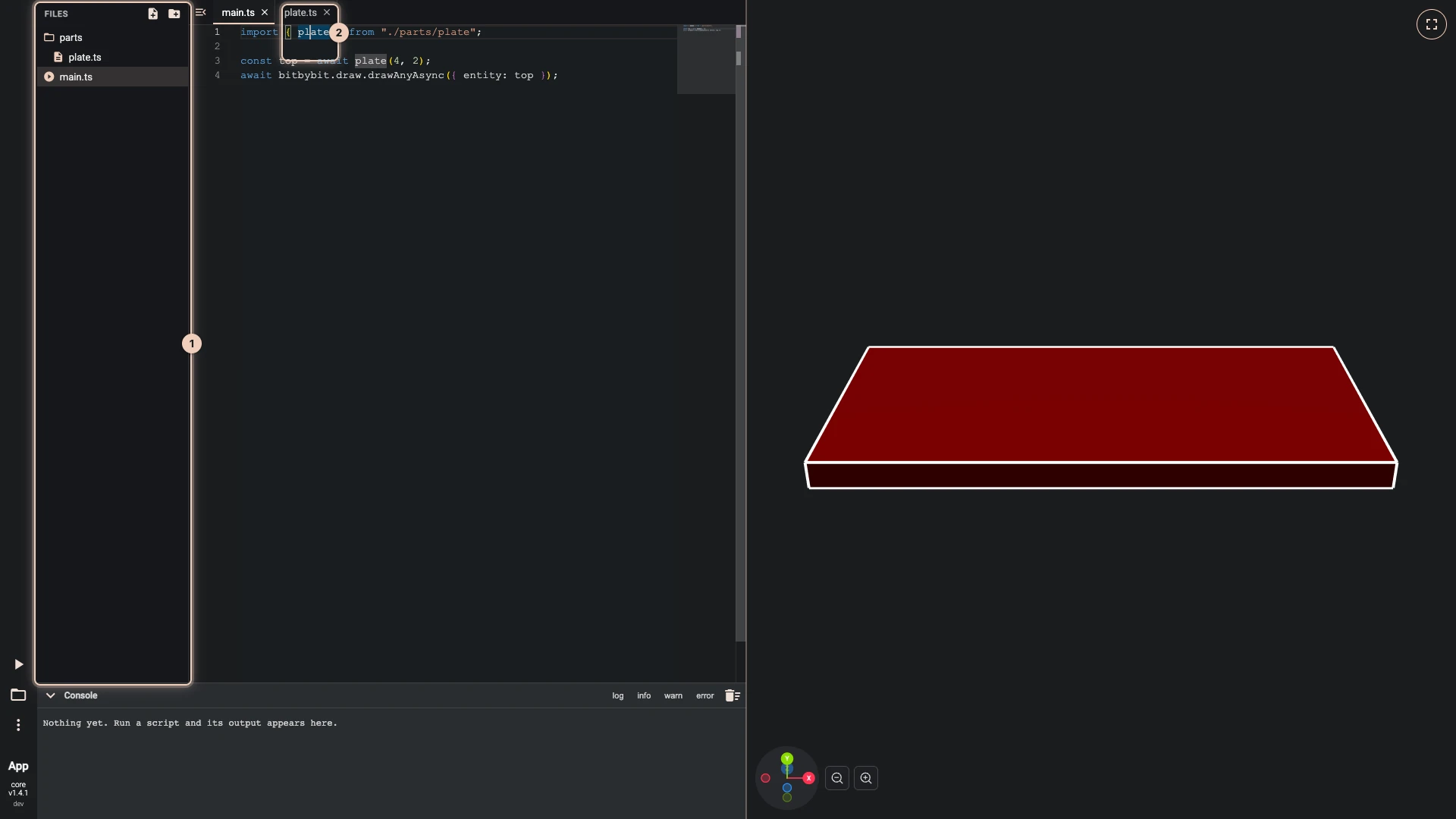
A TypeScript script can be more than one file. Keep a part, a set of helpers or your data in its own file, export what other files need, and import it where you use it. The picture shows a script of two files: parts/plate.ts exports a function that makes a plate, and main.ts imports it (2), calls it and draws the result.
The entry file
Every script has main.ts, marked with a play icon in Files (1). Run The Code starts there, and the other files run only when something imports them. main.ts can be renamed or moved, and it cannot be deleted, so a script always has a place to start.
Make a file or a folder
- Press New file or New folder at the top of Files.
- Type its path. A path with folders, such as
parts/plate.ts, makes the folders too. - Press Enter, or the check button beside the field.
A file ends in .ts for code, or .json for data. Names use letters, digits, dots, dashes and underscores.
Import a file
Export what another file should see, then import it with a path relative to the importing file, without the .ts:
// parts/plate.ts
export async function plate(width: number, length: number) {
    const options = new Bit.Inputs.OCCT.BoxDto();
    options.width = width;
    options.length = length;
    options.height = 0.2;
    return bitbybit.occt.shapes.solid.createBox(options);
}
// main.ts
import { plate } from "./parts/plate";

const top = await plate(4, 2);
await bitbybit.draw.drawAnyAsync({ entity: top });
A .json file is imported as its data: import sizes from "./sizes.json"; gives the parsed object. bitbybit and Bit need no import in any file; the API in code explains them.
A script imports only its own files. An import of a package name, a path outside the script, or a file that does not exist stops the run with an error that names the file and the import, and so does import() called as a function.
Rename, move and delete
Right-click a file or a folder, or press its More actions button, for its menu:
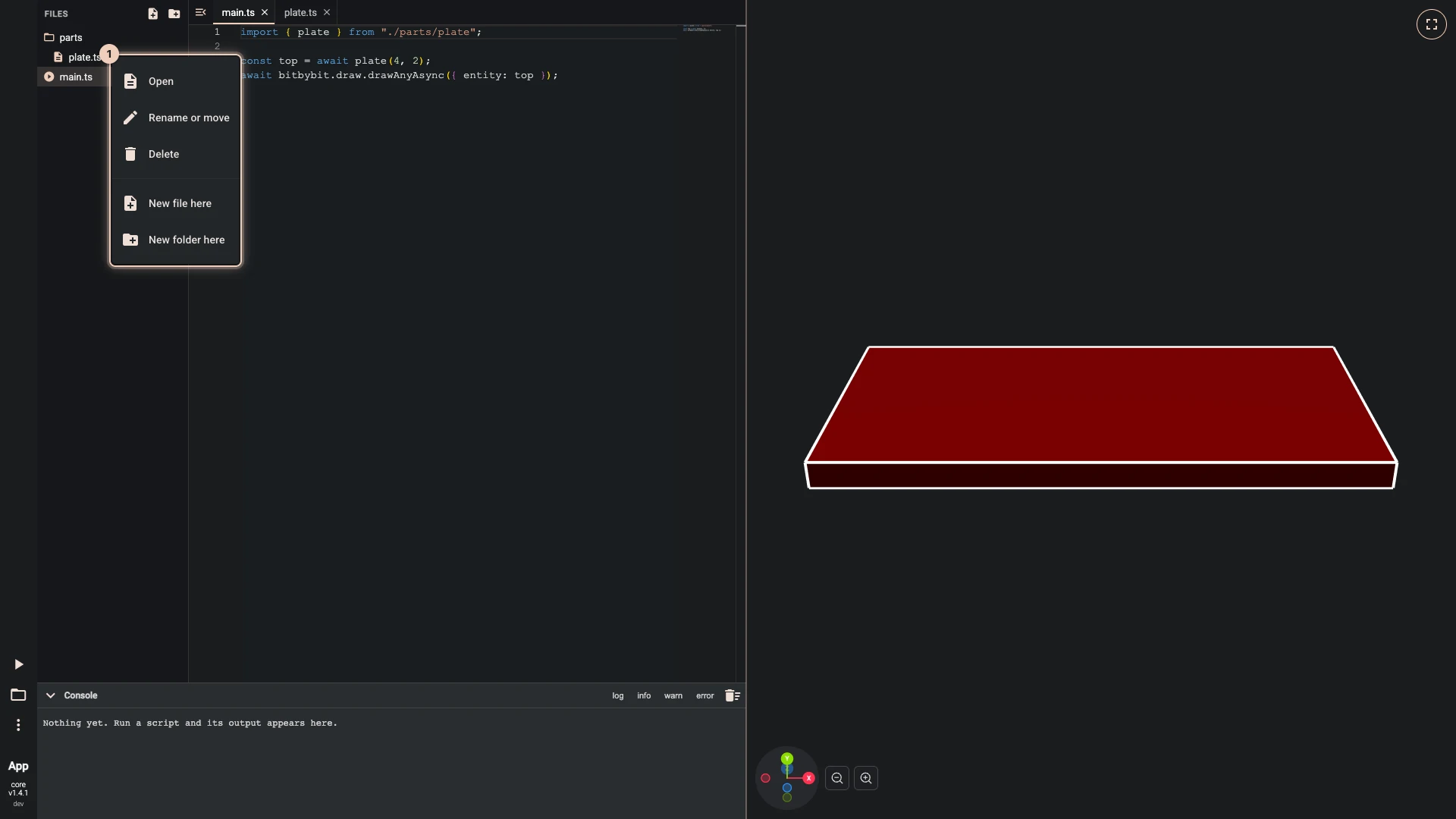
- Open opens the file in a tab.
- Rename or move edits its path in place: change the name, or the folders before it to move it.
- Delete removes it, after asking. A folder goes with everything inside it.
- New file here and New folder here start a path inside the folder.
Drag a file or a folder onto another folder to move it there, or onto the empty space below the tree to move it to the top.
A file with a mistake shows how many it has, in the tree and on its tab, so a mistake in a file you have closed is still in sight. IntelliSense and errors explains the marks.
Limits
A script holds at most 200 files and 200 folders, and a path is at most 160 characters long.
Verified against the product in October 2026