IntelliSense, hovers and errors
The editor knows every function of the Bitbybit API, every option it takes and every type it returns, so it can help before you run anything.
Suggestions
Type a dot after bitbybit or any name the API holds, and a list of what can follow opens. Keep typing to narrow it, use ↑ and ↓ to choose, and press Enter or Tab to take one. Ctrl+Space opens the list wherever the cursor is. The Hello World tutorial shows the list for bitbybit.advanced.text3d..
Hovers
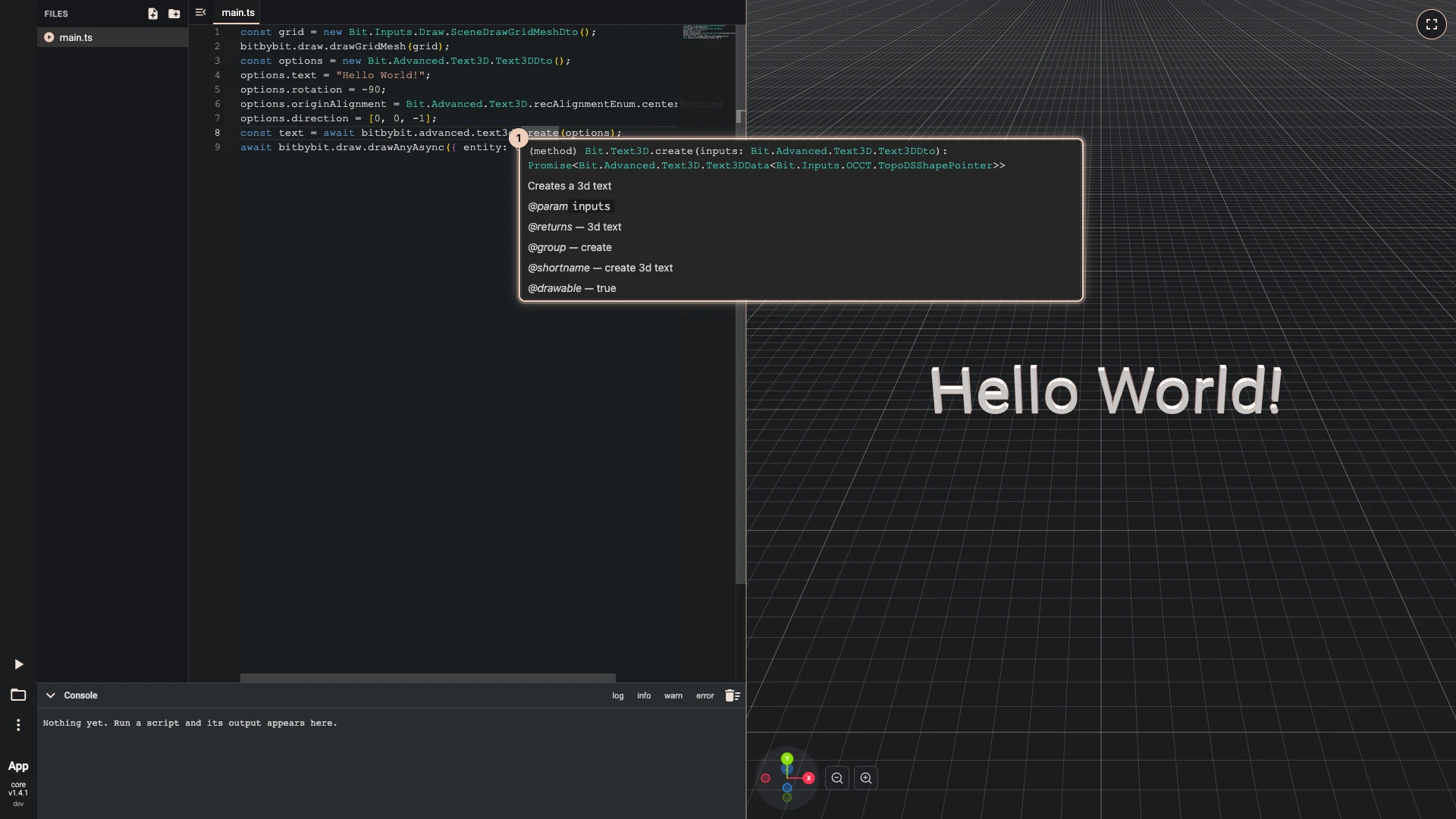
Rest the pointer on a name to see what it is. For a function, the hover shows what it takes, what it gives back and what it does: the same text as the API reference. The picture rests on create in bitbybit.advanced.text3d.create.
Mistakes before the run
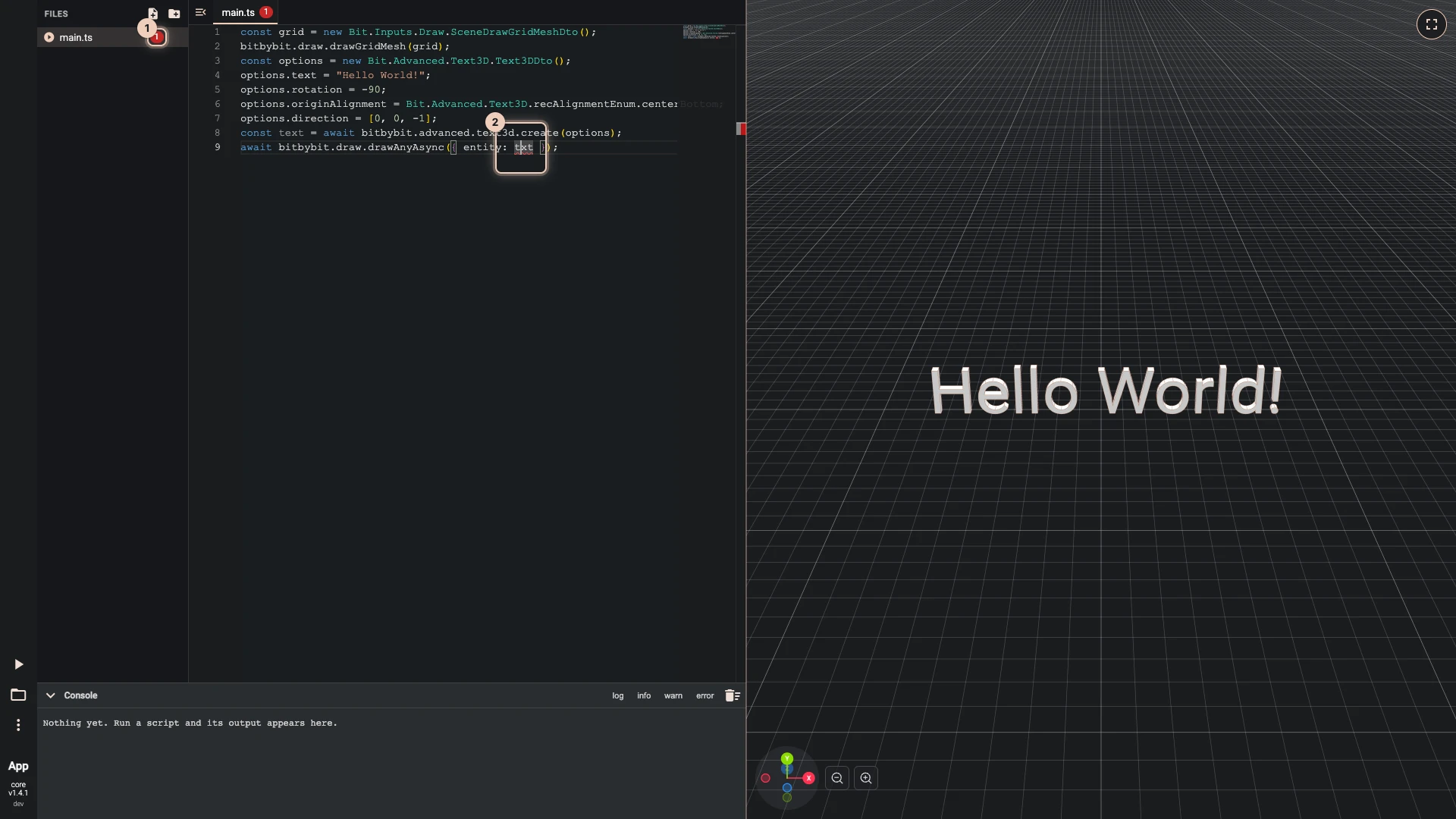
A mistake the editor can see is underlined in red as you type: a misspelled name, a missing option, a number where text belongs. Rest the pointer on the underline for what is wrong; here the script draws txt, and the editor answers "Cannot find name 'txt'. Did you mean 'text'?". The file shows how many mistakes it has, in Files and on its tab (1), so you can find them in a script of many files.
The marks do not stop a run: Run The Code runs what you wrote, and a real mistake then fails when the run reaches it.
Errors of a run
What fails while the script runs is written to the console, in red, with the file it happened in. When the console is not on screen, a Code execution failed message shows the error instead. Errors lists what the common ones mean.
Verified against the product in October 2026