A tour of the TypeScript editor
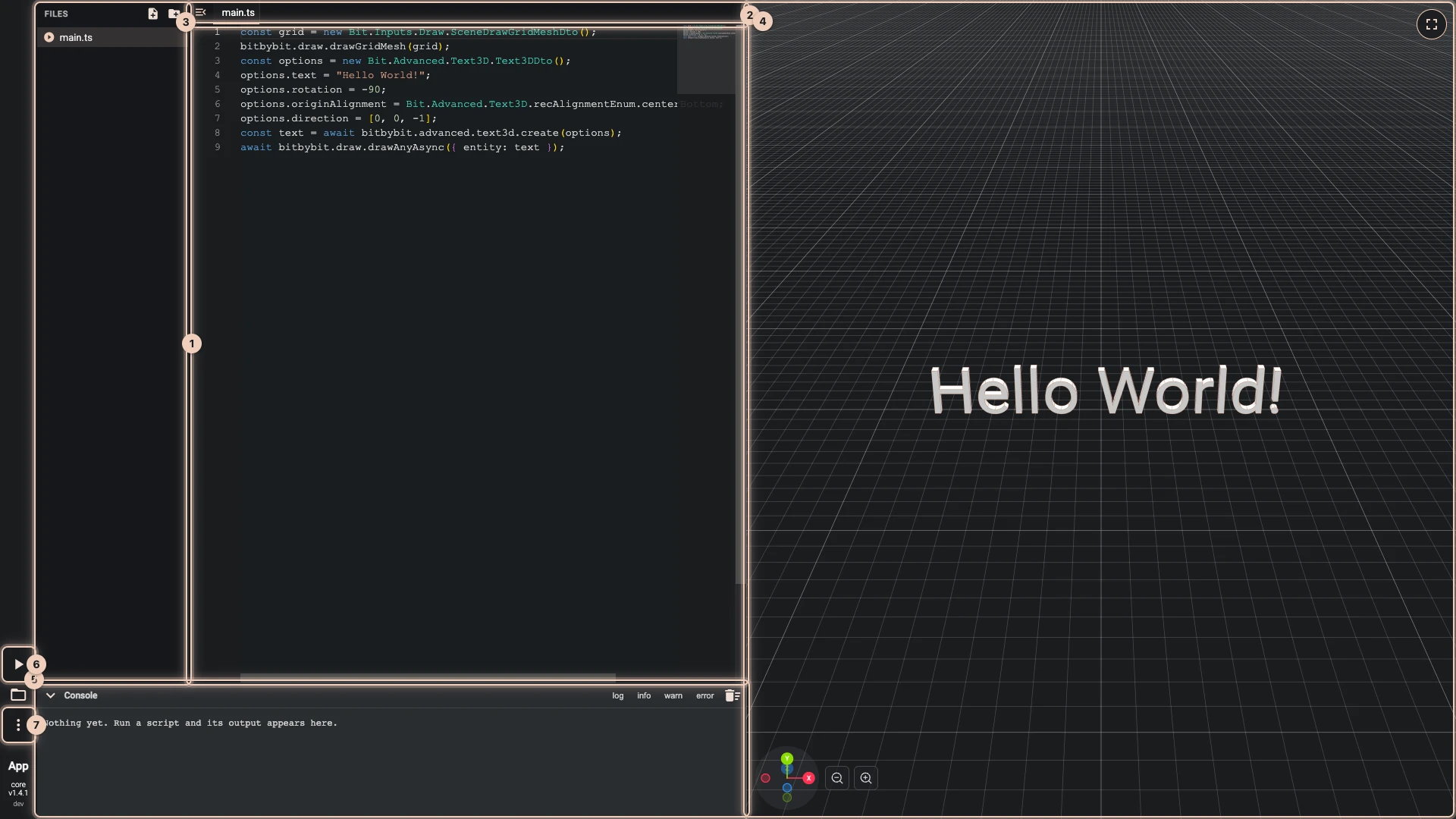
The numbers match the picture, which shows the script Hello World writes.
- Files. The files and folders of the script, with New file and New folder. The file with the play icon,
main.ts, is where the run starts. A file with a mistake shows how many it has. Files and imports explains the rest. - The tabs. The files you opened; click one to edit it.
- The code. Suggestions appear as you type, a hover explains what is under the pointer, and a mistake is underlined before you run. IntelliSense and errors explains each.
- The 3D view. What the script draws. Turn it with the left mouse button, pan with the right, zoom with the wheel.
- The console. What the script logs, and the errors of a run.
- Run The Code. Runs the script from
main.ts. - More. Import, export, copy and paste the script, Export to runner, settings, and links to the documentation.
Running code explains the split between the code and the 3D view.
Verified against the product in October 2026