Build a drone: canopy and electronics
The canopy covers the electronics on the top plate. Its honeycomb and the logo on its hatch are what make the drone recognisable, and both come from functions a few lines long.
-
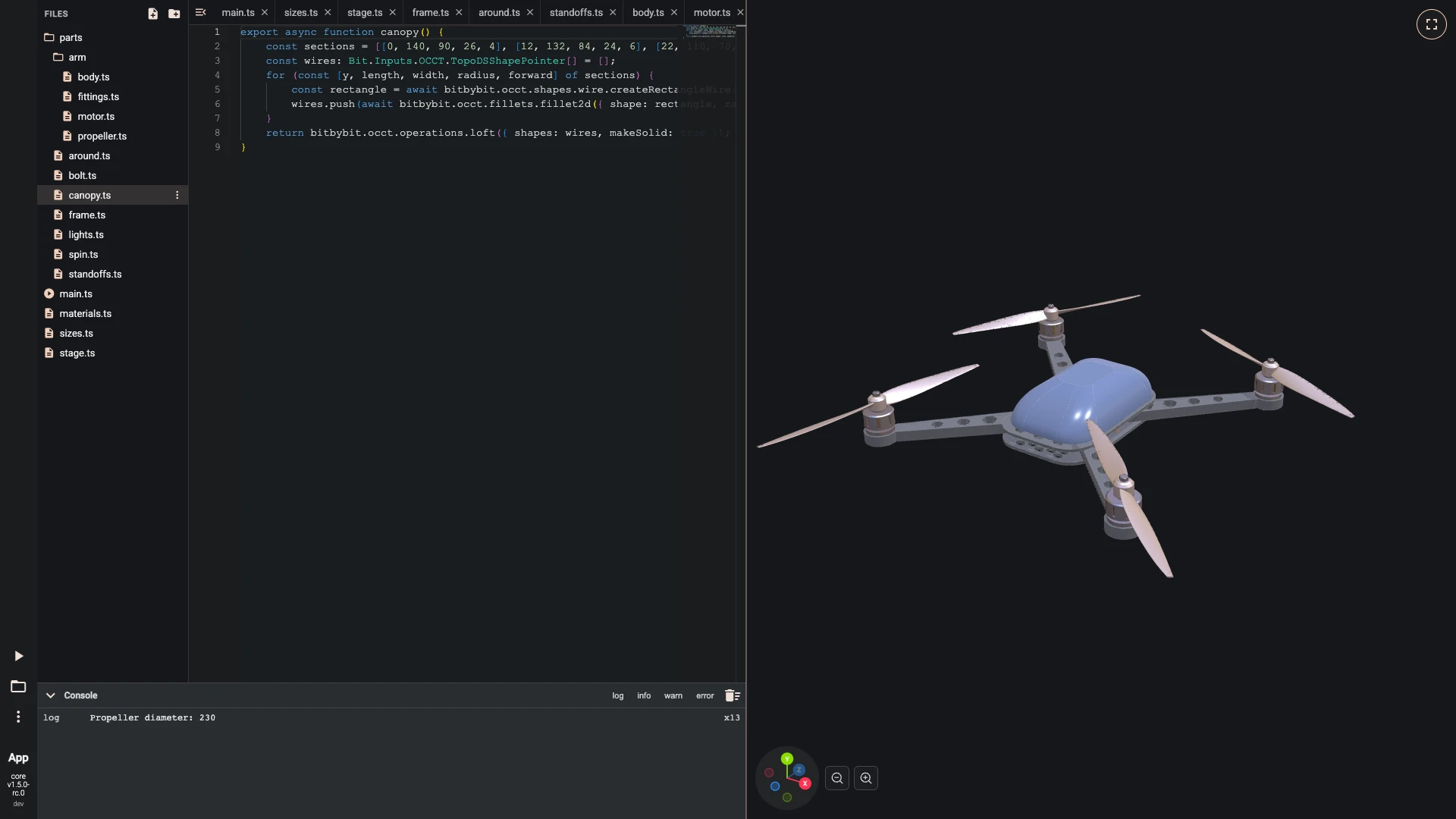
The canopy is lofted through five rounded rectangles that narrow as they rise; a list of numbers gives each one's height, size and corner radius.
main.tssets it on the top plate and paints it midnight blue.- Make
parts/canopy.ts:
export async function canopy() {const sections = [[0, 140, 90, 26, 4], [12, 132, 84, 24, 6], [22, 110, 70, 19, 9], [29, 76, 48, 13, 10], [32, 52, 36, 10, 10]];const wires: Bit.Inputs.OCCT.TopoDSShapePointer[] = [];for (const [y, length, width, radius, forward] of sections) {const rectangle = await bitbybit.occt.shapes.wire.createRectangleWire({ width, length, center: [0, y, forward], direction: [0, 1, 0] });wires.push(await bitbybit.occt.fillets.fillet2d({ shape: rectangle, radius }));}return bitbybit.occt.operations.loft({ shapes: wires, makeSolid: true });}- Import at the top of
main.ts:
import { canopy } from "./parts/canopy";- Add at the end of
main.ts:
const shell = await canopy();await draw(looks.paint, await bitbybit.occt.transforms.translate({ shape: shell, translation: [0, 16, 0] }));- Run it with Run The Code.
- Make
-
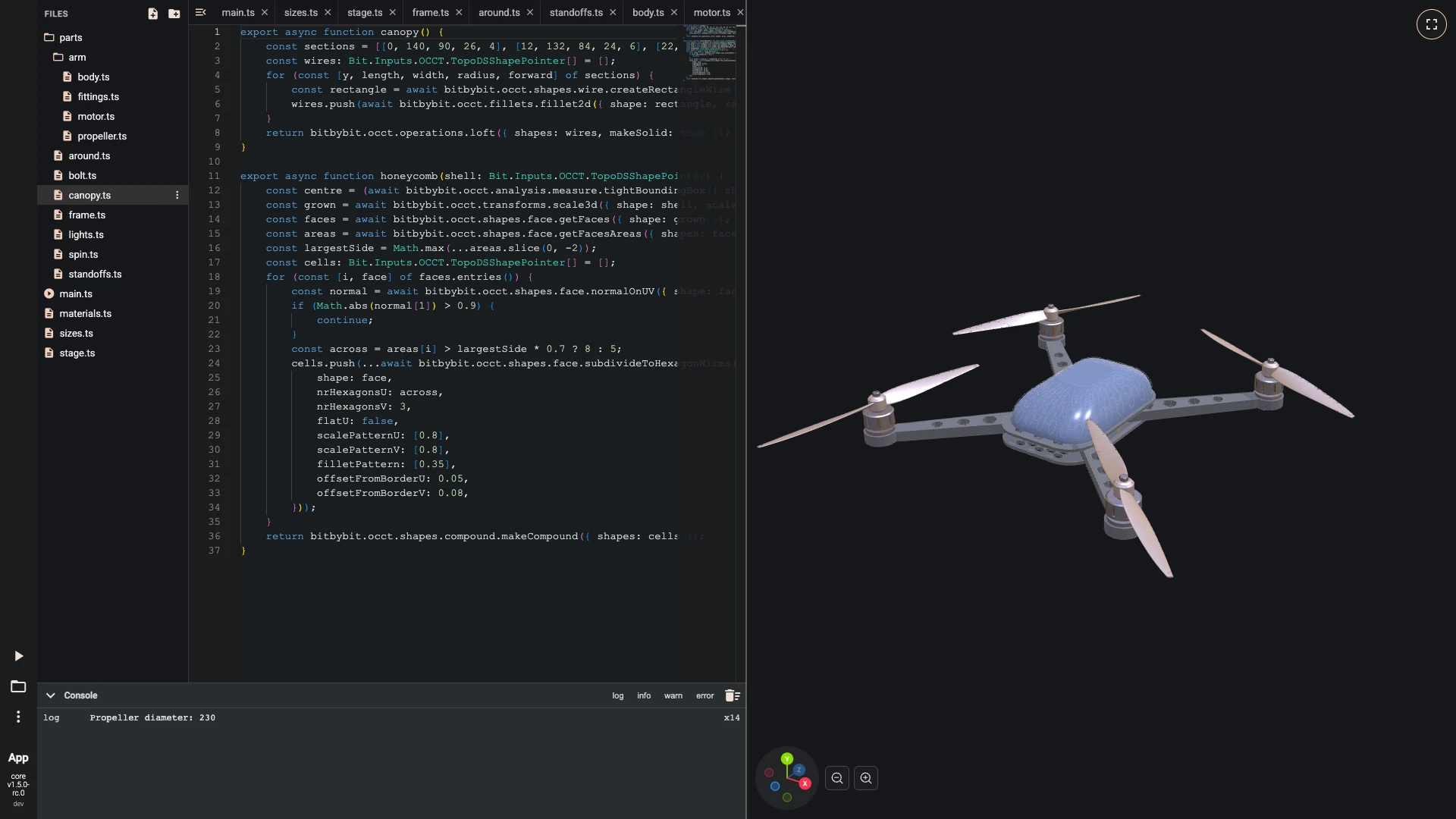
A honeycomb is traced on the canopy's sides: the loft grows a little, and each side face is divided into hexagon wires, eight across the long sides and five across the short ones. The top and the bottom are left out by their normals. The wires are drawn as white lines over the canopy.
- Add at the end of
parts/canopy.ts:
export async function honeycomb(shell: Bit.Inputs.OCCT.TopoDSShapePointer) {const centre = (await bitbybit.occt.analysis.measure.tightBoundingBox({ shape: shell })).center;const grown = await bitbybit.occt.transforms.scale3d({ shape: shell, scale: [1.02, 1.02, 1.02], center: [centre[0], 0, centre[2]] });const faces = await bitbybit.occt.shapes.face.getFaces({ shape: grown });const areas = await bitbybit.occt.shapes.face.getFacesAreas({ shapes: faces });const largestSide = Math.max(...areas.slice(0, -2));const cells: Bit.Inputs.OCCT.TopoDSShapePointer[] = [];for (const [i, face] of faces.entries()) {const normal = await bitbybit.occt.shapes.face.normalOnUV({ shape: face, paramU: 0.5, paramV: 0.5 });if (Math.abs(normal[1]) > 0.9) {continue;}const across = areas[i] > largestSide * 0.7 ? 8 : 5;cells.push(...await bitbybit.occt.shapes.face.subdivideToHexagonWires({shape: face,nrHexagonsU: across,nrHexagonsV: 3,flatU: false,scalePatternU: [0.8],scalePatternV: [0.8],filletPattern: [0.35],offsetFromBorderU: 0.05,offsetFromBorderV: 0.08,}));}return bitbybit.occt.shapes.compound.makeCompound({ shapes: cells });}- In
main.ts, changeimport { canopy } from "./parts/canopy";toimport { canopy, honeycomb } from "./parts/canopy";. - Add at the end of
main.ts:
const cells = await honeycomb(shell);await draw(looks.honeycomb, await bitbybit.occt.transforms.translate({ shape: cells, translation: [0, 16, 0] }));- Run it with Run The Code.
- Add at the end of
-
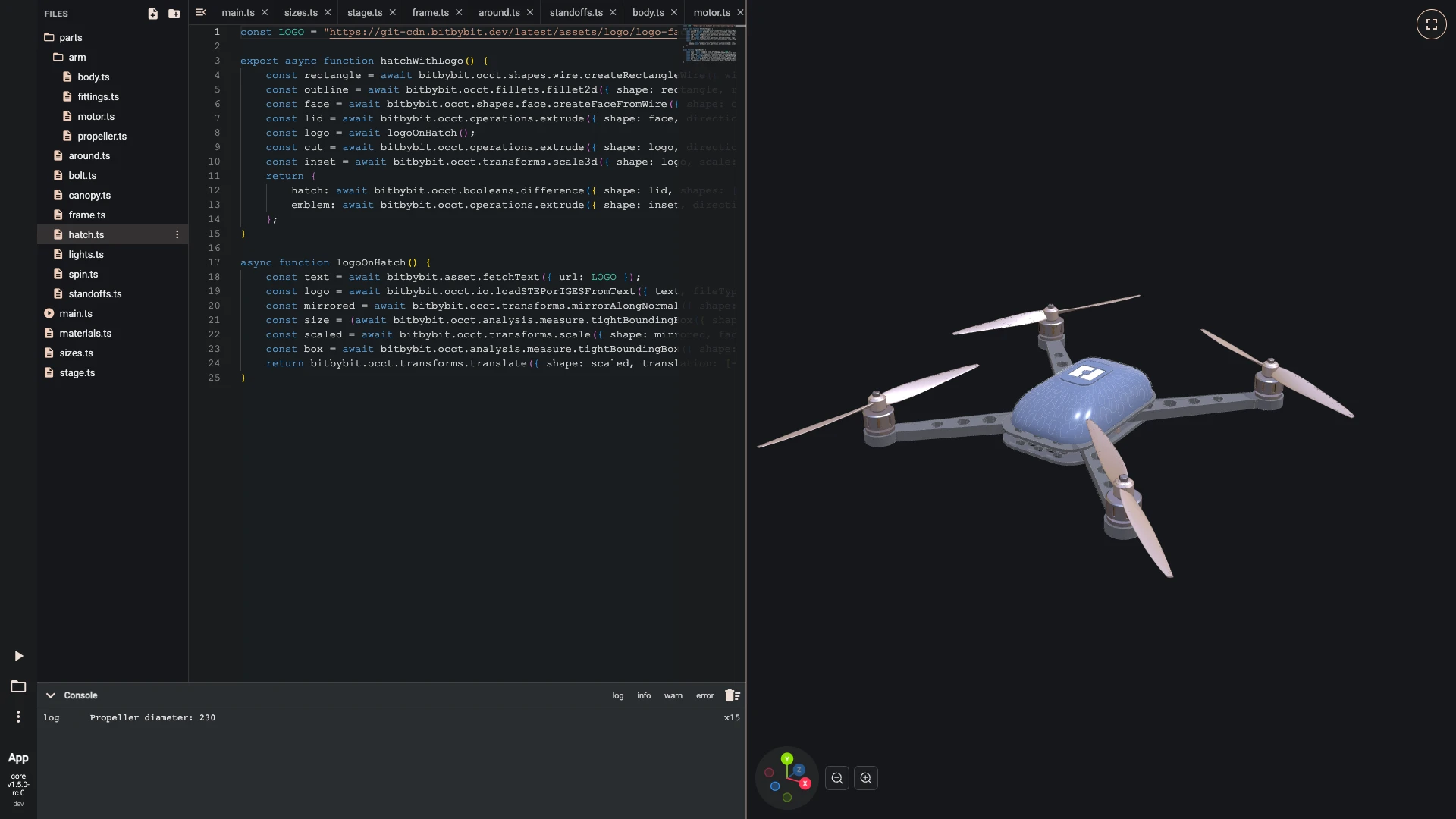
A hatch closes the top, with the bitbybit logo in it. The logo's STEP file is fetched from the CDN and read into a shape, mirrored, scaled to 26 millimetres and centred on the hatch. Extruded, it is cut through the hatch, and a copy a little smaller sits in the cut as a white emblem.
- Make
parts/hatch.ts:
const LOGO = "https://git-cdn.bitbybit.dev/latest/assets/logo/logo-faces.stp";export async function hatchWithLogo() {const rectangle = await bitbybit.occt.shapes.wire.createRectangleWire({ width: 34, length: 50, center: [0, 48, 10], direction: [0, 1, 0] });const outline = await bitbybit.occt.fillets.fillet2d({ shape: rectangle, radius: 9 });const face = await bitbybit.occt.shapes.face.createFaceFromWire({ shape: outline, planar: true });const lid = await bitbybit.occt.operations.extrude({ shape: face, direction: [0, 1.4, 0] });const logo = await logoOnHatch();const cut = await bitbybit.occt.operations.extrude({ shape: logo, direction: [0, 1.7, 0] });const inset = await bitbybit.occt.transforms.scale3d({ shape: logo, scale: [0.96, 1, 0.96], center: [0, 47.9, 10] });return {hatch: await bitbybit.occt.booleans.difference({ shape: lid, shapes: [cut], keepEdges: false }),emblem: await bitbybit.occt.operations.extrude({ shape: inset, direction: [0, 1.1, 0] }),};}async function logoOnHatch() {const text = await bitbybit.asset.fetchText({ url: LOGO });const logo = await bitbybit.occt.io.loadSTEPorIGESFromText({ text, fileType: Bit.Inputs.OCCT.fileTypeEnum.step, adjustZtoY: true });const mirrored = await bitbybit.occt.transforms.mirrorAlongNormal({ shape: logo, origin: [0, 0, 0], normal: [1, 0, 0] });const size = (await bitbybit.occt.analysis.measure.tightBoundingBox({ shape: mirrored })).size;const scaled = await bitbybit.occt.transforms.scale({ shape: mirrored, factor: 26 / Math.max(size[0], size[2]) });const box = await bitbybit.occt.analysis.measure.tightBoundingBox({ shape: scaled });return bitbybit.occt.transforms.translate({ shape: scaled, translation: [-box.center[0], 47.9 - box.min[1], 10 - box.center[2]] });}- Import at the top of
main.ts:
import { hatchWithLogo } from "./parts/hatch";- Add at the end of
main.ts:
const lid = await hatchWithLogo();await draw(looks.paint, lid.hatch);await draw(looks.emblem, lid.emblem);- Run it with Run The Code.
- Make
-
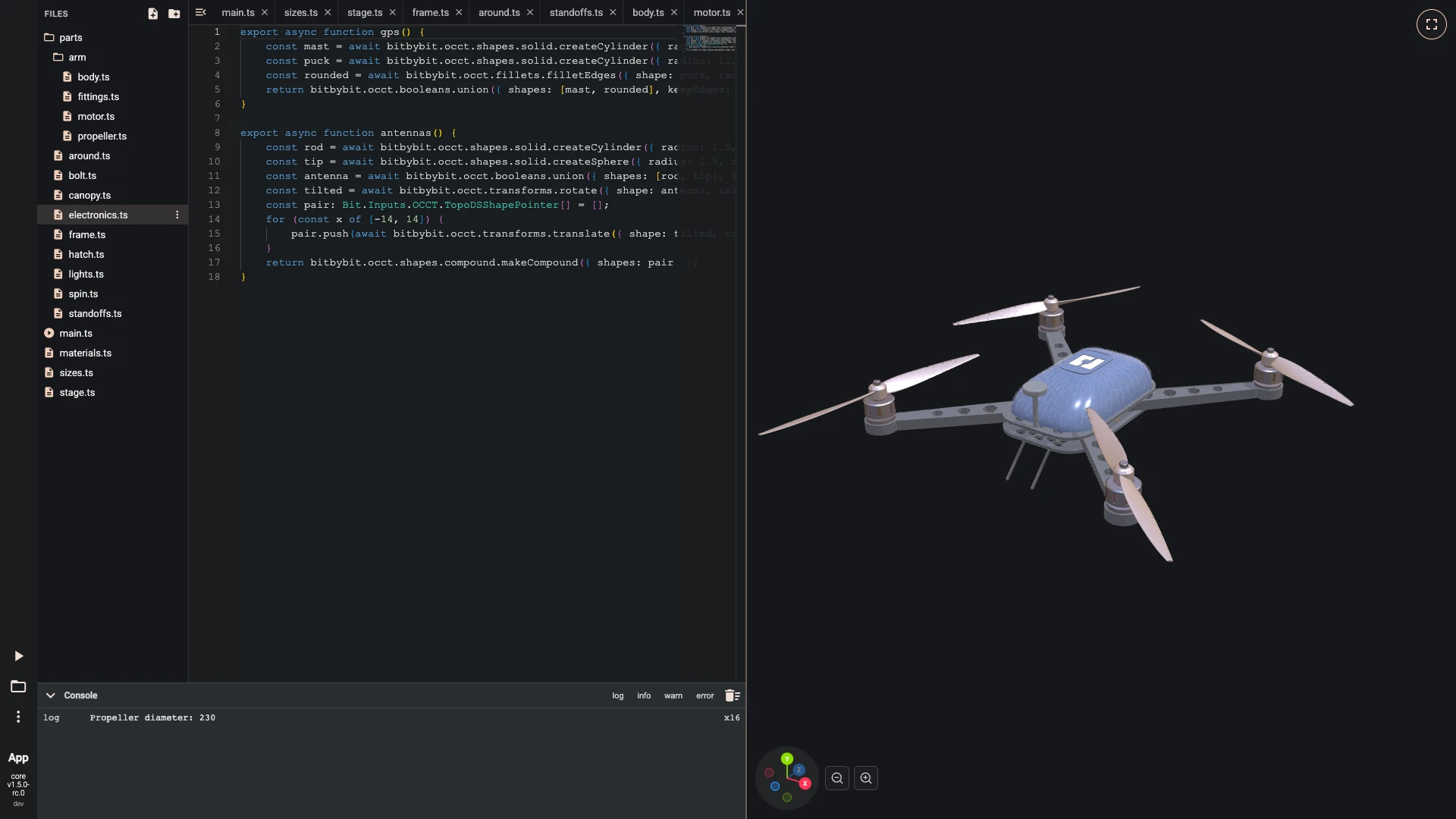
The GPS stands on a mast behind the canopy, its puck's edges rounded, and two antennas angle down and back from the bottom plate.
- Make
parts/electronics.ts:
export async function gps() {const mast = await bitbybit.occt.shapes.solid.createCylinder({ radius: 2.5, height: 34, center: [0, 16, -70], direction: [0, 1, 0] });const puck = await bitbybit.occt.shapes.solid.createCylinder({ radius: 11, height: 6, center: [0, 50, -70], direction: [0, 1, 0] });const rounded = await bitbybit.occt.fillets.filletEdges({ shape: puck, radius: 1.5 });return bitbybit.occt.booleans.union({ shapes: [mast, rounded], keepEdges: false });}export async function antennas() {const rod = await bitbybit.occt.shapes.solid.createCylinder({ radius: 1.5, height: 42, center: [0, 0, 0], direction: [0, 1, 0] });const tip = await bitbybit.occt.shapes.solid.createSphere({ radius: 1.5, center: [0, 42, 0] });const antenna = await bitbybit.occt.booleans.union({ shapes: [rod, tip], keepEdges: false });const tilted = await bitbybit.occt.transforms.rotate({ shape: antenna, axis: [1, 0, 0], angle: 225 });const pair: Bit.Inputs.OCCT.TopoDSShapePointer[] = [];for (const x of [-14, 14]) {pair.push(await bitbybit.occt.transforms.translate({ shape: tilted, translation: [x, 0, -67] }));}return bitbybit.occt.shapes.compound.makeCompound({ shapes: pair });}- Import at the top of
main.ts:
import { antennas, gps } from "./parts/electronics";- Add at the end of
main.ts:
await draw(looks.polymer, await gps());await draw(looks.rubber, await antennas());- Run it with Run The Code.
- Make
Next: landing gear.
Verified against the product in October 2026