Patterns of components
A fan has twenty-two blades, a bearing thirty-six balls. A pattern places copies of one component, turned about an axis or stepped along a direction, and keeps them as one row of the assembly. It is the assembly's counterpart of a part's linear and polar patterns, with whole components instead of fused bodies.
Pattern a component
- Place the component once, where the first copy goes.
- Select it, and choose Pattern in Properties, or Insert > Pattern. A polar pattern about the up axis starts, which you then change.
- Under Pattern, choose its kind and fill in its fields:
- Polar, about an axis: Axis through a point and Axis direction, the Count of copies, the Angle they spread over (a whole turn when empty) and the Start angle of the first;
- Linear, along a direction: the Direction, the Spacing between copies and their Count.
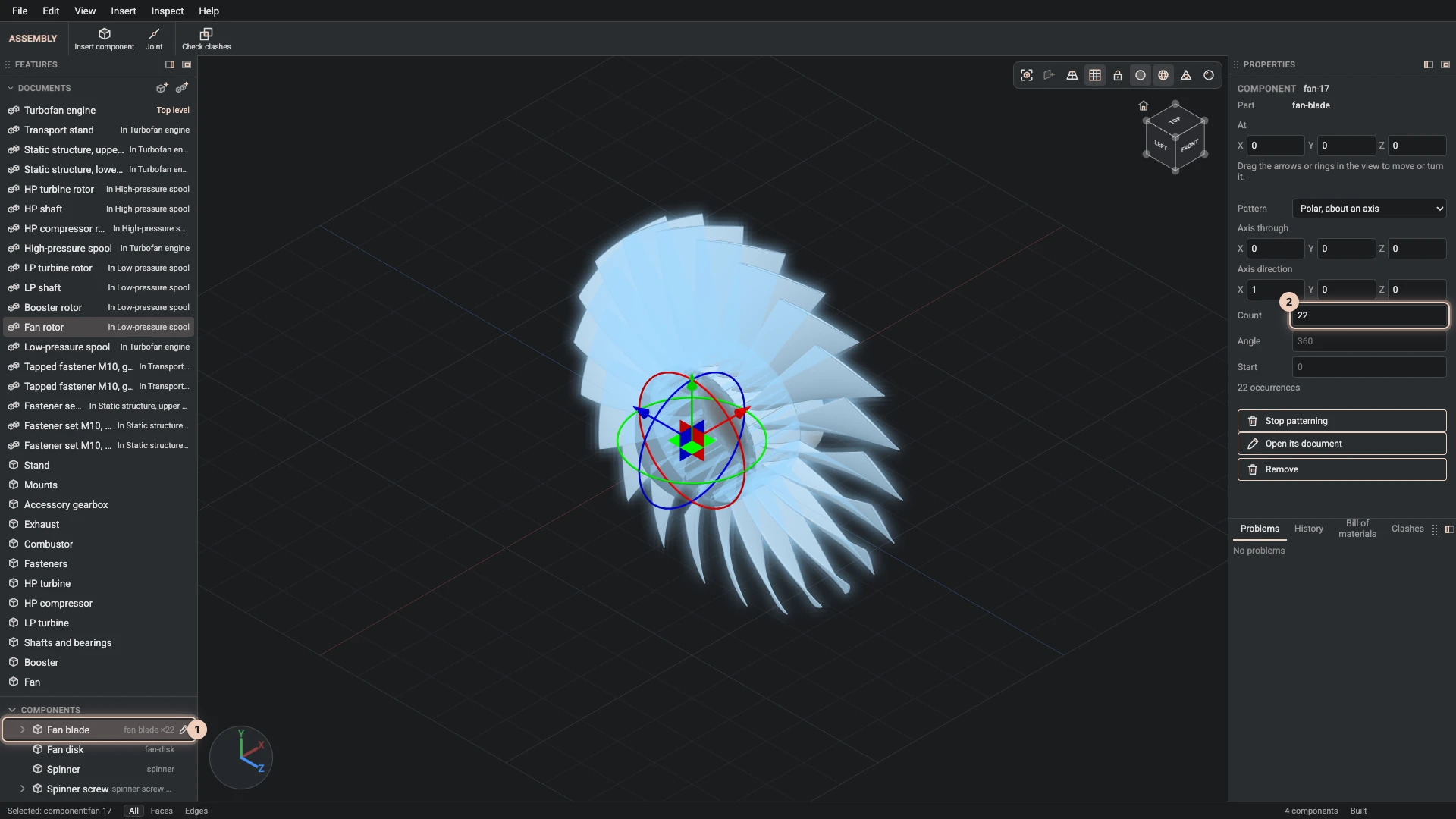
Every number can be an expression of the assembly's parameters, so a count can follow a size. The picture shows the jet engine's fan rotor: one fan blade component, patterned twenty-two times about the engine's axis, and selected so all twenty-two glow.
In the tree and the bill of materials
The Components group shows a patterned component once, with its count, such as "×22"; its copies fold open under it. The bill of materials counts every copy.
Stop patterning places the component once again.
What a pattern cannot do
A pattern places copies; it does not join them. So a patterned component cannot be moved by a joint, nor can another component be joined to one of its copies. To make the copies move, pattern them inside an assembly and join that assembly, as the jet engine does: its blade rows are patterned inside the spools, and a revolute joint turns each spool. A component is placed by a pattern or by replicate, not both, and a count is a whole number from 1 to 1000.
Verified against the product in October 2026