Building a script
A Blockly script is a set of blocks snapped together on the workspace. Hello World builds one step by step; this page explains each move.
Find a block
By category. The toolbox follows the API: occt opens into shapes, then solid, then primitives, where the cube waits, as bitbybit.occt.shapes.solid.createCube does in TypeScript. Click a category that holds others to open it below itself; click the last one to show its blocks in a flyout.
By search.
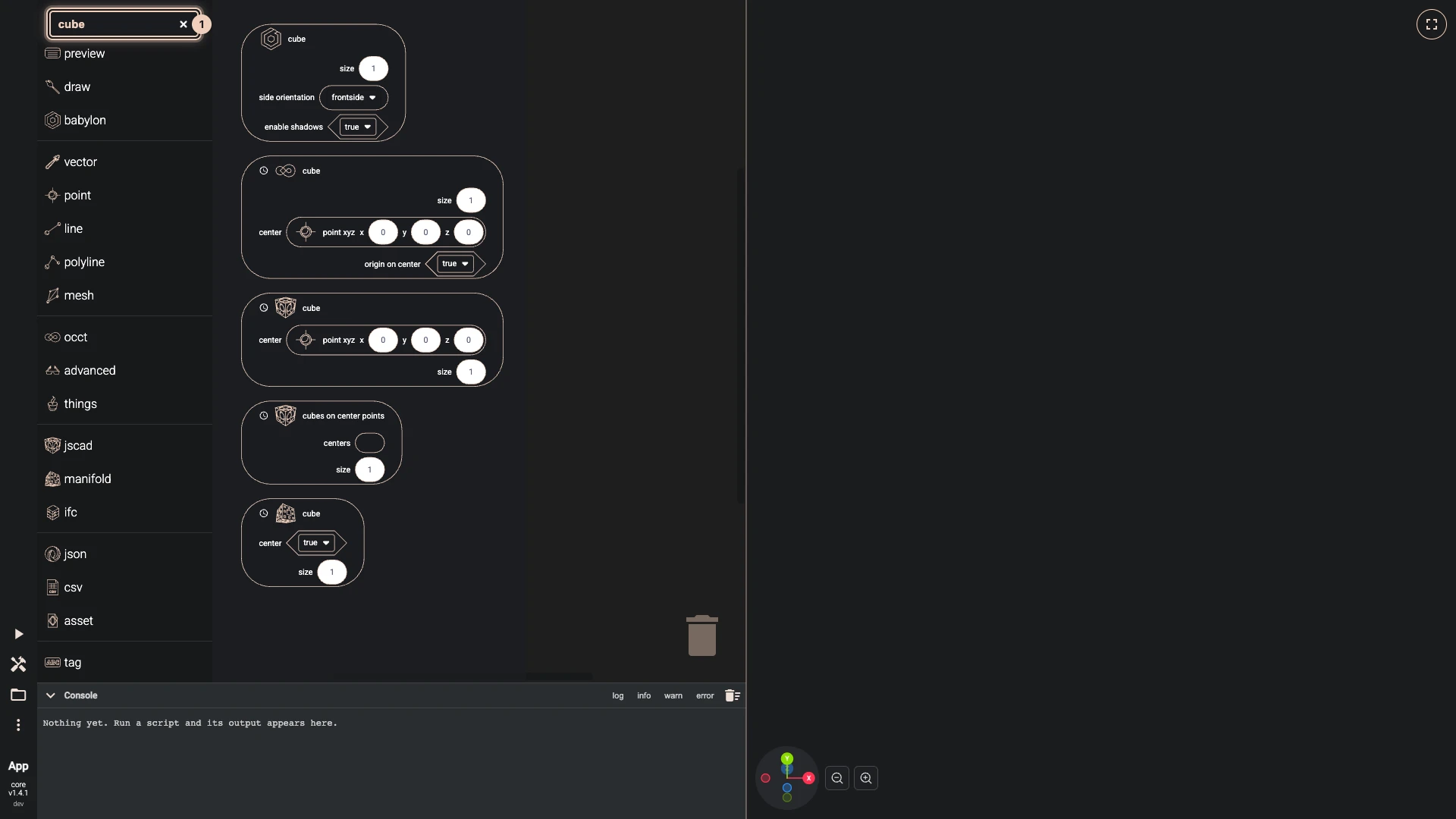
Type part of a block's name into the search field at the top of the toolbox. The flyout lists every block that matches, from every category. Clear the field with its cross.
Put it on the workspace
Drag a block out of the flyout and drop it on the workspace. The flyout closes as you drag. To get rid of a block, drop it on the trash can, or select it and press Delete.
Two shapes of block
- A block that does something, such as drawing, has a notch at its top and a tab at its bottom. Drag one under another until it snaps on: stacked blocks run from top to bottom.
- A block that gives a value, such as a solid, a number or a point, has a tab on its left. Drag it by that edge onto an input of another block until it snaps in. A block plugs only into an input that takes its kind of value.
Change a value
Every input of a block from the toolbox starts with a block plugged in, holding a value to begin with. Click a number or a text to type a new one; click a choice to pick from its list. To feed an input from somewhere else, drag the starting block out to the trash can and plug in your own.
Blockly runs only when you press Run The Code, so run again to see a change.
Verified against the product in October 2026