For AI Coding Agents, and the People Driving Them
You let Claude Code, Codex, Cursor, VS Code, claude.ai, ChatGPT or an agent of your own write the 3D code, or produce the geometry outright. Bitbybit treats that agent as a first-class user: the API is published in the form it can read at the moment it needs it.
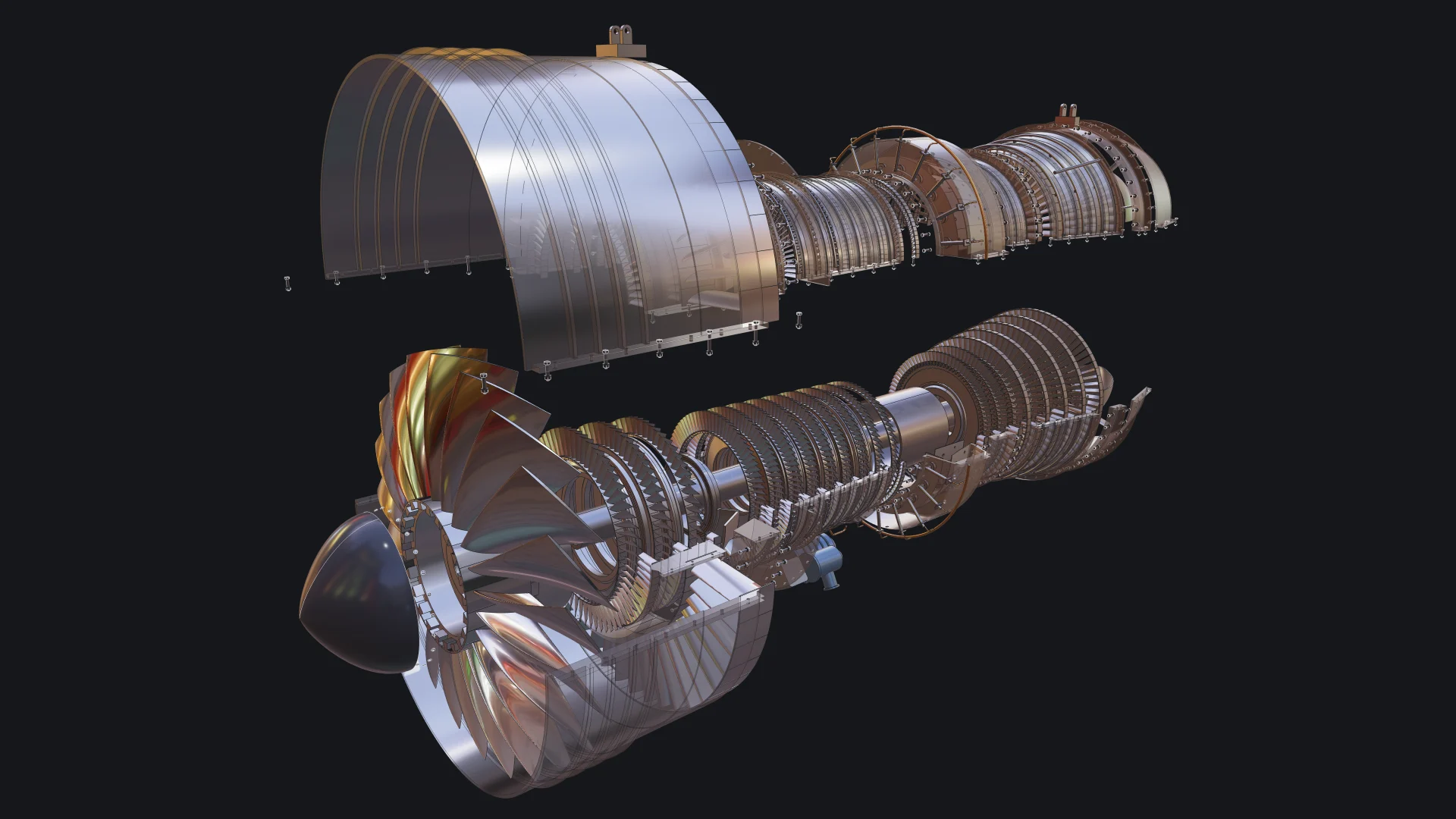
This turbofan engine, 130 parts placed 4,853 times, was written by an AI coding agent that looked up the API through the Bitbybit CAD MCP. How it was made.
Give the agent the API
Connect the free Bitbybit CAD MCP. In Claude Code that is one command:
claude mcp add --transport http bitbybit https://mcp.bitbybit.dev/mcp
From then on the agent describes every function it is about to call: the exact parameters, defaults and examples of the version your project has installed. Assistants that cannot speak MCP get the same knowledge from a context file.
Let the agent run geometry
When the agent has to produce a file or an answer rather than code, connect the Bitbybit CAD Cloud MCP with an API key from a CAD Cloud plan. It runs operations, pipelines, parametric models and STEP conversions on CAD Cloud and returns download links. "What is the volume of this STEP file?" becomes an upload and a two-step pipeline, with no backend of yours.
Design beside an agent
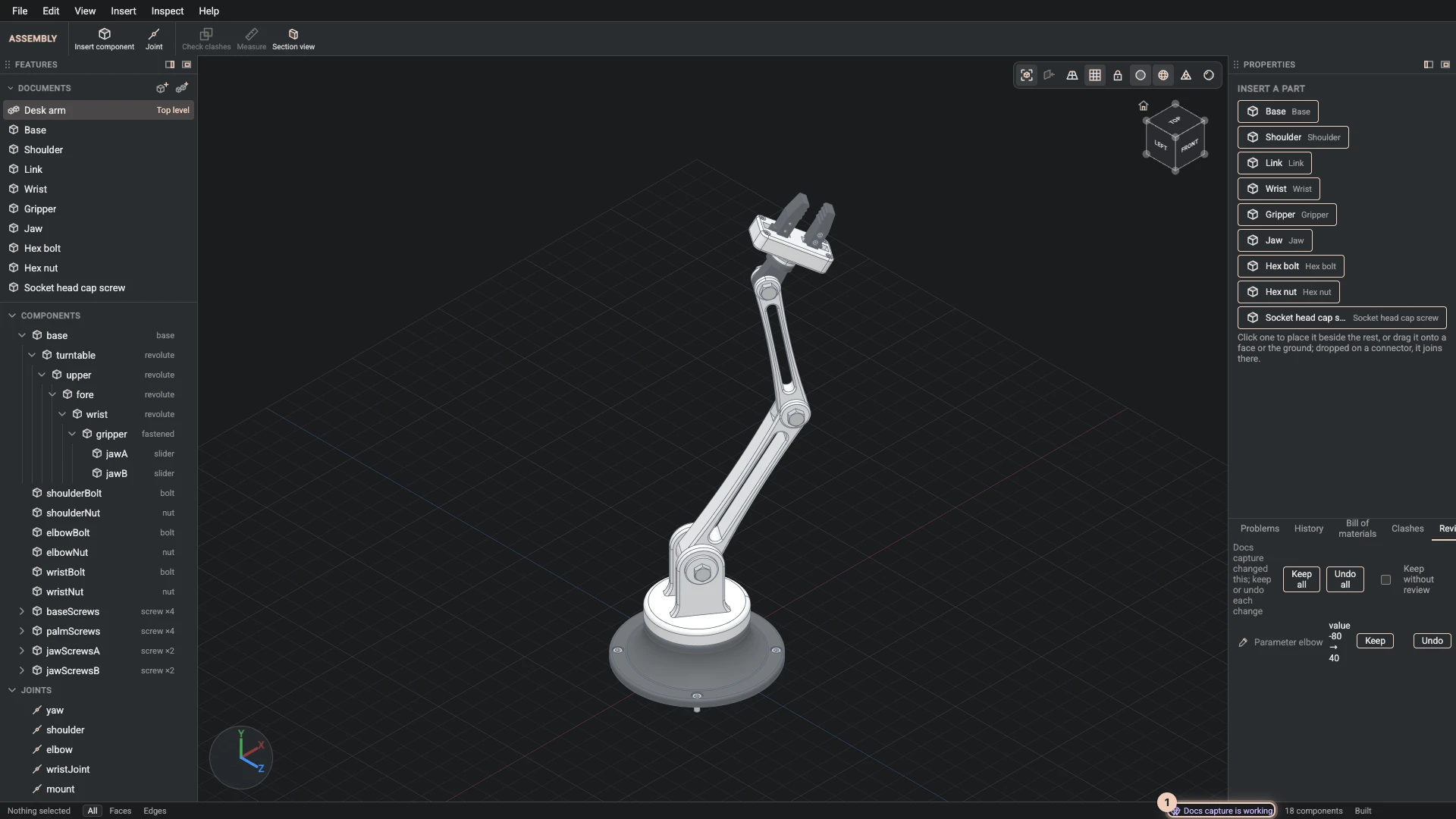
In the Designer, an agent runs the same commands you do: it sketches, extrudes, adds joints and changes parameters in the view while you watch, and each change waits in the Review tab until you keep it or undo it. An agent outside the browser can write a design document instead, which you import and keep editing by hand. Either way the result is a parametric model, not a mesh: you can still measure it, change it and export it to STEP.
Know where geometry should run
Read Agentic CAD once. The free packages are the complete answer wherever public code and your users' compute are acceptable; CAD Cloud is for the Pro algorithms that exist only there and for compute you cannot provide. The agent reads the same page through the docs server, so its advice matches ours.
Start a project the agent can iterate on
npm init @bitbybit-dev/app my-project
The scaffolder gives you a working app on the packages for three.js, Babylon.js or PlayCanvas; point the agent at the MCP server and ask for changes.
- AI introduction
- Bitbybit CAD MCP
- Bitbybit CAD Cloud MCP
- Geometry with the kernels, parts an agent builds with OpenCascade, Manifold and JSCAD, checks and exports
- Design documents, parametric models as JSON an agent can write and check
- IFC building models, BIM files an agent can write, check and hand to other tools
- CAD Cloud API reference for the backend you may write yourself