Sheet-Metal Unfolding and Nesting With Bitbybit CAD Cloud

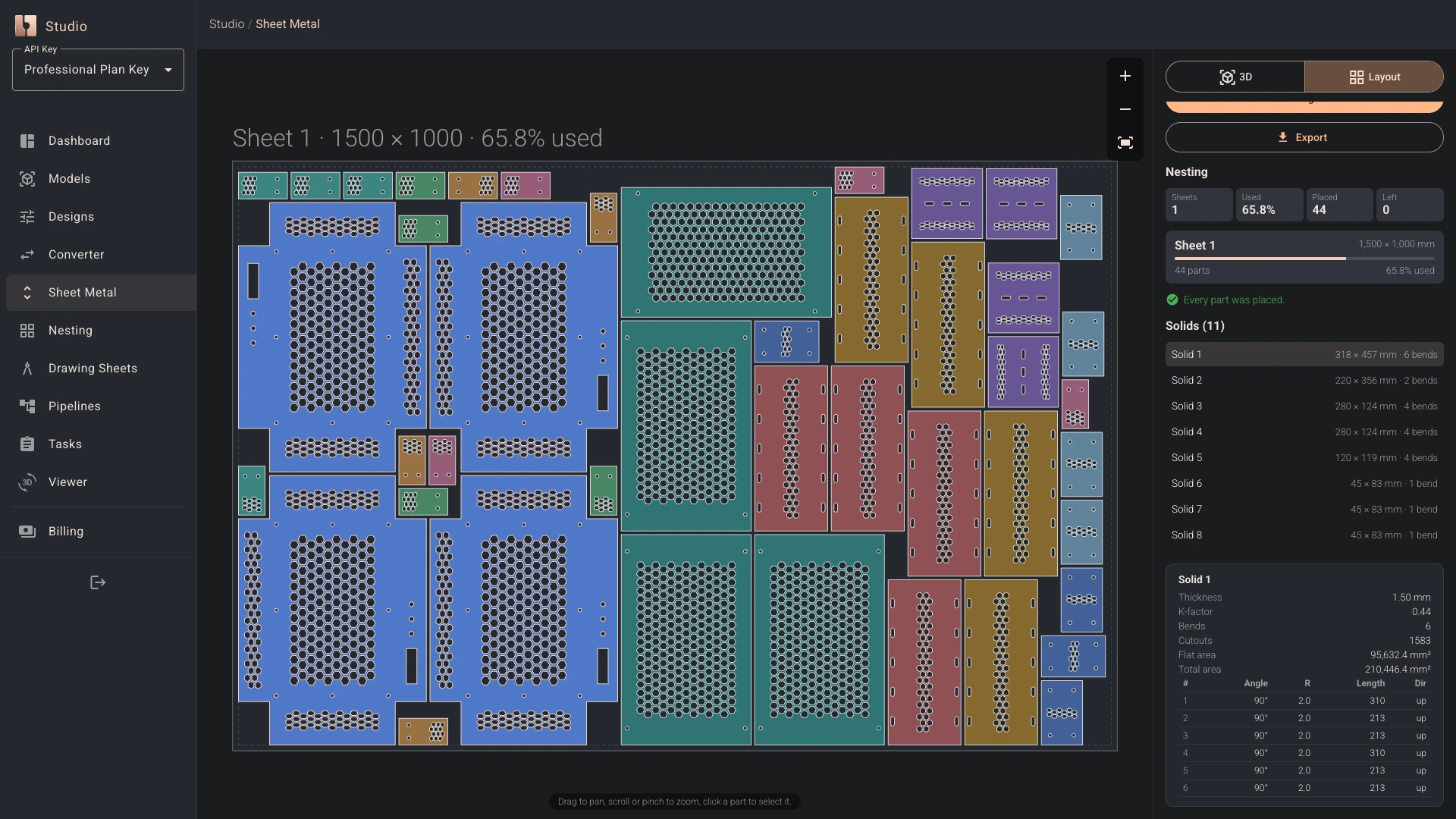
The laser does not cut a 3D model. It cuts a flat pattern, and the material is bought by the sheet. Bitbybit CAD Cloud now does both steps from a STEP file: it unfolds bent sheet-metal parts into flat patterns, and it nests flat parts on stock with as little waste as it can find.
Both are Pro algorithms of CAD Cloud. They run on our servers, they have no open-source counterpart, and each one is a single call over plain HTTP.
Unfolding sheet metal
Send a STEP file of bent sheet-metal parts and get back what a cutting machine needs: each part's flat pattern, every bend measured, and, if you ask, the flats nested on sheets in the same call.
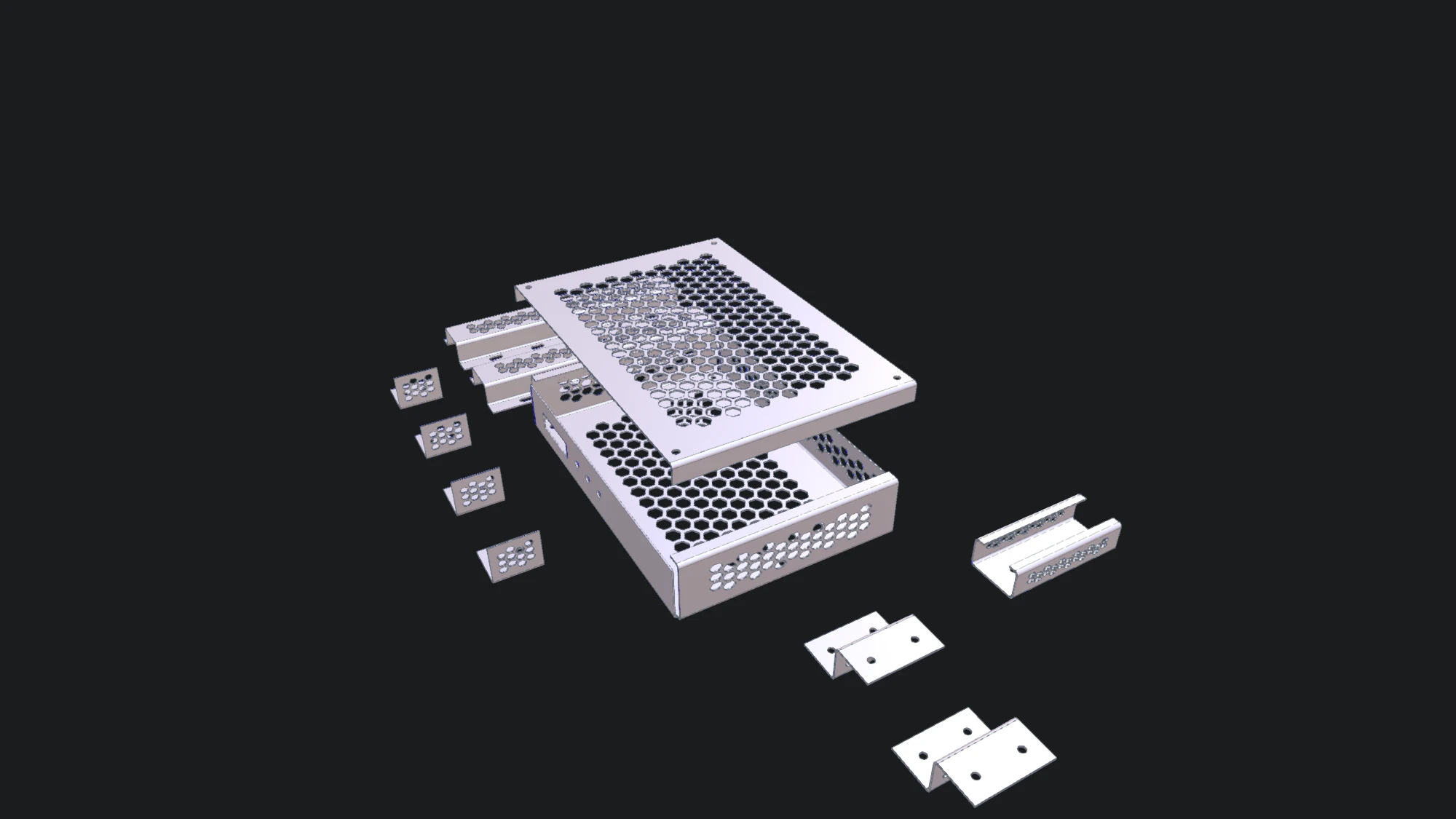
- A whole kit in one file. Every solid in the file is unfolded on its own.
- Thickness found for you. It is read from the part, or set by you when a model's wall is slightly uneven.
- Your K-factor. It places the neutral axis inside each bend, and is 0.5 unless you say otherwise.
- Nothing lost. Holes, slots and cut-outs come through to the flat pattern.
The flats come back as STEP or glTF, and the nested sheets as DXF or SVG cut files.
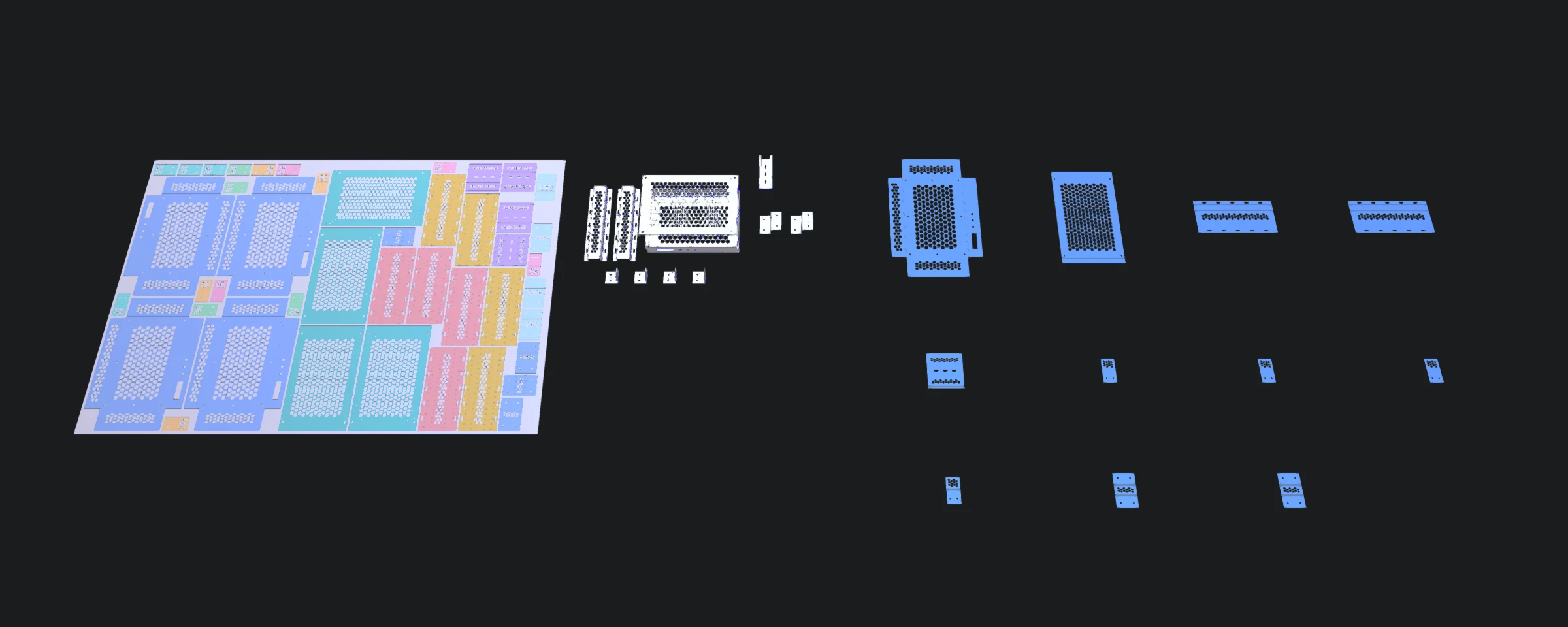
This is the vented enclosure kit from our input templates: eleven parts of 1.5 mm sheet, four kits' worth, unfolded and nested on one 1500 x 1000 mm sheet in a single call. Sheet-metal unfold has the request, the outputs and the report.
Nesting flat parts
Nesting lays copies of flat parts out on sheets of stock so that as little material as possible is wasted, ready for a laser, plasma, waterjet or router. CAD Cloud nests the parts' true shapes, curves and holes included, rather than the boxes around them, so a small part can sit inside the hole of a larger one.
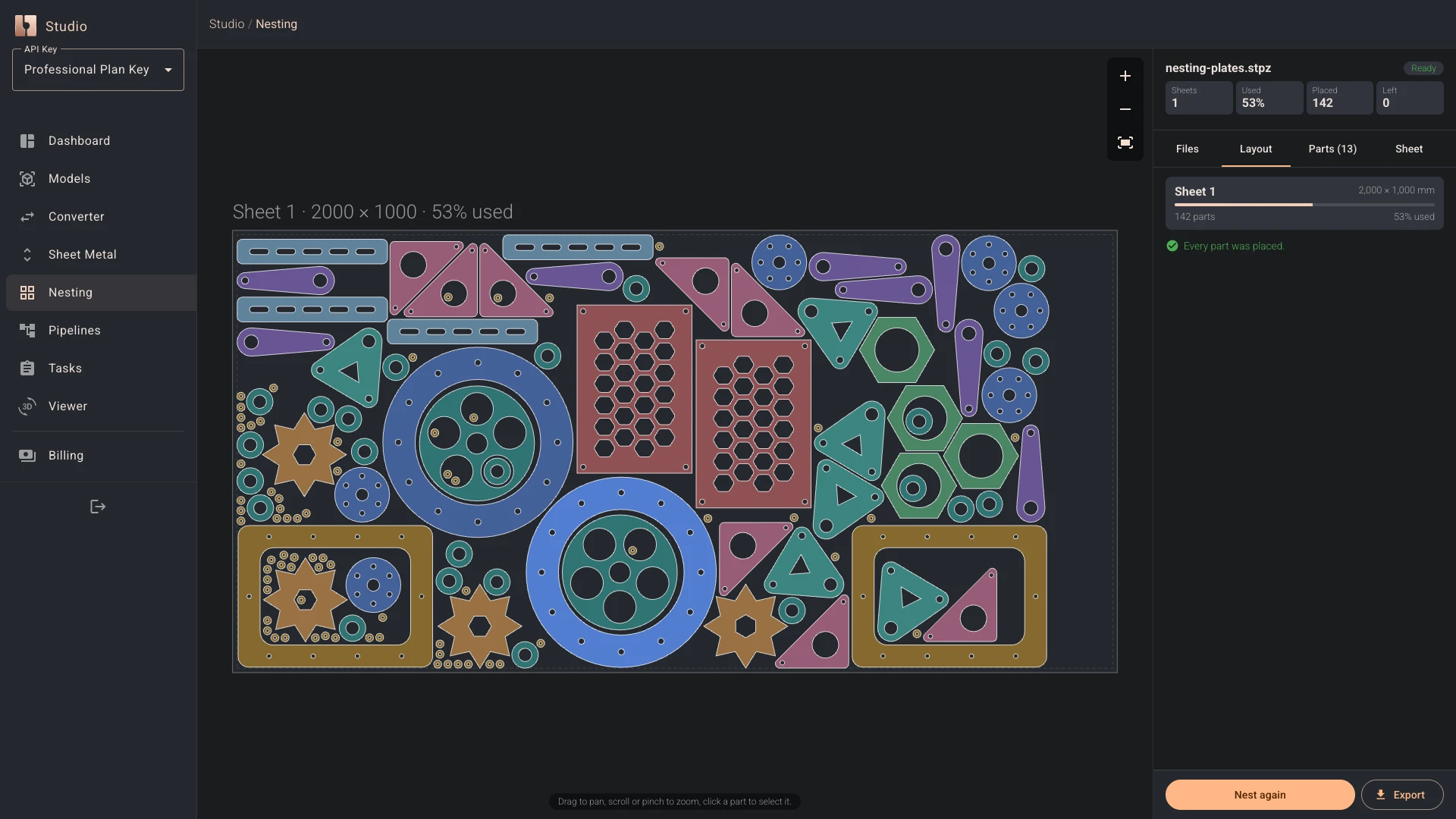
The plates template above asks for 142 copies of thirteen plates on one 2000 x 1000 mm sheet, and the washers and small plates end up inside the rings and frames.
- Parts turn in the steps you allow, and may be turned over.
- The spacing you set holds along the true curved edges.
- The layout fills sheets, or runs along one strip.
- The cut paths come back as DXF or SVG, and the sheets as STEP or glTF.
Nesting covers quantities, stock and the search.
From a 3D part to a cut file
The two fit together: a sheet-metal part unfolds into a flat pattern, and the flat pattern nests on stock. A configurator that sells made-to-measure parts can send the configured model to CAD Cloud when an order arrives, and hand the workshop a cut file without anyone opening a CAD program. For the drawing that goes with it, see drawing sheets from STEP files.
Try it
Every plan's API key can call every route, the Pro algorithms included; the plans differ in compute minutes, server speed and file sizes. Start in Bitbybit Studio, where unfolding and nesting each have their own page and the input templates give you a file to try them on, or read the CAD Cloud API overview to call them from your own code.
Want to talk through a workflow of your own? Reach out to us.