MyCityToGo: City Jewellery in 3D on Shopify Product Pages With 3D Bits

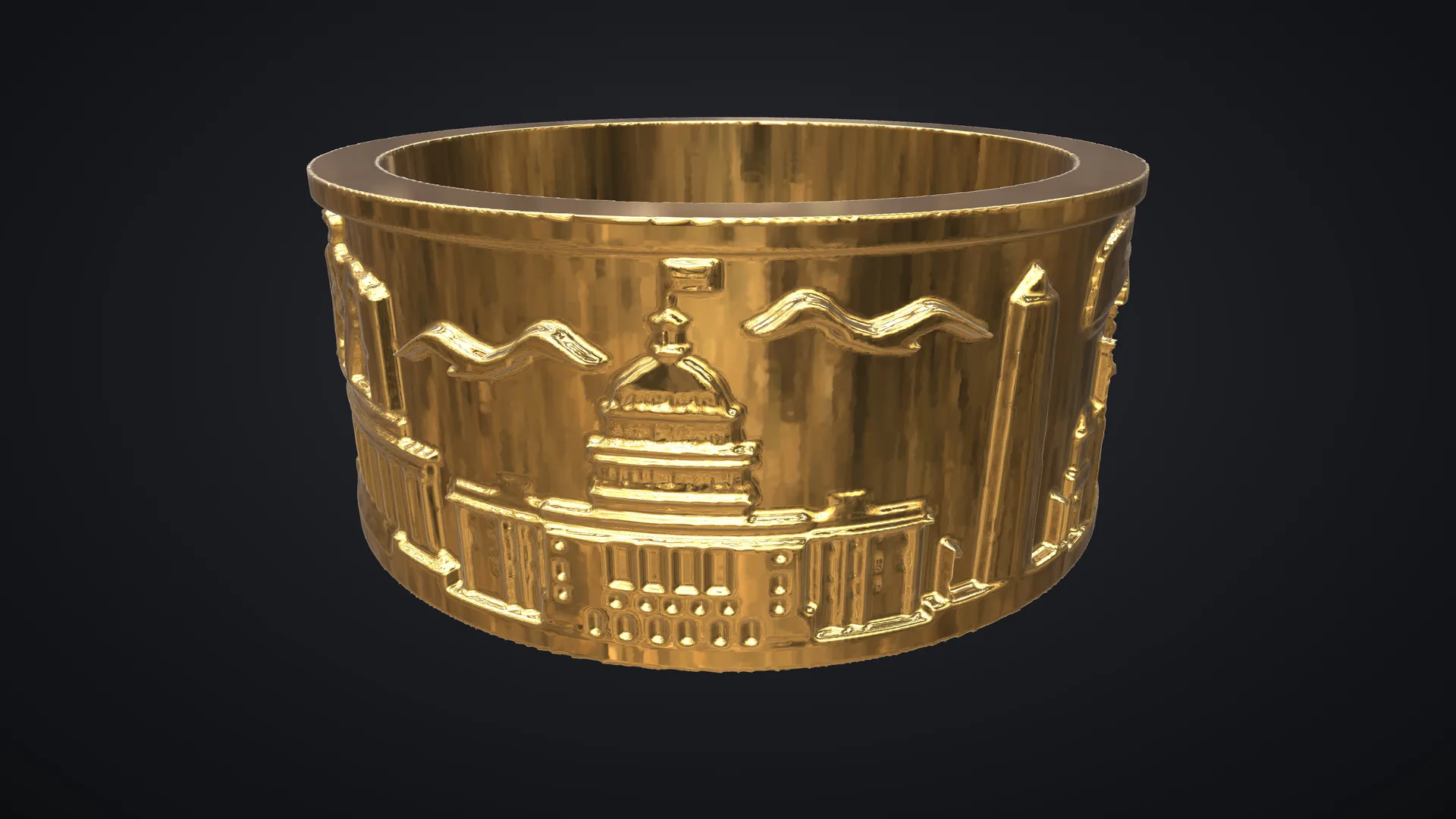
Most souvenirs end up in a drawer. MyCityToGo set out to make one you would actually wear: a ring, a bangle or a necklace carrying the landmarks of a city you love. The trouble with jewellery like that is the thing that makes it special. A skyline wrapped around a ring never shows all at once, and a photograph can only ever show one side of it. So on MyCityToGo's product pages the piece is a 3D model, and the shopper turns it in their hand. All of it runs on the 3D Bits app for Shopify.
The Client: MyCityToGo

MyCityToGo is a German family business, run by two people who care deeply about what they make. The idea came from travelling. They wanted to bring home something more personal than the standard souvenir, so they made jewellery that carries the landmarks of a city.
The range is remarkably varied. Almost 70 cities, primarily in Germany and Europe, each with motifs of its own, made into rings, bangles and necklaces, alongside themed pieces. Every piece comes in a choice of finishes: stainless steel, gold-plated stainless steel, titanium, sterling silver, and silver-plated or gold-plated brass. The rings also come in nine sizes. Together that makes 205 products and 5,742 variants.
See It in Action
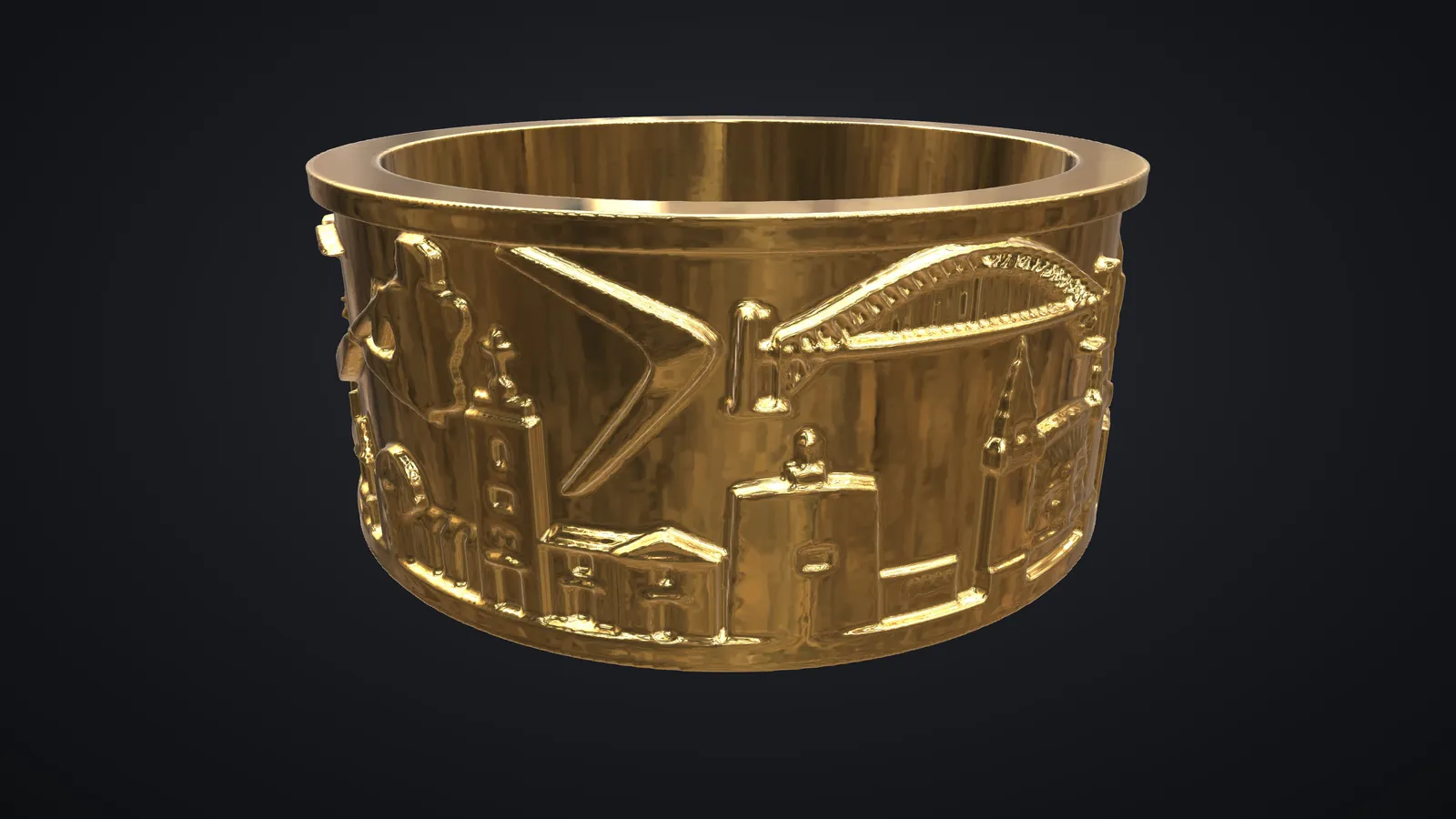
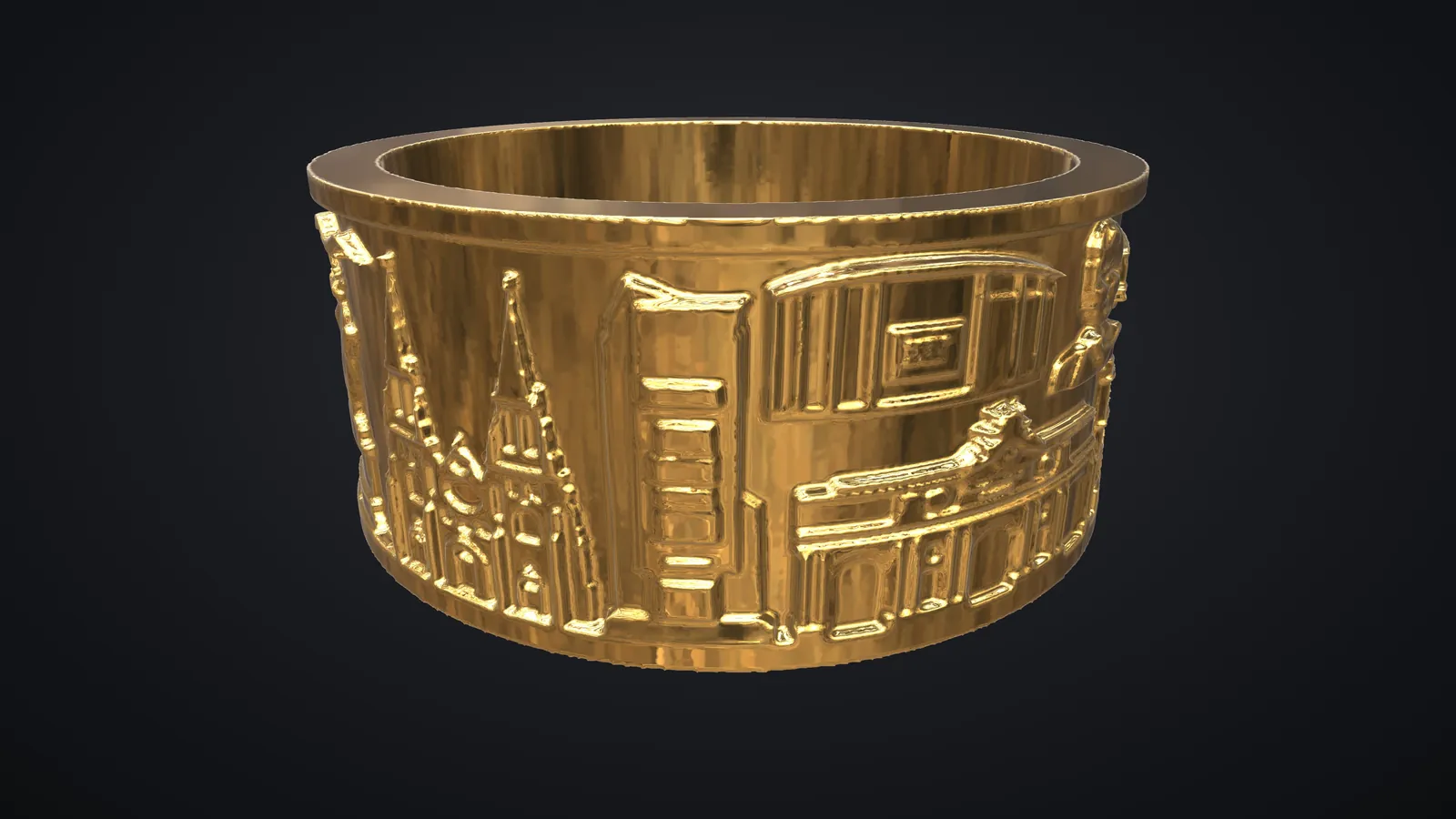
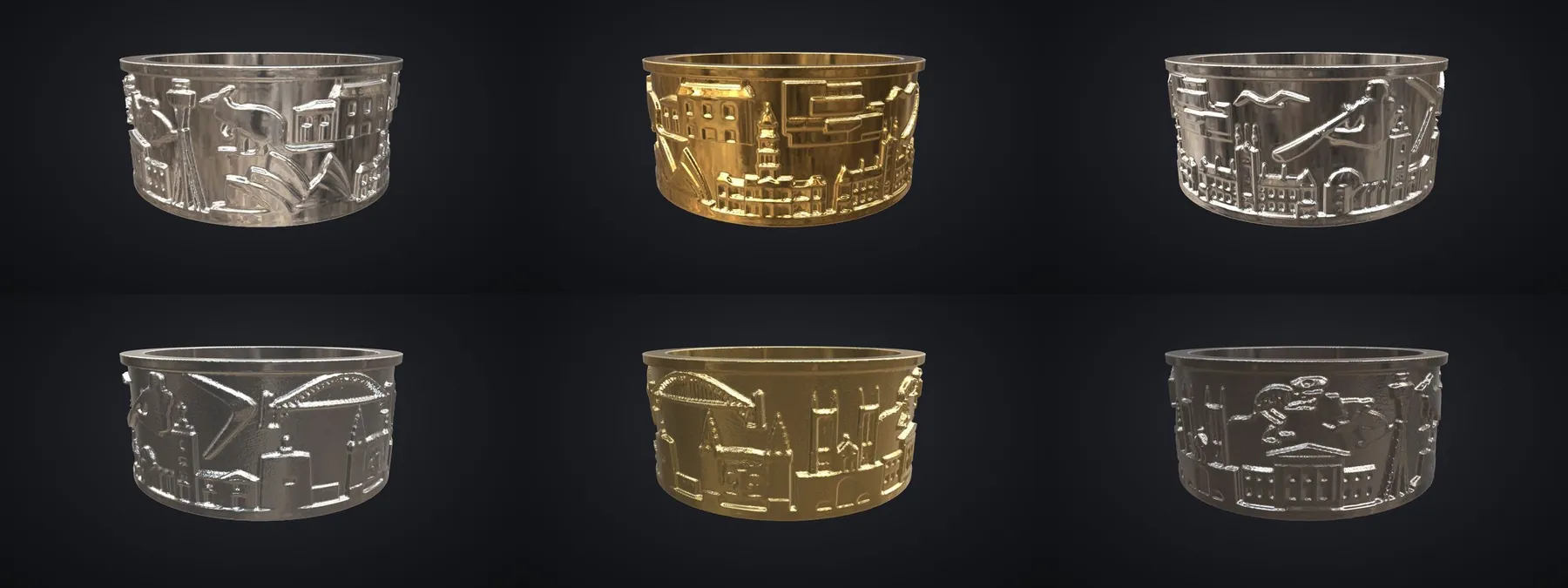
These close-ups are rendered from the same 3D models a shopper handles on the product pages, placed on a plain backdrop so the relief is easy to see. In the shop, every piece sits in front of a photo of its own city, which we come back to below.
Jewellery That Starts as a 3D Model
MyCityToGo designs its motifs itself, on a computer. Modelling a new skyline in 3D takes a lot of work.
From there the designs become metal. Titanium and stainless steel are laser melted, and silver and brass are lost-wax cast. Even a personal engraving stays digital for as long as it can: rather than lasering text on afterwards, MyCityToGo models it directly into the 3D casting mould.
That changes what 3D means on the product page. For many merchants a 3D model is an extra thing to commission. For a business like this one, the 3D work comes first, and the product page is where a customer finally gets to see it. Peter, MyCityToGo's founder, says as much in his review of the app: for a shop owner who already has 3D models of their products, 3D Bits is a game changer.
Every City Gets Its Own Page
Every city brings a skyline of its own, so the shop holds a different design for each one, split almost evenly between rings, bangles and necklaces. A shopper browsing it can move from Munich to Rome to New York, with a new skyline on every page.
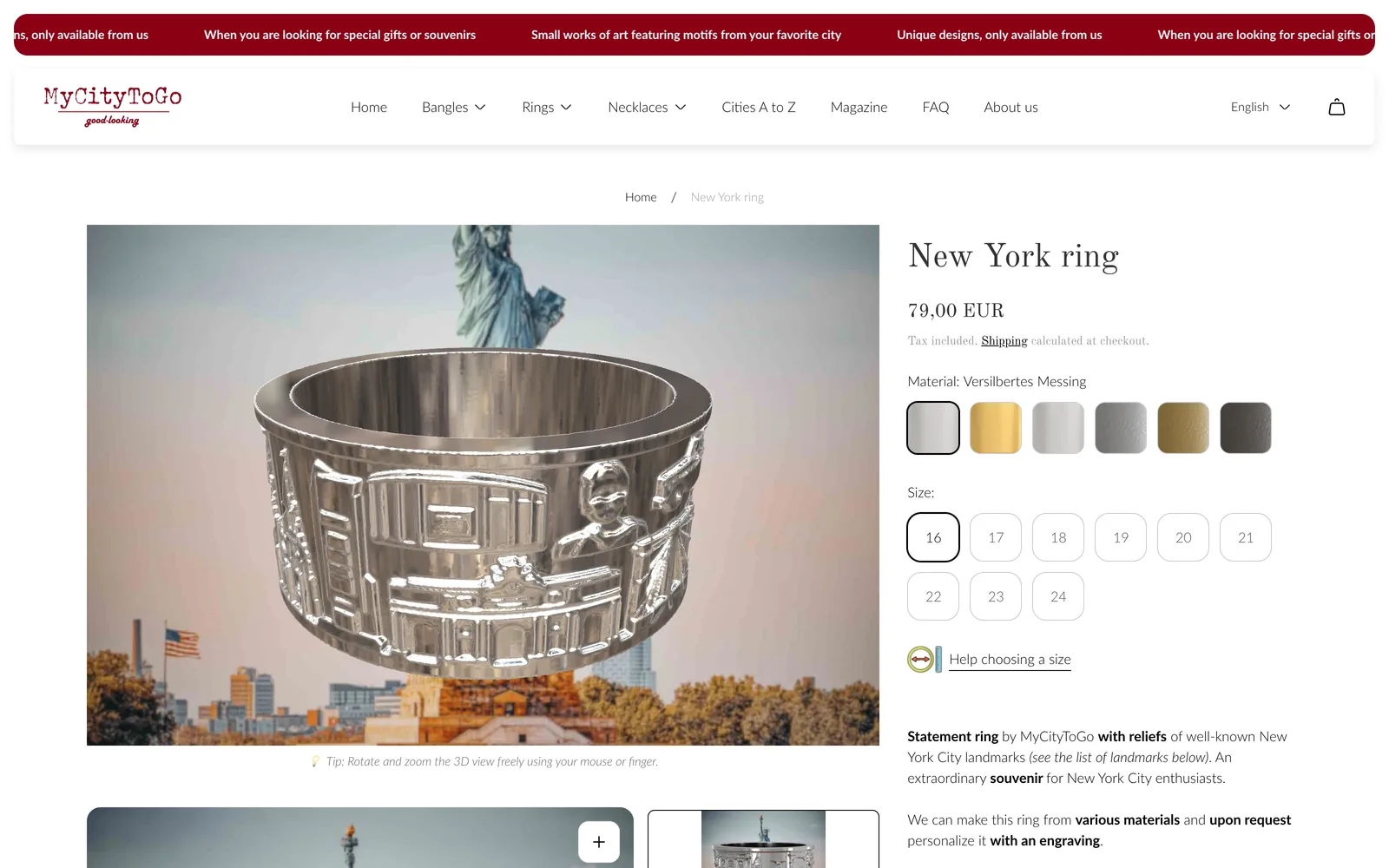
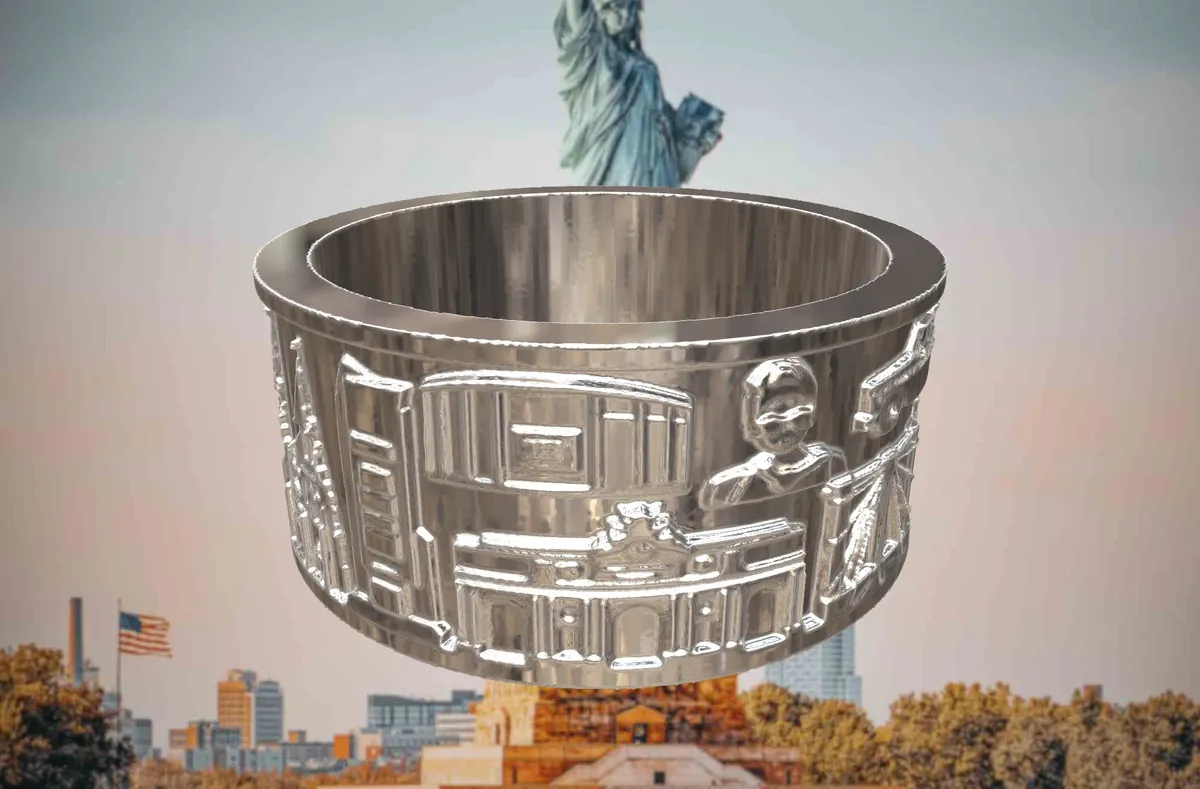
Each product page sets its piece against a photograph of its city. A ring carrying a skyline turns slowly in front of the place it came from. It is a lovely touch, and it ties the object to the memory it is meant to hold.

What the Shopper Can Do
There is no separate configurator here, no extra panel and no new step in the purchase. The model sits where the product photos would be, and everything else is the Shopify product page the shop already had.
- Turn it - a slow rotation shows the relief without being asked, and a mouse or a finger takes over to rotate and zoom
- Change the finish - the store's ordinary material swatches drive the model, so choosing a finish changes the piece on screen
- Buy as usual - materials and sizes are regular Shopify variants, so the cart and checkout work as they always have
The finishes deserve a closer look, because they are not just a change of colour. Stainless steel and titanium have a slightly rough texture with polished inner surfaces, while silver and brass are high-gloss. A shopper switching between them on the page sees that difference on the model, which is hard to convey with a colour swatch and a line of text.
MyCityToGo's pieces are already described by Shopify's own variants, so the 3D view follows the material picker the shop already had.
What Peter Says
Peter reviewed the app on the Shopify App Store. His review is in German, and this is our translation.
"This 3D viewer is a masterpiece. I looked at all the available apps and chose BitByBit because it allows me to display the 3D models of my products in my shop exactly how I want, without having to deal with excessive costs. If you have no experience with 3D viewers, working with Shopify, GLB files and editing them (e.g. with Blender), you should have everything set up for you. If you have some basic knowledge and take the time to go through the tutorials provided in text form and as YouTube videos, you can manage the setup yourself. When I got stuck, Matas, the brilliant developer of this 3D viewer, helped me immediately and explained everything so that even more complicated things were easy to understand. Once everything is set up, the appearance of uploaded 3D models and any variants can be easily adjusted to your liking. This app gives users numerous options to create a very appealing 3D product presentation. I am more than satisfied. In my opinion, this 3D viewer is a game changer for any shop owner who has 3D models of their products available."
Peter, Founder
🇩🇪 Germany
Key Takeaways
- If you design in 3D, you are halfway there - products that begin as CAD models can reach the product page without a separate 3D project
- 3D earns its place on detail - relief that wraps around a ring is exactly what a flat photo cannot show
- Show real differences - a textured finish and a polished one look different on the model, not only in the swatch
- Not every product needs a difficult UI - a 3D view driven by ordinary Shopify variants keeps the page simple and the checkout untouched
- It scales to a catalogue - every one of the dozens of product pages we checked shows its piece in 3D, in a catalogue of 205 products run by two people
Ready to Show Your Products in 3D?
If you have 3D models of your products, 3D Bits can put them on your Shopify product pages. Read the 3D Bits documentation to see how it works, or try it on your own store.
Interested in exploring what's possible? Reach out to us.