Input templates
Each template is a STEP file that works with a CAD Cloud algorithm as it is, with the request that runs it. Start from one to see what the algorithm gives back, then change the file or the request into your own job.
Sheet metal
For Sheet-metal unfold, on the route /api/v1/cad/pro/unfold/solid-and-nest.
Vented enclosure kit
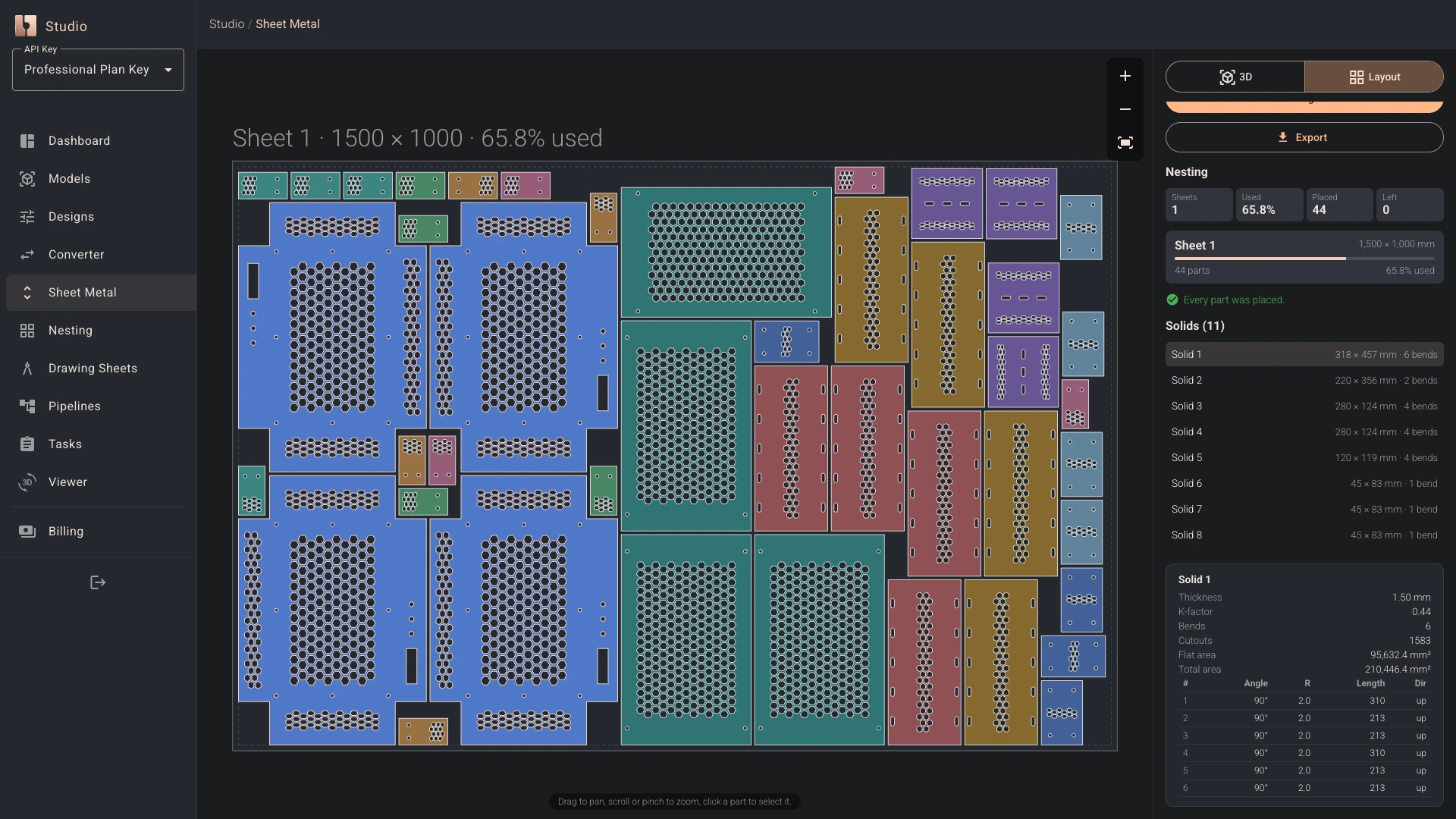
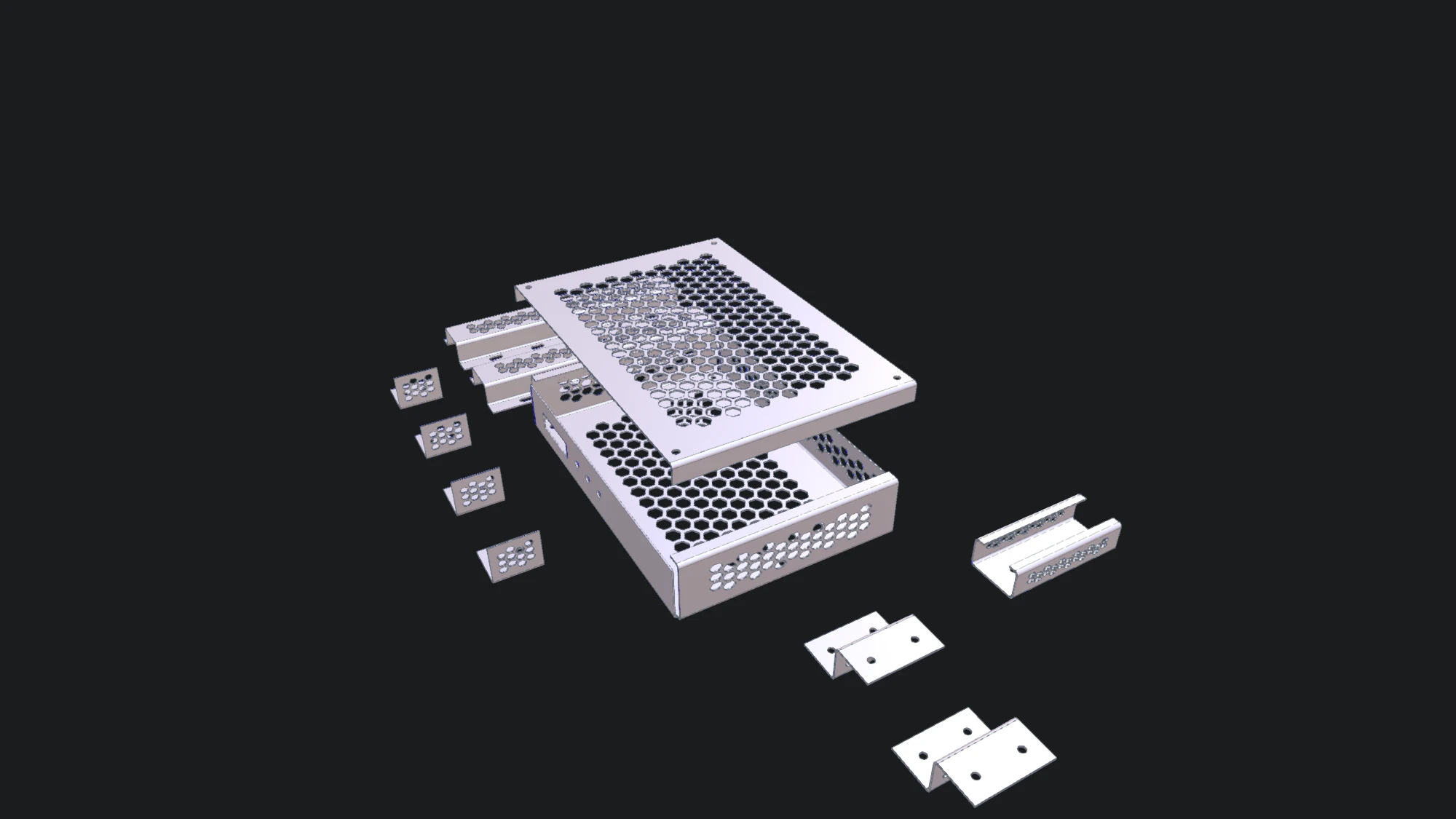
Eleven parts of 1.5 mm sheet that fold into a vented enclosure: a chassis, a lid, rails, a channel and brackets, with 759 vent and fixing holes between them. Its request unfolds them at a k-factor of 0.44 and nests four kits' worth on one 1500 x 1000 mm sheet.
Bent bracket
One 2 mm bracket with a single bend: a quick first check that your key and your scripts work.
Download the bent bracket template, a STEP file (37 KB) Download the request that runs the bent bracket template (1 KB)All sheet-metal templates in one package:
Download every sheet-metal template, each with its request and the scripts that run it (5.3 MB)Nesting
For Nesting, on the route /api/v1/cad/pro/nesting/nest.
Plates that nest inside each other
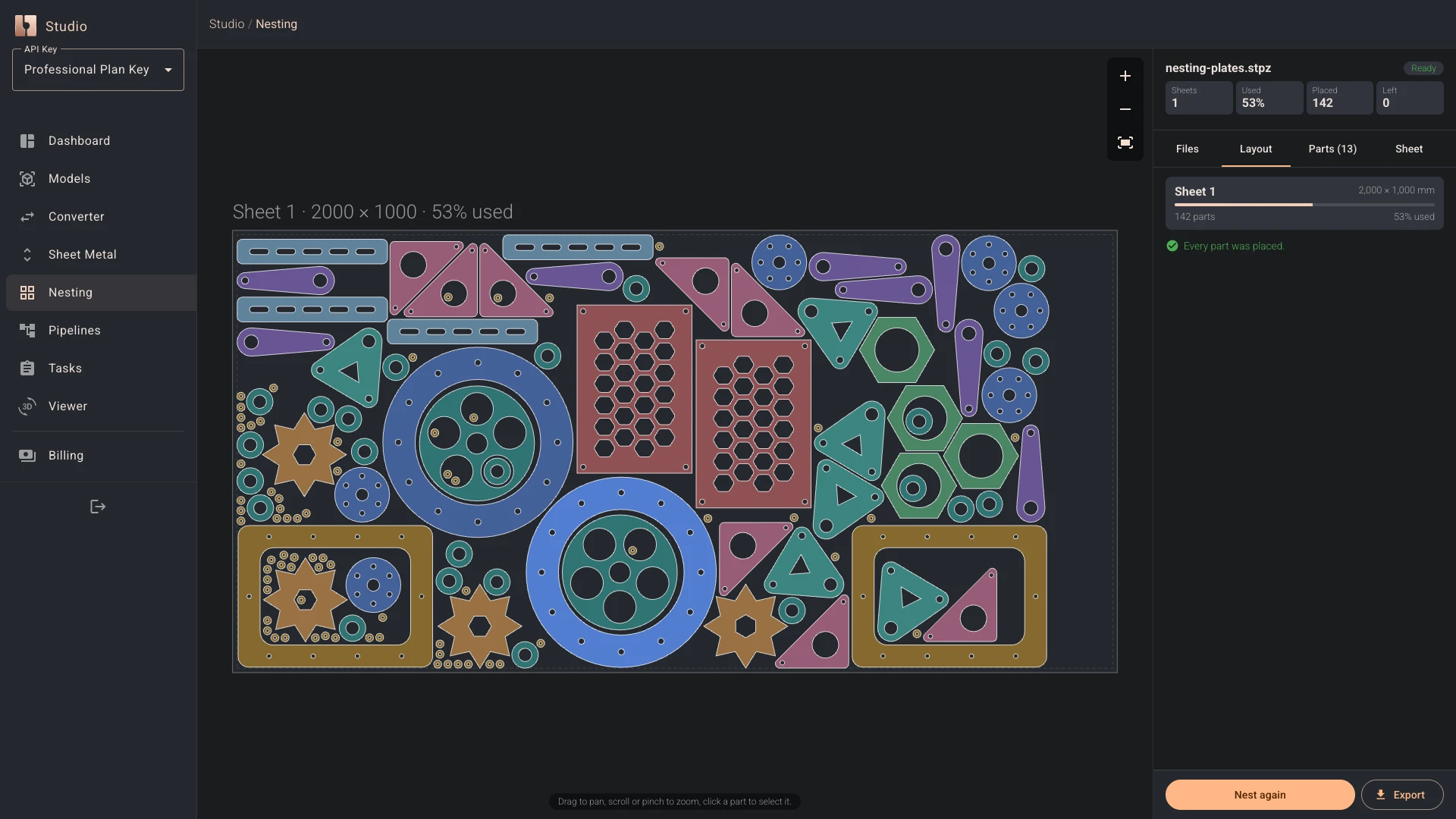
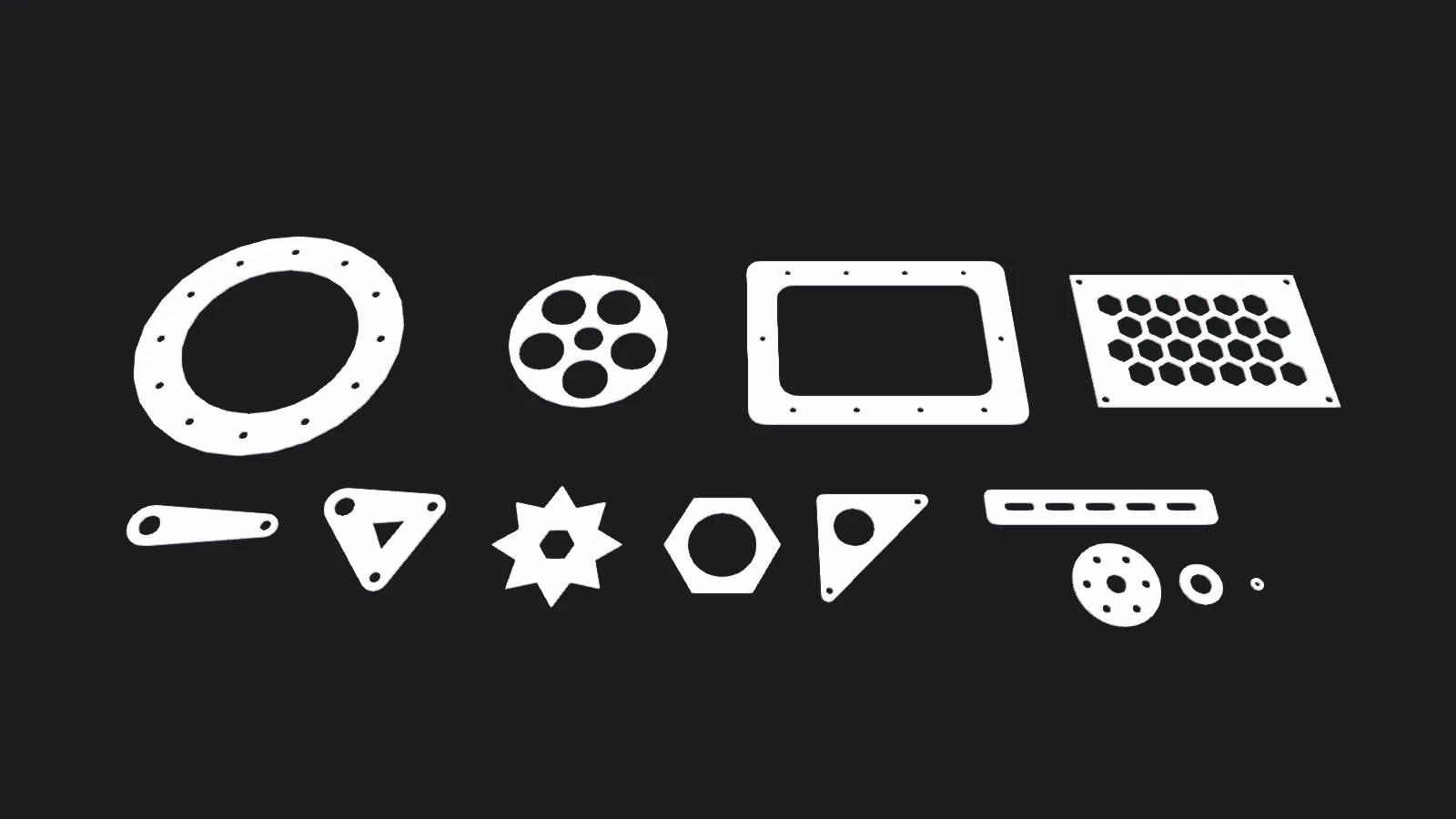
Thirteen plates of 3 mm: flange rings, a spoked wheel, a window frame, a honeycomb panel, stars, levers and the washers that fit inside them. Its request asks for 142 copies and nests every one on a single 2000 x 1000 mm sheet, the small plates placed in the holes of the large ones.
Plates to cut
Three plates of 2 mm, two, four and six copies of them on a 1000 x 500 mm sheet: a small first job.
Download the plates to cut template, a STEP file (49 KB) Download the request that runs the plates to cut template (1 KB)All nesting templates in one package:
Download every nesting template, each with its request and the scripts that run it (309 KB)What a package holds
Each package is a zip with one folder per template:
- the STEP file;
request.json, the request that runs it, with<your uploaded file>where the uploaded file's id goes;run.sh, which sends it with curl and jq;run.ts, which sends it with the TypeScript SDK;
and at its top a README, the licence and a package.json for the SDK.
A .stpz file is a STEP file compressed with gzip. CAD Cloud reads it as it is; to open it in another program, unpack
it first: gzip -dc < file.stpz > file.step.
Run one
- Subscribe to a CAD Cloud plan in Studio and copy your API key.
export BITBYBIT_API_KEY=<your key>- In a template's folder, run
sh run.sh. Or runnpm installonce at the top of the package, thennode run.tsin a template's folder (Node 22.18 or newer).
The script uploads the file, sends the request with the uploaded file's id in place of <your uploaded file>, waits
for the task and saves every result in the folder: for these requests, the DXF and SVG drawings, the cut paths as
JSON and the report.
In Studio, the Sheet Metal and Nesting screens open the same templates from Start from a template, with their requests' settings filled in.
Change it
The files are ordinary STEP files. Open them in FreeCAD, Fusion, SolidWorks, Onshape or any CAD program that imports STEP, change them, and export STEP again.
- Sheet metal: each solid is one part of constant thickness with rounded bends. Keep it that way when you change a
part, so CAD Cloud can find the thickness and the bends. Change
kFactor,thicknessOverrideand thenestingsettings inrequest.json. - Nesting: each solid is one flat part, a plate lying flat. Draw new parts the same way, holes cut through. Set how
many copies of each part to cut in
options.parts, in the order the parts sit in the file, and the sheet inoptions.sheets.
Licence
The templates, their requests and their scripts are dedicated to the public domain under CC0 1.0: use, change and share them, commercially too, without asking and without credit.