A cut-list service
A shop's website, its order system or a script on the workshop's PC sends a STEP file of flat parts with the sheet size and how many of each part to cut. This service nests them on CAD Cloud and answers a cut list: what each sheet holds and how much of it is used, the cut length and the pierces, and links to the cut files as DXF and SVG. It is one file of Node.js, and the API key stays on the server: the browser or program that calls it never sees the key.
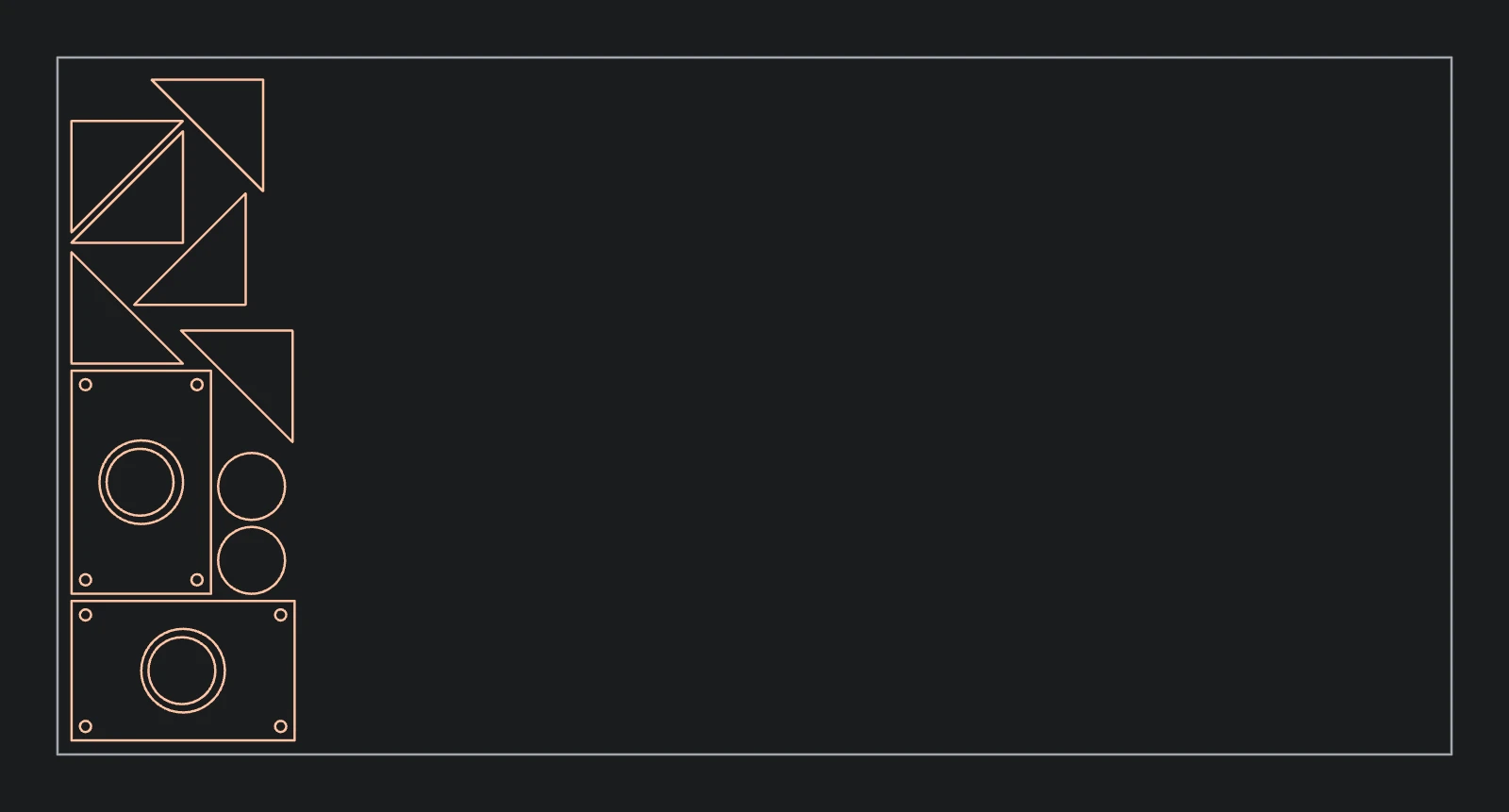
What you need
An API key in BITBYBIT_API_KEY, Node.js 22.18 or newer, and a folder with @bitbybit-dev/cad-cloud-sdk installed
and "type": "module" in its package.json, as in the
first tutorial. To try it, download the plates-to-cut template
from Input templates: nesting-parts.step.
The service
import { createServer } from "node:http";
import type { IncomingMessage } from "node:http";
import { BitbybitClient, unwrap } from "@bitbybit-dev/cad-cloud-sdk";

const apiKey = process.env["BITBYBIT_API_KEY"];
if (!apiKey) throw new Error("Set BITBYBIT_API_KEY to your CAD Cloud API key");
const baseUrl = process.env["BITBYBIT_API_URL"];
const client = new BitbybitClient(baseUrl ? { apiKey, baseUrl } : { apiKey });

const OK = 200;
const NOT_FOUND = 404;
const BAD_GATEWAY = 502;
const PERCENT = 100;

interface NestReport {
    sheets: { index: number; width: number; height: number; utilization: number }[];
    placements: { part: number; sheet: number }[];
    totals: { placed: number; left: number; cutLength: number; pierces: number };
}

async function bytesOf(request: IncomingMessage): Promise<Buffer> {
    const chunks: Buffer[] = [];
    for await (const chunk of request) chunks.push(chunk as Buffer);
    return Buffer.concat(chunks);
}

async function cutList(step: Buffer, query: URLSearchParams): Promise<unknown> {
    const [width = 1000, height = 500] = (query.get("sheet") ?? "1000x500").split("x").map(Number);
    const quantities = (query.get("quantities") ?? "").split(",").filter((each) => each !== "").map(Number);
    const file = await client.files.uploadBytes("parts.step", step, "application/octet-stream");
    const { taskId } = await unwrap<{ taskId: string }>(await client.request("POST", "/api/v1/cad/pro/nesting/nest", {
        stepFileIds: [file.fileId],
        options: { sheets: [{ width, height }], parts: quantities.map((quantity) => ({ quantity })), spacing: 5, margin: 10, seed: 1, evaluationBudget: 20000 },
        outputs: { formats: ["dxf", "svg"] },
    }));
    const { downloads } = await client.tasks.pollAndDownload(taskId, { intervalMs: 2000, maxAttempts: 600 });
    const addressOf = (format: string): string | undefined => downloads.find((download) => download.format === format)?.downloadUrl;
    const report = (await (await fetch(addressOf("metadata") ?? "")).json()) as NestReport;

    return {
        sheets: report.sheets.map((sheet) => {
            const parts: Record<string, number> = {};
            for (const placement of report.placements.filter((each) => each.sheet === sheet.index)) {
                const name = `part ${String(placement.part + 1)}`;
                parts[name] = (parts[name] ?? 0) + 1;
            }
            return { sheet: sheet.index + 1, size: `${String(sheet.width)} x ${String(sheet.height)} mm`, used: `${String(Math.round(sheet.utilization * PERCENT))}%`, parts };
        }),
        placed: report.totals.placed,
        left: report.totals.left,
        cutLengthMm: Math.round(report.totals.cutLength),
        pierces: report.totals.pierces,
        files: { dxf: addressOf("dxf"), svg: addressOf("svg") },
    };
}

const server = createServer((request, response) => {
    const address = new URL(request.url ?? "/", "http://localhost");
    if (request.method !== "POST" || address.pathname !== "/cut-list") {
        response.writeHead(NOT_FOUND).end();
        return;
    }
    bytesOf(request)
        .then((step) => cutList(step, address.searchParams))
        .then(
            (list) => response.writeHead(OK, { "content-type": "application/json" }).end(JSON.stringify(list, null, 2)),
            (error: unknown) => response.writeHead(BAD_GATEWAY, { "content-type": "application/json" }).end(JSON.stringify({ error: error instanceof Error ? error.message : String(error) })),
        );
});

server.listen(Number(process.env["PORT"] ?? "3000"), () => {
    const bound = server.address();
    const port = typeof bound === "object" && bound !== null ? bound.port : 0;
    console.log(`cut lists on http://localhost:${String(port)}/cut-list`);
});
Start it with node cut-list-service.ts. It prints the address it answers on,
cut lists on http://localhost:3000/cut-list; set PORT for another port.
Ask it for a cut list
Post the STEP file as the body, with the sheet and the quantities in the address:
curl --data-binary @nesting-parts.step "http://localhost:3000/cut-list?sheet=1000x500&quantities=2,4,6"
{
  "sheets": [
    {
      "sheet": 1,
      "size": "1000 x 500 mm",
      "used": "10%",
      "parts": { "part 1": 2, "part 2": 4, "part 3": 6 }
    }
  ],
  "placed": 12,
  "left": 0,
  "cutLengthMm": 3860,
  "pierces": 22,
  "files": { "dxf": "https://...", "svg": "https://..." }
}
How it works
- The request.
sheetis the stock as width by height in millimetres, 1000 x 500 when it is left out.quantitiesgives how many of each part to cut, in the order the parts sit in the file; a part past the end of the list is cut once. - The nesting. The service uploads the body and sends it to
/api/v1/cad/pro/nesting/nestwith 5 mm between parts and a 10 mm margin.seedandevaluationBudgetmake the same file and the same quantities give the same layout every time, so a cut list can be asked for twice. - The answer. It reads the nesting report from the task's metadata: each placement names its part and its sheet, which the service counts per sheet; the totals give what was placed and left, the cut length and the pierces. The links to the DXF and the SVG are the task's own download links, which stop working after an hour, so save the files if you need them longer.
- Errors. Anything CAD Cloud refuses, or a task that fails, comes back as
502with the reason; any other address or method answers404.
Before you put it online
The service holds the key and spends your compute minutes on every request it gets. Put it behind your own sign-in or keep it inside your network, and limit how many requests one caller may make.
Next
- Nesting lists every option the service could pass on: stock of several sizes, a strip, turns and priorities.
- From a parametric bracket to a cut file unfolds bent parts before nesting them.