Metafields
This page describes how 3D Bits worked before projects existed: you created metafield definitions, then pasted a model link onto each product by hand.
It still works, and if your store is set up this way nothing is going to stop working. But there is no reason to start here now. A project does the same job without editing anything per product, and gives you the option panel, pricing, version history and the app embed as well.
If you are setting up your first product, go to Your First Configurator instead.
Understanding Metafields
3D Bits makes heavy use of Product metafields - a powerful Shopify feature that allows each product to have custom values.
What Problem Do Metafields Solve?
Imagine you create a new Shopify product template for products that should display 3D models. You add the BITBYBIT VIEWER theme app extension block to your template (don't worry - you will learn more about templates in the next tutorial). Now - this template has a setting for Model URL where you can enter a link to a 3D file (like a GLTF).
The Problem: If you enter a model URL directly in the template, that same model will appear on all products using that template.
The Solution: Create a Dynamic Link in your template between the BITBYBIT VIEWER's Model URL setting and a product metafield called "3D Bits Model Url". Now each product can have its own unique model URL, displaying different 3D models on each product page.
Shopify metafields give you the power to customize settings per product, and 3D Bits leverages this for maximum flexibility.
Creating Metafields: Automatic or Manual
You have two options for creating metafields:
Option 1: Automatic Creation (Recommended)
We've prepared a convenient script that creates all metafields the 3D Bits app might use.
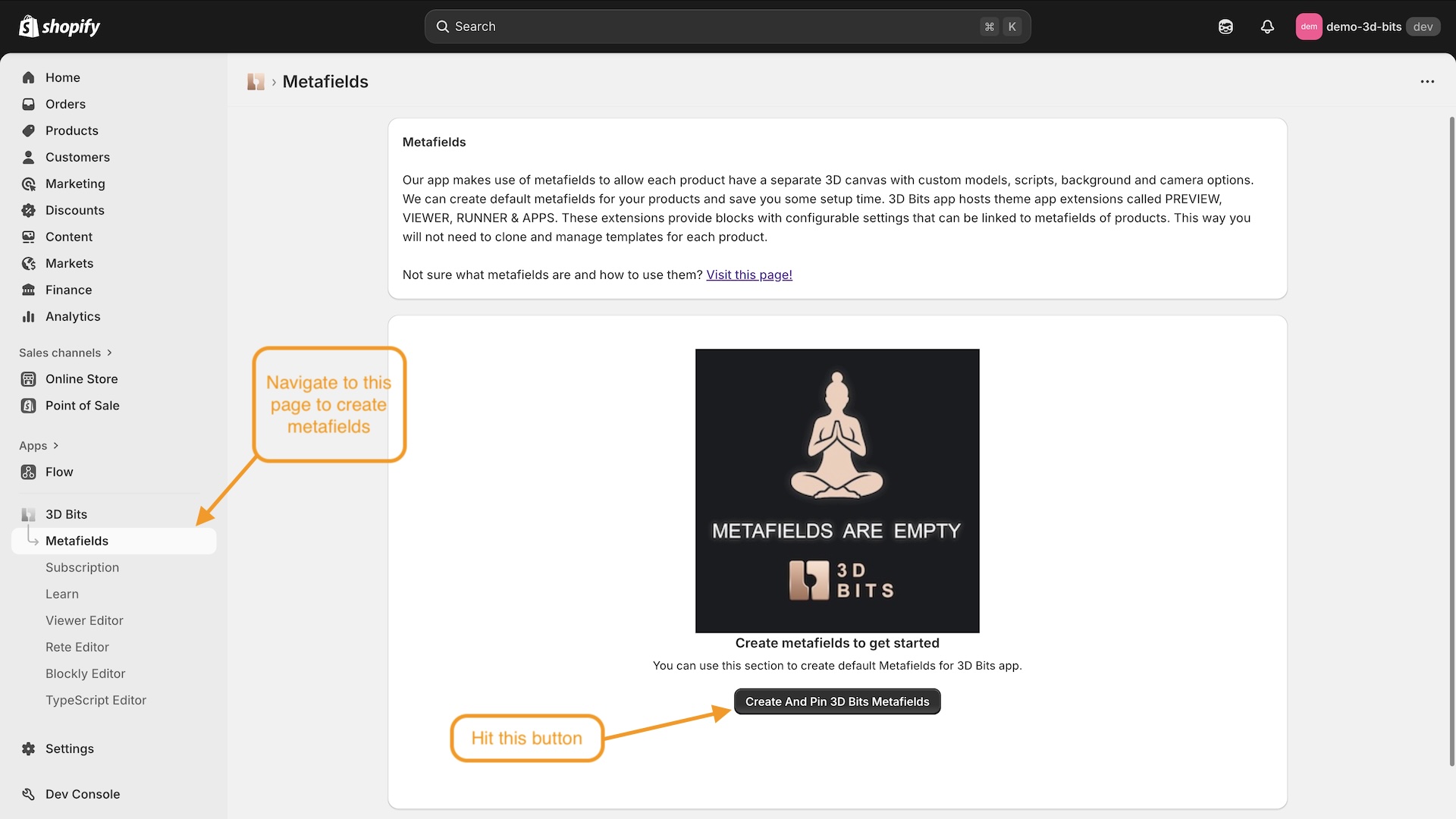
- Navigate to the Metafields page in the 3D Bits admin dashboard
- Click "Create And Pin 3D Bits Metafields". That button only appears while the page is empty. Once any 3D Bits definition exists - and publishing a project creates some by itself - the same action is an Update! button under a Metafields need updating card, which lists what is missing
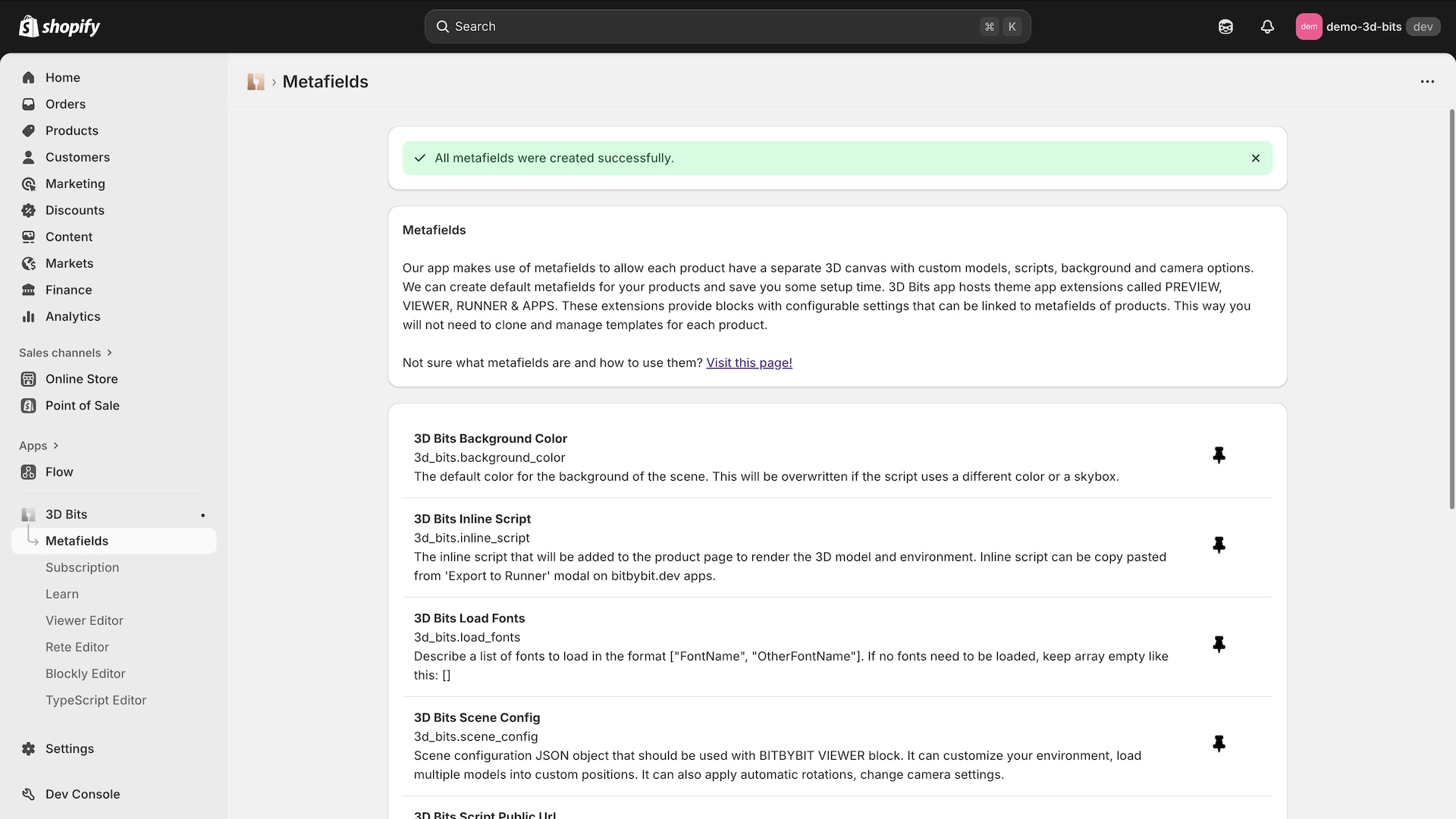
- You should see a success message. If some of them fail to create, the page says so and the Update! button described above appears - press it to create the ones still missing.
Option 2: Manual Creation
You're free to create your own Product metafields in Shopify and link them to 3D Bits. This is useful if:
- Your store already uses many metafields
- You only need specific metafields (e.g., just Model URL for static GLTF models)
- You want more control over metafield organization
Learn more about Shopify metafields here.
Learn about Theme App Extension Blocks provided to your Shopify store via 3D Bits app.