How We Helped The Shim Shack Integrate Parametric 3D Configurators Into Their WooCommerce Store

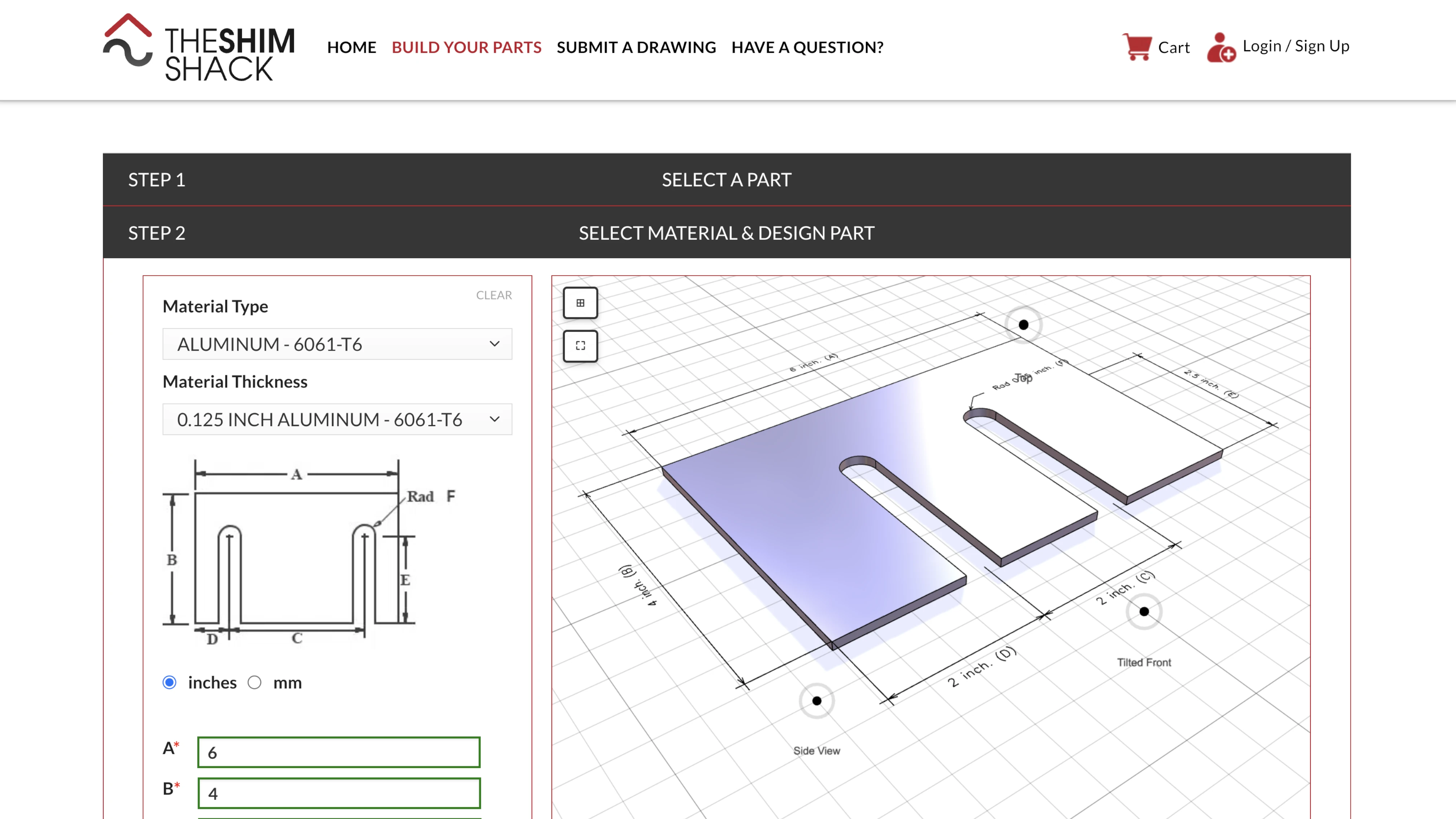
How do you let customers design their own precision-cut metal parts online - with exact dimensions, real manufacturing constraints, and instant visual feedback? That was the challenge facing The Shim Shack. Through our collaboration, we delivered a suite of parametric 3D configurators that run directly inside their existing WordPress store. You can try them yourself at buildyourparts.theshimshack.com.
The Client: The Shim Shack
The Shim Shack is a United States based manufacturer specializing in custom shims, brackets, spacers, washers, mounting plates, and other precision metal parts. They laser-cut every piece to exact specifications - any dimension, any configuration, any tolerance their customers need. Their Build Your Parts portal lets customers design and order custom shims online.
The parts they produce may seem small, but they solve critical problems in industries where precision tolerances matter. When a fraction of a millimeter determines whether machinery runs smoothly or fails, the right shim makes all the difference.
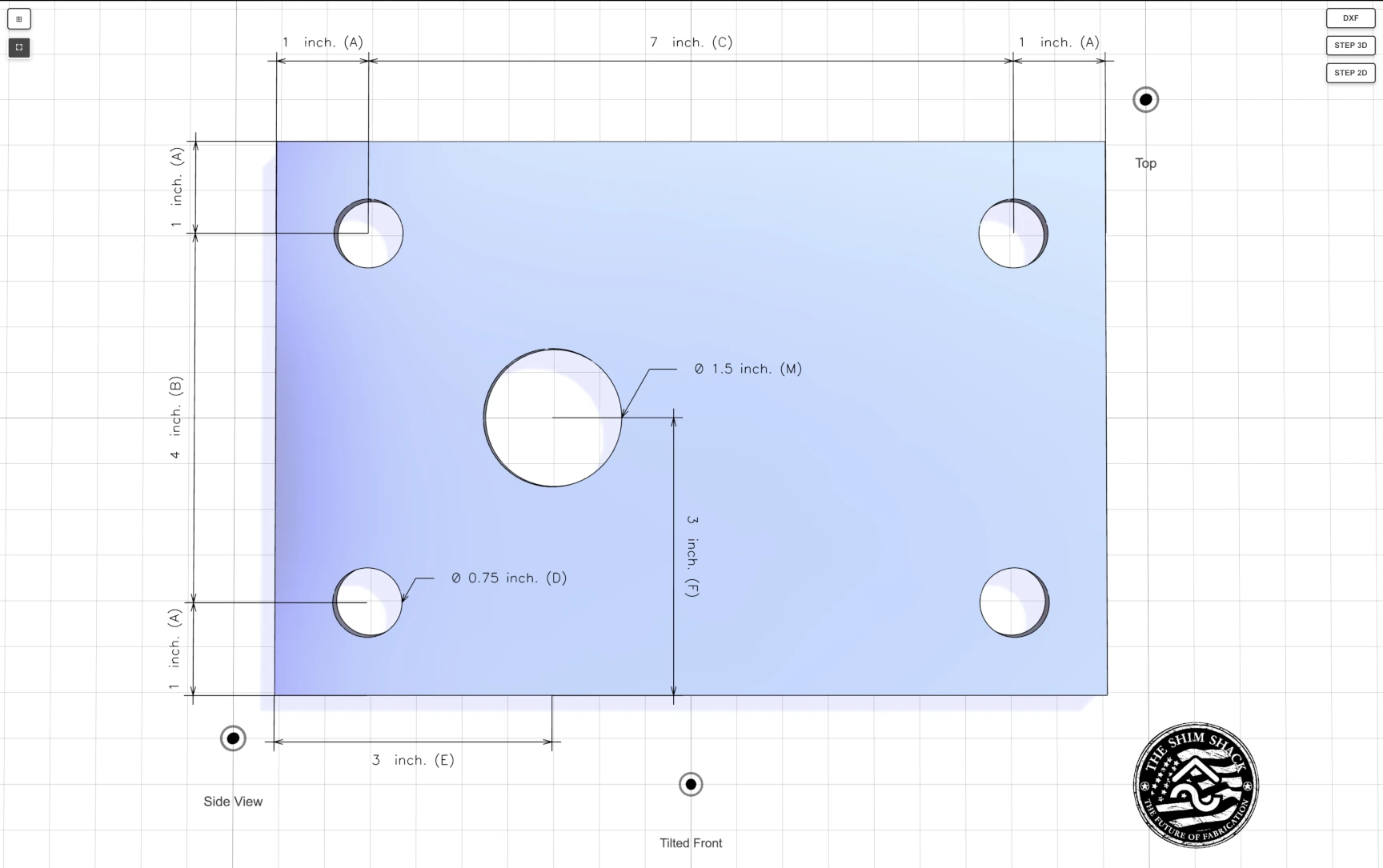
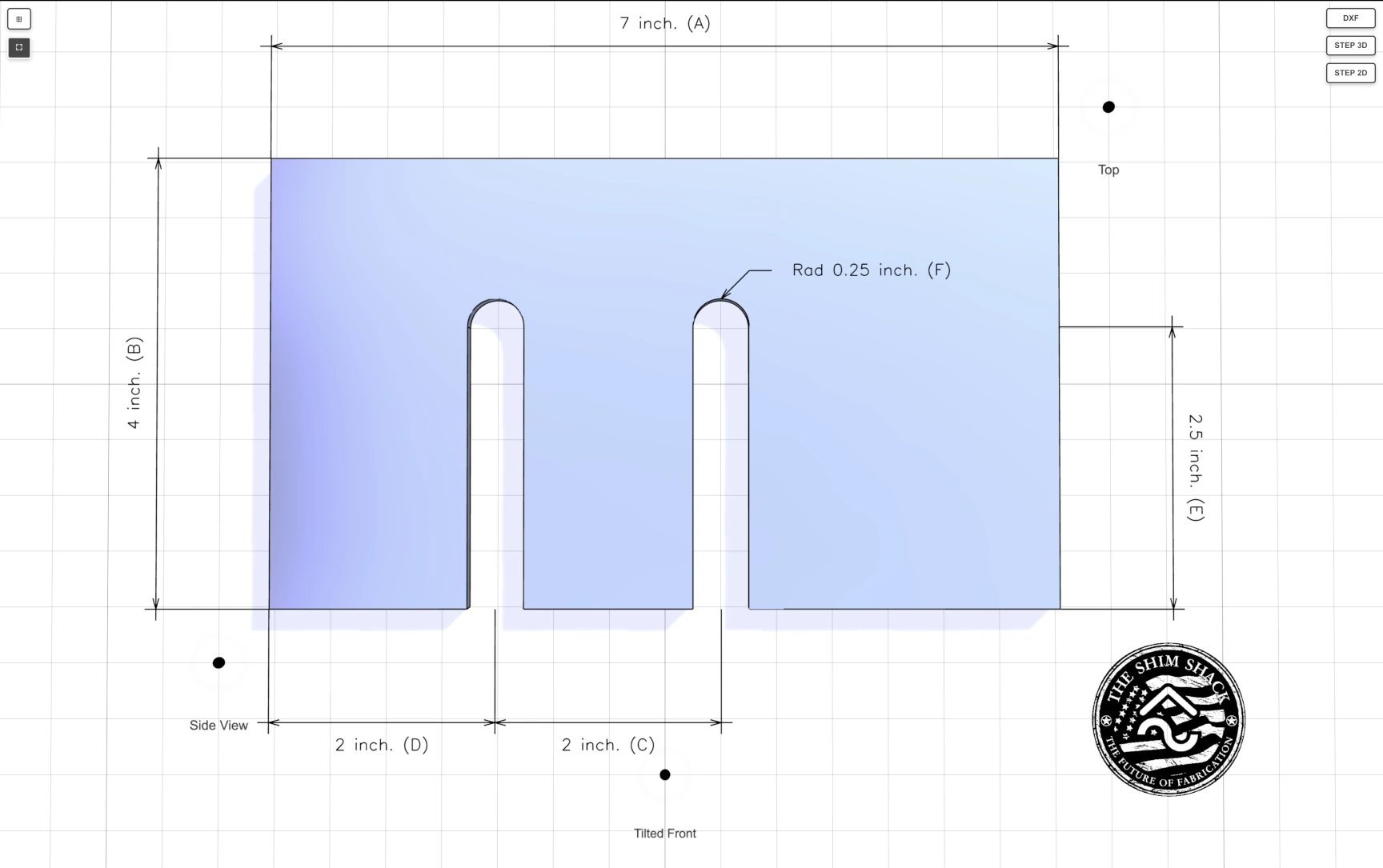
We paid close attention to the visual presentation. Shadows give a convincing sense of depth even from a top-down perspective, and metallic reflections bring the geometry to life - making the parts feel tangible rather than flat. We also added points of interest for Side View, Tilted Front, and Top View, each with smooth animated transitions, so customers can inspect the model from the most useful angles without having to navigate the 3D scene manually.
The Challenge: Parametric Geometry for Custom Manufacturing
Unlike typical e-commerce products, shims aren't picked from a catalog. Every customer needs different dimensions - different thicknesses, diameters, slot widths, hole positions. The geometry must be generated on the fly, validated against real manufacturing constraints, and presented clearly enough that anyone can use it.
That meant we needed fully parametric 3D models, produced in real time from customer inputs rather than assembled from static assets. Every configuration had to be checked for producibility before it could be ordered. The configurators had to live inside the existing WooCommerce store without disrupting what was already there. And customers needed to walk away with professional STEP and DXF files they could take straight into their own CAD workflows.
Why Bitbybit Runner Was the Right Fit
From the very beginning, we identified that our Runner technology was the ideal foundation for this project. Runner allows Bitbybit scripts to be embedded and executed on any website - including WordPress with WooCommerce.
The beauty of this approach is that we could preserve The Shim Shack's existing infrastructure entirely. There was no need to migrate away from WordPress or rebuild the storefront. Instead, we layered 3D capabilities on top of what already worked - each configurator running as a self-contained script inside their product pages, easy to update and maintain independently. This saved significant time and let us focus entirely on what mattered most: building a great configurator experience.
Parametric Design Powered by OCCT
This project is fundamentally different from some of the other case studies, where configurators combine pre-made glTF assets representing modular parts. The Shim Shack configurators don't assemble static models - they generate geometry from scratch based on user inputs.
This is made possible by Bitbybit's CAD layer, built on the OpenCascade (OCCT) kernel - the same technology behind professional desktop CAD applications. When a customer enters dimensions for their shim, the OCCT kernel constructs the geometry parametrically - building profiles, extruding shapes, cutting holes and slots. It then validates every constraint, checking wall thicknesses, hole spacing, and laser-cutting tolerances. If everything passes, the result is rendered in 3D so the customer can inspect their design from every angle, and production-ready STEP and DXF files can be exported directly in the browser.
All of this happens client-side, in real time, with no server round-trips required.
A Rich Variety of Shim Configurators
The Shim Shack offers a wide range of shim types, and we built dedicated configurators for each one. Every configurator is tailored to the specific geometry and constraints of its shim type while sharing a consistent user experience across the board.
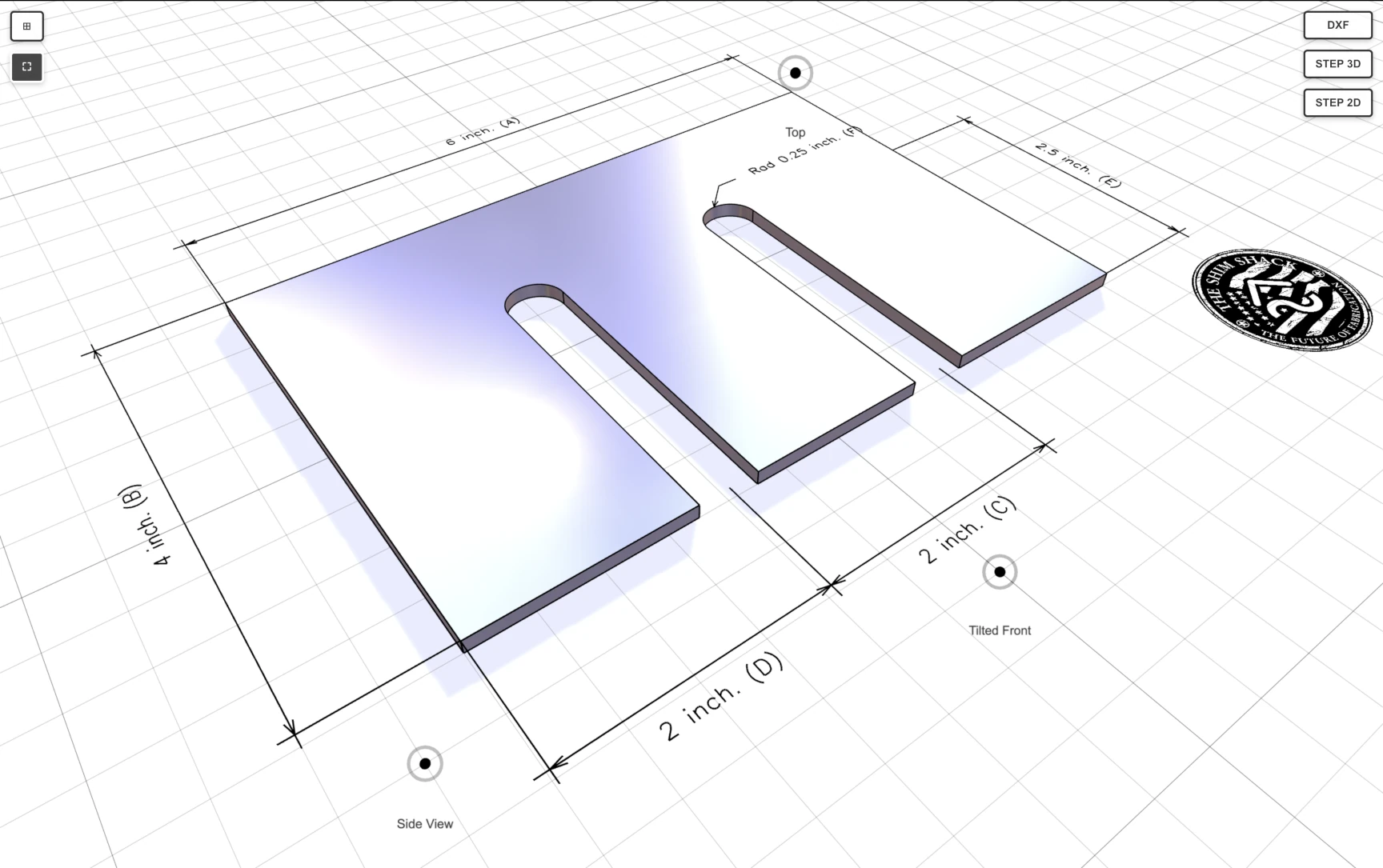
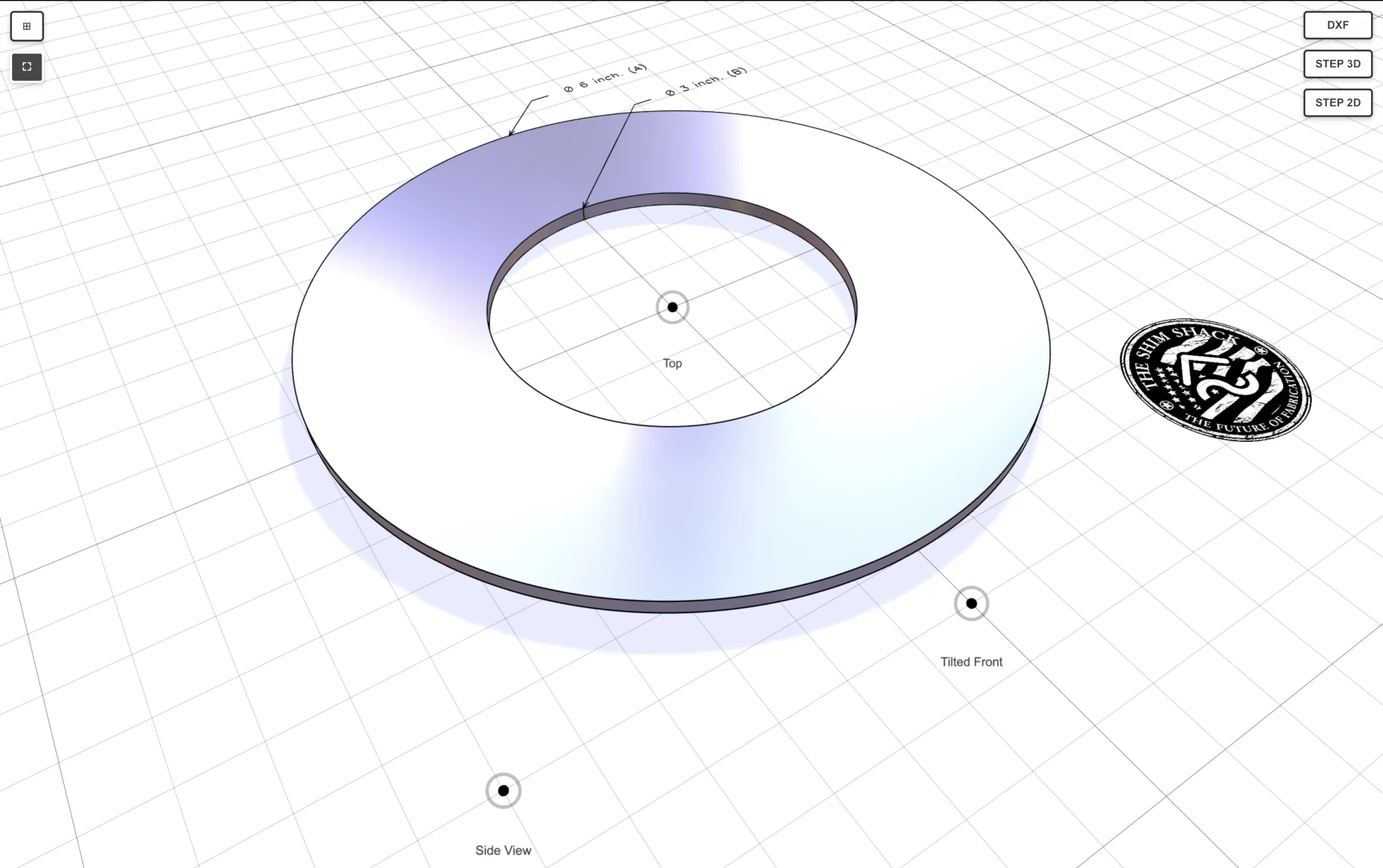
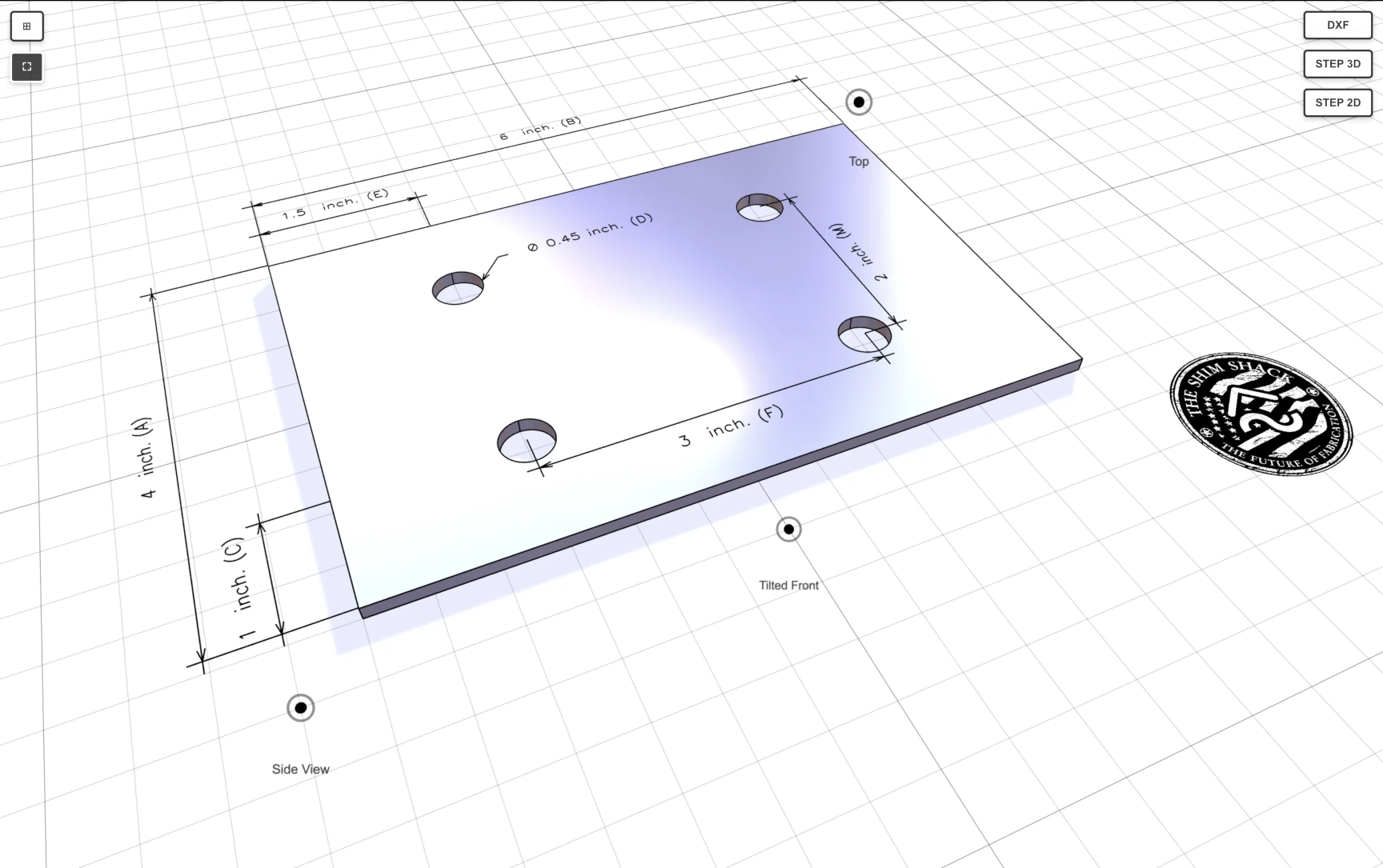
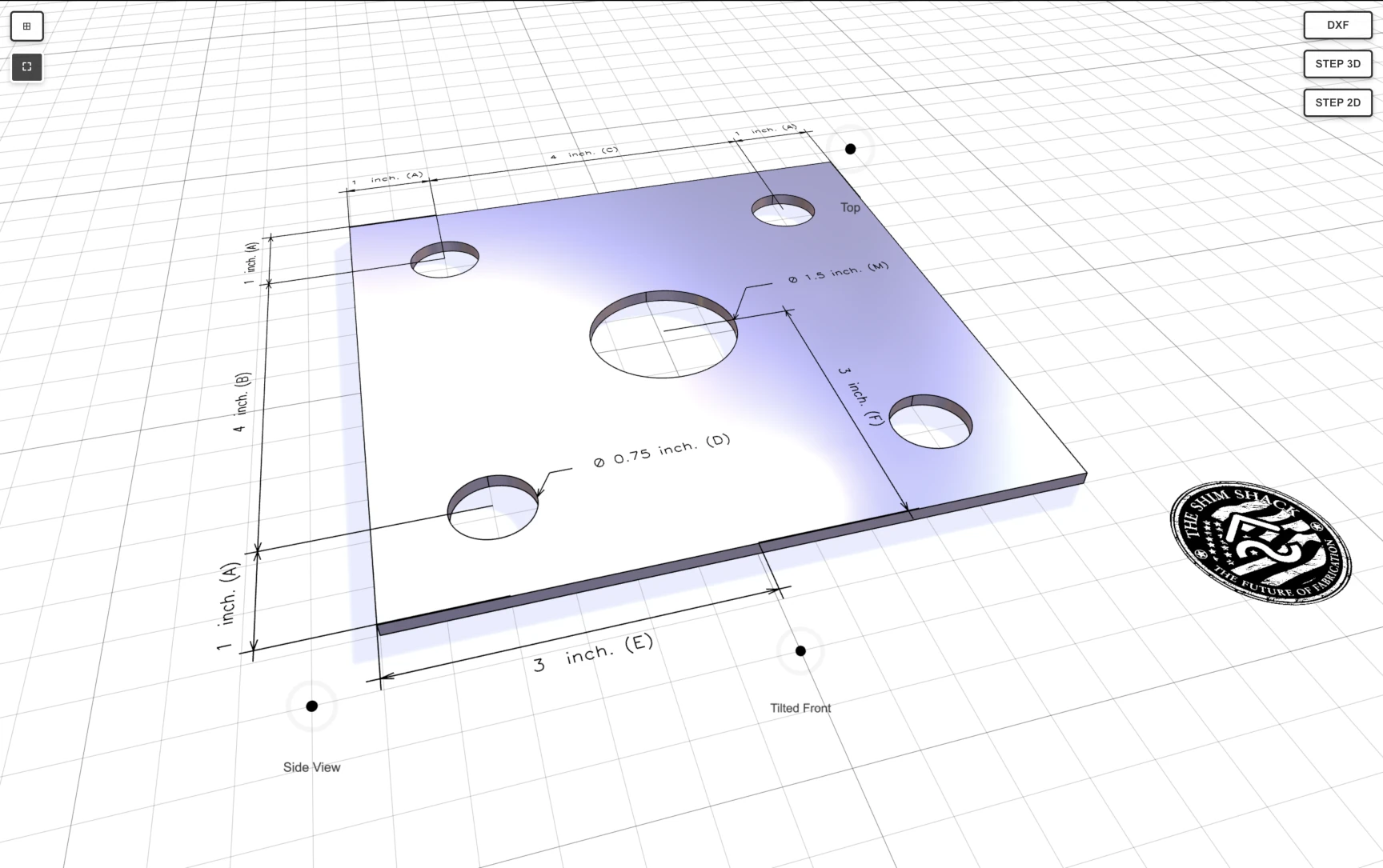
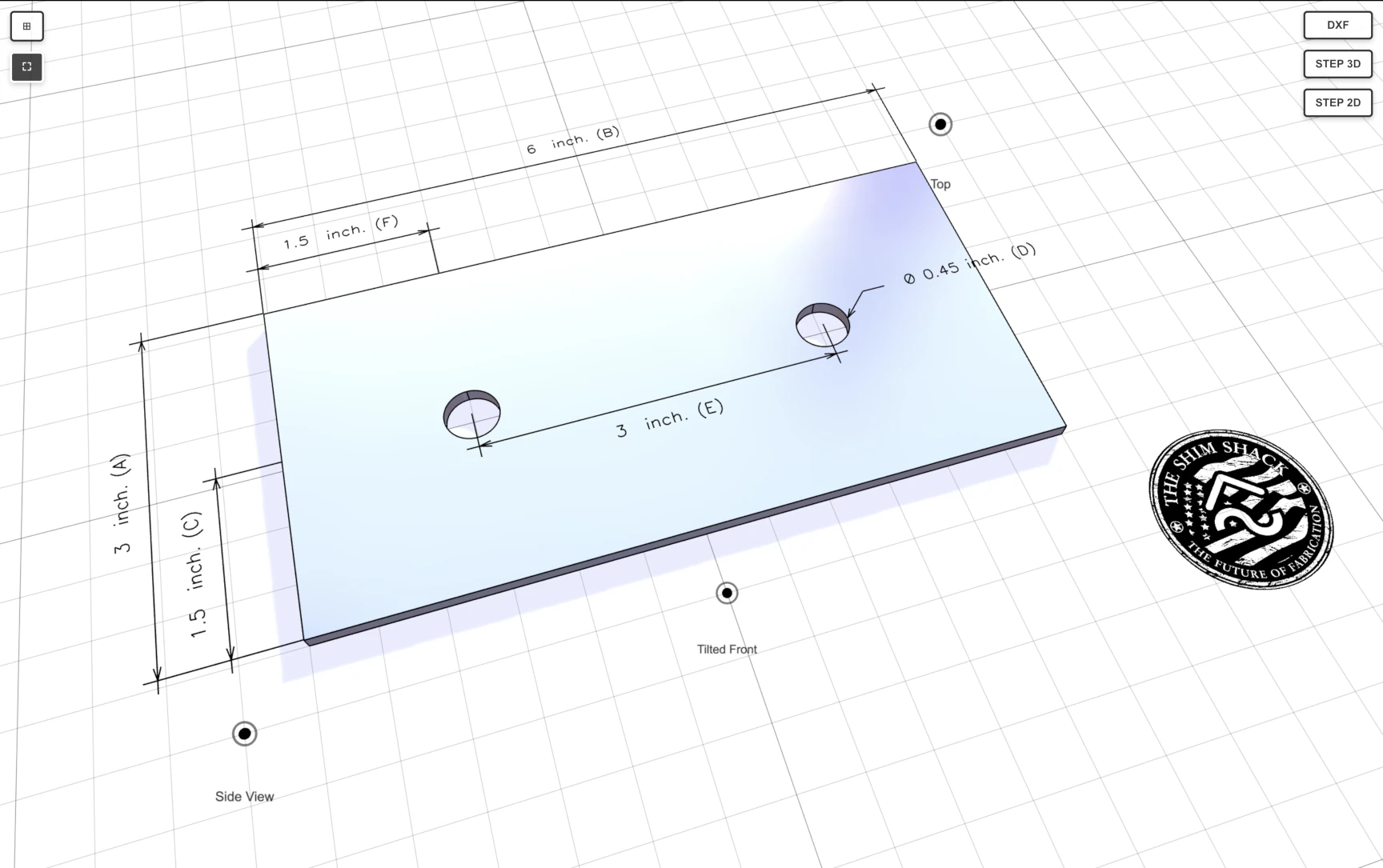
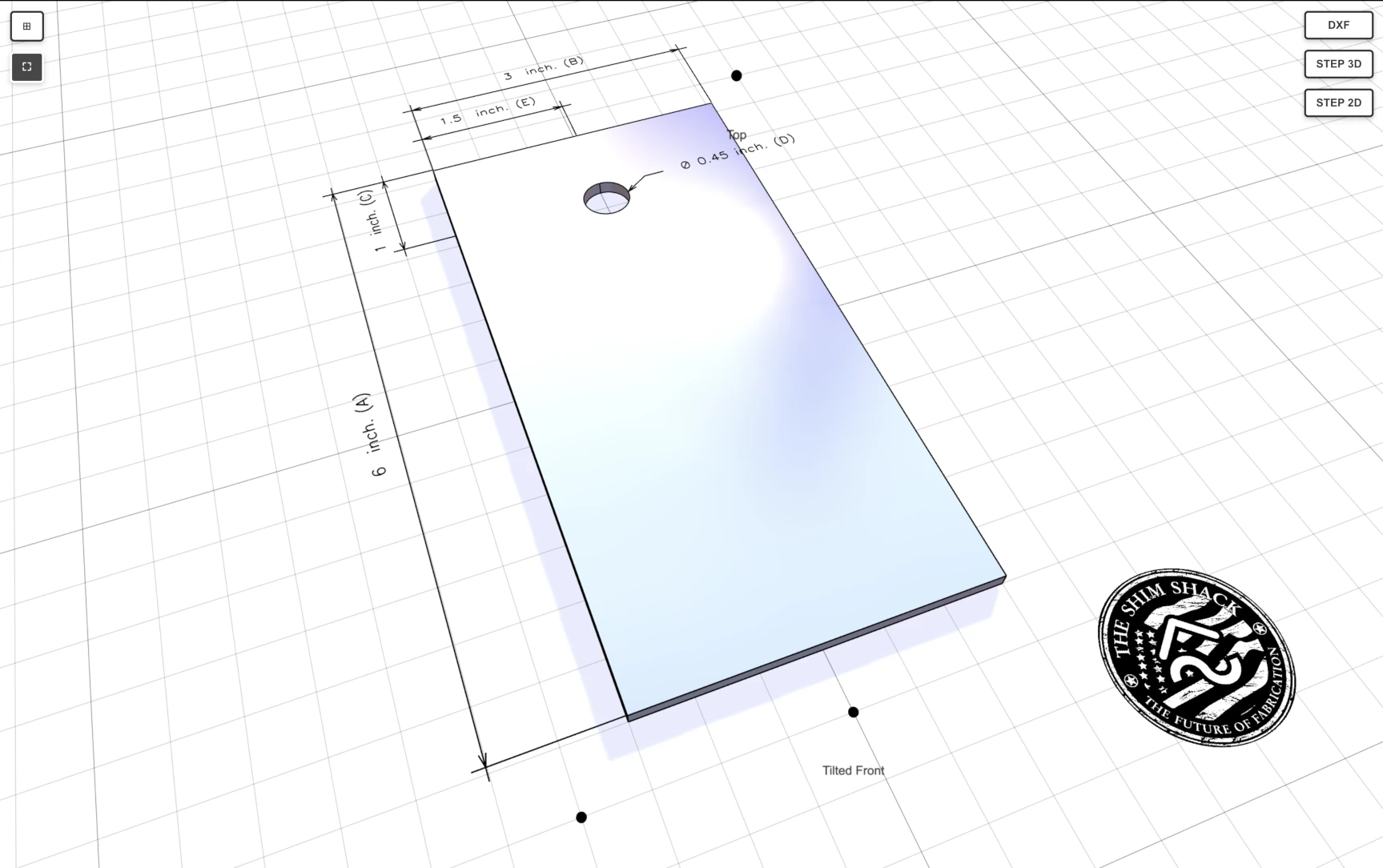
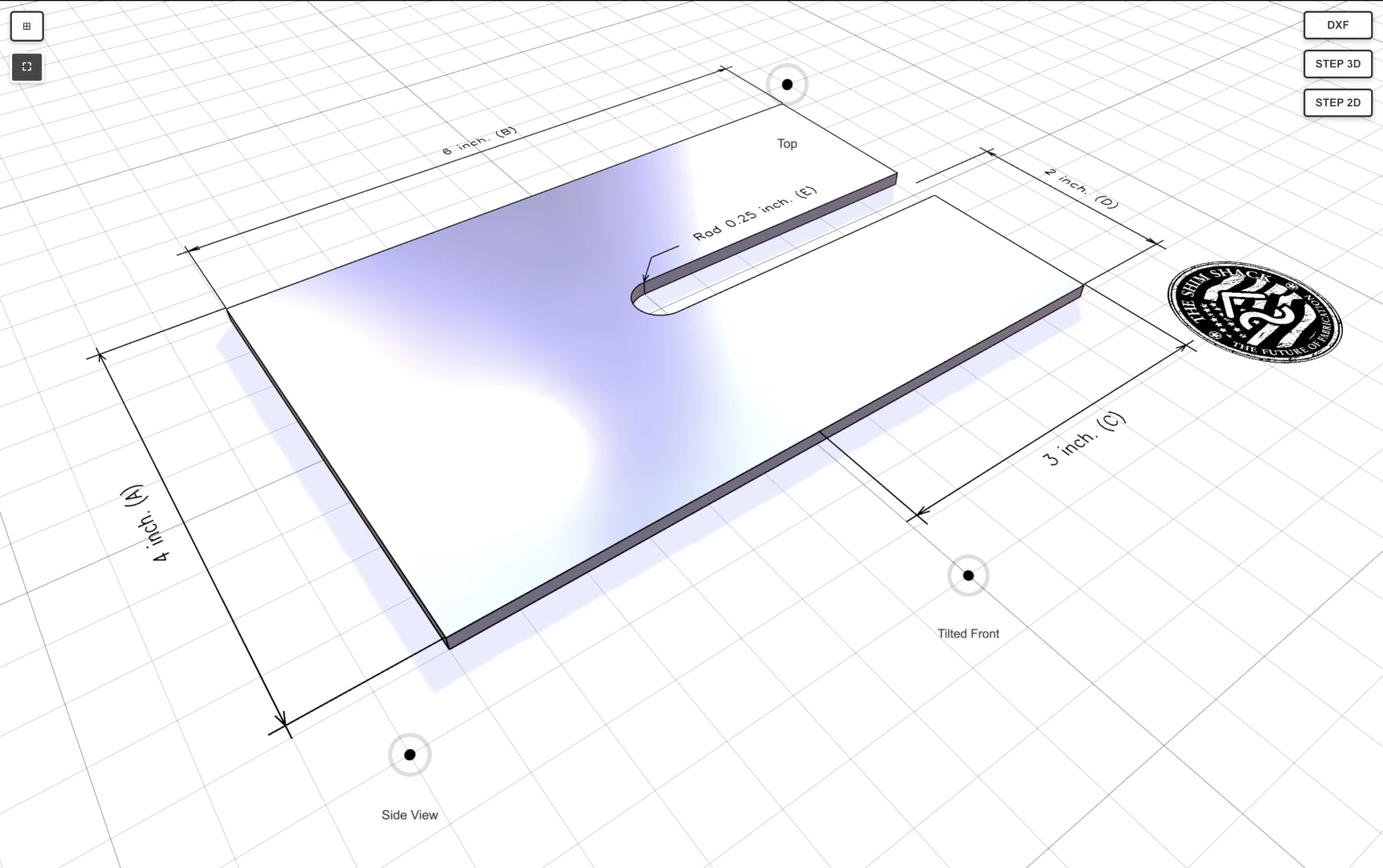
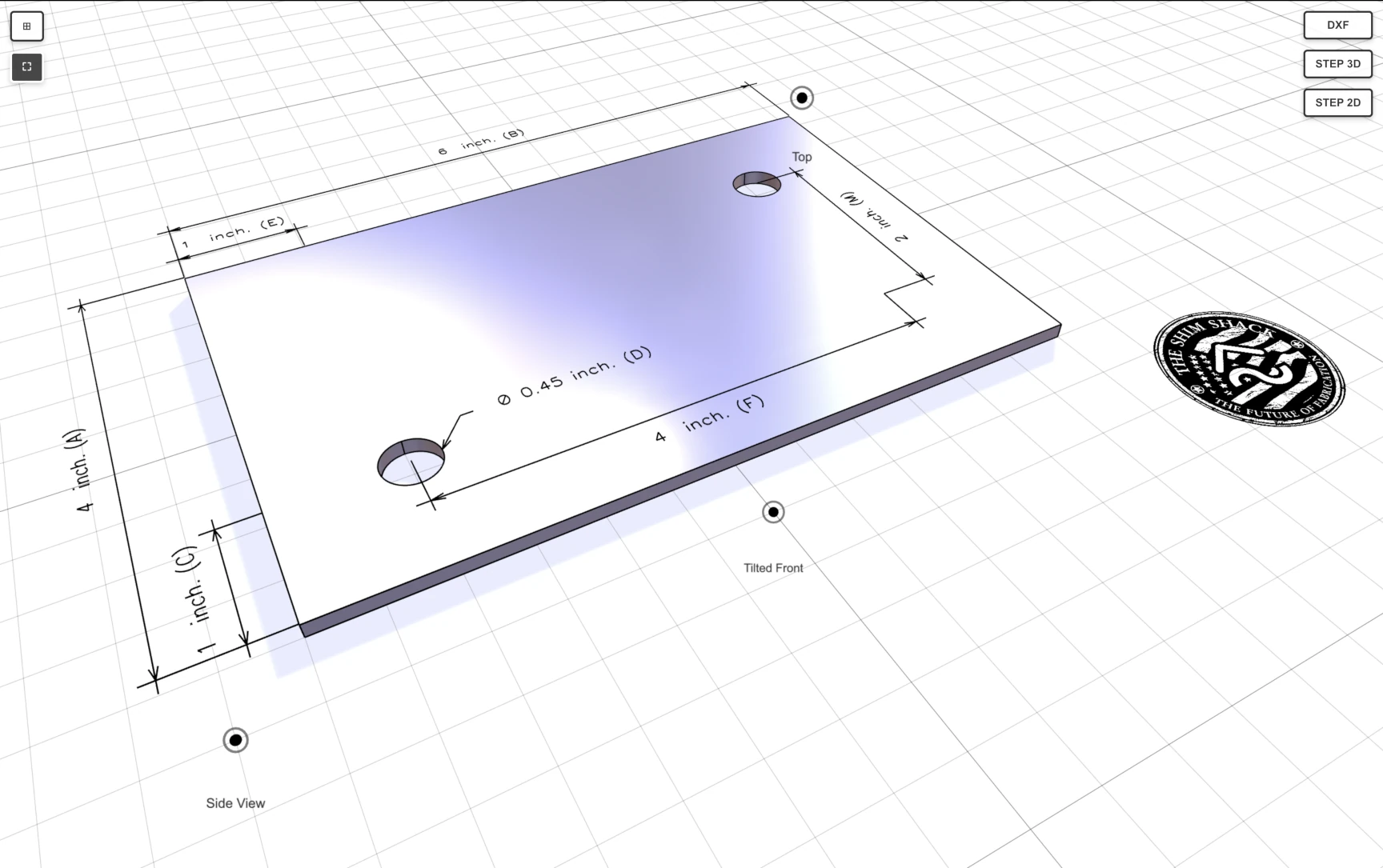
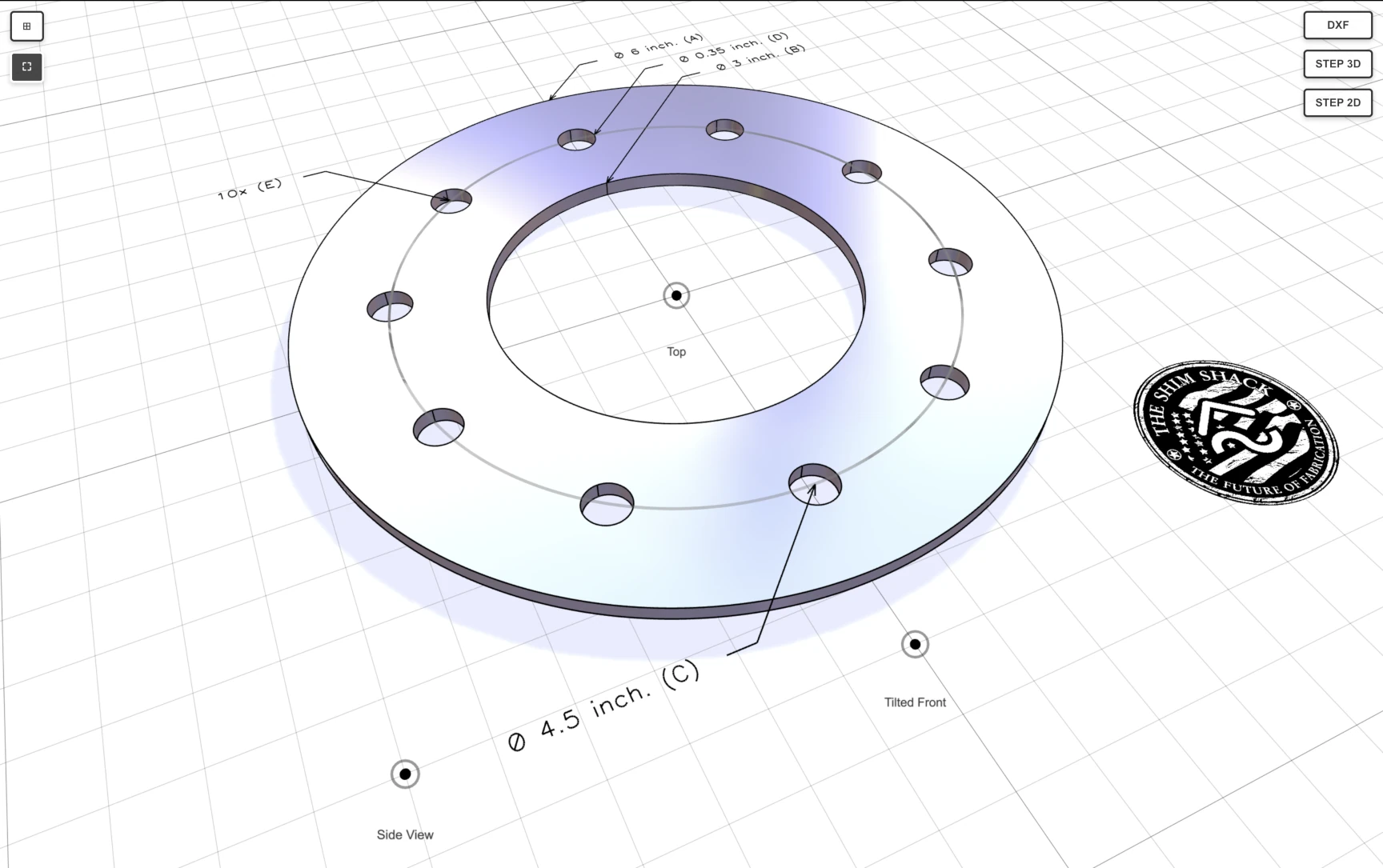
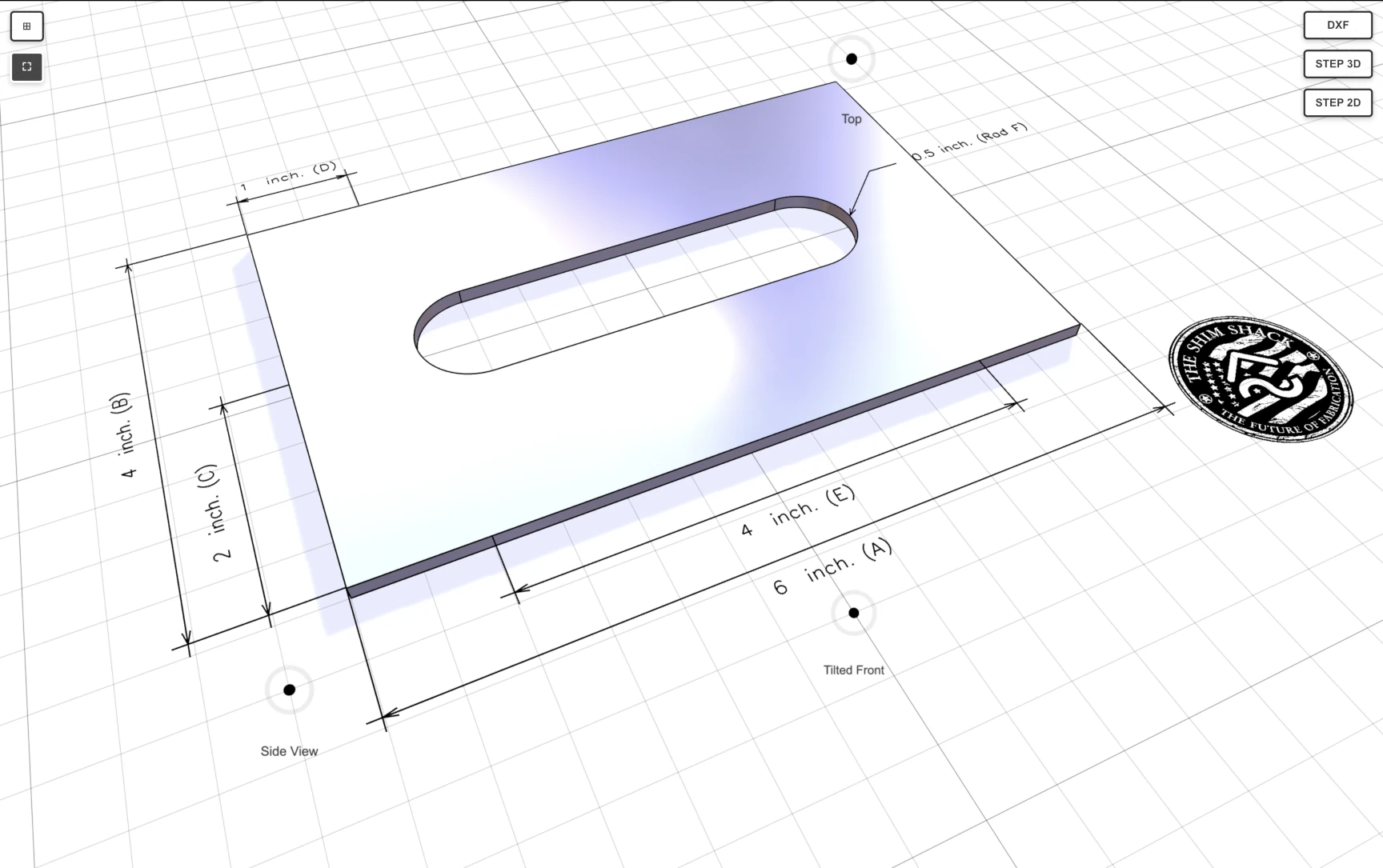
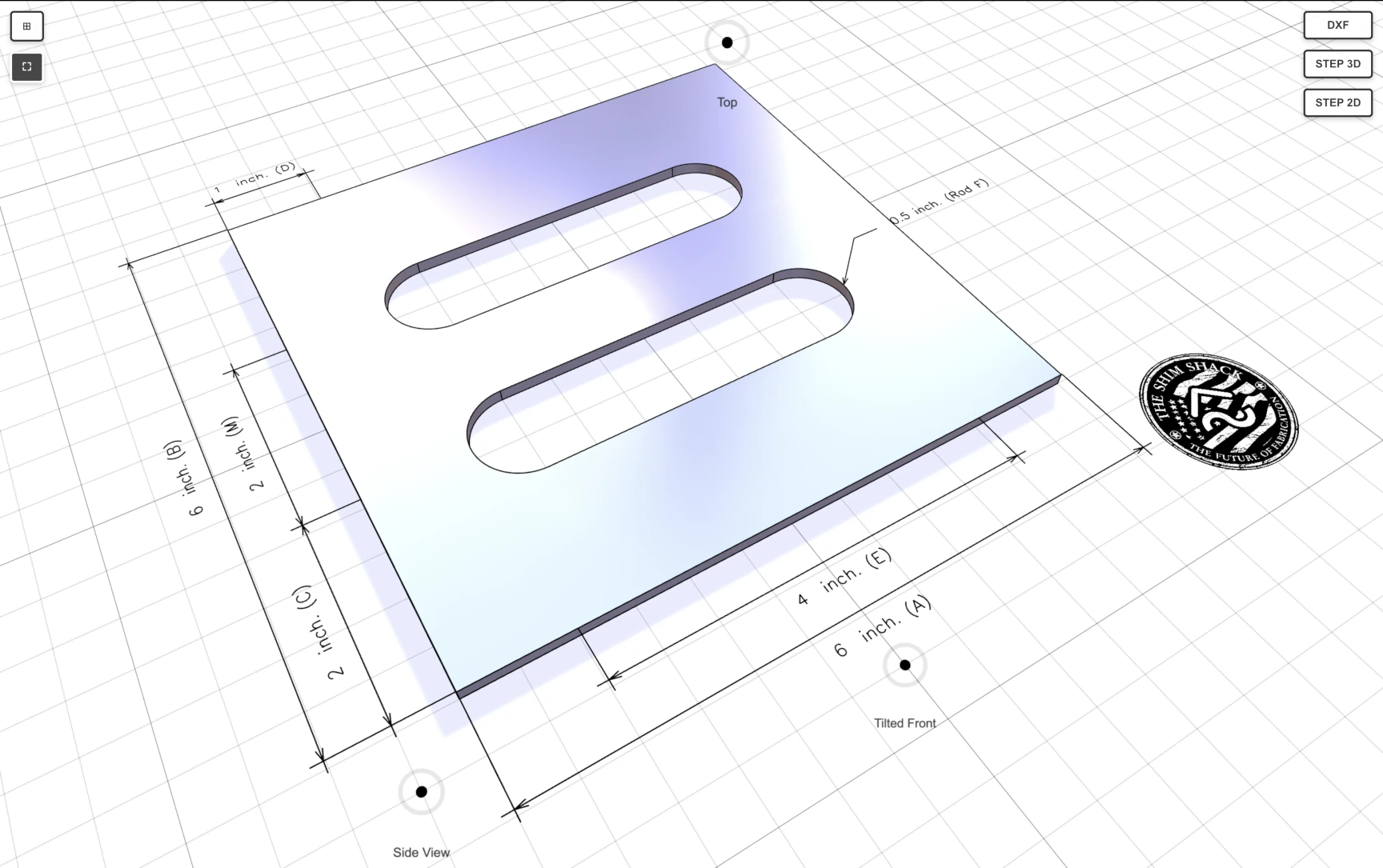
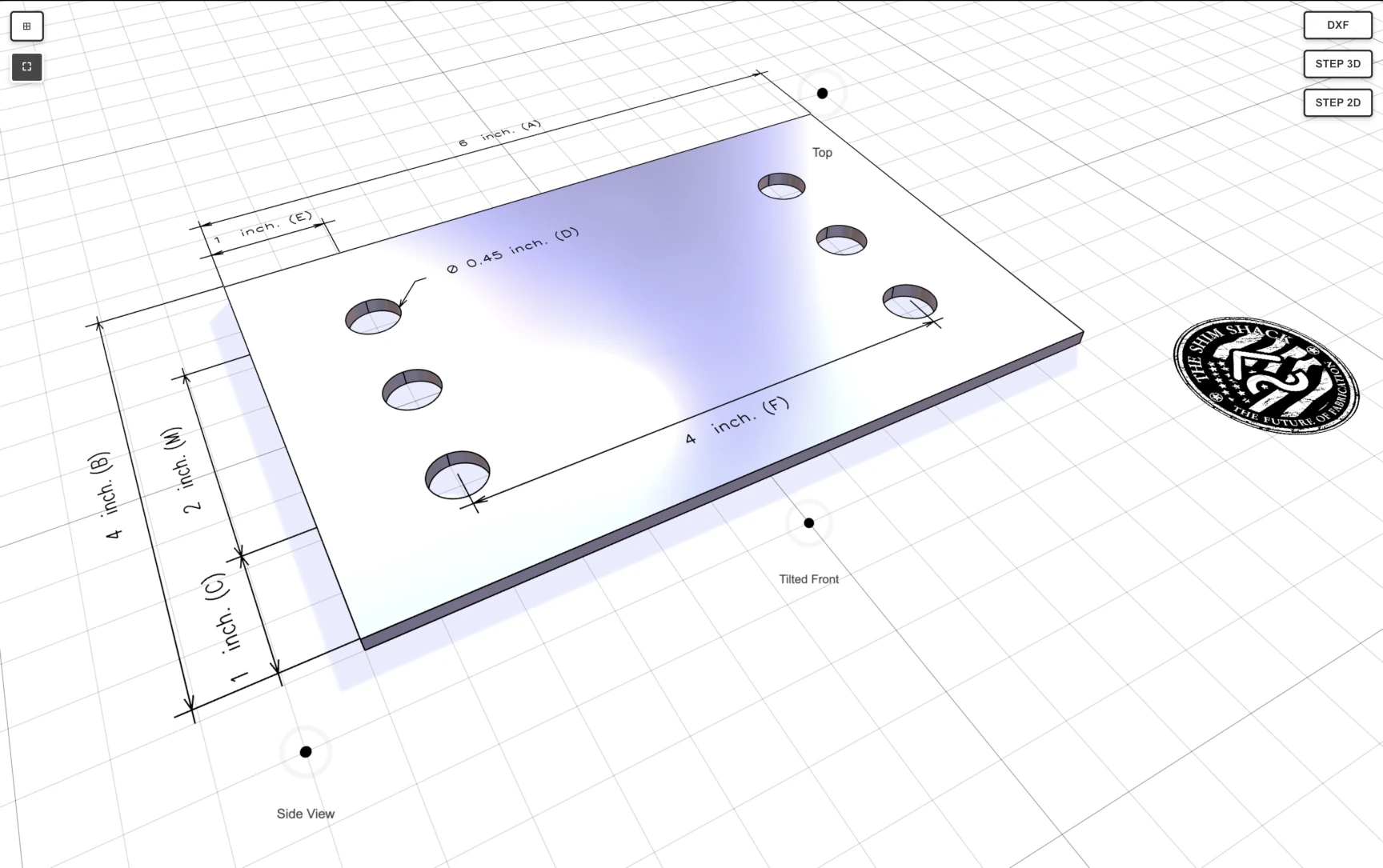
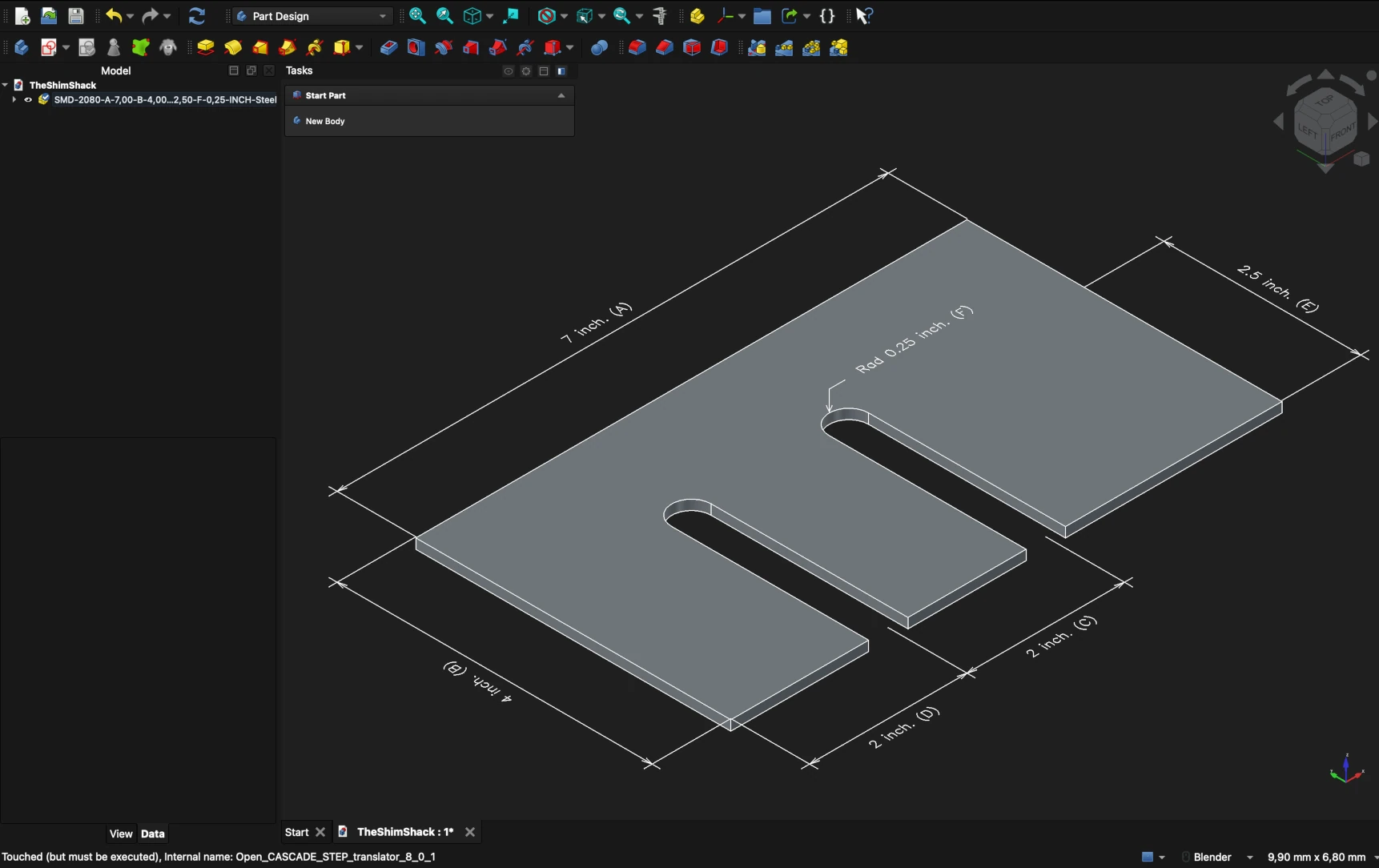
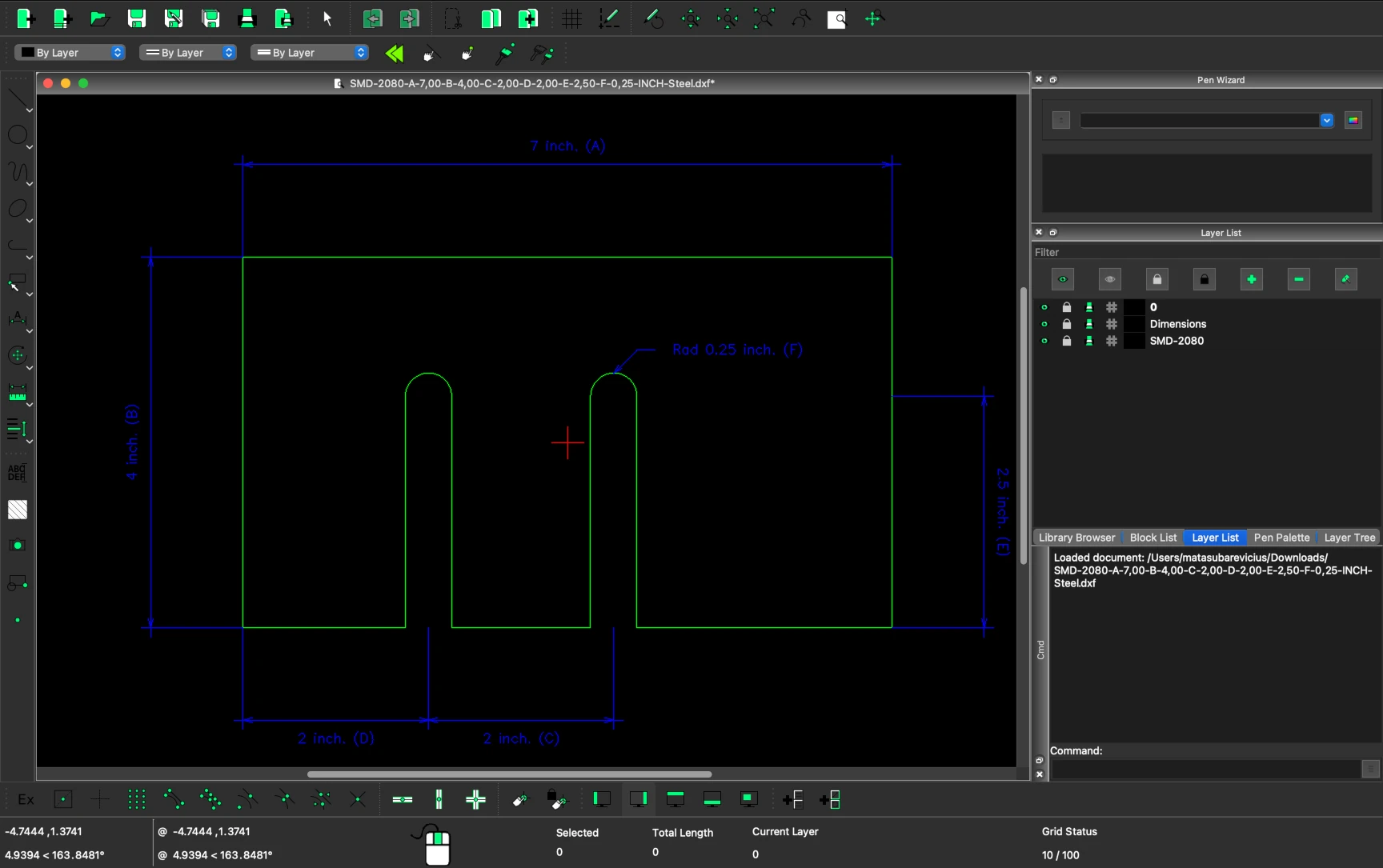
Customers enter precise dimensions for every parameter, then rotate, zoom, and inspect the resulting 3D model from any angle. A full-screen mode offers a focused, distraction-free design environment. And when the design is ready, STEP and DXF files can be exported for use in other CAD software or shared directly with engineering teams. It's worth noting that the dimensions shown in the 3D viewer are currently represented as wires in the STEP export and as polylines in the DXF export - they are visual annotations rather than editable parametric dimensions. The screenshots below show an exported part opened in FreeCAD (STEP) and LibreCAD (DXF) - two popular open-source CAD tools that customers can use to inspect and work with the exported files.
Built-In Manufacturing Validation
Users of these configurators are not necessarily CAD engineers. They might be maintenance technicians, facility managers, or procurement specialists who need a specific part but don't work in 3D modeling software daily.
That's why every configurator validates inputs against real manufacturing constraints before generating geometry. When a customer enters dimensions that would produce an invalid part, the system responds with clear, specific error messages - whether that's self-intersecting geometry where holes or slots would overlap, insufficient material between features that doesn't respect laser-cutting tolerances, or dimensions that simply fall outside what can be reliably manufactured.
This guided approach ensures that every configuration a customer submits is actually producible - reducing back-and-forth with The Shim Shack's engineering team and speeding up the path from design to delivery.
The Details That Matter
Building these configurators was a rewarding process, and we enjoyed adding touches that go beyond pure functionality. For instance, when customers enter the full-screen 3D environment, they're greeted by The Shim Shack's logo - a small detail that reinforces brand presence and makes the experience feel polished and professional, rather than like a generic embedded widget.
These details reflect our approach: the configurators aren't just tools, they're an extension of The Shim Shack's brand and customer experience.
What This Project Taught Us
This collaboration reinforced something we deeply believe in: parametric CAD technology and e-commerce are a natural pairing. When products are defined by dimensions rather than catalog selections, the OCCT kernel opens the door to true custom manufacturing workflows online. Real-time validation builds trust - errors are caught before they happen, saving time for both customers and manufacturers. And by integrating with Runner, we brought all of this into an existing WordPress and WooCommerce environment without requiring a platform migration. The ability to export STEP and DXF files closes the loop entirely, bridging the gap between a web configurator and the production floor.
What The Shim Shack Says
"Working with Matas and the Bit By Bit team was an exceptional experience from start to finish. Matas brought a rare combination of deep technical expertise in parametric geometry and web-based 3D modeling, along with outstanding communication and professionalism. He was proactive, highly responsive, and consistently willing to share ideas, progress, and insights early and often, which made the entire development process smooth and collaborative. He truly went above and beyond to understand our vision for this project and turn it into a powerful, interactive 3D configurator. I would gladly work with Matas and Bit By Bit again and highly recommend them to anyone looking to build advanced, high-quality engineering or CAD-driven web applications."
Brandon S., Owner
🇺🇸 United States

Ready to Build Your Own Configurators?
If you manufacture custom parts and want to let your customers design them online - with real parametric geometry, manufacturing validation, and CAD export - we'd love to hear from you.
Whether you're on WordPress, Shopify, or a custom platform, Bitbybit Runner can bring parametric 3D configurators to your existing store. Every project is different, and we work closely with each client to find the right approach.
Interested in exploring what's possible? Reach out to us.