Parametric 3D Spiral Chute Configurator for STOCKMHS

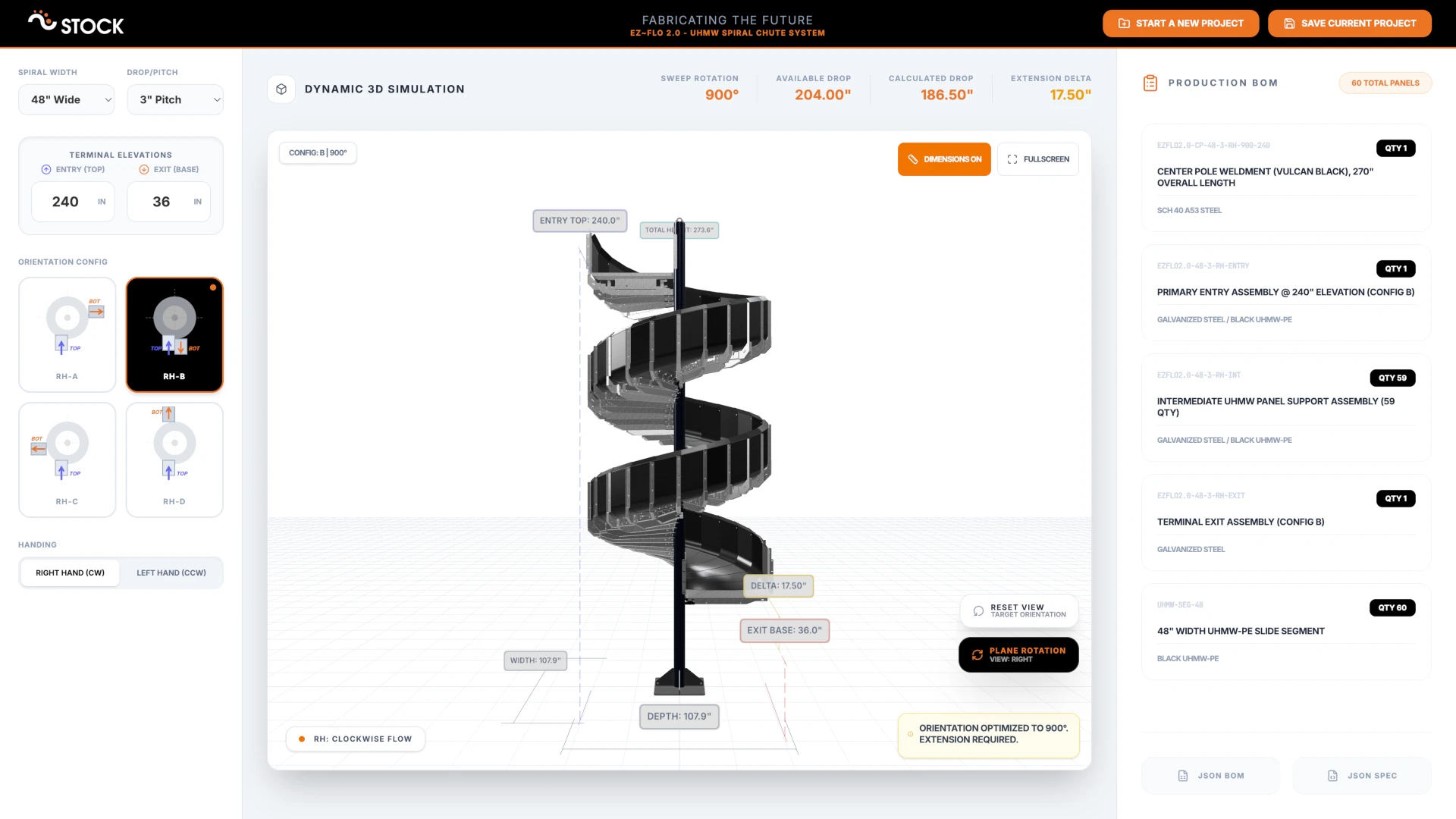
Demand for customizable products that don't need to be redesigned from scratch for every unique customer or situation is growing across the manufacturing industry. STOCKMHS recognized this early and created the modular EZ~FLO 2.0 Chute System (Patent Pending), which gives their team the freedom to adapt a proven product to any situation. Through our collaboration, we built a browser-based 3D configurator that serves as a digital twin for the entire spiral chute product line - letting the sales and engineering teams explore configurations, generate bills of materials, and produce branded PDF reports without ever leaving their browser.
The Client: STOCKMHS
STOCKMHS (Stock Material Handling Systems) is a United States-based company headquartered in Ohio that has been manufacturing conveyor systems, chutes, and other material handling solutions for more than 50 years. Their philosophy sounds straightforward - apply innovation so that quality and speed don't come at a huge cost to customers - but executing on that idea consistently is what makes them competitive.
The EZ~FLO 2.0 UHMW spiral chute is a perfect example of this mindset. Instead of engineering a one-off chute for every installation, STOCKMHS invested in making the product modular and configurable from the start. The spiral widths, pitch, entry and exit heights, rotation, terminal orientation, and handing direction can all be adjusted to suit different warehouse and production floor layouts. This means engineering time is dramatically reduced for each order, products don't need to be redesigned from the ground up, and the sales team can respond faster to inquiries. Combining quality with affordability becomes much more realistic when this kind of smart product design is in place.
Why Build a 3D Configurator?
Another important part of this process is understanding how the product actually behaves once all those parameters come together - but that's hard to do without the right tools. Designing flexibility into a modular product is not straightforward. The key question engineering teams need to answer is how much flexibility the product should support. Offer too many options and the product becomes very difficult to maintain and manufacture. Offer too few and you still end up falling back to custom designs for every other project.
Digitizing the process by building an actual digital twin takes the guesswork out of this equation. The design and sales teams get immediate visual and practical feedback from the 3D configurator, which helps them understand the product's design space better - what works, what looks right, what combinations might cause issues. A configurator like this can be used to discuss ideas with stakeholders, validate configurations on the spot, and move internal conversations forward faster.
For STOCKMHS, the configurator needed to be more than a 3D viewer. It had to function as a professional internal tool - one that the team could use to configure and document a spiral chute from start to finish.
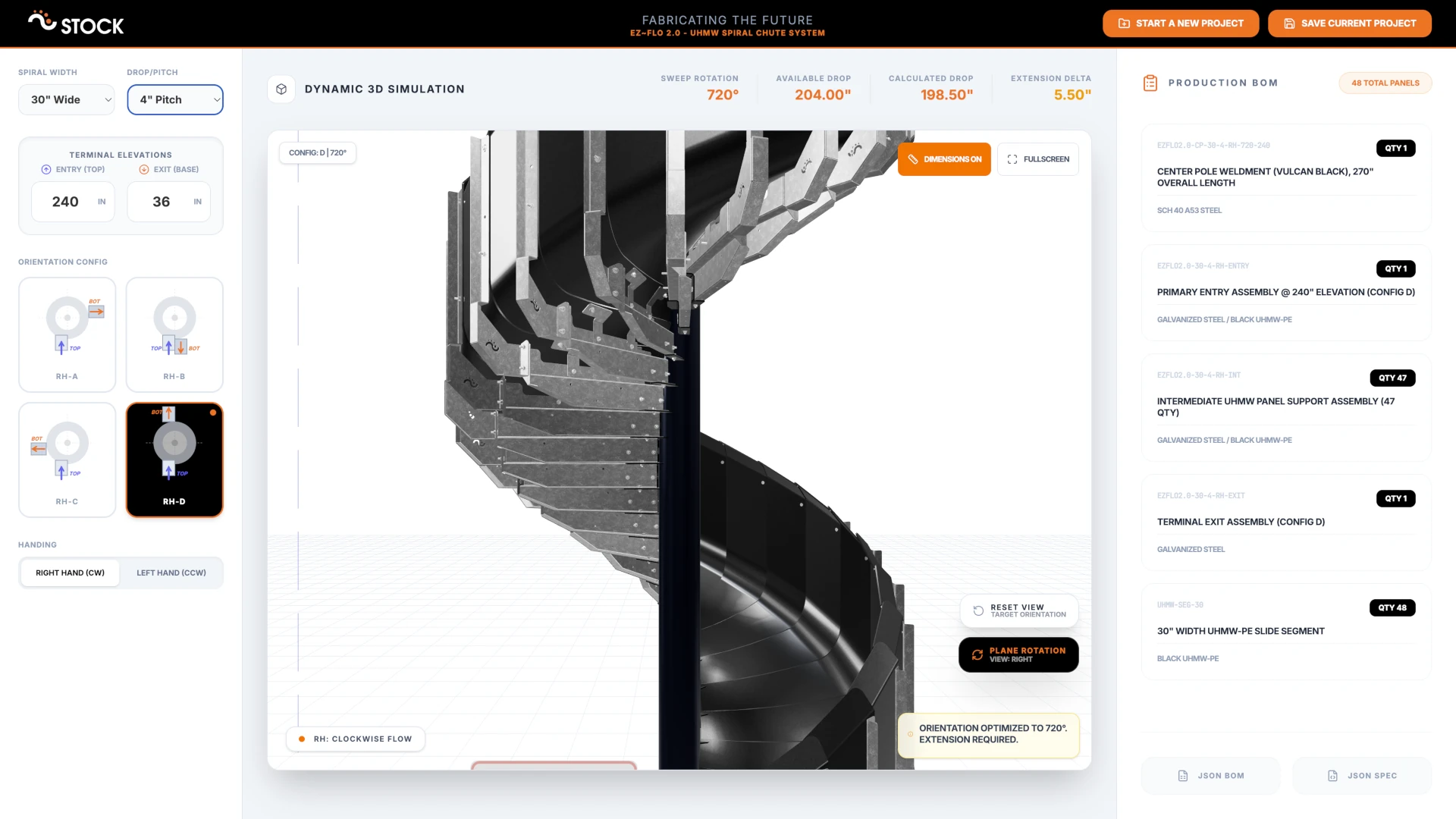
Runs Entirely in the Browser
One of the defining decisions for this project was to build the entire configurator as a client-side web application. There is no backend server required for any of the core functionality. Everything - the 3D rendering, the parametric geometry, the BOM calculations, the PDF generation - runs entirely in the browser.
The application is also installable as a standalone app with full offline support, meaning it can be used anywhere - on the factory floor, in a meeting room, or at a trade show - without needing a reliable internet connection.
Parametric Spiral Geometry in Real Time
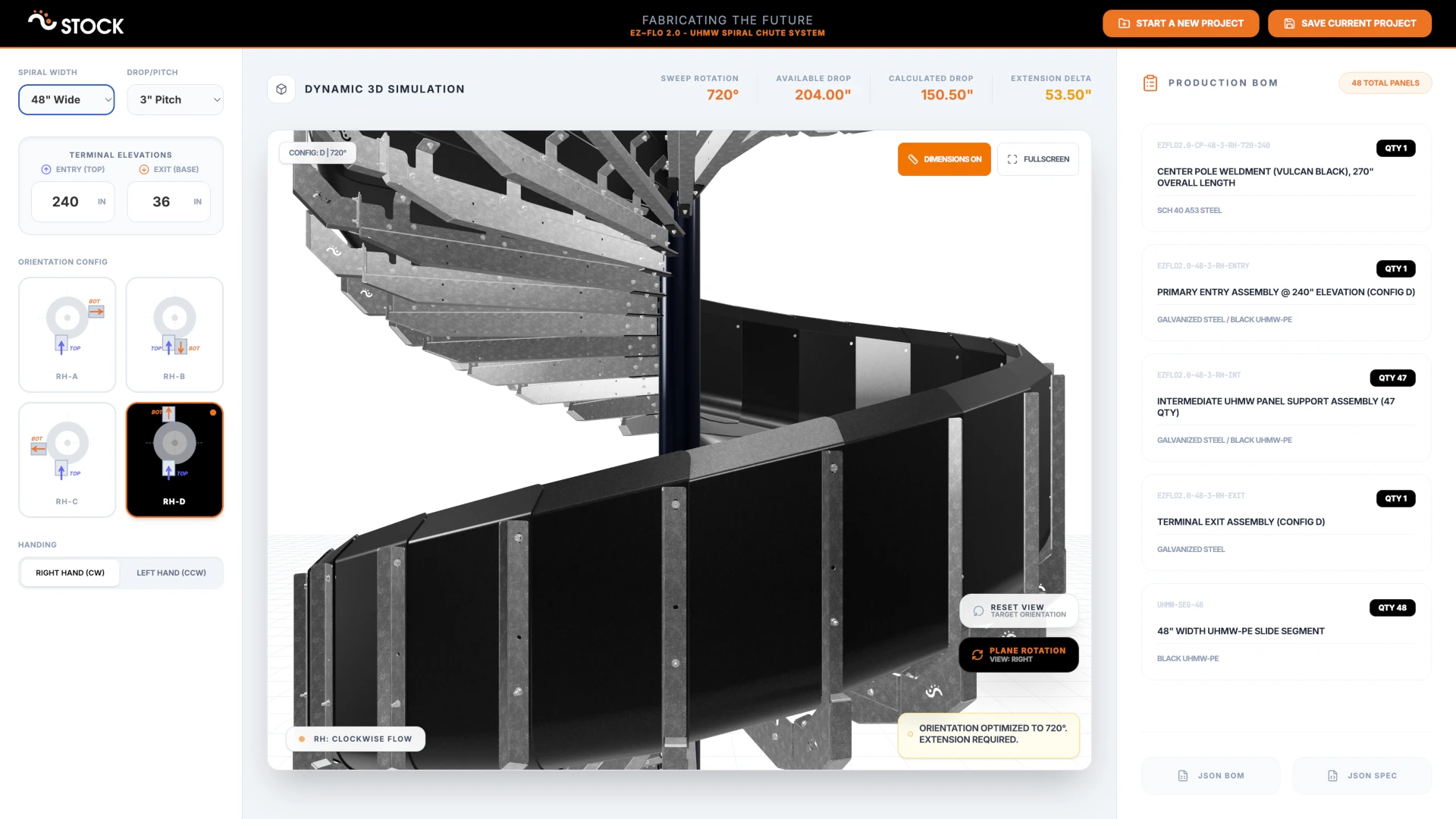
At the heart of the configurator is the parametric spiral geometry engine. When a user adjusts any parameter - width, drop per panel, entry height, exit height, terminal configuration, or handing direction - the entire spiral is recomputed and redrawn in real time.
The system works with a set of predefined spiral widths (24", 30", 36", 42", and 48") and two pitch options (3" and 4" drop per panel). Entry and exit heights can be set independently up to 600 inches, and the rotation is automatically calculated based on the available vertical drop. The configurator snaps the rotation to valid increments that match the selected terminal configuration (A, B, C, or D), each corresponding to a different exit angle - 90°, 180°, 270°, or 360°. Left-hand and right-hand spiral orientations are both supported and switch the entire assembly accordingly.
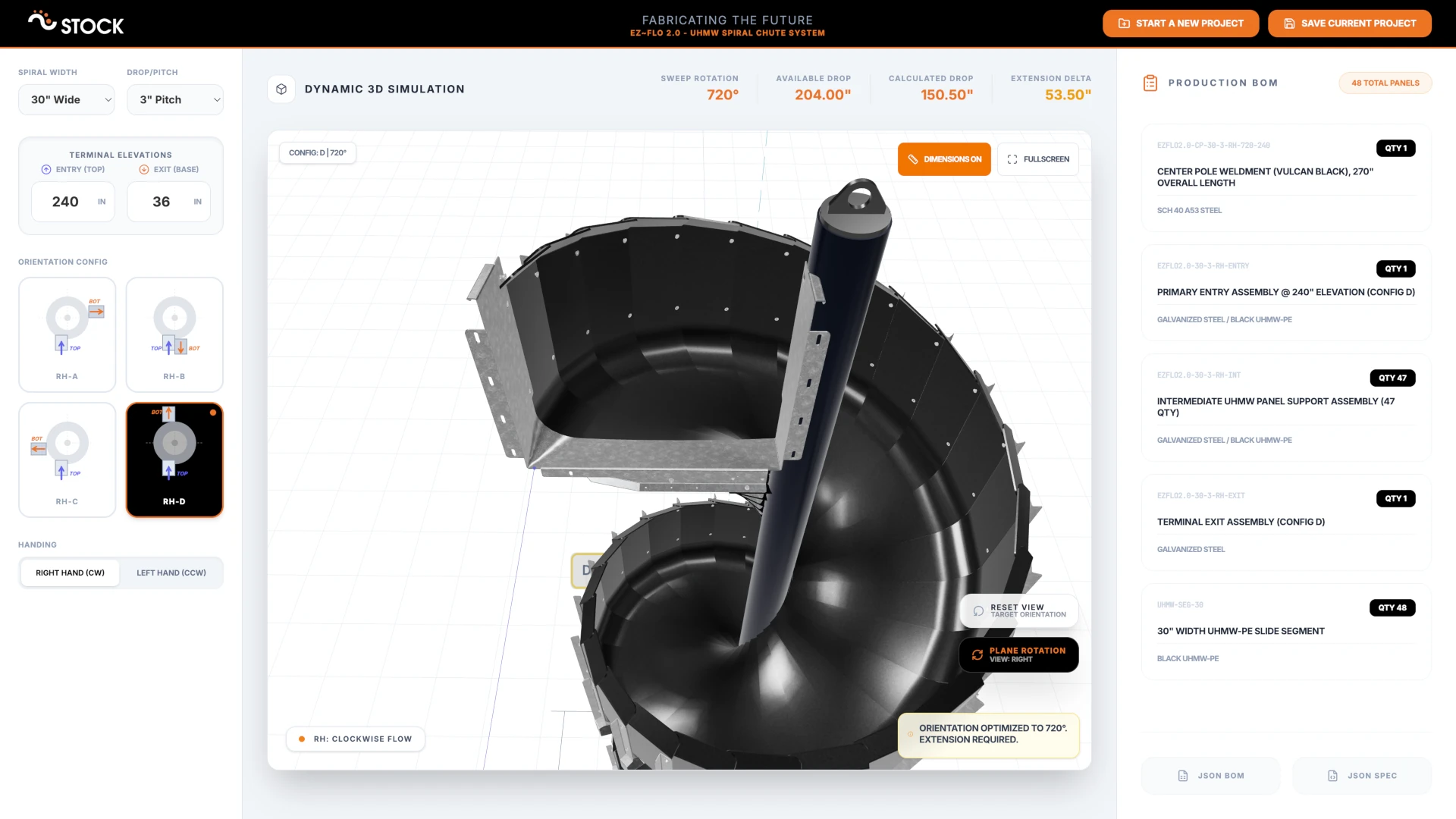
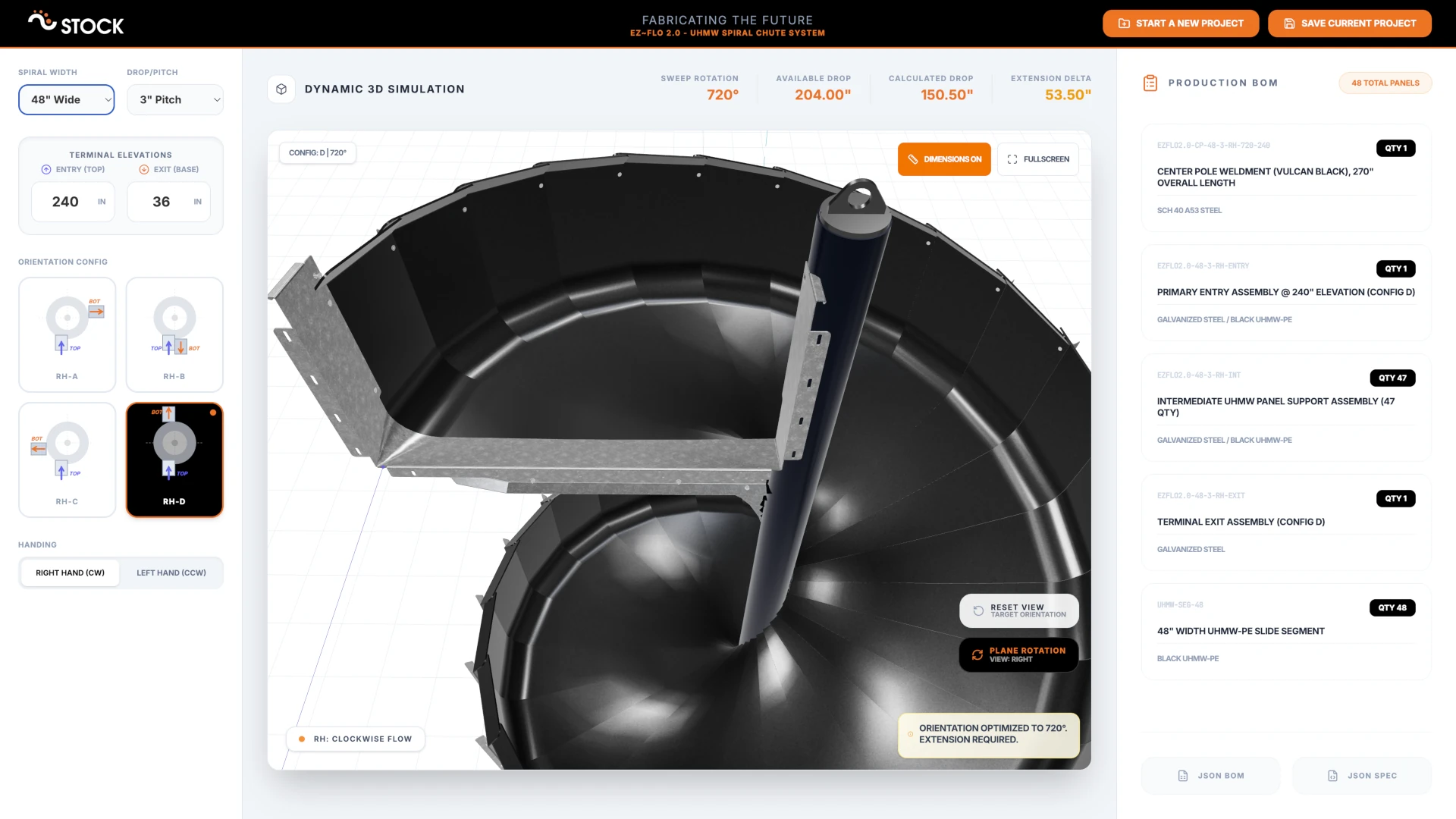
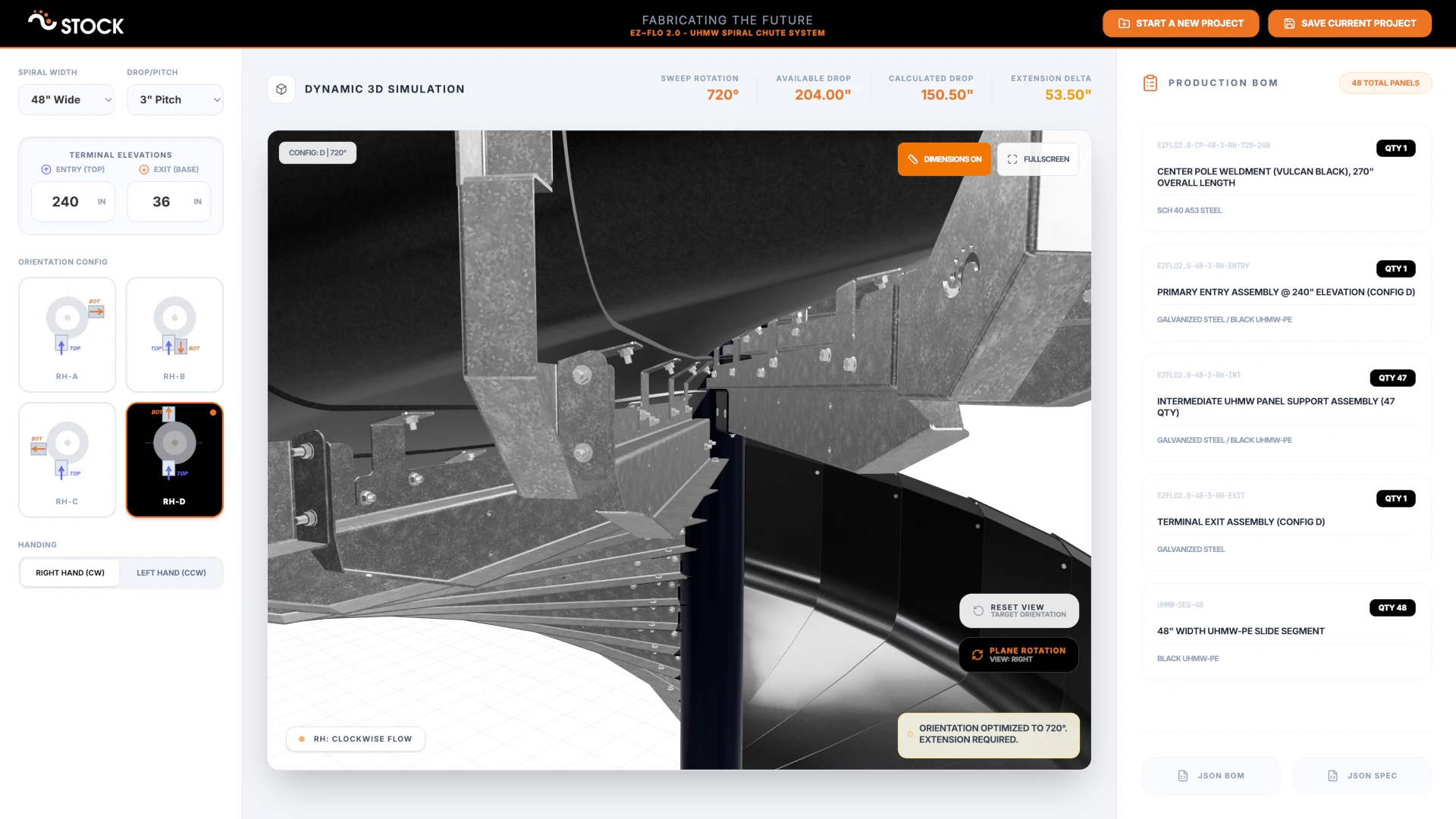
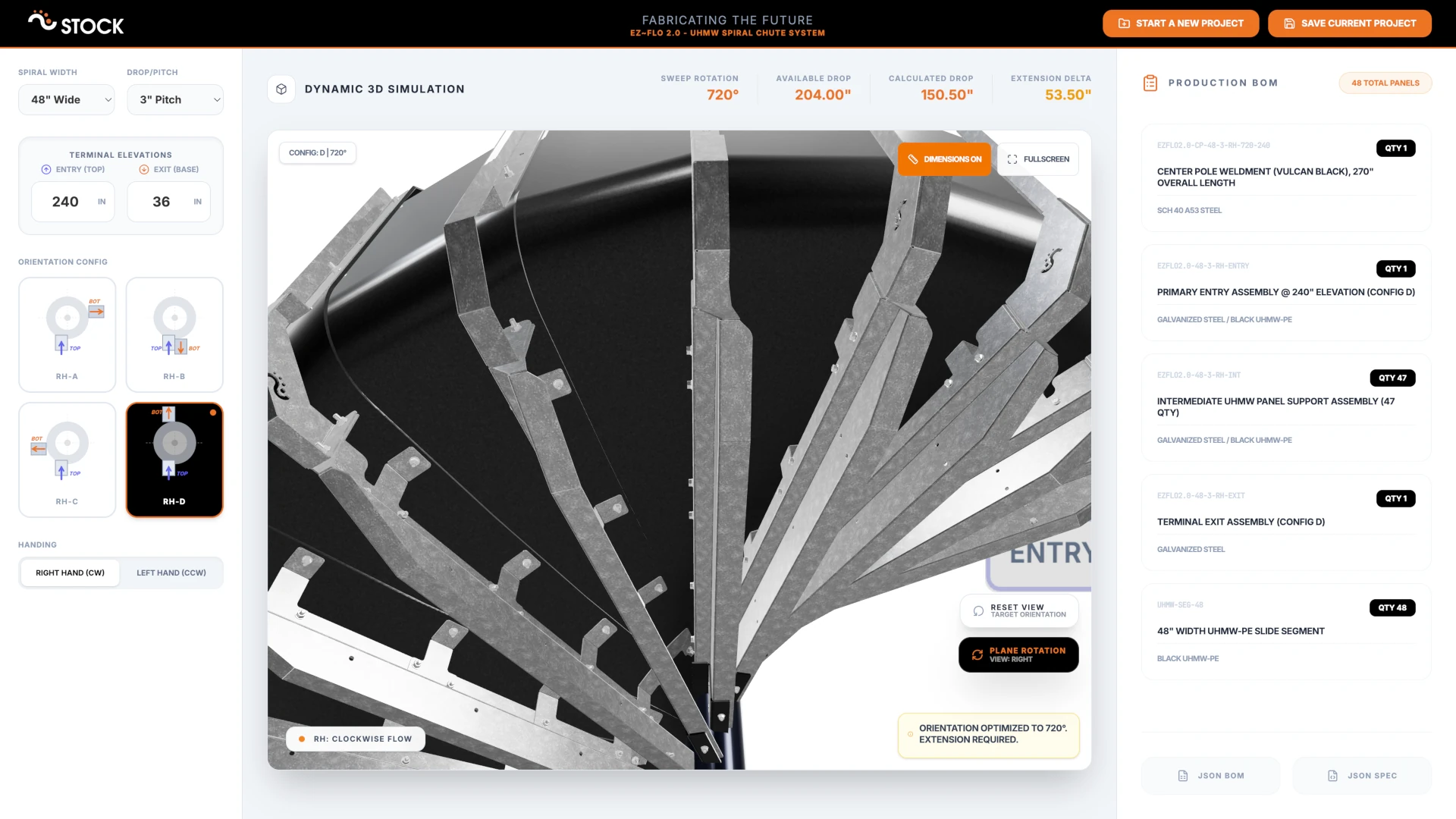
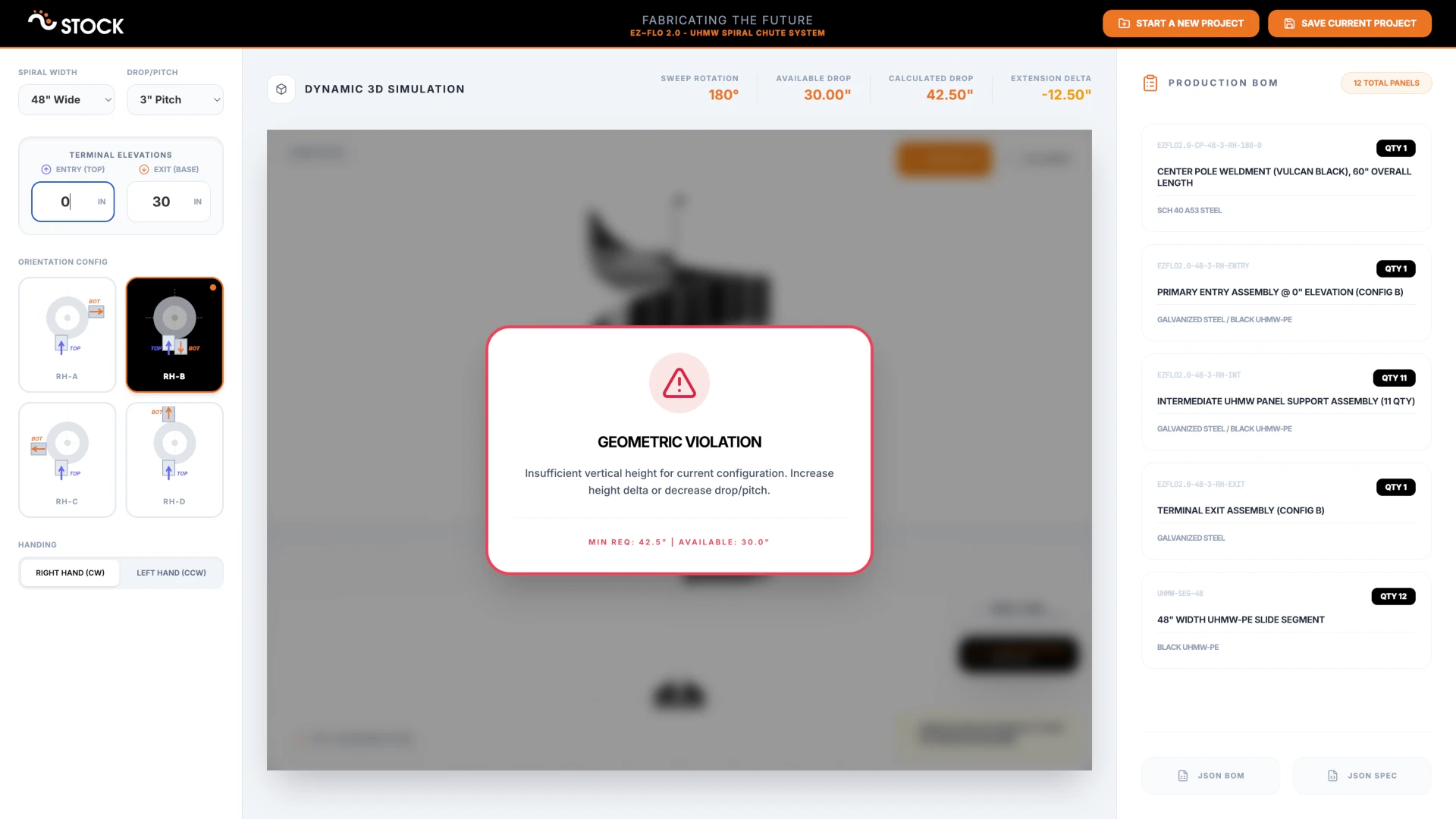
What makes this more than a simple slider-driven preview is the engineering math running underneath. The system calculates the vertical drop for a given rotation using pitch-specific gain-per-degree formulas, determines the optimal rotation from target heights, and snaps that rotation to the nearest valid configuration. If the available drop between entry and exit isn't sufficient for the minimum rotation required by the chosen terminal config, the viewer flags the configuration as invalid rather than rendering something that couldn't be built.
High-Fidelity 3D Models
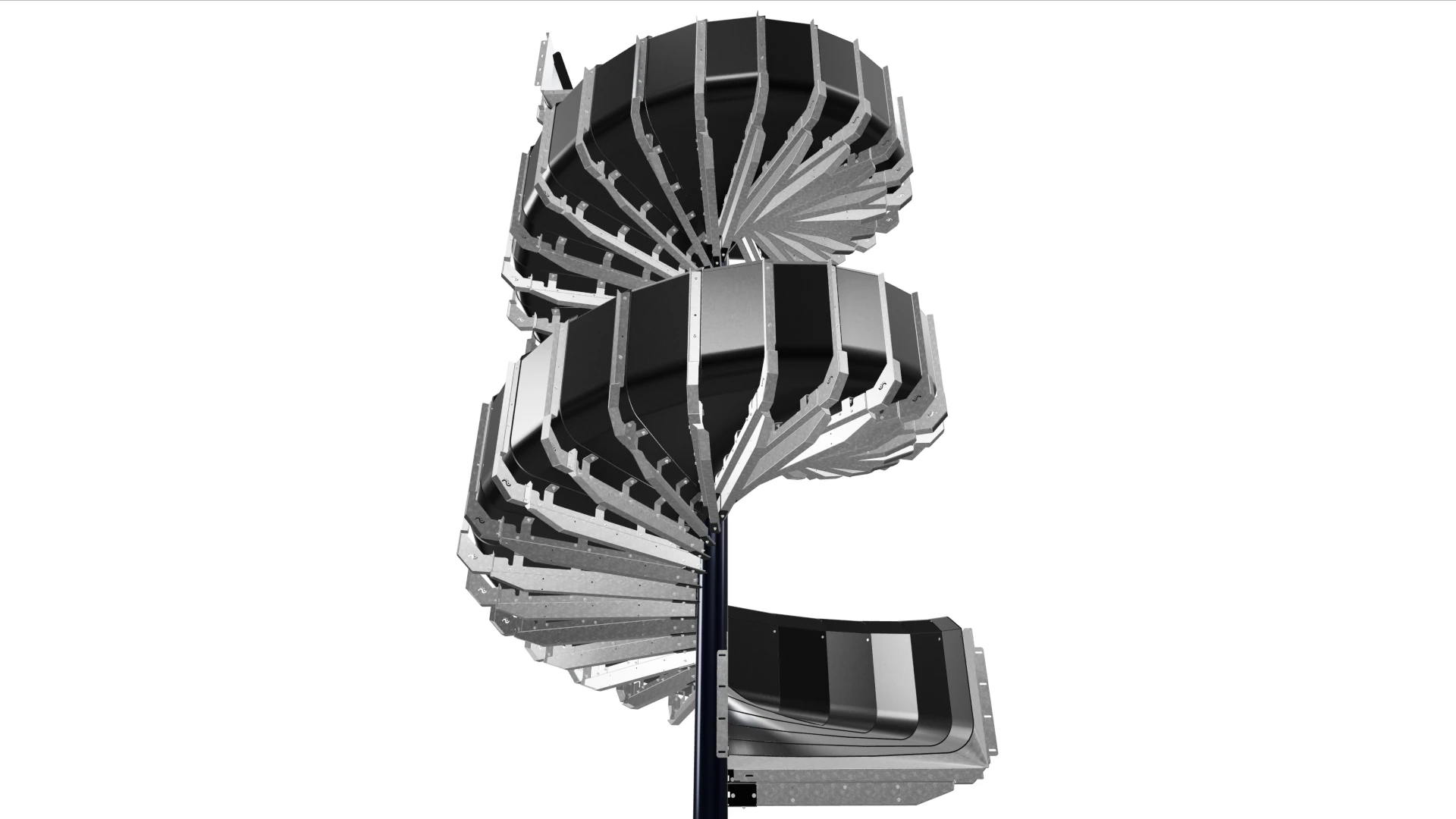
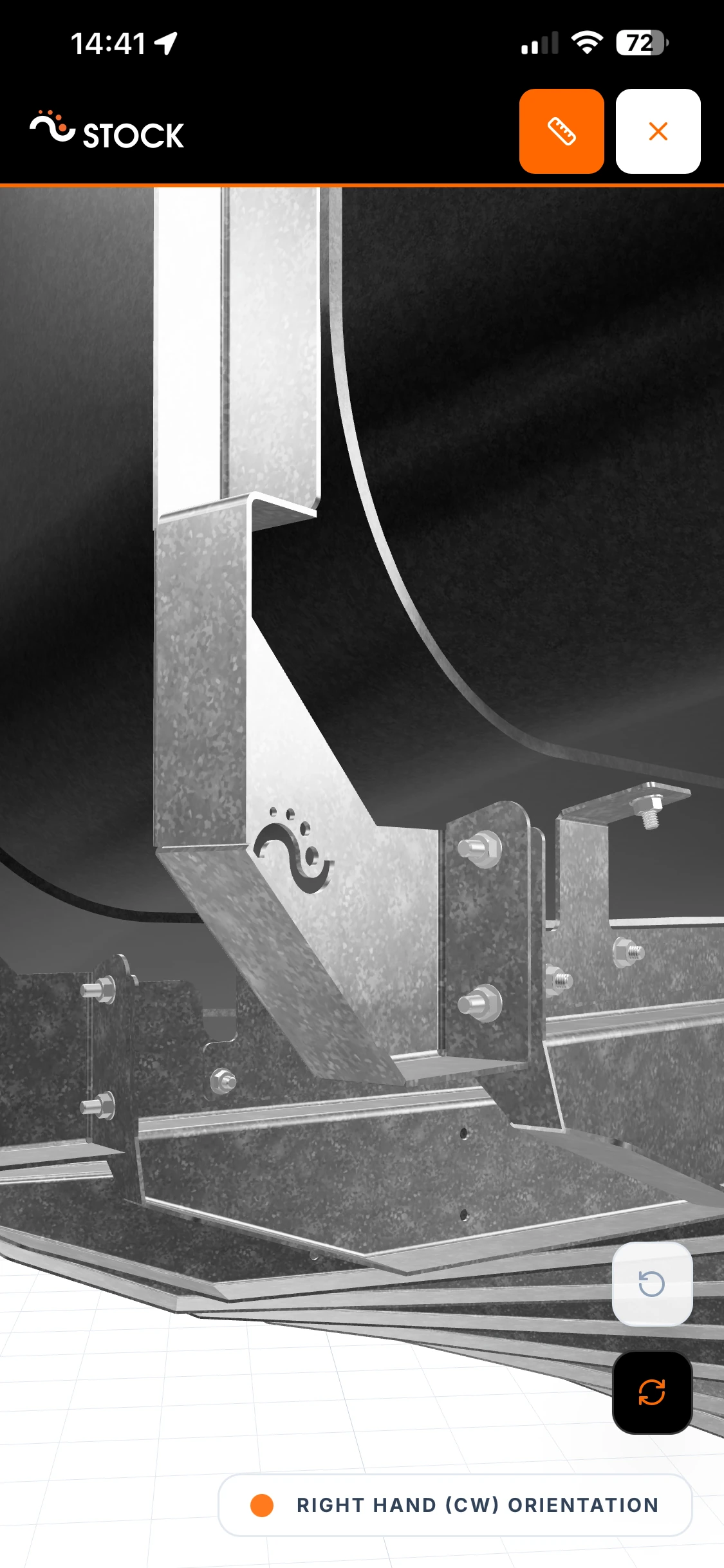
The configurator doesn't just show abstract geometry - it renders the actual chute assembly with realistic materials and proportions. We prepared detailed 3D models in Blender for each combination of width, pitch, and handing direction, paying close attention to the visual quality of the surfaces. The galvanized steel arms and structural components have a convincing metallic finish with natural reflections, while the black UHMW-PE slide panels are clearly distinguishable with their matte surface. Different materials - the painted center post, the galvanized supports, the polyethylene chute segments - are easy to tell apart at a glance, which helps the team quickly assess a configuration and communicate it to others.
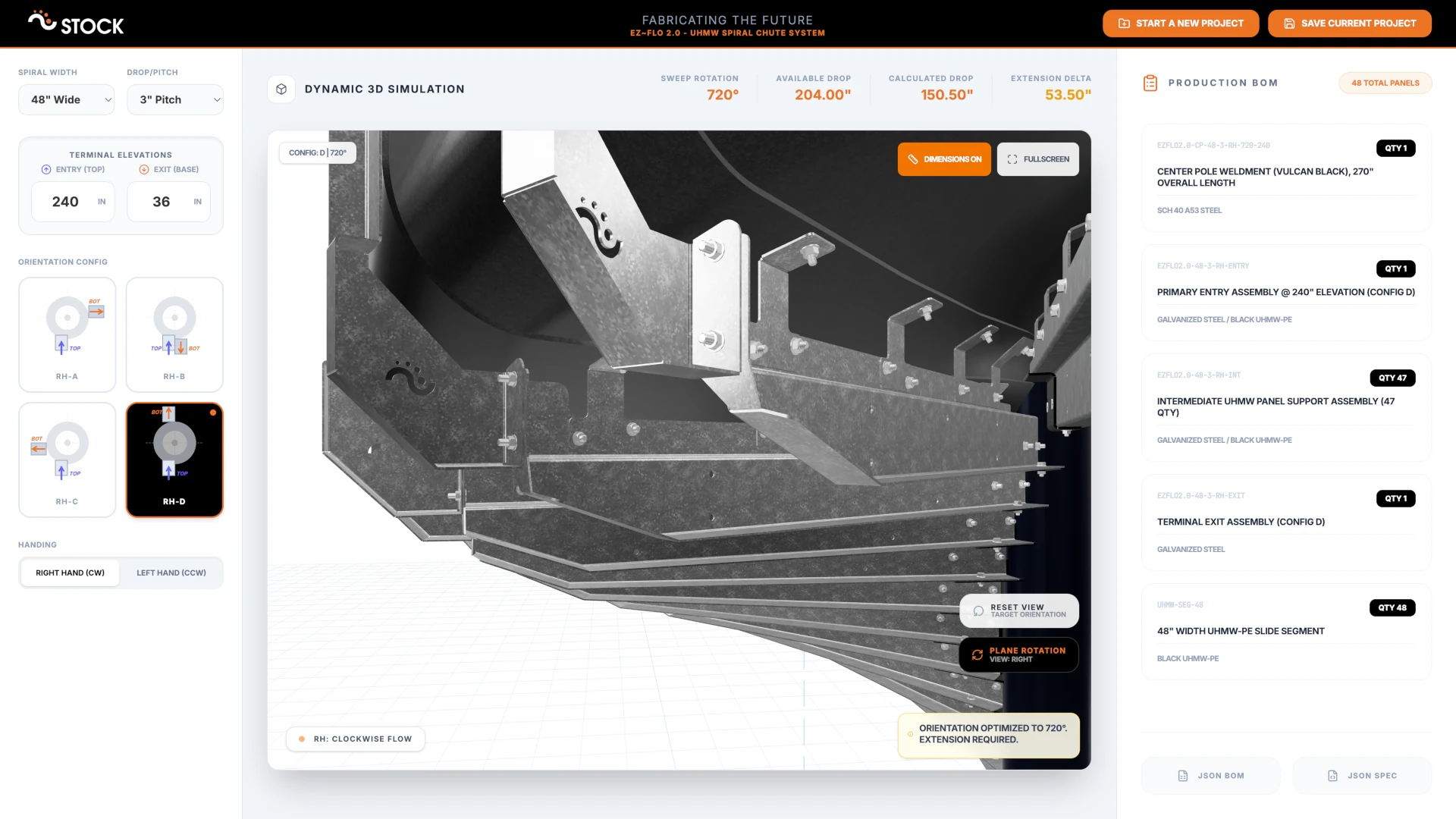
As the spiral geometry updates in response to parameter changes, the 3D assembly follows - entry sections, intermediate arms, exit terminals, base plates, and top caps all move into their correct positions along the spiral path. Even for tall configurations with dozens of segments, the viewer stays responsive and smooth. The 3D models are optimised and compressed, so the entire asset library loads quickly without compromising visual quality.
The viewport itself supports orbit controls for free rotation, preset camera angles (top, front, right, back, left), and a fullscreen mode for focused inspection. Dimension callouts - entry height, exit height, extension delta, total height, width, and depth - are drawn directly in the 3D scene as labeled measurement lines, giving precise spatial context without leaving the viewport.
Automatic Bill of Materials
Every time the configuration changes, the application recalculates a complete bill of materials. The BOM includes the center post weldment, the primary entry assembly, intermediate UHMW panel support assemblies, the terminal exit assembly, and UHMW-PE slide segments. Each line item gets an automatically generated part number following STOCKMHS's naming convention - encoding width, pitch, direction, rotation, and elevation into a structured format.
The architecture is designed to support rule-based pricing in the future, so that cost estimates can update instantly as parameters change - giving the team immediate visibility during the configuration process.
The BOM is displayed in a dedicated sidebar on desktop and as a slide-in drawer on mobile, with each line item rendered as a card showing the part number, description, material, and quantity. Users can export the full BOM and configuration as JSON for integration with third party procurement or ERP systems.
Branded PDF Reports
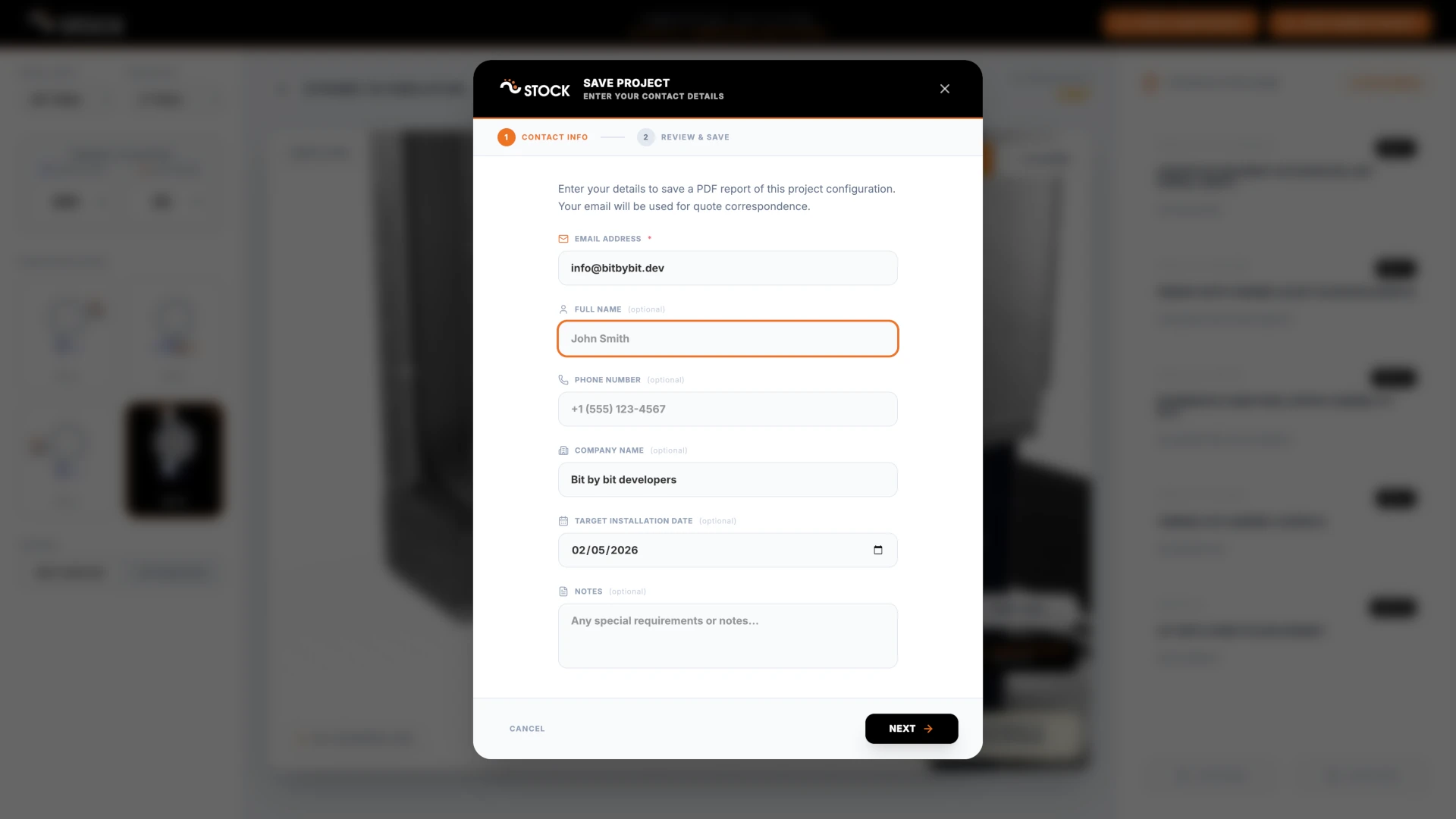
Once a configuration is finalized, the save workflow guides the user through a multi-step dialog. They enter project details - name, email, company, phone, planned installation date, and any notes - and the system captures screenshots of the 3D model from multiple orthographic views: front, back, left, right, and top, plus a close-up perspective shot.
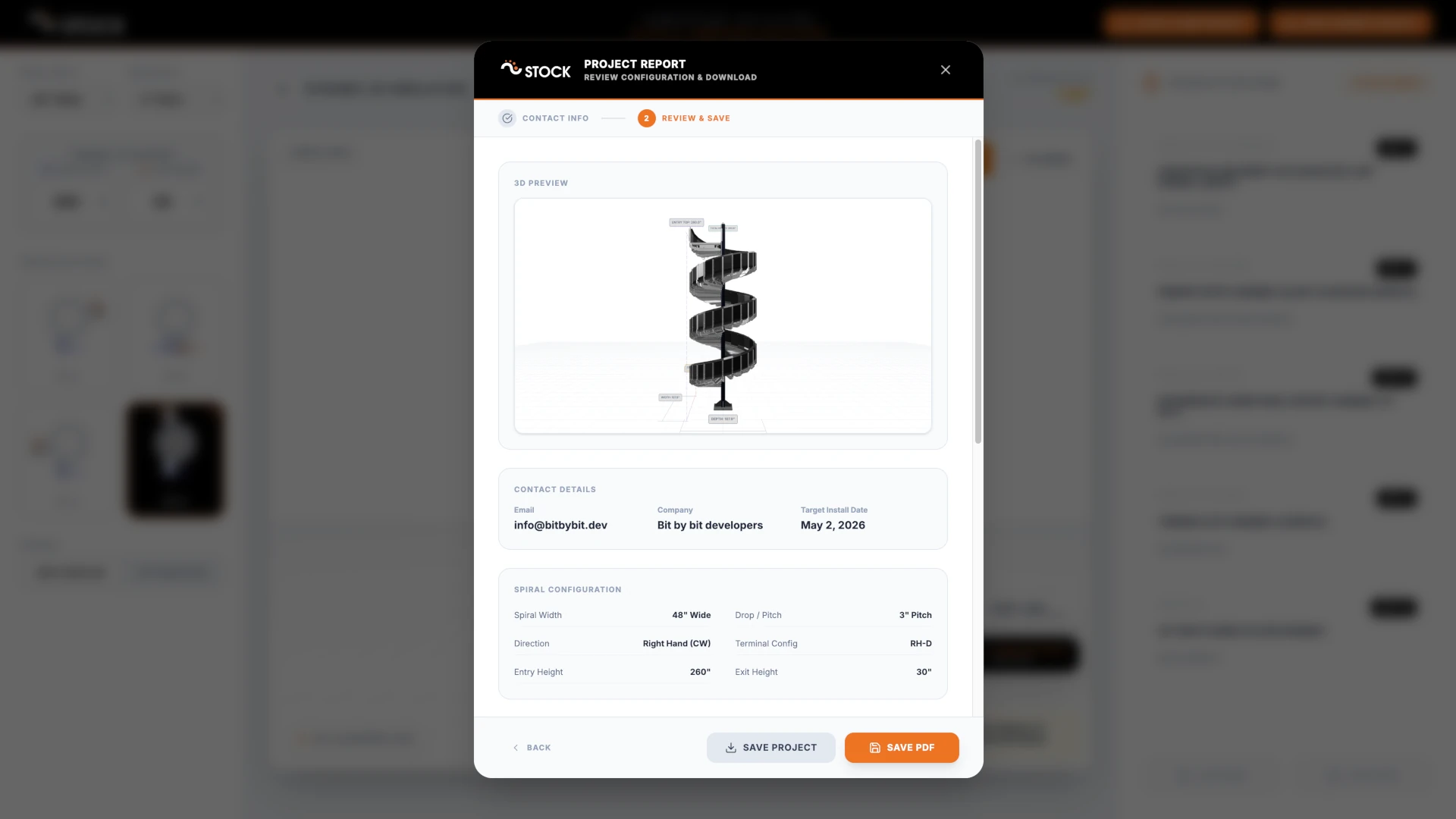
The resulting PDF is a polished, multi-page engineering document branded with STOCKMHS's identity. It includes a cover page, a configuration summary with all spiral parameters, the full BOM table, annotated 3D views of the chute assembly, and project metadata. Headers carry STOCKMHS contact information and the "Fabricating the Future" tagline. Footers include the generation date and confidentiality notice.
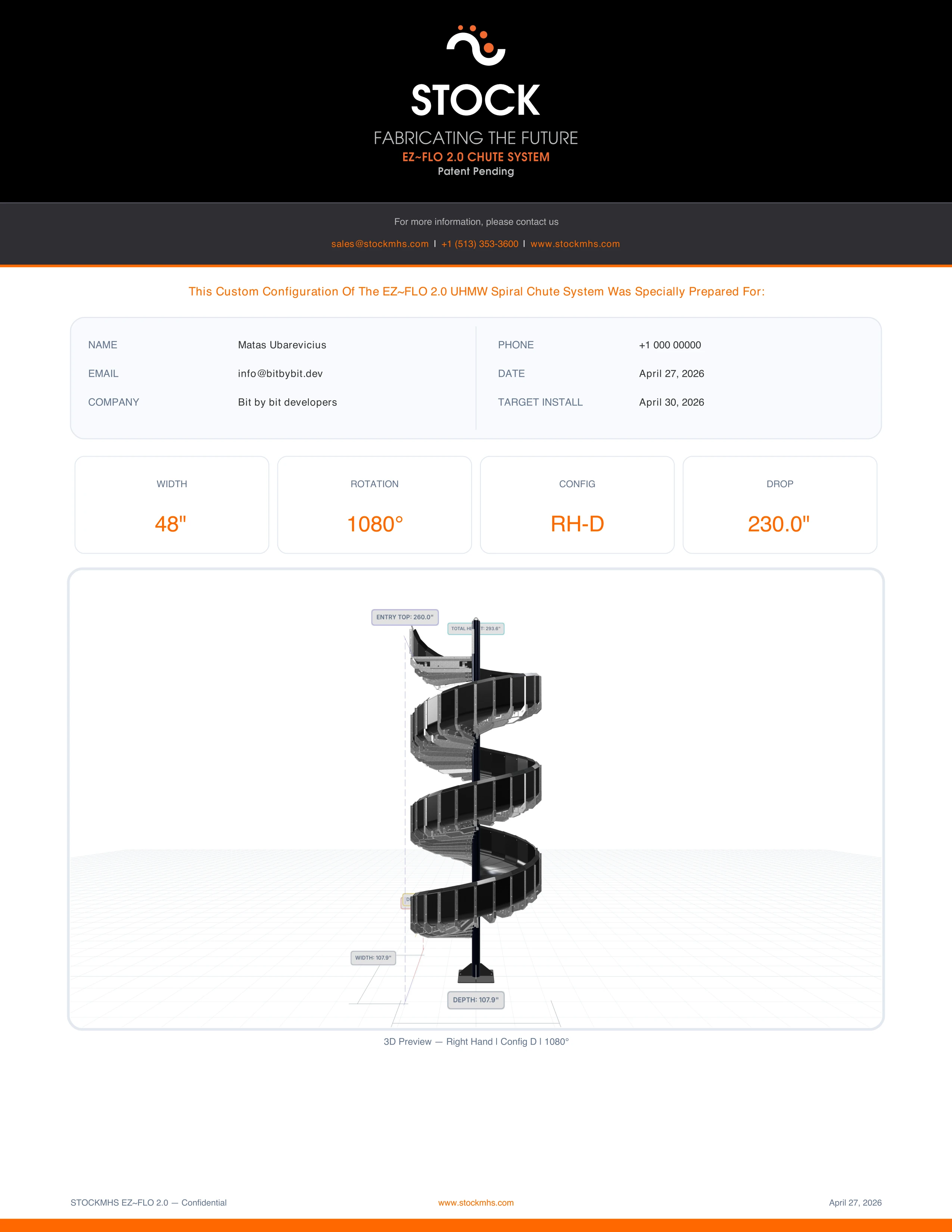
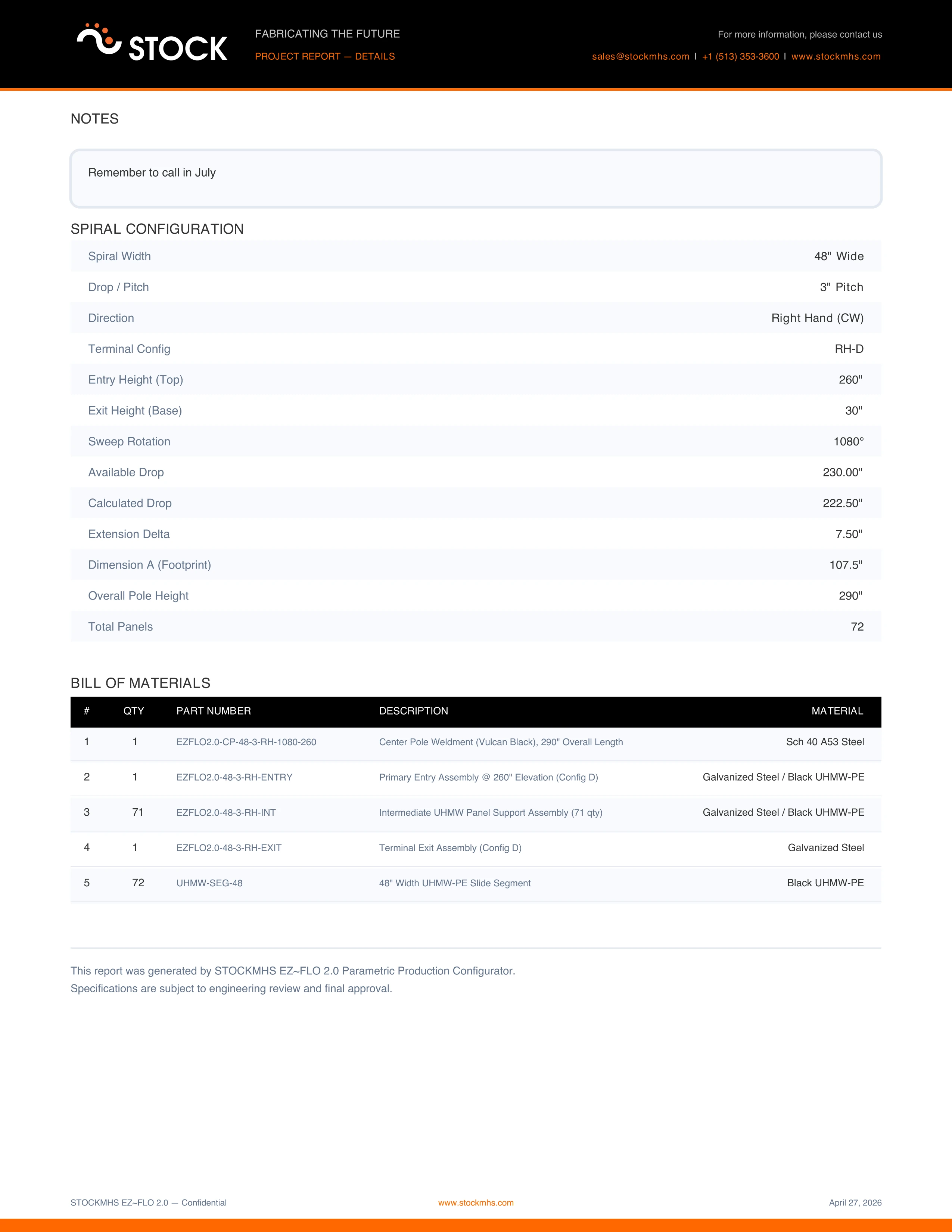
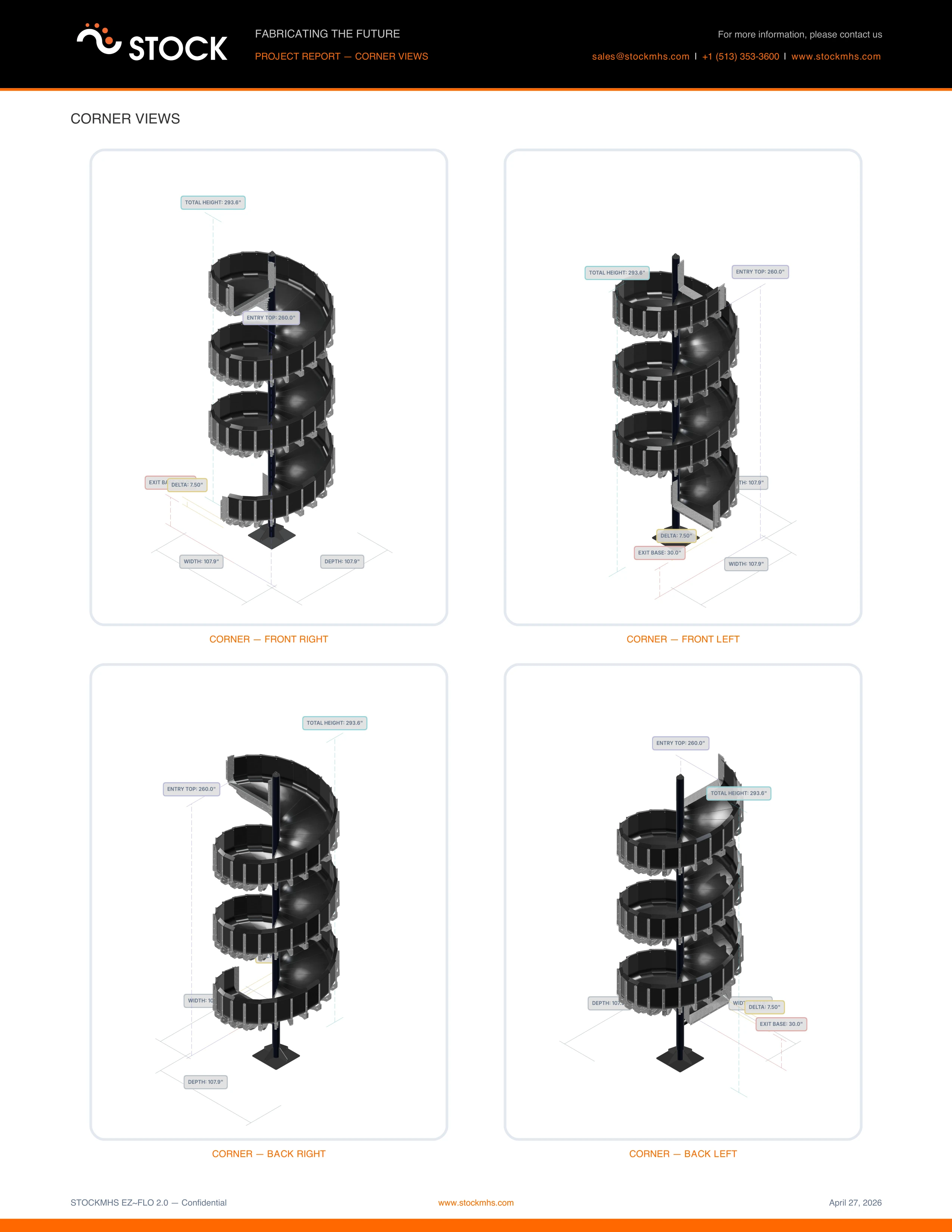
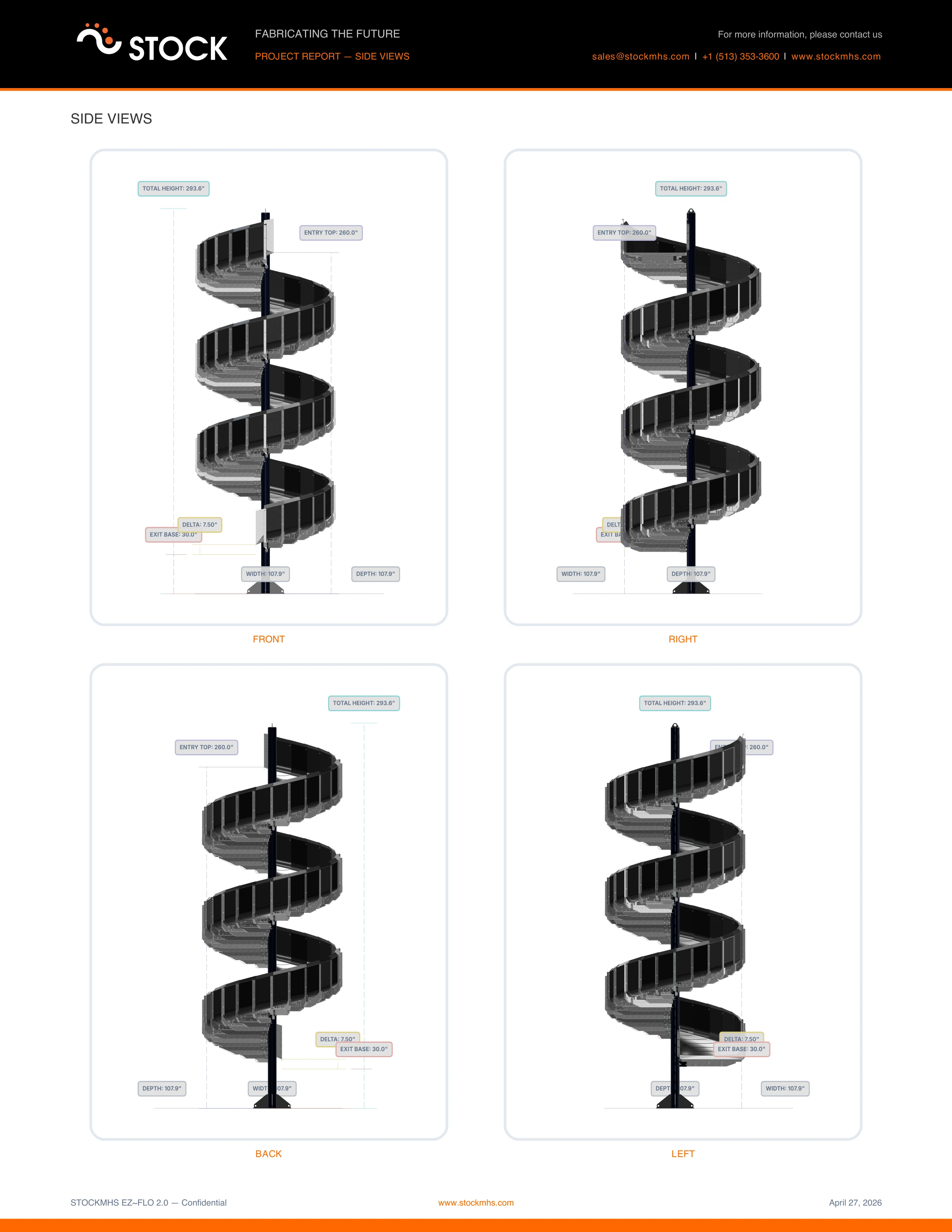
The PDF downloads as a file and can be shared with clients or other stakeholders. This gives the team a way to configure a chute, generate a professional-looking document, and share it immediately - whether that's with a colleague, a stakeholder, or during a presentation.
Shareable Deep Links
Every configuration parameter is synced bidirectionally with the browser's URL. When a user adjusts the width, pitch, heights, terminal config, or handing direction, the URL updates in real time. This means any configuration can be shared as a simple link - paste it into an email or a message and the recipient opens the configurator with exactly the same settings.
This is a small feature in terms of implementation, but it has a big impact on how the team collaborates around configurations. Someone can tweak a spiral setup, copy the URL, and send it to a colleague for review without needing to export files or schedule a screen share.
Works Offline, Anywhere
Because the configurator may be used in environments where internet access isn't guaranteed - factory floors, warehouses, trade show booths - the application is built to work offline. It can be installed on any device as a standalone app and functions fully without a network connection once the initial assets are cached.
All core functionality - 3D visualization, parametric configuration, BOM generation, and PDF export - works offline. This makes the tool practical wherever it's needed, not just at a desk with a stable connection.
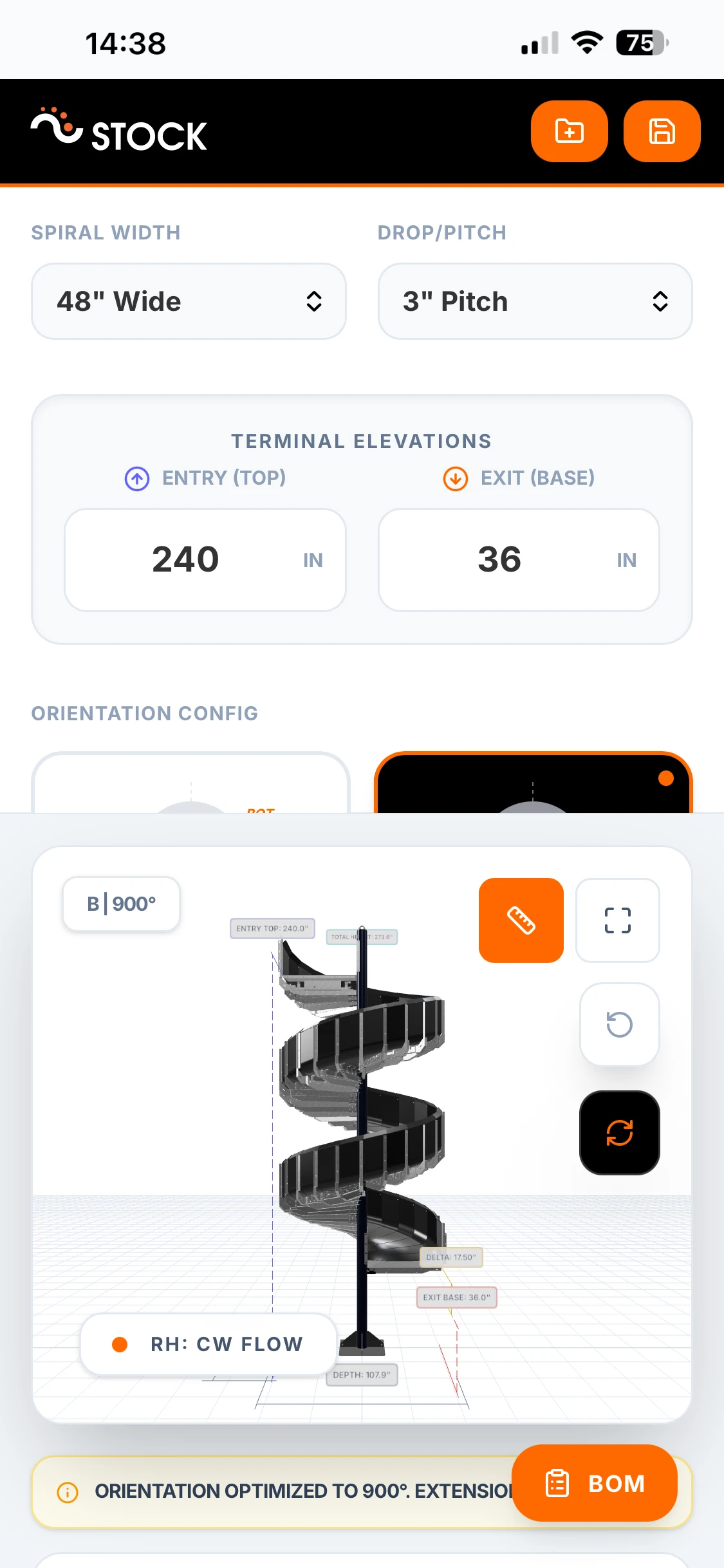
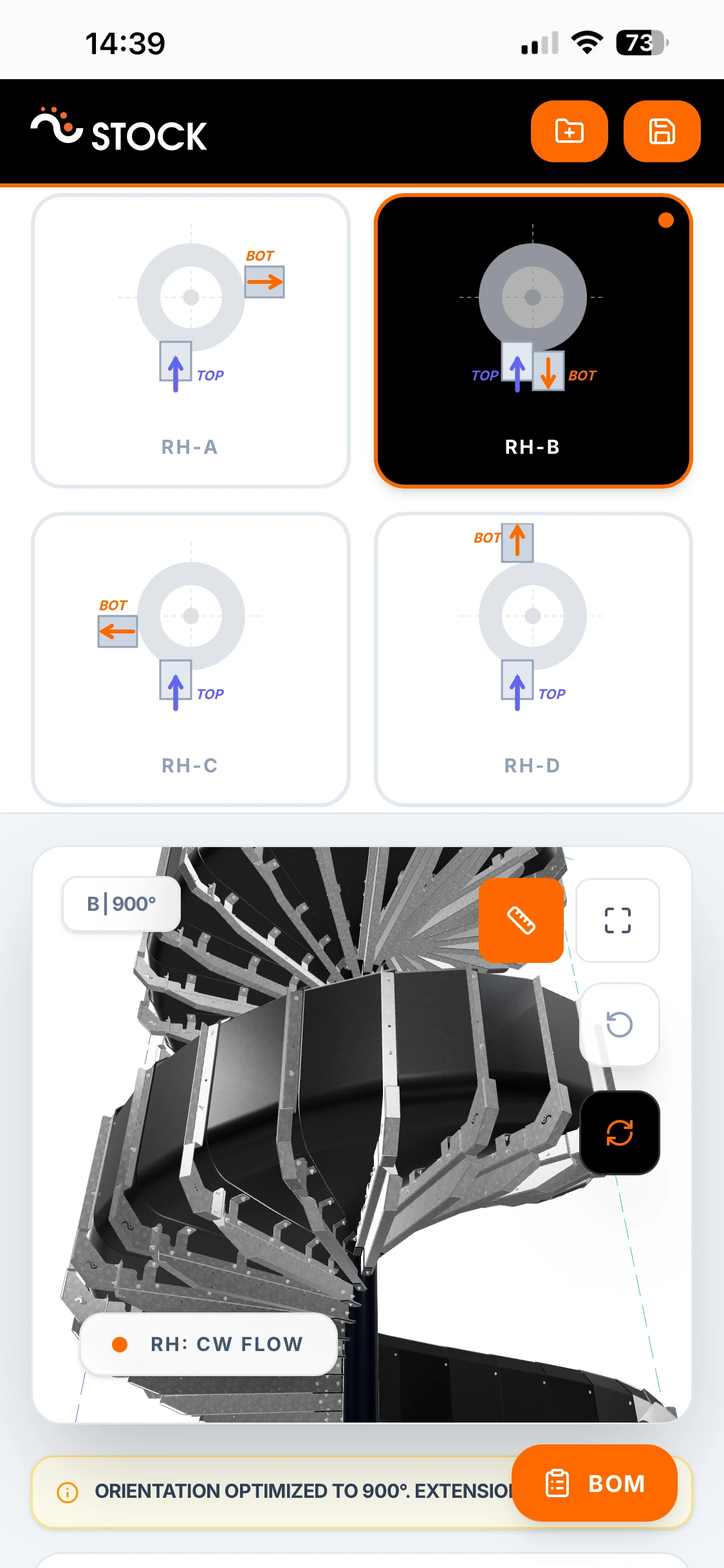
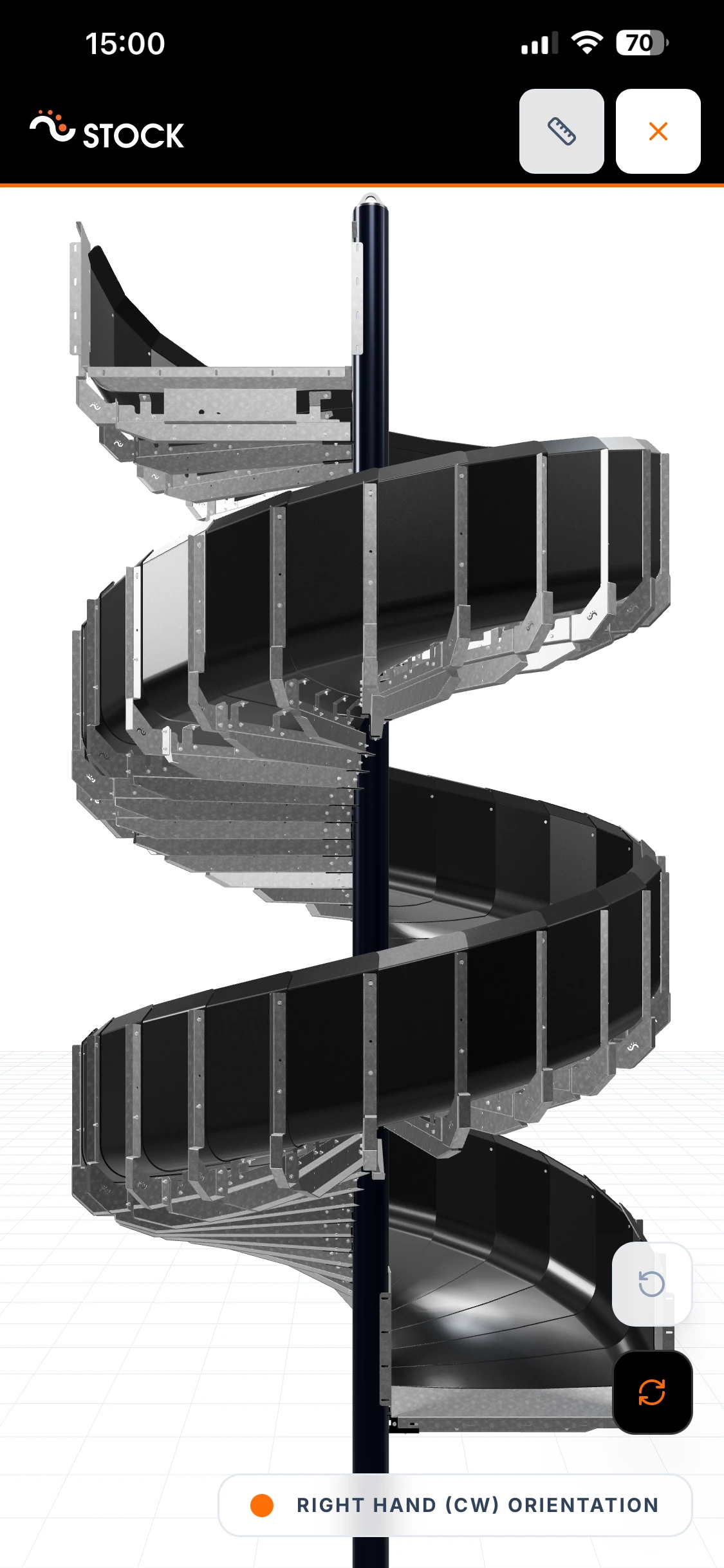
Live at MODEX 2026
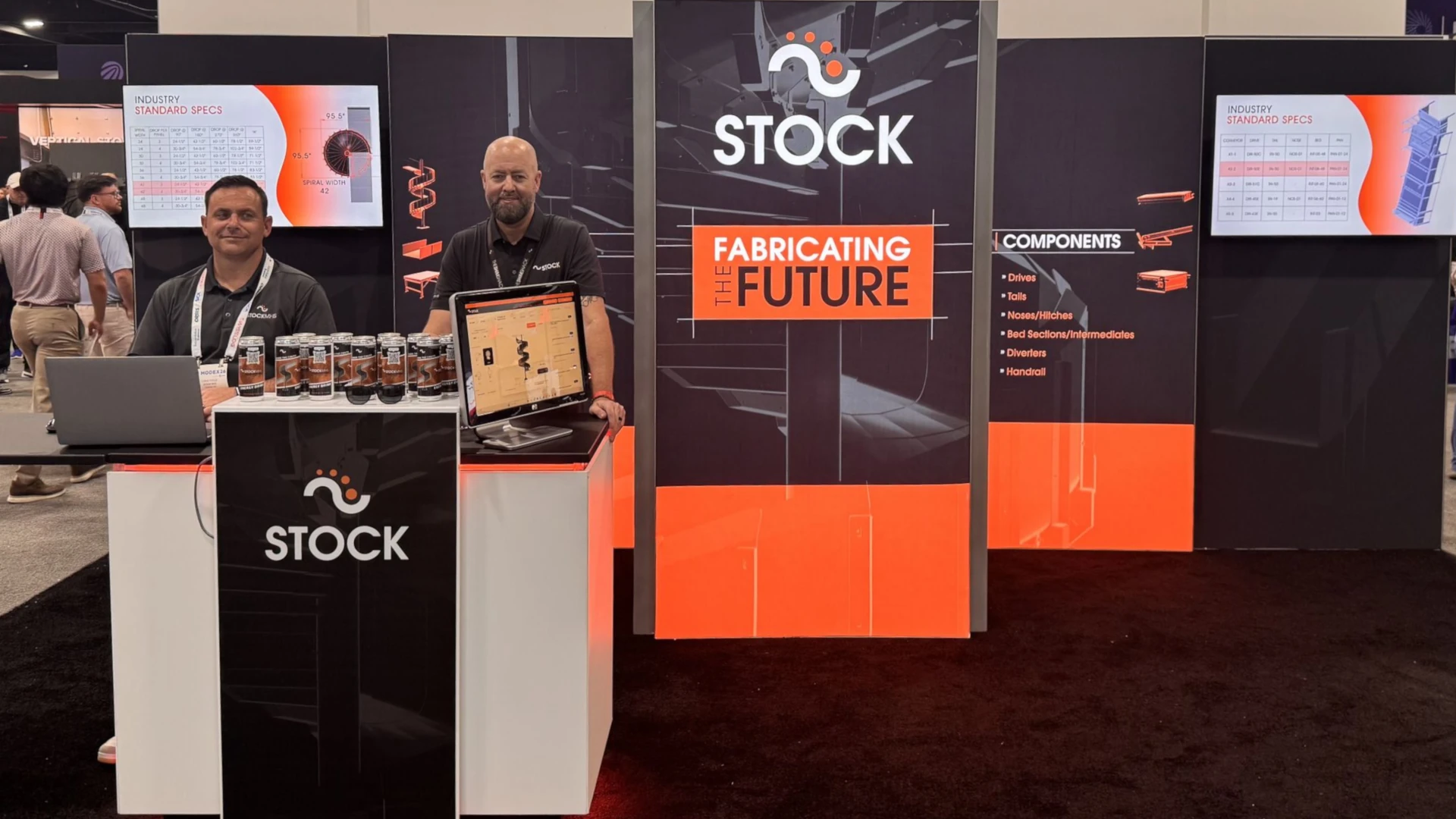
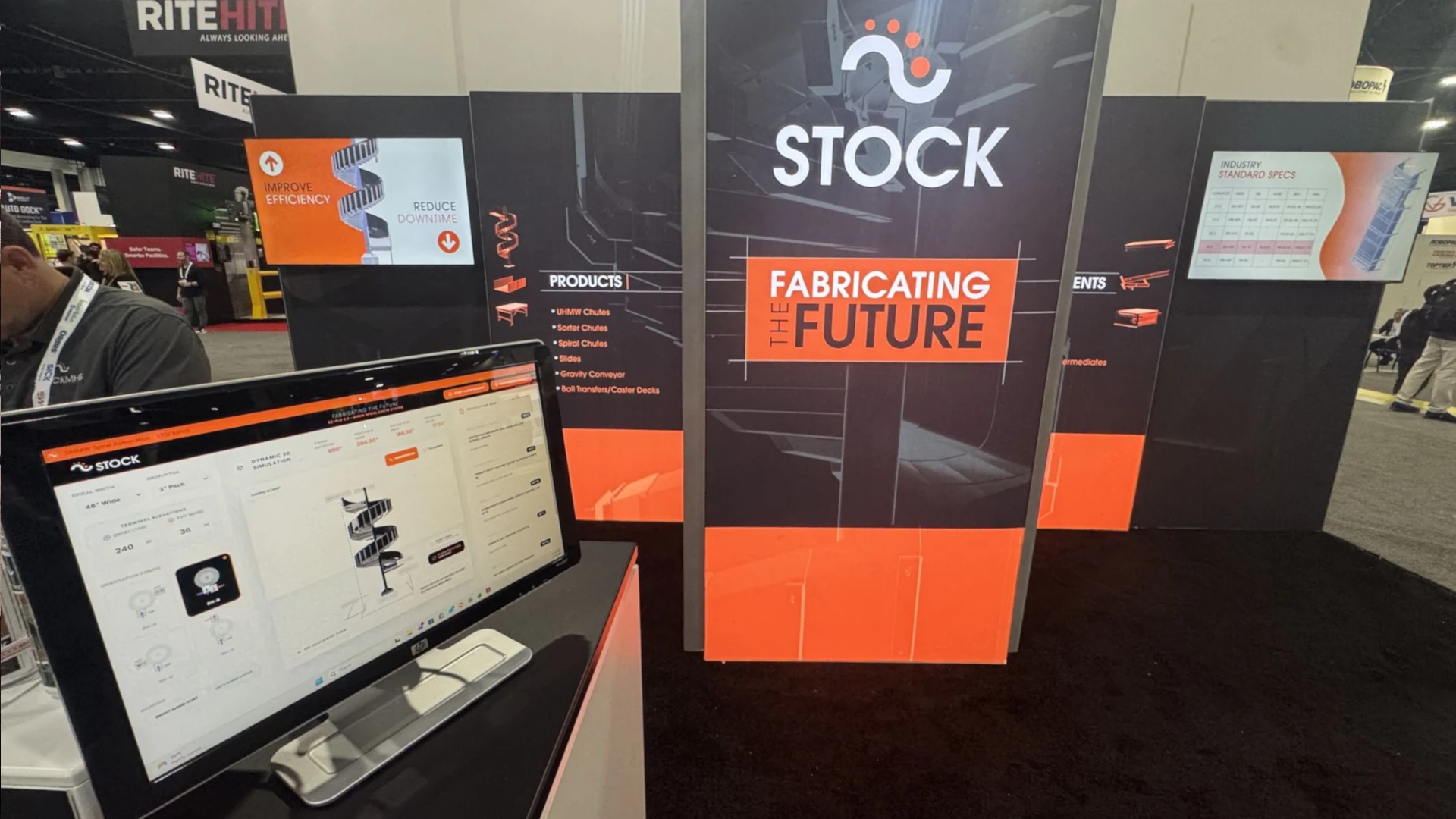
The configurator had its public debut at MODEX 2026 in Atlanta - one of the largest supply chain and material handling trade shows in the world. STOCKMHS showcased it in their beautifully designed booth, where the team used it to walk visitors through different spiral chute configurations in real time - adjusting parameters, showing how the assembly changes, and demonstrating the product's flexibility on the spot.
Seeing the tool used in a live trade show environment was a strong validation of the concept. The STOCKMHS team used it naturally throughout conversations, spinning the 3D model, changing widths and heights, and letting the configurator answer questions visually that would otherwise require lengthy explanations or static drawings. It turned what would normally be a brochure conversation into an interactive, hands-on product demonstration.
What This Project Demonstrates
This collaboration with STOCKMHS reinforces a pattern we see across many of our projects: when a product is modular and configurable, a well-built 3D configurator becomes a force multiplier for the entire business. It helps the sales team communicate product options more effectively. It reduces engineering back-and-forth because configurations are validated before they reach the shop floor. And it gives the design team a feedback loop - a way to test the boundaries of their modular system and understand where the flexibility works and where it might need refinement.
Building the configurator as a fully client-side application with no backend dependency made it simpler to deploy, easier to maintain, and more reliable in the field. Modern browsers are more than capable of handling professional engineering workflows - real-time 3D rendering, parametric geometry, document generation - entirely on the client side.
Ready to Build Your Own Configurator?
Every project is different, and we work closely with each client to find the right approach - from the technology stack to the level of parametric control to the integration with existing systems.
Interested in exploring what's possible? Reach out to us.